
1. Introducción
This manual provides detailed instructions for the installation, operation, and maintenance of your EKIY EC17 Wireless CarPlay & Android Auto Adapter. Please read this manual thoroughly before using the device to ensure optimal performance and safety. The EKIY EC17 converts your existing wired CarPlay or Android Auto system into a wireless connection, offering enhanced convenience and a clutter-free driving experience.
2. Contenido del paquete
Verifique que todos los artículos estén presentes en su paquete:
- EKIY EC17 Wireless CarPlay & Android Auto Adapter
- USB Female A to C cable
- Manual de usuario
3. Guía de configuración
Follow these steps to set up your EKIY EC17 adapter:
- Conecte el adaptador: Connect the EKIY EC17 adapter to your car's USB port using the provided USB Female A to C cable. Ensure the port supports data transfer for CarPlay/Android Auto.
- Habilitar Bluetooth: On your smartphone (iPhone or Android), go to your device's Bluetooth settings and ensure Bluetooth is turned on.
- Emparejar con adaptador: On your car's infotainment screen, navigate to the CarPlay or Android Auto interface. The adapter should appear as a Bluetooth device. Select it to initiate pairing.
- Confirmar conexión: Follow any on-screen prompts on your car's display and your smartphone to confirm the connection. Once paired, your wired CarPlay or Android Auto system will now function wirelessly.
The initial setup typically takes about 30 seconds. For future drives, the adapter will automatically reconnect to your phone within approximately 5 seconds after the car engine is turned on.
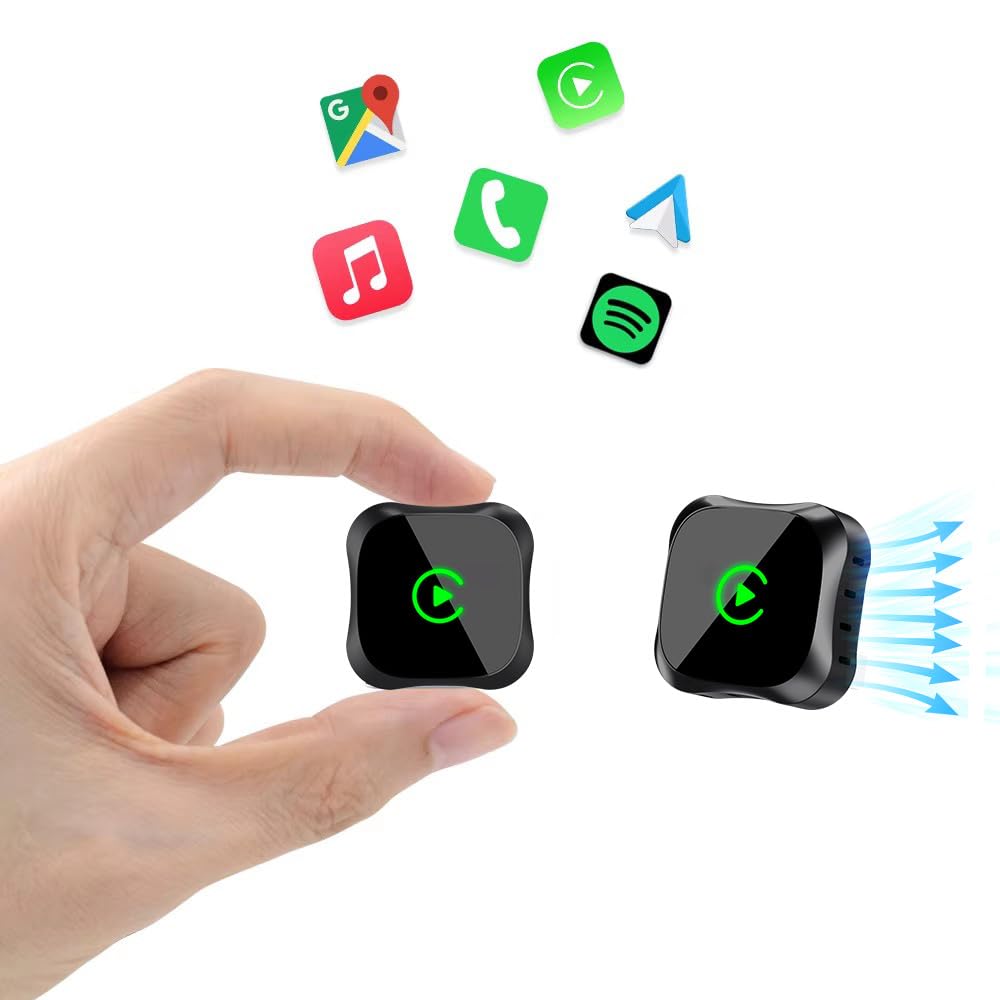
Image: The EKIY EC17 adapter, a compact device, shown connected to a car's USB port, ready for wireless operation.
4. Instrucciones de funcionamiento
Once set up, the EKIY EC17 adapter provides a seamless wireless experience:
- Reconexión automática: The adapter automatically connects to your paired smartphone when the car starts, utilizing its built-in 5.8GHz WiFi module for quick detection.
- Funcionalidad completa: Enjoy all standard CarPlay and Android Auto features wirelessly, including hands-free calling, navigation, music streaming, and messaging.
- Métodos de control: The adapter supports various control inputs from your car's system, such as voice control, steering wheel buttons, touchscreen, and knob operations.
- Conexión estable: Advanced Bluetooth 5.3 and 5.8GHz WiFi technology ensure a stable and fast wireless connection for uninterrupted performance.
Nota importante: The adapter connects to only one phone at a time. If you need to switch to a different phone, ensure you disconnect the Bluetooth and Wi-Fi connection of the previously connected phone first.
5. Compatibilidad
The EKIY EC17 Wireless CarPlay & Android Auto Adapter is designed for broad compatibility:
- Compatibilidad del vehículo: Works with approximately 98% of cars manufactured from 2016 onwards that come with factory-installed wired CarPlay and Android Auto.
- Smartphone Operating System: Requires iOS 10 or later for iPhones, and Android 11.0 or later for Android smartphones.
- Exclusiones: Este adaptador no no support BMW, Tesla, certain other specific car models, and some aftermarket stereos.
For specific compatibility verification, please refer to the official CarPlay & Android Auto websites or contact EKIY support.
6. Mantenimiento
To ensure the longevity and optimal performance of your EKIY EC17 adapter:
- Manténlo limpio: Limpie el adaptador periódicamente con un paño suave y seco para eliminar el polvo y la suciedad. Evite usar limpiadores líquidos.
- Condiciones ambientales: Store and operate the adapter within recommended temperature ranges. Avoid exposure to extreme heat, cold, or moisture.
- Actualizaciones de firmware (OTA): The adapter supports Over-The-Air (OTA) updates. Periodically check for and install updates to ensure you have the latest features and performance enhancements. Instructions for OTA updates will be provided through the adapter's interface or support channels.
7. Solución de problemas
If you encounter issues with your EKIY EC17 adapter, refer to the following common solutions:
- El adaptador no se conecta:
- Asegúrese de que el adaptador esté conectado de forma segura a un puerto USB funcional en su automóvil.
- Verifique que Bluetooth y Wi-Fi estén habilitados en su teléfono inteligente.
- Reinicie el sistema de información y entretenimiento de su automóvil y su teléfono inteligente.
- Olvídate del adaptador de la configuración de Bluetooth de tu teléfono y vuelve a emparejarlo.
- Desconexiones frecuentes o retrasos:
- Ensure no other devices are interfering with the Bluetooth or Wi-Fi signal.
- Try plugging the adapter into a different USB port if available.
- Busque e instale cualquier actualización de firmware OTA disponible para el adaptador.
- Asegúrese de que el sistema operativo de su teléfono esté actualizado.
- Cannot Switch Between Phones:
- Remember to disconnect the Bluetooth and Wi-Fi of the previously connected phone before attempting to connect a new one.
- Sin audio o audio distorsionado:
- Check your car's audio settings and ensure the correct input source is selected.
- Ajuste los niveles de volumen tanto en su teléfono como en el sistema del automóvil.
If problems persist, please contact EKIY customer support for further assistance.
8. Especificaciones
| Marca | EKIY |
| Modelo | EC17 |
| Fabricante | EKIY |
| Dimensiones del producto | 50 x 70 x 30 mm (largo x ancho x alto) |
| Peso del artículo | 50 gramos |
| Material | Aluminium, Tempered Glass |
| Dispositivos compatibles | Smartphone (with iOS 10+ or Android 11+) |
| Tipo de conector | USB tipo C |
| Tecnologías inalámbricas | Bluetooth 5.3, Wi-Fi de 5.8 GHz |
| Disipación de calor | 4-Way Heat Dissipation Design |
9. Garantía y soporte
EKIY is committed to providing excellent customer service and product reliability:
- Garantía: The EKIY EC17 adapter comes with a 12-month global support warranty.
- Apoyo técnico: Enjoy lifetime professional technical support through a dedicated Customer Care Portal.
For any inquiries, technical assistance, or warranty claims, please visit our official websitio o póngase en contacto con nuestro equipo de atención al cliente.