
1. Introducción
This manual provides comprehensive instructions for the setup, operation, and maintenance of your Gawfolk 34-Inch Ultrawide Curved Gaming Monitor. Designed for an immersive experience, this monitor features a 1500R curvature, UWQHD (3440x1440p) resolution, and a 165Hz refresh rate with FreeSync support for smooth visuals. Please read this manual thoroughly before using the product to ensure optimal performance and safety.
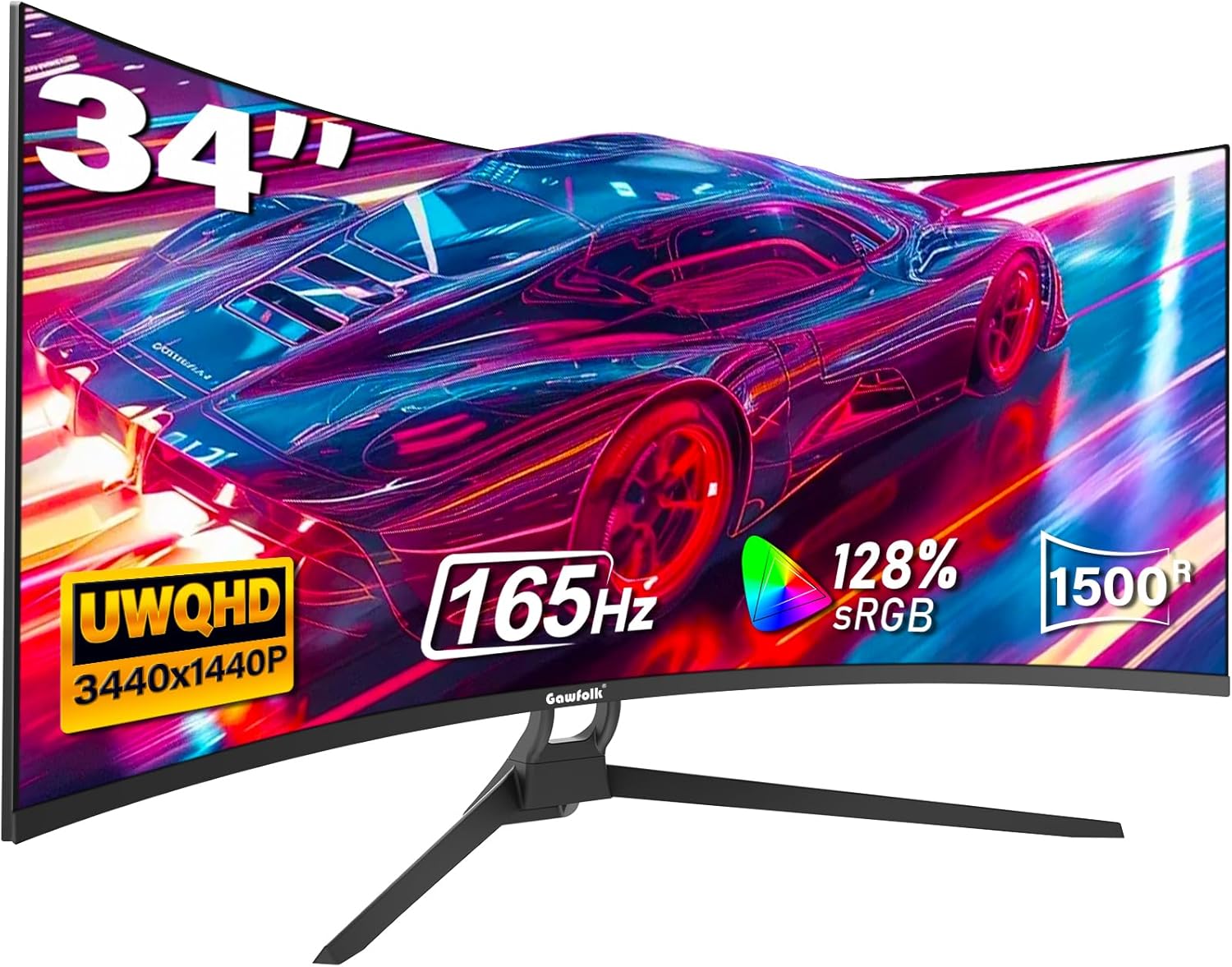
Figure 1: Gawfolk 34-Inch Ultrawide Curved Gaming Monitor. This image displays the front view of the curved monitor, highlighting its ultrawide aspect ratio and sleek design.

Figure 2: 21:9 WQHD Giant Screen. This image illustrates the expanded screen space of the 21:9 ultrawide monitor compared to a traditional 16:9 display, emphasizing the increased horizontal viewÁrea de ing.
2. ¿Qué hay en la caja?
Al abrir el paquete, verifique que todos los componentes enumerados a continuación estén presentes y en buenas condiciones:
- Monitor de Gawfolk
- Base en forma de V + soporte
- Adaptador de corriente
- Manual de instrucciones
- Bolsa de tornillo
- Cable DisplayPort
Video 1: How to install the 34 inch monitor stand. This video demonstrates the unboxing process and identifies all included components, followed by a step-by-step guide for assembling the monitor stand.
3. Configuración
3.1 Montaje del soporte del monitor
Siga estos pasos para ensamblar el soporte del monitor:
- Unpack the bracket and the bracket base from the packaging.
- Locate the VESA mounting pattern on the back of the monitor.
- Insert the bracket into the bracket slot on the monitor and press it down firmly until it clicks into place.
- Attach the bracket base to the bracket using the provided screws. Use a flat-head screwdriver to tighten the knob securely.

Figure 3: Back of the Monitor. This image shows the rear view of the monitor, highlighting the VESA mounting area and various input ports.
3.2 Conectividad
El monitor ofrece múltiples opciones de conectividad:
- 2 puertos HDMI: Supports HDMI 2.0 (up to 120Hz).
- 2 puertos DisplayPort (DP): Supports DP 1.4 (up to 165Hz).
- Salida de audio: Para conectar altavoces externos o auriculares.
Connect your PC, laptop, Xbox, or PS5 using the appropriate HDMI or DisplayPort cable. Ensure the cable is securely plugged into both the monitor and your device.

Figure 4: Product Application Diagram. This diagram illustrates various connection scenarios for the monitor, including PCs, notebooks, PS5, and Xbox, showing compatible resolutions and refresh rates for each port type.
3.3 Conexión de alimentación
Connect the monitor power adapter to the DC IN 12V port on the monitor, then plug the adapter into a power outlet. The monitor will automatically power on or enter standby mode.
4. Funcionamiento del monitor
4.1 Controles básicos
The monitor features intuitive controls, typically located on the bottom right side or rear, to navigate the On-Screen Display (OSD) menu. Use these buttons to adjust various settings.
4.2 Configuración de pantalla
- Resolución: The monitor supports UWQHD (3440 x 1440p) resolution, providing sharp and detailed images.
- Frecuencia de actualización: Experience fluid visuals with a high 165Hz refresh rate, ideal for gaming and fast-paced content.
- Curvatura: The 1500R curved screen offers an immersive viewing experience, wrapping scenes around you for enhanced concentration.
- Sincronización adaptativa (AMD FreeSync): This technology synchronizes the monitor's refresh rate with your graphics card, eliminating screen tearing and stuttering for smooth gameplay.
- Color Depth & sRGB: With 8-bit color depth and 120% sRGB coverage, the monitor delivers vivid and rich colors.
- Brillo: A brightness of 300 cd/m² ensures clear visibility in various lighting conditions.
- Tecnología HDR: Mejora el contraste y la precisión del color para una experiencia visual más dinámica.
- Luz azul baja: Advanced adjustable blue light filtering technology provides all-round eye protection during extended use.

Figure 5: AMD FreeSync Technology. This image visually demonstrates the effect of AMD FreeSync, showing a clear, tear-free image on the 'On' side compared to a distorted image on the 'Off' side.

Figure 6: Incredible 165Hz Refresh Rate. This image highlights the high refresh rate, showing a smooth visual of a racing car with '165Hz 1ms' indicating fast response time, contrasting with a slower '100Hz 5ms' display.

Figure 7: Experience the feeling of world racing. This image depicts a user engaged in a racing game on the curved monitor, emphasizing how the 1500R curvature enhances immersion and concentration.
4.3 Multi-Tasking Features
The ultrawide screen provides ample space for multitasking, allowing multiple programs to be displayed simultaneously, boosting work efficiency. The monitor may support Picture-in-Picture (PIP) or Picture-by-Picture (PBP) modes, enabling display from multiple sources at once.

Figure 8: More Space for Multi-Tasking. This image shows the ultrawide monitor displaying multiple applications side-by-side, demonstrating its capability for enhanced productivity and multitasking.
5. Mantenimiento
Para garantizar la longevidad y el rendimiento óptimo de su monitor, siga estas pautas de mantenimiento:
- Limpieza de la pantalla: Limpie suavemente la pantalla con un paño suave que no deje pelusa. Para manchas difíciles, limpie ligeramenteampEnjuague el paño con agua o un limpiador de pantallas no abrasivo. Evite rociar líquido directamente sobre la pantalla.
- Limpieza de la Casing: Utilice un paño suave y seco para limpiar el monitor.asing. Do not use strong detergents or solvents, as they may damage the finish.
- Ventilación: Asegúrese de que las aberturas de ventilación del monitor no estén bloqueadas. Un flujo de aire adecuado evita el sobrecalentamiento.
- Almacenamiento: Cuando no utilice el monitor durante períodos prolongados, guárdelo en un lugar fresco y seco, alejado de la luz solar directa y de temperaturas extremas.
6. Solución de problemas
Si encuentra algún problema con su monitor, consulte los siguientes pasos de solución de problemas comunes:
- Sin pantalla/pantalla negra:
- Asegúrese de que el cable de alimentación esté conectado de forma segura tanto al monitor como a la toma de corriente.
- Verify that the video cable (HDMI/DisplayPort) is firmly connected to both the monitor and your computer/device.
- Compruebe si la fuente de entrada correcta está seleccionada en el menú OSD del monitor.
- Pruebe el monitor con otro dispositivo o cable si es posible.
- Imagen parpadeante/distorsionada:
- Ensure the video cable is not loose or damaged. Try a different cable.
- Adjust the refresh rate settings on your computer's display settings.
- Disable or enable Adaptive Sync (FreeSync) in the monitor's OSD or your graphics card settings to see if it resolves the issue.
- No Sound (from Audio Out):
- Ensure your external speakers or headphones are properly connected to the Audio Out port.
- Check the volume settings on both your monitor and your connected device.
- Verify that the audio output on your computer/device is set to the monitor or the correct audio device.
For more complex issues or if the problem persists, please refer to the detailed troubleshooting section in the full instruction manual or contact Gawfolk customer support.
7. Especificaciones
Key technical specifications for the Gawfolk 34-Inch Ultrawide Curved Gaming Monitor:
| Característica | Especificación |
|---|---|
| Número de modelo | GF340C |
| Tamaño de pantalla | 34 pulgadas |
| Relación de aspecto | 21:9 |
| Resolución | 3440 x 1440 Pixels (UWQHD) |
| Brillo de la imagen | 300 cd/m² |
| Descripción de la superficie de la pantalla | Mate |
| Dimensiones del producto | 6.3 x 34.25 x 17.13 pulgadas |
| Peso del artículo | 14.72 libras |
| Fabricante | Gente de la calle |
8. Garantía y soporte
Gawfolk is committed to providing high-quality computer monitors and premium services. Your monitor is covered by a worry-free Garantía de 12 meses a partir de la fecha de compra.
If you find any damage, malfunction, or missing accessories, please contact Gawfolk customer support at any time. Our team is ready to assist you with any inquiries or issues you may have.