
Introducción
This manual provides essential instructions for the safe and efficient operation, maintenance, and troubleshooting of your OUKITEL P1000 Plus Portable Power Station and accompanying 200W Solar Panel. Please read this manual thoroughly before using the product to ensure optimal performance and longevity.
Contenido del paquete
Al desembalar, verifique que todos los elementos enumerados a continuación estén presentes y en buenas condiciones:
- Central eléctrica portátil OUKITEL P1000 Plus
- Panel solar de 200 W
- Cable de carga de CA
- Cable de carga para coche
- Cable de carga solar
- Manual de usuario (este documento)
Note: Due to the weight of the product, the power station and solar panel may be delivered in separate packages.
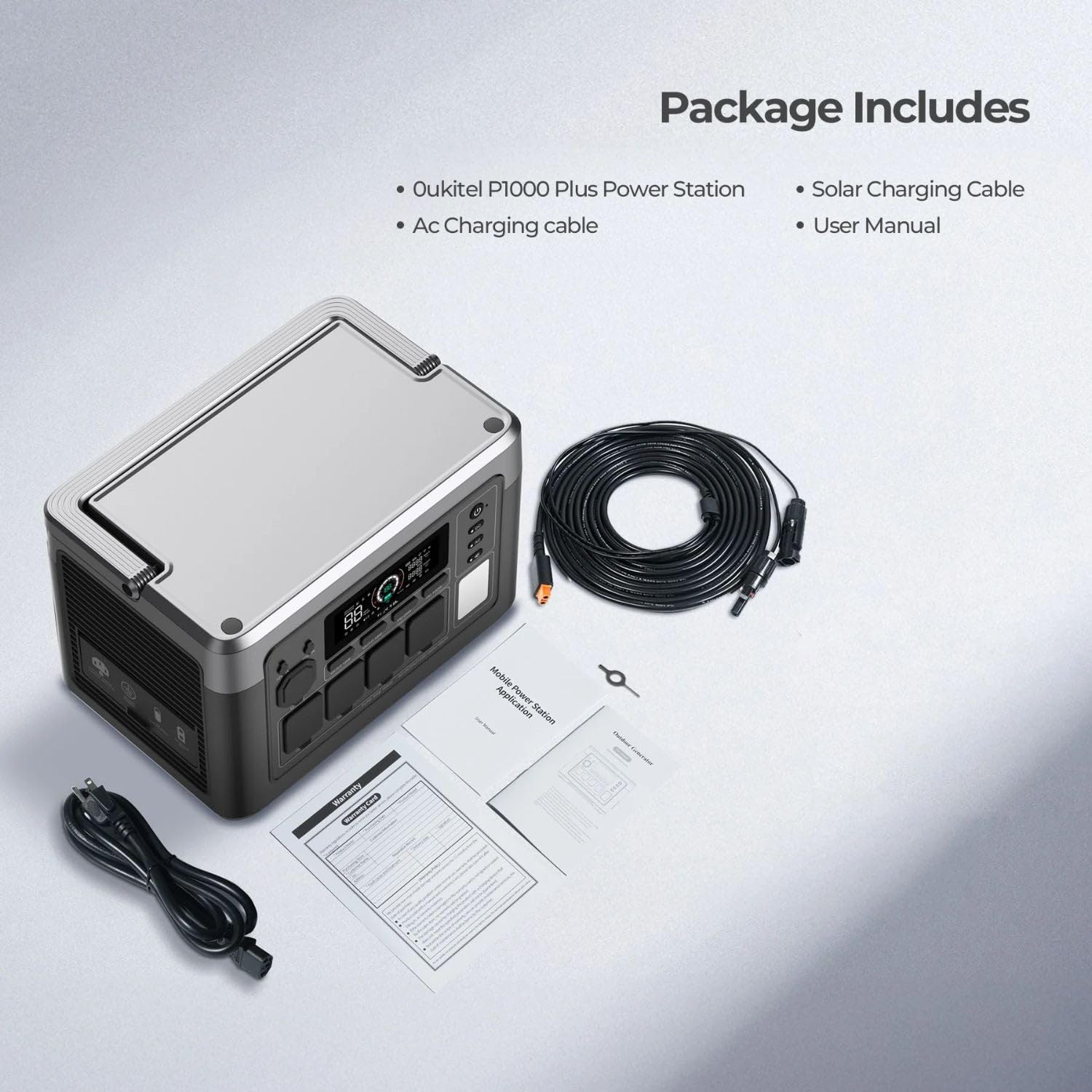
Image: OUKITEL P1000 Plus Portable Power Station and included accessories.
Características del producto
- High Power Output & Capacity: The P1000 Plus offers an 1800W (3600W peak) AC output and a 1024Wh LiFePO4 battery capacity, suitable for various appliances.
- Carga rápida: Achieves 0-100% charge in approximately 1 hour using 1200W AC input. Supports up to 500W solar input for efficient charging.
- Batería LiFePO4 duradera: Equipped with LiFePO4 batteries, providing over 3500 charge cycles and a lifespan exceeding 10 years.
- Control de aplicación inteligente: Monitor and control the power station remotely via a dedicated smartphone application, checking power levels, input/output, charging time, and battery temperature.
- Múltiples puertos de salida: Features 11 output ports including 4 AC outlets, 2 USB-A Quick Charge 3.0 ports, 2 USB-C PD ports (20W, 100W), 2 DC outlets, and 1 cigarette lighter port.
- Sistema de alimentación ininterrumpida (UPS): Provides seamless power switching within 0.01 seconds during outages, protegiendo dispositivos electrónicos sensibles.
- Sistema avanzado de gestión de batería (BMS): Monitores vol.tage, current, and temperature for safe and secure operation.
- Funcionamiento silencioso: Operates at less than 29 dB when output is below 500W, ensuring minimal disturbance.
- Iluminación LED integrada: Features 3 LED modes (steady light, SOS, flashing) for various lighting needs.
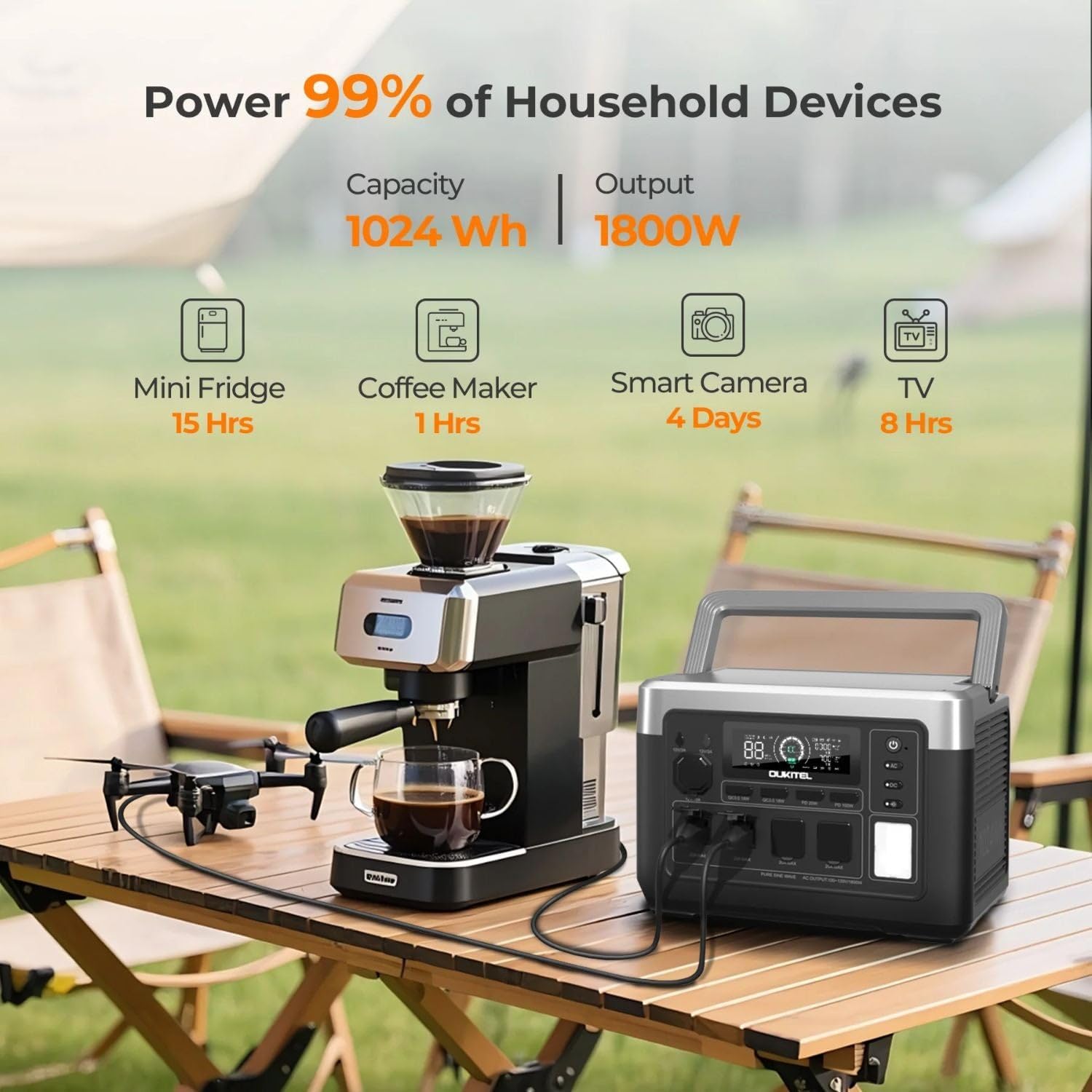
Image: OUKITEL P1000 Plus powering common devices, highlighting its capacity and output.

Image: Advanced LiFePO4 battery technology and BMS for safety and longevity.
Guía de configuración
- Deshacer: Retire con cuidado todos los componentes del embalaje. Conserve el embalaje para su posterior almacenamiento o transporte.
- Carga inicial: Before first use, fully charge the P1000 Plus using the AC charging cable. Connect the AC charging cable to the power station's AC input port and then to a standard wall outlet. The display will indicate charging status.
- Solar Panel Setup (Optional): If using the 200W Solar Panel, unfold it and position it in direct sunlight. Connect the solar charging cable from the panel to the power station's solar input port.
- Descargar aplicación: For smart control features, download the "Wonderfree" app from your smartphone's app store.

Image: OUKITEL P1000 Plus connected for AC charging.
Instrucciones de funcionamiento
Encendido/apagado
Mantenga pulsado el botón de encendido durante unos segundos para encender o apagar la unidad. La pantalla se iluminará al activarla.
Cargando la central eléctrica
- Carga de CA: Connect the AC charging cable to the power station and a wall outlet. The unit supports 1200W fast charging.
- Carga solar: Connect the 200W solar panel (or other compatible solar panels up to 500W) using the solar charging cable. Ensure panels are in direct sunlight for optimal charging.
- Carga del coche: Use the car charging cable to connect the power station to your vehicle's 12V cigarette lighter port.
- Carga CA + Solar: For the fastest charging, combine AC and solar inputs.

Image: Various charging methods for the OUKITEL P1000 Plus.
Uso de puertos de salida
To use a specific output type (AC, DC, USB), press the corresponding button (AC, DC, USB) on the power station to activate it. The display will show active outputs.
- Tomas de corriente CA: Plug in standard household appliances. The P1000 Plus provides 1800W continuous power.
- Puertos USB: Connect USB devices for charging. Includes USB-A Quick Charge 3.0 and USB-C Power Delivery ports.
- DC Outlets & Cigarette Lighter: Use for 12V DC powered devices.

Image: Optimized and versatile output ports on the OUKITEL P1000 Plus.
Control de aplicaciones inteligente
After downloading the "Wonderfree" app, connect your smartphone to the power station via Wi-Fi or Bluetooth. The app allows you to:
- Monitor real-time power levels, input, and output.
- Adjust charging speeds.
- Compruebe la temperatura de la batería.
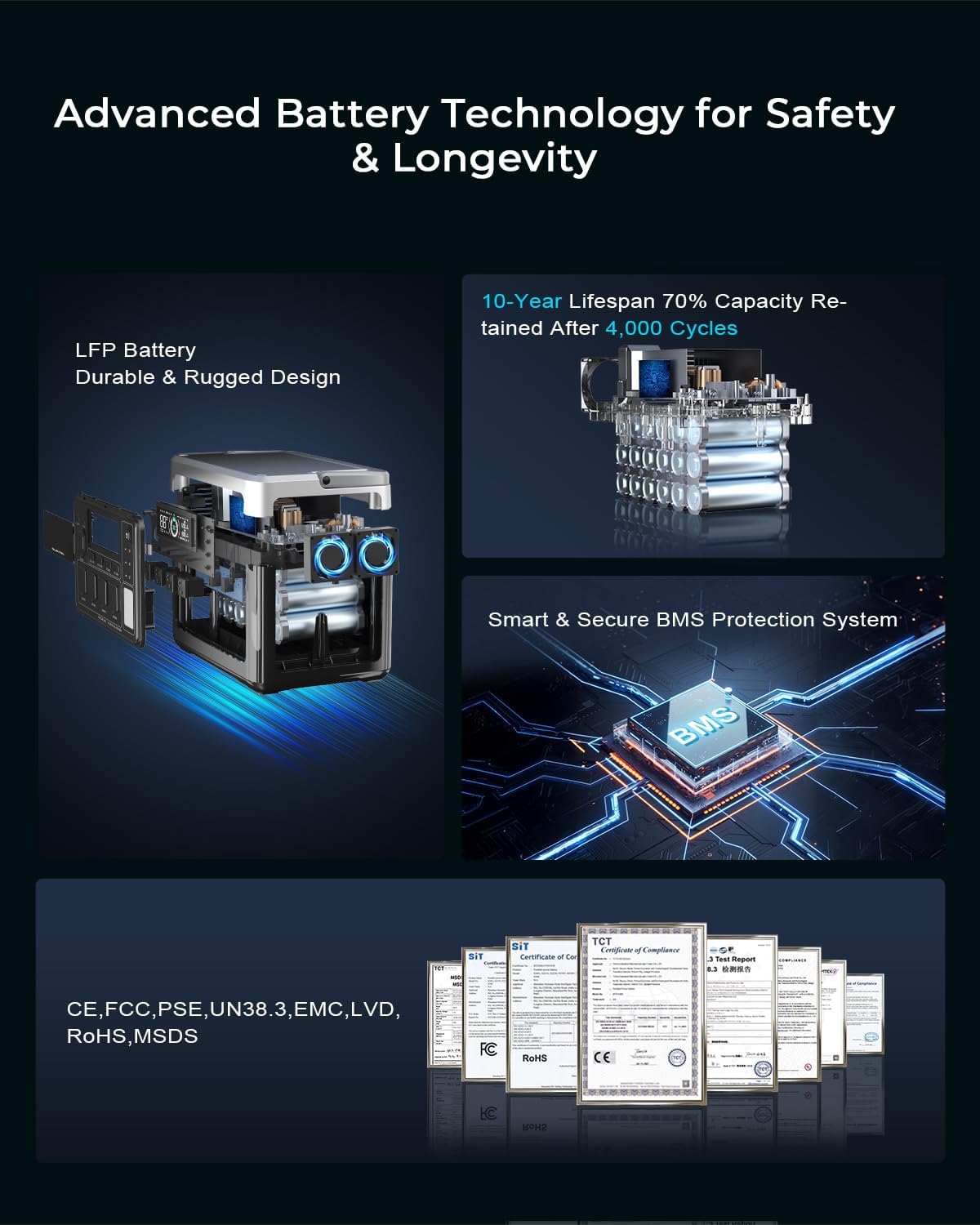
Image: Easy app control interface for the OUKITEL P1000 Plus.
Función de sistema de alimentación ininterrumpida (UPS)
When the P1000 Plus is connected to an AC wall outlet and also has devices plugged into its AC outputs, it functions as a UPS. In case of a power outage, la unidad cambiará automáticamente a energía de batería en 0.01 segundos, lo que garantiza el funcionamiento continuo de los dispositivos conectados.

Image: OUKITEL P1000 Plus providing seamless UPS backup power.
Modos de iluminación LED
The power station includes an integrated LED light with three modes: steady illumination, SOS signal, and flashing. Press the dedicated LED button to cycle through these modes.

Image: OUKITEL P1000 Plus used for quiet, portable power during campEn.
Mantenimiento
- Limpieza: Utilice un paño seco y suave para limpiar el exterior de la central eléctrica. No utilice limpiadores abrasivos ni sumerja la unidad en agua.
- Almacenamiento: Store the power station in a cool, dry place away from direct sunlight and extreme temperatures. For long-term storage, charge the unit to approximately 50-80% every 3-6 months to preserve battery health.
- Cuidado de la batería: Avoid fully discharging the battery frequently. While LiFePO4 batteries are robust, maintaining a charge above 20% when possible can extend overall lifespan.
- Ventilación: Asegúrese de que las aberturas de ventilación estén limpias y sin obstrucciones durante el funcionamiento para evitar el sobrecalentamiento.
Solución de problemas
| Problema | Posible causa | Solución |
|---|---|---|
| La unidad no enciende | La batería está completamente descargada; el botón de encendido no está presionado correctamente. | Charge the unit via AC. Press and hold the power button firmly for 3-5 seconds. |
| No hay salida de los puertos AC/DC/USB | Puerto de salida no activado; el dispositivo consume demasiada energía; protección contra sobrecarga activada. | Press the corresponding AC/DC/USB button to activate. Check device wattage. Disconnect device, restart unit. |
| Velocidad de carga lenta | Low input power (e.g., cloudy weather for solar); Charging cable issue. | Ensure strong input source. Use original charging cables. Consider combined AC+Solar charging. |
| La aplicación no se conecta | Bluetooth/Wi-Fi off; App not updated; Unit too far from phone. | Ensure Bluetooth/Wi-Fi is enabled. Update app. Move phone closer to the unit. Restart app/unit. |
Especificaciones técnicas
- Nombre del modelo: P1000 Plus+PV200
- Marca: Oukitel
- Tipo de batería: LiFePO4
- Capacidad: 1024 Wh
- Salida de CA: 1800W (pico de 3600W)
- Entrada de CA: 1200 W (carga rápida)
- Entrada solar: Hasta 500W
- Salida USB-A: 2x Quick Charge 3.0 (18W each)
- Salida USB-C: 1x PD 20W, 1x PD 100W
- Salida DC: 2x DC outlets, 1x Cigarette Lighter (12V)
- Tiempo de conmutación del UPS: 0.01 segundos
- Dimensiones: 12.99" de largo x 8.66" de ancho x 9.05" de alto
- Peso: 25 libras
- Material: Aluminio, Plástico
Visual Guides
OUKITEL P1000 Plus Power Station Overview
Video: A brief demonstration of the OUKITEL P1000 Plus Portable Power Station, showcasing its use for home and campescenarios.
P1000 Plus 1800W Solar Generator Features
Vídeo: Un overview of the OUKITEL P1000 Plus 1800W Solar Generator, highlighting its key functionalities and benefits.
Garantía y soporte
The OUKITEL P1000 Plus Portable Power Station comes with a 2 año de garantía from the date of purchase. This warranty covers manufacturing defects and ensures free repairment within the warranty period.
Información de soporte:
- Política de devolución/reemplazo: Eligible for worry-free return/replacement within 30 days of purchase.
- Servicio de reparación: Free repairment within two years from the order date. Contact OUKITEL customer service to obtain a return label for repairs.
- Repair Duration: Typically takes 1-2 weeks to complete. Note: Water damage due to deliberate human factor is not covered under free repairment.
- Geographic Coverage: Repair services are available in the USA and Western Europe.
For further assistance or inquiries, please contact OUKITEL Official US customer service.