
MAXLEGEN T606
MAXLEGEN Android 15 Tablet User Manual
Modelo: T606
1. Guía de configuración
This section provides instructions for the initial setup of your MAXLEGEN Android 15 Tablet.
1.1 Desempaquetado y contenido del paquete
Carefully unbox your tablet and verify all included accessories. The package should contain:
- MAXLEGEN Android 15 Tablet
- Teclado Bluetooth
- Ratón inalámbrico
- Aguja
- Auriculares
- Herramienta SIM
- Estuche protector
- Cable USB-C
- Cargador
- Manual de usuario (este documento)

Image: The MAXLEGEN Android 15 Tablet displayed with its full suite of accessories, including the keyboard, mouse, stylus, and protective case.
1.2 Carga de la tableta
Before first use, fully charge the tablet. Connect the USB-C cable to the tablet's charging port and the other end to the provided charger. Plug the charger into a power outlet. The charging indicator will show the charging status.
1.3 Encendido inicial y configuración básica
Press and hold the power button until the MAXLEGEN logo appears. Follow the on-screen prompts to select your language, connect to a Wi-Fi network, and complete the initial Android 15 setup.
1.4 Conexión de accesorios
The tablet supports Bluetooth connectivity for the keyboard and mouse. To pair:
- Enable Bluetooth on your tablet via Settings > Connected devices > Bluetooth.
- Put the keyboard/mouse into pairing mode (refer to their individual manuals if needed).
- Select the device from the list of available Bluetooth devices on your tablet to pair.
The stylus does not require Bluetooth pairing and can be used directly on the screen.
2. Instrucciones de funcionamiento
This section details the key features and functionalities of your MAXLEGEN Android 15 Tablet.
2.1 Sistema operativo Android 15
Your tablet runs on Android 15, offering enhanced privacy features, optimized performance, and a user-friendly interface. Navigate through apps, settings, and notifications using intuitive gestures and taps.

Image: A visual representation of the Android 15 operating system interface on the tablet, showcasing various app icons and the home screen layout.
2.2 Pantalla y elementos visuales
The tablet features an 11-inch 2K IPS display (2000 x 1200 resolution) with a 90Hz refresh rate, providing smooth animations and vibrant colors. A blue light reduction mode is available to protect your eyes during extended use.

Image: A graphic illustrating the 11-inch display size compared to a 10-inch screen, highlighting the 90Hz refresh rate, camera specifications, battery capacity, and connectivity options.
2.3 Rendimiento y almacenamiento
Equipped with a Unisoc T606 Octa-Core processor and Mali-G57 GPU, the tablet ensures smooth multitasking and gaming. It comes with 36GB RAM (12GB physical + 24GB virtual) and 256GB internal storage, expandable up to 1TB via a microSD card.

Image: A visual detailing the tablet's 36GB RAM (12GB+24GB) and 256GB ROM, with an emphasis on its expandability up to 1TB via microSD, alongside processor specifications.
2.4 Conectividad
The tablet supports dual-band Wi-Fi (5G/2.4G) for fast and stable internet connections, Bluetooth 5.0 for efficient wireless data transfer, and precise GPS (Beidou, GLONASS, Galileo, AGPS) for navigation.
Funcionalidad de cámara 2.5
Capture moments with the 13MP rear camera and conduct clear video calls with the 8MP front camera. The tablet is suitable for online meetings, selfies, and family videos.

Image: A split image showing the tablet's audio capabilities with a 3.5mm headset interface and dual speakers, alongside its camera specifications including a 16MP rear camera (note: product description states 13MP) and 8MP front camera.
2.6 Multimedia and Productivity
Enjoy immersive audio with dual stereo speakers. The tablet is Widevine L1 certified, enabling high-definition streaming on platforms like Netflix and Prime Video.
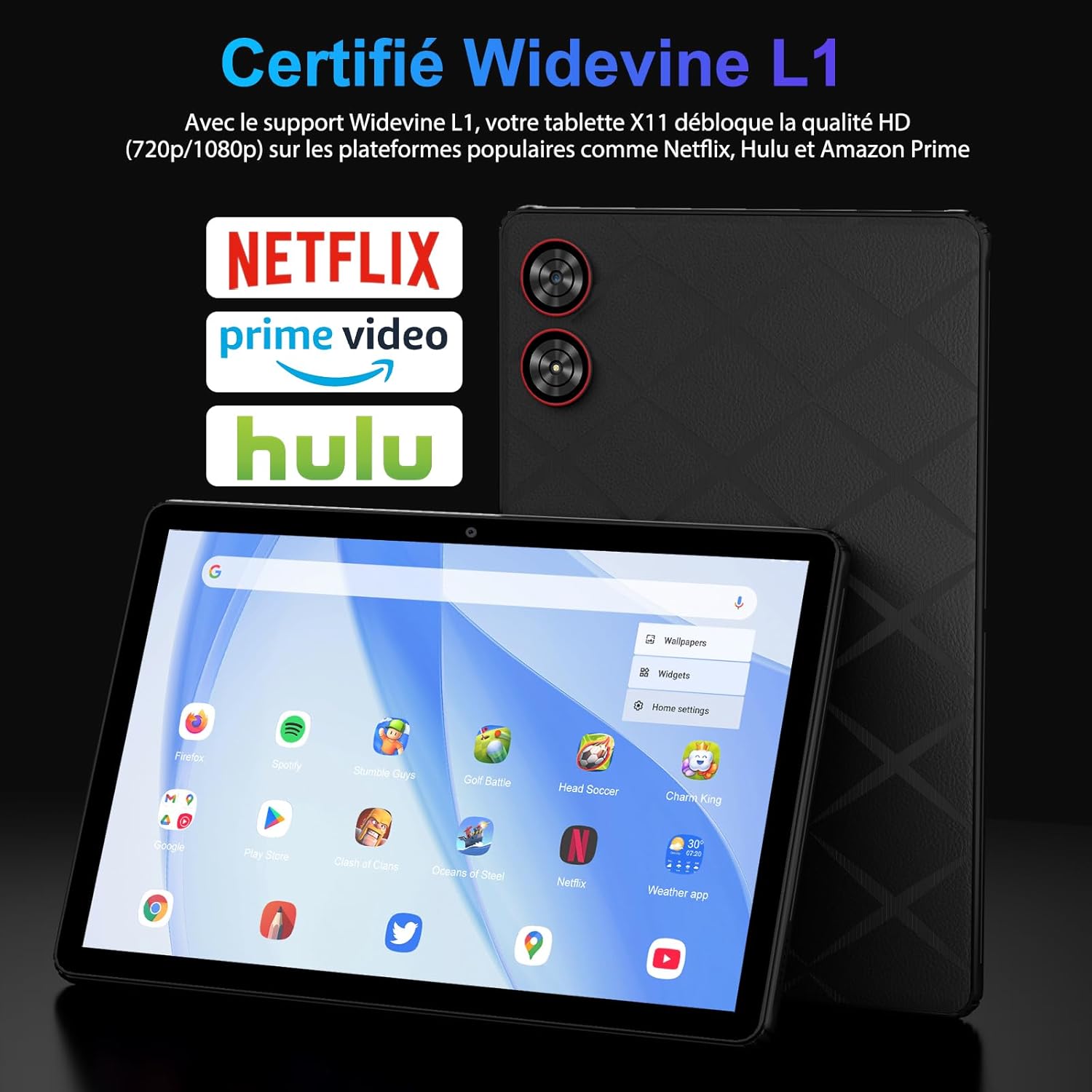
Image: The tablet screen displaying various streaming service logos (Netflix, Prime Video, Hulu) and the Widevine L1 certification, indicating support for HD content playback.
The tablet supports OTG (On-The-Go) for connecting external USB devices. Utilize the multi-window (split-screen) mode for enhanced productivity, allowing you to run two applications simultaneously.

Image: A collage of images demonstrating the tablet's productivity features, including PC mode with keyboard, split-screen multitasking, stylus interaction, USB-C charging, fast Wi-Fi connectivity, and GPS navigation.
3. Mantenimiento
Un mantenimiento adecuado garantiza la longevidad y el rendimiento óptimo de su tableta.
3.1 Cuidado de la batería
La tableta está equipada con una batería de 8580 mAh. Para maximizar su duración:
- Evite temperaturas extremas.
- No descargue completamente la batería periódicamente.
- Utilice el cargador y el cable proporcionados.
- Ajuste el brillo de la pantalla a un nivel cómodo.
3.2 Limpieza del dispositivo
Utilice un paño suave y sin pelusa para limpiar la pantalla y el cuerpo de la tableta. Para manchas difíciles, limpie ligeramente...ampEnjuague el paño con agua o un limpiador de pantallas. Evite productos químicos agresivos o materiales abrasivos.
3.3 Actualizaciones de software
Revisa e instala periódicamente las actualizaciones del sistema para asegurarte de que tu tableta cuente con las últimas funciones, parches de seguridad y mejoras de rendimiento. Ve a Ajustes > Sistema > Actualización del sistema.
3.4 Gestión del almacenamiento
Repita periódicamenteview su almacenado files and applications. Delete unnecessary data to free up space. Utilize the microSD card slot for additional storage of media files.
3.5 Protección del dispositivo
Use the included protective case to shield your tablet from scratches, impacts, and dust.
4. Solución de problemas
Esta sección aborda problemas comunes que puede encontrar con su tableta.
4.1 La tableta no se enciende
- Asegúrese de que la tableta tenga suficiente carga. Conéctela al cargador durante al menos 30 minutos.
- Mantenga presionado el botón de encendido durante 10 a 15 segundos para realizar un reinicio forzado.
4.2 Problemas de conectividad Wi-Fi
- Activa y desactiva el Wi-Fi en Configuración.
- Reinicie su enrutador Wi-Fi.
- Olvídese de la red en la configuración de la tableta y vuelva a conectarse.
4.3 Rendimiento lento
- Cierre las aplicaciones no utilizadas que se ejecutan en segundo plano.
- Borre los datos de caché de las aplicaciones utilizadas con frecuencia.
- Asegúrese de que haya suficiente espacio de almacenamiento disponible.
- Reinicie la tableta.
4.4 Accesorios que no se conectan
- For Bluetooth accessories, ensure they are in pairing mode and within range.
- Check battery levels of the accessories.
- Intente reiniciar tanto la tableta como el accesorio.
4.5 Restablecimiento de fábrica (último recurso)
Si los problemas persisten, un restablecimiento de fábrica puede resolver muchos problemas relacionados con el software. Advertencia: Esto borrará todos los datos de tu tableta. Haz una copia de seguridad de lo importante. files antes de continuar. Vaya a Configuración > Sistema > Opciones de restablecimiento > Borrar todos los datos (restablecimiento de fábrica).
5. Especificaciones
Detailed technical specifications for the MAXLEGEN Android 15 Tablet (Model: T606).
| Característica | Especificación |
|---|---|
| Marca | MAXLEGEN |
| Nombre del modelo | X11 |
| Número de modelo del artículo | T606 |
| Sistema operativo | Androide 15 |
| Tamaño de pantalla de pie | 11 pulgadas |
| Resolución de pantalla | 2000 x 1200 píxeles |
| Marca del procesador | Unisoc |
| Velocidad del procesador | 1.6 GHz |
| Memoria RAM | 36 GB |
| Capacidad de almacenamiento de memoria | 256 GB (Ampliable hasta 1 TB mediante microSD) |
| Tipo de conectividad | Bluetooth, Wi-Fi (802.11ax, Dual-band 5G/2.4G) |
| Frente WebResolución de la cámara | 8 MP |
| Resolución de la cámara trasera | 13 MP |
| Baterías | Se requiere 1 batería de 9 V (incluida) |
| Contenido de energía de la batería de litio | 5 vatio-hora |
| Dimensiones del producto | 27 x 17 x 0.9 cm; 900 g |
| Color | Negro |
| Características especiales | USB OTG Support, Stylus Holder, Expandable Storage, 2K IPS Display, Widevine L1 |
6. Garantía y soporte
MAXLEGEN products are manufactured to high-quality standards. For information regarding warranty coverage and terms, please refer to the warranty card included in your product packaging or visit the official MAXLEGEN support websitio.
6.1 Atención al cliente
If you encounter any issues not covered in this manual or require further assistance, please contact MAXLEGEN customer support. Have your product model number (T606) and purchase details ready when contacting support.
For the most up-to-date support information, including FAQs and contact methods, please visit the manufacturer's official websitio.
Ask a question about this manual
Ask about setup, troubleshooting, compatibility, parts, safety, or missing instructions. Manuals+ will review the question and use this page’s manual context to help answer it.