
1. Producto terminadoview
The YINMIK Digital 8-in-1 Soil pH Meter (Model YK-S06E) is a professional testing kit designed for comprehensive analysis of soil and water parameters. It simultaneously detects pH, moisture, fertility, conductivity (EC), salinity, air humidity, light intensity, and temperature. This versatile device is suitable for various applications including greenhouses, lawns, gardens, courtyards, grass, trees, hydroponics, pools, indoor potted plants, and outdoor plants.

Figure 1: YINMIK 8-in-1 Soil pH Meter with its accompanying smartphone application displaying various measurement parameters.
Características principales:
- Medición 8 en 1: Detects pH, moisture, fertility, EC, salinity, air humidity, light intensity, and temperature.
- Compatibilidad dual: Capable of testing both soil and liquid sampLes.
- Polymer Electrode: Features a new upgraded polymer metal probe for enhanced accuracy and durability compared to traditional glass bulb electrodes.
- Conectividad Bluetooth: Connects to the YINMIK APP for simultaneous display of all test values, data storage (up to 1000 records), and data sharing.
- Detección de intensidad de luz: Tilted 45° design for easy reading of accurate light lux, aiding in plant positioning.
- Compensación automática de temperatura (ATC): Ensures precise temperature and air humidity readings for optimal plant growth.
- Out-of-Range Warning: Values exceeding limits will turn red on the app for immediate notification.
2. Guía de configuración
2.1 Desempaquetado y componentes
Al abrir el paquete, asegúrese de que estén presentes todos los componentes:
- YINMIK Soil Meter (Model YK-S06E)
- Manual de usuario
- pH Calibration Powder packets (4.00, 7.00, 10.01)
- 4 pilas AAA
- Cepillo de limpieza
- Protective stainless steel sleeve for the probe
- Plastic screw-on cap for probe storage

Figure 2: Included components: the meter, AAA batteries, the polymer probe, and pH calibration powders.
2.2 Instalación de la batería
- Localice el compartimiento de la batería en la parte posterior del medidor.
- Abra la tapa del compartimento.
- Inserte 4 pilas AAA, asegurándose de la polaridad correcta (+/-).
- Cierre bien la tapa del compartimento de la batería.
2.3 Descarga de la aplicación y conexión Bluetooth
- Download the YINMIK APP from your device's app store (compatible with iOS and Android).
- Asegúrese de que Bluetooth esté habilitado en su teléfono inteligente o tableta.
- Turn on the YINMIK Soil Meter by pressing the power button.
- Open the YINMIK APP and follow the on-screen instructions to connect to the device via Bluetooth. The app will display all test values simultaneously once connected.
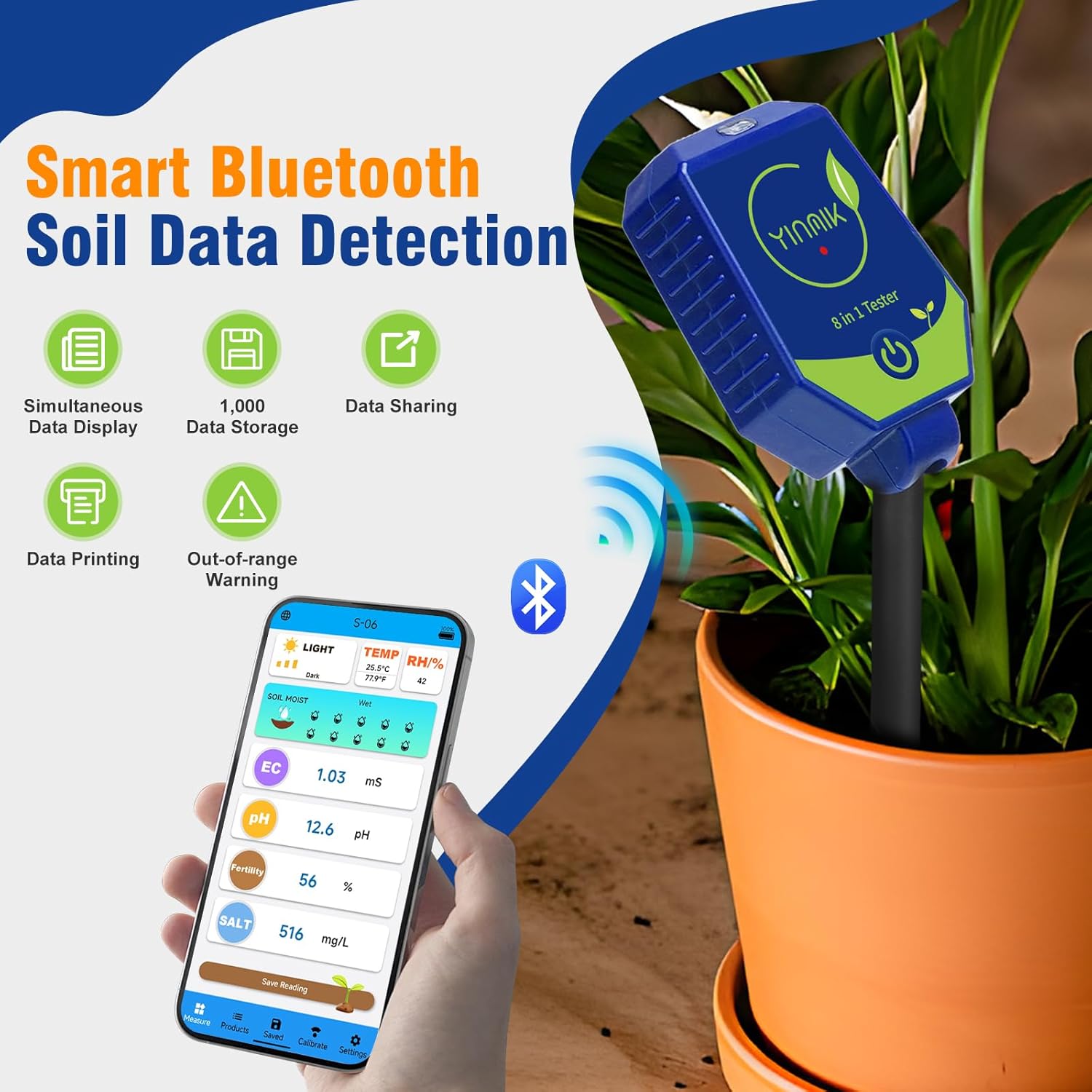
Figure 3: The meter wirelessly connected to the YINMIK app on a smartphone, showing real-time data.
3. Instrucciones de funcionamiento
3.1 General Measurement Procedure (Soil)
- Ensure the probe is clean and dry before each use.
- For soil testing, gently insert the probe into the soil to a depth exceeding the lowest measurement line (indicated by the grooves on the probe). Do not force the probe into hard soil; pre-drill a hole if necessary.
- Wait for the values on the app to stabilize. This may take a few seconds.
- Read the displayed values for pH, moisture, EC, fertility, salt, light intensity, air humidity, and temperature.
- After testing, clean the probe thoroughly with distilled water and wipe it dry with a soft cloth.

Figura 4: Sobreview of the 8-in-1 measurement capabilities including light intensity, soil temperature, air humidity, soil moisture, soil EC, soil pH, soil fertility, and soil salinity.
3.2 Liquid Measurement Procedure
- Ensure the probe is clean and dry.
- Immerse the probe into the liquid sample, ensuring the depth exceeds the lowest measurement line.
- Wait for the values to stabilize on the app.
- Read the displayed values.
- After testing, clean the probe thoroughly with distilled water and wipe it dry. Nota: Soil testers cannot continuously monitor liquids. Remove and clean the probe after each liquid test.
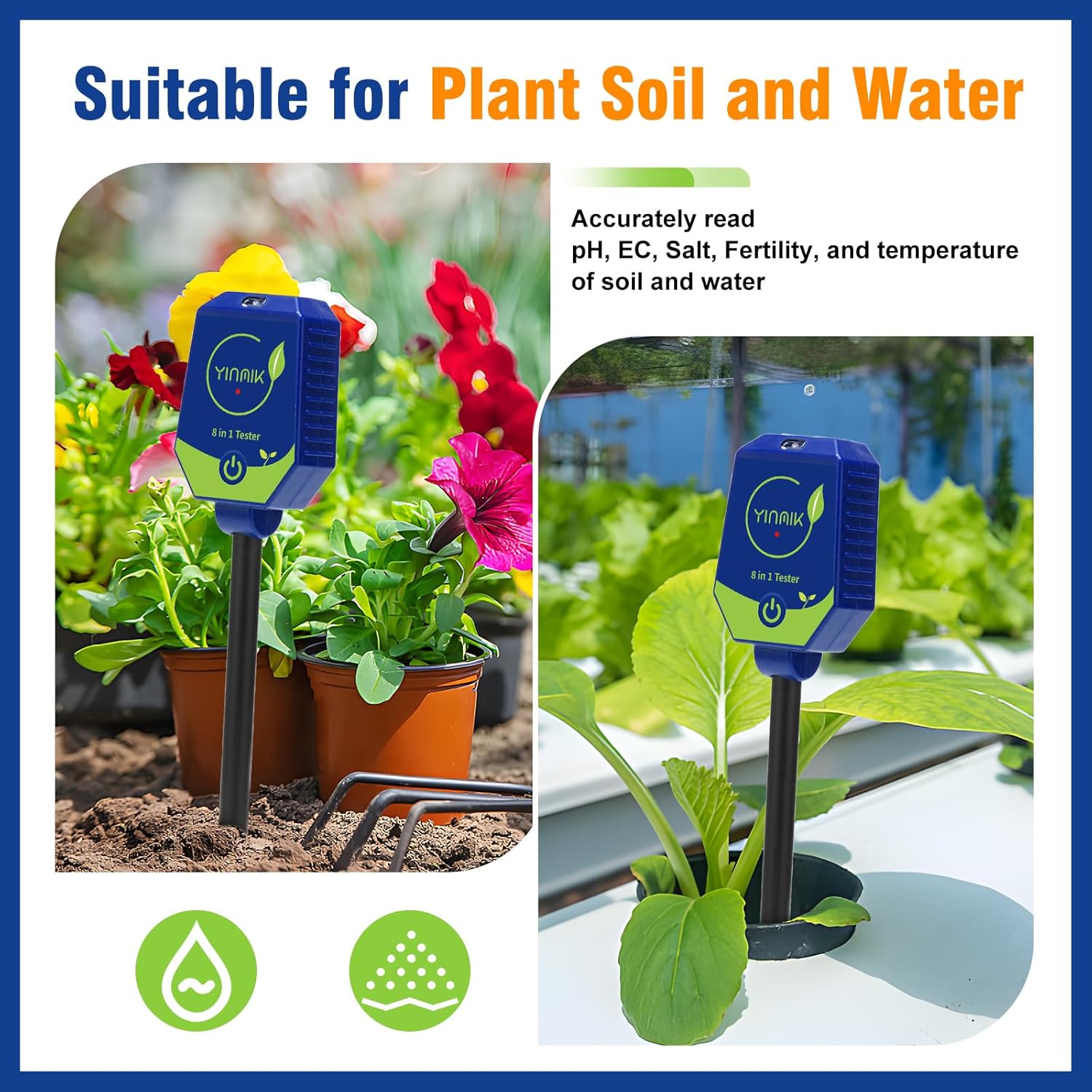
Figure 5: The meter is suitable for both plant soil and water, accurately reading various parameters.
3.3 Continuous Monitoring (Soil)
The soil tester probe can continuously detect soil parameters for up to 72 hours. For prolonged use and to prevent probe damage, it is recommended to remove and clean the probe after 72 hours of testing, and store it for 2 hours before reuse.

Figure 6: The device supports 72-hour continuous soil parameter monitoring, with data automatically transferred to the app.
4. Calibración
4.1 Calibración del pH
Regular pH calibration ensures accurate readings. The meter comes with pH buffer powders for 4.00, 7.00, and 10.01 pH solutions. Follow these steps:
- Dissolve each 4.00, 7.00, and 10.01 pH powder packet in 250mL of purified water to create the standard solutions.
- Clean the device probe and wipe off any water.
- Immerse the probe in the 7.00 standard solution to a depth exceeding the lowest measurement line. Wait for the value to stabilize.
- In the YINMIK APP, navigate to the 'Calibrate' section, select 'pH', and then choose '7.0' to complete the calibration for this point.
- Clean the probe and wipe dry.
- Immerse the probe in the 4.00 standard solution to a depth exceeding the lowest measurement line. Wait for the value to stabilize.
- In the YINMIK APP, select '4.0' to complete the calibration for this point.
- Clean the probe and wipe dry.
- Immerse the probe in the 10.01 standard solution to a depth exceeding the lowest measurement line. Wait for the value to stabilize.
- In the YINMIK APP, select '10.0' to complete the calibration for this point.
- Clean the probe and wipe dry. The pH calibration step is now completed.
Video 1: This video demonstrates the step-by-step process of calibrating the pH function of the YINMIK Soil pH Meter using standard buffer solutions.

Figure 7: Visual guide for pH calibration using three standard solutions (4.00, 7.00, 10.01).
4.2 Calibración CE
The EC (Electrical Conductivity) function is calibrated at the factory and typically does not require user calibration. If recalibration is needed, please refer to the YINMIK store or contact customer support for detailed instructions.
5. Mantenimiento
5.1 Probe Cleaning and Care
- Always clean the probe with distilled water and wipe it dry with a soft, lint-free cloth after each use.
- Avoid using abrasive materials or harsh chemicals that could damage the polymer electrode.
- When testing soil, use the included stainless steel protection sleeve to prevent damage to the probe tip.
- The probe tip is made of polymer metal, which is more sturdy than glass, but still requires careful handling to prevent damage.
5.2 Almacenamiento
- Guarde el medidor en un lugar fresco y seco, alejado de la luz solar directa y de temperaturas extremas.
- Always replace the plastic screw-on cap on the probe when storing to protect the tip.
- Si lo va a almacenar durante períodos prolongados, retire las pilas para evitar fugas.
6. Solución de problemas
6.1 Inaccurate or Erratic Readings
- Limpieza de la sonda: Ensure the probe is thoroughly cleaned before and after each test. Residue can significantly affect accuracy.
- Calibración: Perform pH calibration regularly, especially if readings seem off. Ensure correct calibration solutions are used.
- La humedad del suelo: For soil tests, ensure the soil is adequately moist. Dry soil can lead to erratic or no readings.
- Profundidad de inserción: Ensure the probe is inserted beyond the lowest measurement line for proper contact.
- Tiempo de estabilización: Allow sufficient time for readings to stabilize before recording.
6.2 Problemas de conexión Bluetooth
- Version de aplicacion: Ensure you have the latest version of the YINMIK APP installed.
- Bluetooth habilitado: Verifique que Bluetooth esté activo en su dispositivo móvil.
- Proximidad del dispositivo: Keep the meter close to your mobile device during connection.
- Reiniciar dispositivos: Intente reiniciar tanto el medidor como su dispositivo móvil.
6.3 Probe Damage
- The polymer probe is designed to be durable, but excessive force can still cause damage. Always pre-drill a hole in hard soil.
- Avoid dropping the meter or striking the probe against hard surfaces.
- If the probe is damaged, replacement probes may be available from the manufacturer or authorized sellers.
7. Especificaciones
| Parámetro | Especificación |
|---|---|
| Número de modelo | YK-S06E |
| Dimensiones del paquete | 12.44 x 4.13 x 1.77 pulgadas |
| Peso del artículo | 11.36 onzas |
| Fabricante | JiNan Huiquan Electronic Co., Ltd. |
| pH Test Range | 0.0-14.0 pH |
| Exactitud de pH | ±0.1 pH |
| EC Test Range | 0.01-10.00mS/cm |
| Precisión CE | ±0.01 mS/cm |
| Fertility Test Range | 1-100% |
| Salinity Test Range | 0-5000 mg / L |
| Humidity Test Range | 1-100 % de humedad relativa |
| Rango de prueba de temperatura | 32.0-122.0 °F (0.0-50.0 °C) |
| Fuente de poder | 4*AAA Batteries (included) |
8. Garantía y soporte
YINMIK products are designed for reliability and performance. For specific warranty information, including coverage period and terms, please refer to the warranty card included with your product or visit the official YINMIK website. For technical support, troubleshooting assistance, or to inquire about replacement parts, please contact YINMIK customer service through the contact information provided on the product packaging or their official websitio.