
1. Producto terminadoview
The Baseus Mini MagSafe Powerbank 5000 mAh is a compact, Qi2 certified portable charger designed for convenience and efficiency. It features a 5000 mAh capacity, 20W Power Delivery (PD) via USB-C, and 15W wireless charging. The integrated foldable stand allows for hands-free viewing while charging. Its strong magnetic attachment ensures secure connection to compatible devices.
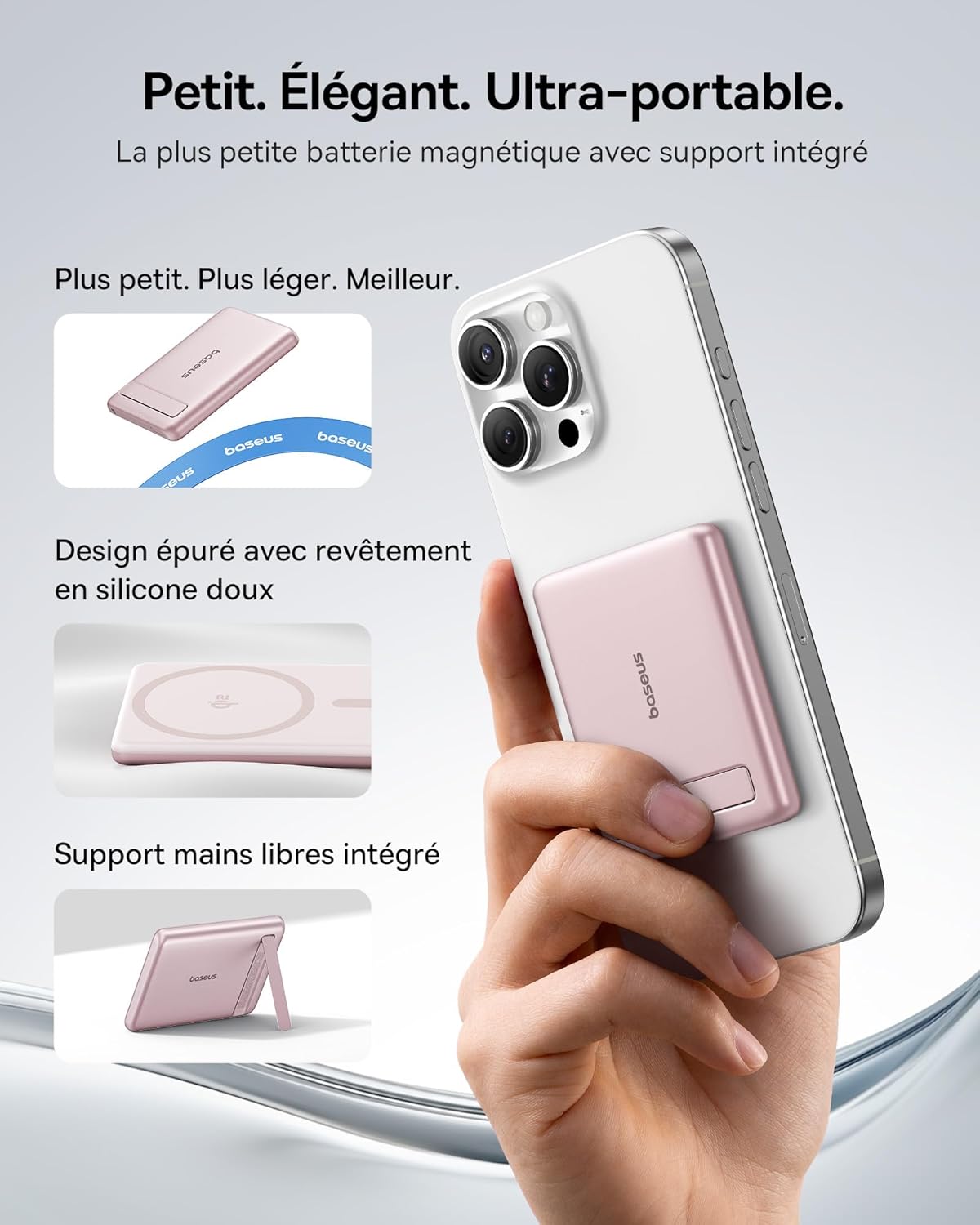
Image: The Baseus Mini MagSafe Powerbank securely attached to an iPhone, demonstrating its compact form factor and the convenience of the integrated kickstand for hands-free use.
2. Contenido del paquete
- Baseus Mini MagSafe Powerbank (Model: PPKPC-0520S)
- USB-C to USB-C Charging Cable (30 cm)
- Manual de usuario

Image: The Baseus Mini MagSafe Powerbank and its accompanying USB-C charging cable, highlighting the included accessories.
3. Características del producto
- Compact and Premium Design: Smaller than a credit card with a 5000 mAh capacity, featuring a thin aluminum casing and soft-touch silicone finish. Ergonomic curved edges enhance grip, and an LED display indicates battery status.
- Qi2 Fast Charging: Provides up to 15W wireless fast charging for iPhones and other Qi2-compatible devices. Qi2 technology ensures secure magnetic alignment for faster and more reliable power delivery.
- Soporte plegable integrado: The built-in aluminum kickstand allows for hands-free viewing in both portrait and landscape modes while your phone charges wirelessly.
- Fuerte fijación magnética: Equipped with N52 rubidium magnets offering 3500 GS magnetic power, ensuring a secure lock for instant charging without obstructing the camera lens.
- Wired and Wireless Charging with Advanced Cooling: Charge two devices simultaneously via wireless and USB-C. A three-layer cooling system maintains optimal temperature during extended use.

Image: An iPhone receiving 15W wireless fast charging from the Baseus MagSafe Powerbank, demonstrating the Qi2 certification and efficient power transfer.
4. Configuración
- Carga inicial: Before first use, fully charge the power bank using the included USB-C cable and a compatible power adapter (not included). The LED indicators will show the charging progress.
- Encendido: The power bank typically activates automatically when a device is attached or connected. Some models may have a power button to initiate charging.
5. Instrucciones de funcionamiento
5.1 Carga del banco de energía
- Connect the included USB-C cable to the power bank's USB-C port.
- Connect the other end of the cable to a USB-C power adapter (e.g., 20W PD charger) or a computer's USB-C port.
- Los indicadores LED se iluminarán para mostrar el nivel actual de la batería y el estado de carga.
5.2 Carga inalámbrica (MagSafe/Qi2)
- Ensure your device is compatible with MagSafe or Qi2 wireless charging (e.g., iPhone 12 series and newer).
- Align the back of your compatible device with the magnetic surface of the power bank. The magnets will snap into place, ensuring proper alignment.
- Wireless charging will begin automatically. The LED indicators may show charging activity.
5.3 Carga por cable (USB-C)
- Connect your device to the power bank's USB-C port using a compatible USB-C to USB-C cable (or your device's charging cable).
- Wired charging will begin automatically, supporting up to 20W Power Delivery.
5.4 Uso del soporte plegable
- Extraiga con cuidado el soporte integrado de la parte posterior del banco de energía.
- Coloque su dispositivo de carga inalámbrica en el banco de energía.
- Ajuste el soporte a su gusto viewing angle for portrait or landscape orientation.

Image: The Baseus MagSafe Powerbank simultaneously charging two iPhones, one via USB-C cable and another wirelessly, demonstrating its dual-charging capability.
6. Mantenimiento
- Limpieza: Limpie la batería externa con un paño suave y seco. Evite usar productos químicos agresivos o materiales abrasivos.
- Almacenamiento: Guarde el banco de energía en un lugar fresco y seco, alejado de la luz solar directa y de temperaturas extremas.
- Cuidado de la batería: Para una vida útil óptima de la batería, cargue y descargue completamente el banco de energía al menos una vez cada tres meses si no lo usa con regularidad.
- Evite las gotas: Proteja el dispositivo de caídas e impactos, que pueden dañar los componentes internos.
7. Solución de problemas
- El dispositivo no se carga:
- Asegúrese de que el banco de energía esté suficientemente cargado.
- Verifique las conexiones del cable para la carga por cable.
- For wireless charging, ensure proper alignment and that your device is Qi2/MagSafe compatible. Remove any thick phone cases that might interfere.
- Carga lenta:
- Ensure you are using a compatible cable and power adapter for optimal charging speeds (e.g., PD 20W for wired, Qi2 for wireless).
- Cargar varios dispositivos simultáneamente puede reducir la velocidad de carga individual.
- La fijación magnética es débil:
- Ensure your phone or case has MagSafe compatibility.
- Remove any non-MagSafe compatible cases or accessories that might block the magnetic connection.
- Sobrecalentamiento del banco de energía:
- While the power bank has advanced cooling, prolonged high-power usage can generate heat. If it becomes excessively hot, disconnect it and allow it to cool down.
- Evite cargar bajo la luz solar directa o en espacios cerrados.
8. Especificaciones
| Número de modelo | PPKPC-0520S |
| Tipo de batería | Polímero de litio |
| Capacidad | 5000 mAh |
| Salida con cable (USB-C) | Entrega de potencia (PD) de hasta 20 W |
| Salida inalámbrica | Hasta 15 W (certificación Qi2) |
| Vol de entradatage | 20 voltios (máx.) |
| Dimensiones (L x An x Al) | 10 x 6.7 x 0.9 cm |
| Peso | 180 gramos |
| Dispositivos compatibles | Smartphones (iPhone 12-17 Pro/Pro Max, Android compatible) |
| Estándar de carga inalámbrica | Qi |

Image: The Baseus Mini MagSafe Powerbank positioned next to an iPhone and a soda can, illustrating its ultra-compact and portable size.
9. Información de seguridad
Lea y siga estas pautas de seguridad para evitar dañar el producto o lesionarse usted mismo:
- No exponga el banco de energía al agua, la humedad o temperaturas extremas.
- Avoid disassembling, puncturing, or modifying the device.
- Mantener fuera del alcance de los niños.
- No lo utilice si el banco de energía está visiblemente dañado o hinchado.
- Deseche el producto de manera responsable de acuerdo con las regulaciones locales.
10. Garantía y soporte
This Baseus Mini MagSafe Powerbank comes with a 2 año de garantía A partir de la fecha de compra. Esta garantía cubre defectos de fabricación y mano de obra en condiciones normales de uso.
For technical support, warranty claims, or any product-related inquiries, please contact Baseus customer service through the retailer where you purchased the product or visit the official Baseus websitio para información de contacto.

Image: A display of various iPhone models and Android devices, all compatible with the Baseus MagSafe Powerbank, highlighting its broad device compatibility.