
Introducción
Thank you for choosing the IOWODO Z30 4G Kids Smartwatch. This manual provides essential information for setting up, operating, and maintaining your device. Please read it carefully to ensure proper use and to maximize the watch's features for your child's safety and enjoyment.
¿Qué hay en la caja?
Al abrir el paquete, verifique que estén incluidos todos los siguientes elementos:
- 1x IOWODO Z30 Smartwatch (with silicone strap)
- Cable de carga USB 1x
- 1x Funda protectora de silicona
- 1x Manual de usuario

Image: The IOWODO Z30 Smartwatch, showing its dimensions and the items included in the package: the smartwatch, a USB charger, a silicone protective case, and the user manual.
Producto terminadoview
Familiarícese con los componentes y controles del reloj:
- Pantalla táctil HD de 1.75 pulgadas: For interactive control and display.
- Cámara: Located on the front for photos and video calls.
- Botón de encendido: Press and hold to turn on/off. Short press to return to the previous screen.
- Botón SOS: Press and hold for 3 seconds to activate emergency call function. Short press to return to the home screen.
- Linterna led: Integrated for night safety.
- Ranura para tarjeta SIM: Located on the side for 4G Nano SIM card installation.
- Micrófono y altavoz: Para llamadas e interacciones de voz.

Image: Diagram illustrating the functional buttons (Power, SOS, Flashlight), camera, microphone, speaker, and SIM card slot on the IOWODO Z30 Smartwatch.
Configuración
1. Instalación de la tarjeta SIM
The IOWODO Z30 requires a 4G Nano SIM card (purchased separately) for full functionality, including calls, video calls, and advanced location tracking. Ensure the SIM card is compatible with 4G networks from providers like Movistar, Orange, Vodafone, or Yoigo.
- Turn off the smartwatch completely.
- Localice la ranura de la tarjeta SIM en el costado del reloj.
- Inserte con cuidado la tarjeta Nano SIM en la ranura con los contactos metálicos hacia arriba, asegurándose de que encaje en su lugar.
- Cierre la tapa de la ranura de la tarjeta SIM de forma segura para mantener la resistencia al agua.
- Encienda el reloj inteligente.
Imagen: Primer plano view of the SIM card slot on the IOWODO Z30 Smartwatch, indicating the correct Nano SIM card type for insertion.
2. Instalación y emparejamiento de la aplicación
To manage the smartwatch features, download the "SeTracker2" app on your smartphone.
- Scan the QR code provided in the watch's packaging or search for "SeTracker2" in your smartphone's app store (iOS/Android).
- Instalar y abrir la aplicación.
- Register a new account following the on-screen instructions.
- Bind the smartwatch to your account by scanning the QR code displayed on the watch screen or entering its unique registration code.
- Once paired, you can configure settings, add contacts, and monitor the watch from your smartphone.
3. Configuración inicial
- Establecer hora y fecha: The watch will usually synchronize automatically once connected to the network. If not, adjust it via the app.
- Agregar contactos: Use the "SeTracker2" app to add up to 30 contacts that the watch can call or receive calls from. This ensures secure communication.
- Set Safe Zones: Define geographical safe zones (e.g., home, school) in the app. You will receive alerts if your child enters or exits these zones.
- Emergency SOS Numbers: Configure up to 3 emergency contacts in the app. These numbers will be called sequentially when the SOS button is pressed.

Image: Illustration of the IOWODO Z30 Smartwatch's GPS + WiFi + LBS positioning system, showing real-time location, safe zones, and historical route tracking on a map interface.
Instrucciones de funcionamiento
1. Realización y recepción de llamadas
Once a 4G SIM card is installed and contacts are set up in the app:
- Hacer una llamada: Navigate to the 'Contacts' or 'Dial Pad' on the watch, select a contact, or dial a number, then press the call icon.
- Para recibir una llamada: When a call comes in, the watch will ring. Tap the green answer icon to accept or the red hang-up icon to reject. Only pre-approved contacts can call the watch if smart blocking is enabled.
2. 4G HD Video Calls
The watch supports clear 4G video calls with approved contacts.
- Navigate to the 'Video Call' function on the watch.
- Seleccione el contacto al que desea realizar la videollamada.
- Asegúrese de que ambos dispositivos tengan una conexión 4G estable.

Image: A child wearing the IOWODO Z30 Smartwatch, with insets showing the watch's capabilities for HD video calls, real-time voice chat, and making standard calls over a 4G network.
3. Función de emergencia SOS
In an emergency, your child can quickly alert pre-set contacts:
- Mantenga pulsado el Botón SOS on the side of the watch for 3 seconds.
- The watch will automatically dial the 3 emergency contacts in a loop until one answers.
- An emergency notification will also be sent to the paired smartphone app.

Image: Illustration of the SOS emergency call feature on the IOWODO Z30 Smartwatch, showing how pressing the SOS button initiates a call to emergency contacts and sends alerts.
4. Class Mode (Do Not Disturb)
To help your child focus during school hours:
- Set specific silent periods in the "SeTracker2" app.
- During these times, the watch will automatically block all incoming calls and messages, except for SOS calls.
- The watch will still display the time.
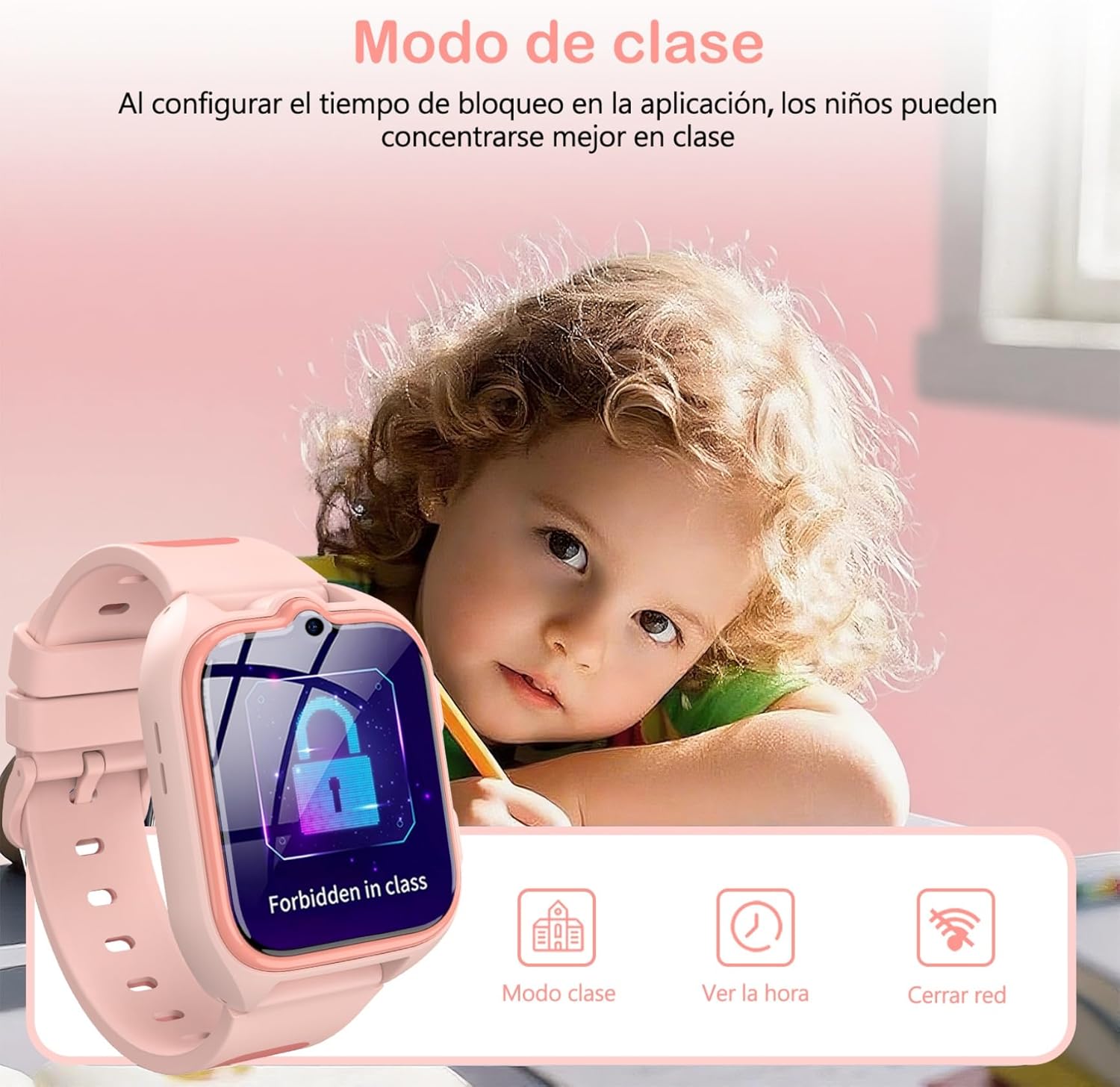
Image: A child studying with the IOWODO Z30 Smartwatch on their wrist, displaying the 'Forbidden in class' screen, illustrating the Class Mode feature.
5. GPS + LBS + WiFi Positioning System
The watch uses a combination of GPS, LBS (Location Based Service), and WiFi for comprehensive real-time location tracking and historical route monitoring. This allows you to:
- View your child's current location on a map via the app.
- Review past routes taken by the watch.
- Receive alerts when your child enters or leaves pre-defined safe zones.
6. Cámara
The integrated camera allows your child to capture photos:
- Access the 'Camera' application on the watch.
- Toque la pantalla para tomar una foto.
- Las fotos pueden ser vieweditado en el reloj o cargado en la aplicación.
7. Juegos educativos
The watch includes 7 educational games for entertainment and learning:
- Navigate to the 'Games' section on the watch.
- Selecciona un juego para jugar.
8. linterna LED
Activate the built-in LED flashlight for visibility in low-light conditions:
- Locate the flashlight icon or button on the watch interface/side.
- Tap or press to turn the flashlight on/off.
9. Otras características
The IOWODO Z30 also includes:
- Podómetro: Realiza un seguimiento de los pasos dados.
- Alarma: Configure múltiples alarmas para recordatorios.
- Temporizador y cronómetro: Para diversas actividades.
- Calculadora: Funciones aritméticas básicas.
- Función de amigo: Allows two watches to add each other as friends (if supported by the app).

Image: A collage showing various functions of the IOWODO Z30 Smartwatch, including the 1.75-inch color screen, step counter, alarm, flashlight, IP68 water resistance, and camera.
Mantenimiento
1. Carga
The watch is equipped with an 800mAh battery, providing up to 2 days of active use and 4 days of standby time. A full charge takes approximately 2 hours.
- Utilice el cable de carga USB proporcionado.
- Conecte el extremo magnético del cable a los contactos de carga en la parte posterior del reloj.
- Connect the USB end to a standard USB power adapter (not included) or a computer USB port.
- Ensure the watch is charging by checking the battery indicator on the screen.
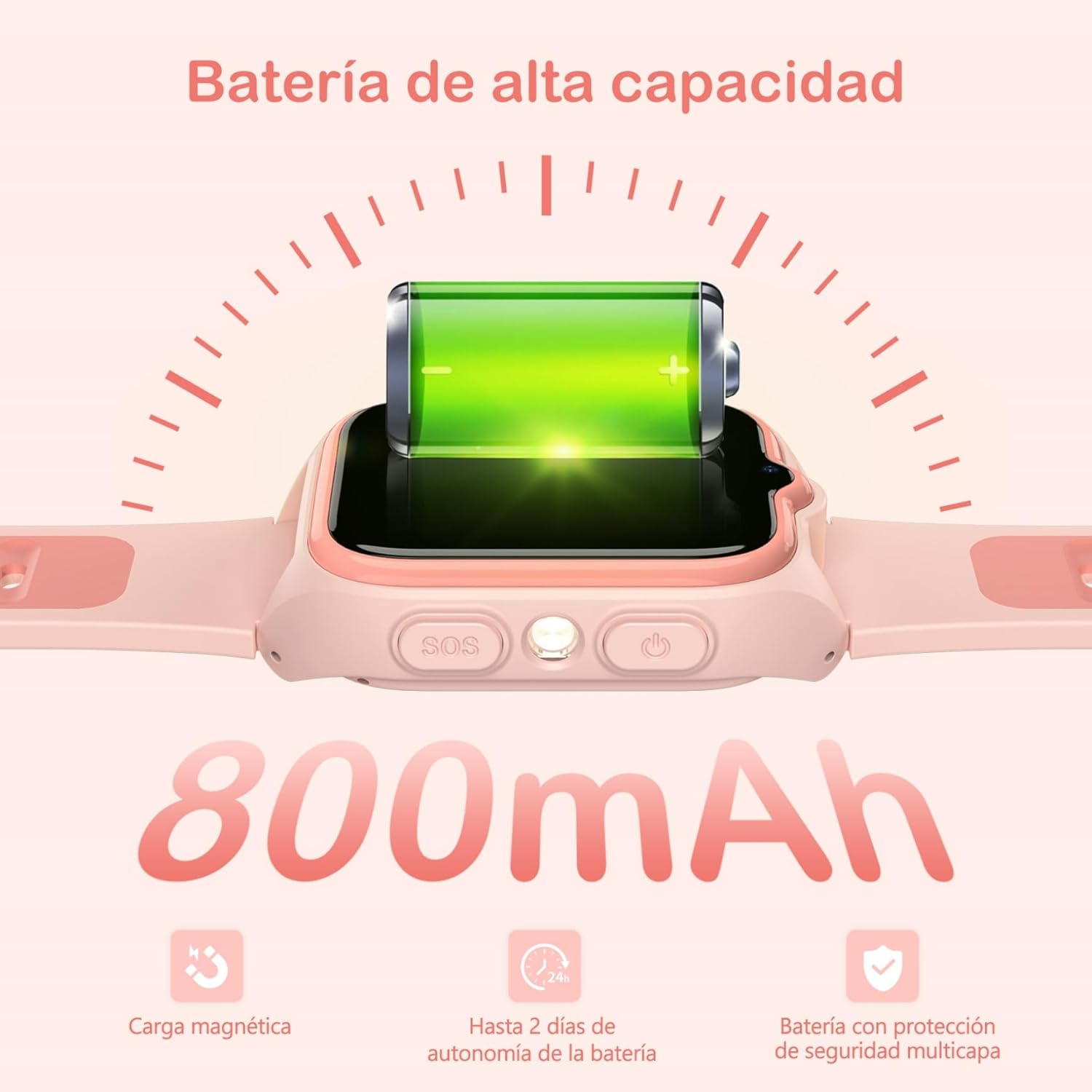
Image: Close-up of the IOWODO Z30 Smartwatch showing a full battery icon and indicating its 800mAh high-capacity battery, magnetic charging, and up to 2 days of autonomy.
2. Resistencia al agua (IP68)
The IOWODO Z30 Smartwatch has an IP68 water resistance rating, meaning it is resistant to rain and daily splashes. However, it is not recommended for bathing, swimming, or submersion in water. Prolonged exposure to water or high-pressure water jets may damage the device.

Image: Illustration depicting the IOWODO Z30 Smartwatch being splashed with water, emphasizing its IP68 water resistance for rain and daily splashes.
3. Limpieza
- Limpie el reloj y la correa con un paño suave.amp paño.
- No utilice productos químicos agresivos ni limpiadores abrasivos.
- Asegúrese de que los contactos de carga estén limpios y secos antes de cargar.
Solución de problemas
| Asunto | Posible causa | Solución |
|---|---|---|
| El reloj no enciende | Batería baja; el botón de encendido no se presionó el tiempo suficiente | Cargue el reloj durante al menos 30 minutos. Mantenga pulsado el botón de encendido durante 5 a 10 segundos. |
| No hay señal de red / No se pueden hacer llamadas | SIM card not inserted correctly; SIM card not activated; No 4G coverage; Incorrect APN settings | Reinsert SIM card. Contact your SIM provider to ensure activation and 4G service. Check network coverage. Configure APN settings via the app if necessary. |
| Seguimiento de ubicación inexacto | Poor GPS/LBS/WiFi signal; Watch indoors or in dense areas | Ensure the watch has clear sky view for GPS. Location accuracy may vary indoors or in areas with weak signals. |
| No se puede emparejar con la aplicación | Incorrect registration code; Watch not connected to network; App issues | Verify the registration code. Ensure the watch has a working SIM and network connection. Restart both watch and phone. Reinstall the app. |
| Duración corta de la batería | Frequent use of features (calls, GPS); High screen brightness | Reduce screen brightness. Limit continuous GPS tracking. Close unused applications. |
Presupuesto
| Característica | Detalle |
|---|---|
| Marca | IOWODO |
| Nombre del modelo | Z30 |
| Número de modelo del producto | Z30 4G Kids Smartwatch |
| Tamaño de pantalla | 1.75 pulgadas |
| Tipo de pantalla | Digital, 240 x 280 Resolution |
| Capacidad de la batería | 800 mAh |
| Duración media de la batería | 48 Hours (active use) |
| Tiempo de carga | 2 horas |
| Capacidad de memoria | 512 MB |
| Installed Flash Memory | 128 MB |
| Capacidad de almacenamiento digital | 128 MB |
| Tecnología de conectividad | 4G GSM, Bluetooth |
| Sistema de posicionamiento | GPS + LBS + WiFi |
| Resistencia al agua | IP68 (Rain and splash resistant, not for swimming/bathing) |
| Entrada de interfaz humana | Botones, pantalla táctil |
| Peso del producto | 170 gramos |
| Dispositivos compatibles | Teléfono inteligente |
| Edad recomendada | 4-13 años |
Garantía y soporte
Garantía
The IOWODO Z30 Smartwatch comes with a Garantía extendida de 2 años A partir de la fecha de compra. Esta garantía cubre defectos de fabricación y mal funcionamiento en condiciones normales de uso. Conserve su comprobante de compra para reclamaciones de garantía.
Atención al cliente
For any questions, technical assistance, or warranty claims, please contact IOWODO customer support:
- Atención al cliente 24 horas al día, 7 días a la semana: Available to assist you with any inquiries.
- Soporte técnico de por vida: We provide ongoing technical assistance for the lifespan of your product.
Refer to the contact information provided in your product packaging or visit the official IOWODO websitio para detalles de soporte.