
Introducción
The Garmin vívoactive 6 is a health and wellness GPS smartwatch designed to help you understand your body better. It features a bright AMOLED display and offers up to 11 days of battery life. This manual provides instructions for setting up, operating, and maintaining your device, along with details on its various health and fitness tracking capabilities.

¿Qué hay en la caja?
Your Garmin vívoactive 6 package includes the following items:
- Garmin vívoactive 6 Smartwatch
- Cable de carga/datos USB-C
- Manual de usuario (este documento)
Configuración
1. Carga inicial
Before first use, fully charge your vívoactive 6. Connect the USB-C charging/data cable to the charging port on the back of the watch and to a USB power source. A full charge typically takes approximately 2 hours.
2. Encendido
Press and hold the top right button until the Garmin logo appears to power on the device.
3. Configuración inicial del dispositivo
Follow the on-screen prompts to select your language, pair with your smartphone, and configure basic settings. You will need to download the Garmin Connect app on your smartphone to complete the setup process and access all features.

Operating Your vívoactive 6
Navegación básica
The vívoactive 6 features a bright AMOLED touchscreen display. Swipe up or down to scroll through widgets and notifications. Tap to select an option. Press the top right button to access the activity list or confirm selections. Press the bottom right button to go back or access the control menu.
Funciones de monitoreo de salud
The vívoactive 6 provides comprehensive health monitoring to help you understand your body's state.
- Monitoreo de energía de la batería del cuerpo: Tracks your energy levels throughout the day based on sleep, naps, stress, and workouts.
- Sleep Coach: Provides a sleep score and personalized coaching to improve sleep quality, including nap detection and HRV status.
- Estado de la VFC: Monitors heart rate variability during sleep to offer insights into your overall health.
- Seguimiento de la salud de la mujer: Allows tracking of menstrual cycle or pregnancy, with exercise and nutrition education.
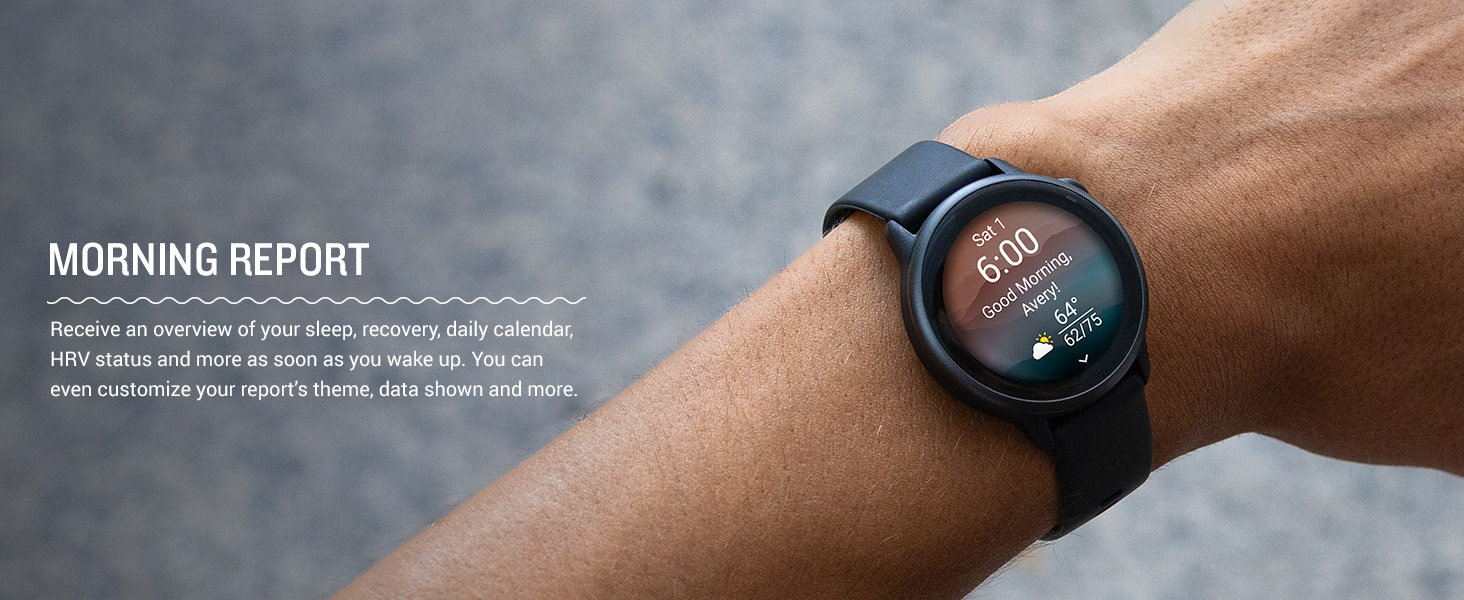
- Informe matutino: Delivers an overview of your sleep, recovery, daily calendar, and HRV status upon waking.

Funciones de fitness
Engage in various activities with over 80 built-in sports apps and advanced training features.
- Aplicaciones deportivas integradas: Includes activities like walking, running, cycling, HIIT, mobility, swimming, golf, and more.
- Opciones de entrenamiento: Access daily suggested workouts, step-by-step animated workouts for strength, HIIT, yoga, and Pilates.
- Running Dynamics: Measures metrics such as cadence, stride length, and ground contact time.
- Modo silla de ruedas: Tracks daily pushes, provides weight shift alerts, and offers specific sports apps and workouts for wheelchair users.

Funciones inteligentes
Stay connected and manage daily tasks directly from your wrist.
- Smart Notifications and Texting: Receive emails, texts, and alerts when paired with your smartphone. Android users can respond to texts and view fotos.
- Almacenamiento de música: Download songs and playlists from compatible services for phone-free listening (subscription may be required).
- Pagos sin contacto de Garmin Pay: Make secure payments with participating providers.

Aplicación Garmin Connect
The Garmin Connect app is essential for maximizing your vívoactive 6 experience. It allows you to:
- View Datos detallados de salud y estado físico.
- Customize watch faces and data fields.
- Create custom workouts and training plans.
- Connect with friends and participate in challenges.

Seguridad y Seguimiento
When paired with your smartphone, the vívoactive 6 can send a message with your live location to pre-selected contacts if an incident is detected or if you manually trigger it.
Mantenimiento
Carga del dispositivo
To charge your vívoactive 6, connect the USB-C charging/data cable to the charging port on the back of the device and to a USB power source. Ensure the contacts are clean and dry before charging.
Limpieza del dispositivo
Regularly clean your watch and band to prevent skin irritation and maintain device functionality. Use a soft, damp cloth to wipe the device. For the band, rinse with water and allow it to air dry. Avoid harsh chemicals or abrasive materials.
Solución de problemas
- El dispositivo no enciende: Asegúrese de que el dispositivo esté completamente cargado. Conéctelo al cargador durante al menos 30 minutos.
- El dispositivo no se empareja con el teléfono inteligente:
- Asegúrese de que Bluetooth esté habilitado en su teléfono inteligente.
- Make sure the vívoactive 6 is in pairing mode.
- Reinicie tanto su teléfono inteligente como el reloj.
- Try pairing through the Garmin Connect app.
- Inaccurate heart rate data:
- Ensure the watch is worn snugly, but not too tight, above your wrist bone.
- Limpie el sensor óptico en la parte posterior del reloj.
- Avoid wearing sunscreen or lotions under the sensor.
- Duración de la batería corta:
- Reducir el brillo de la pantalla.
- Disable "Always On Display" if enabled.
- Limit GPS usage for activities when not needed.
- Turn off unnecessary smart notifications.
Presupuesto
| Característica | Detalle |
|---|---|
| Número de modelo | 010-02985-01 |
| Tipo de pantalla | AMOLED |
| Tamaño de pantalla | 1.2 Inches (30.4 mm diameter) |
| Tamaño de la caja | 42 milímetros |
| Duración de la batería | Hasta 11 días (modo Smartwatch) |
| Conectividad | Bluetooth |
| GPS | GPS incorporado |
| Sistema operativo | Sistema operativo Garmin |
| Almacenamiento de memoria | 8 GB |
| Peso | 1.3 onzas (aprox. 36.85 gramos) |
| Fabricante | Garmin |
Garantía y soporte
For warranty information, product support, and additional resources, please visit the official Garmin webSitio web o contacte con el servicio de atención al cliente de Garmin. Conserve el comprobante de compra para reclamaciones de garantía.
Los recursos en línea se pueden encontrar en: www.garmin.com/support