
1. Introducción
Thank you for choosing the Edifier X1 Lite True Wireless Earbuds. These earbuds are designed to provide a high-quality audio experience with features like Bluetooth 5.4 connectivity, clear call technology, and a comfortable, lightweight design. This manual will guide you through the setup, operation, and maintenance of your new earbuds.
2. Contenido del paquete
- Audífonos inalámbricos Edifier X1 Lite (izquierdo y derecho)
- Estuche de carga
- Cable de carga USB
- Manual de usuario
3. Producto terminadoview
The Edifier X1 Lite earbuds feature a compact design for comfortable wear and a charging case for extended battery life. Each earbud is equipped with touch controls for easy management of audio playback and calls.
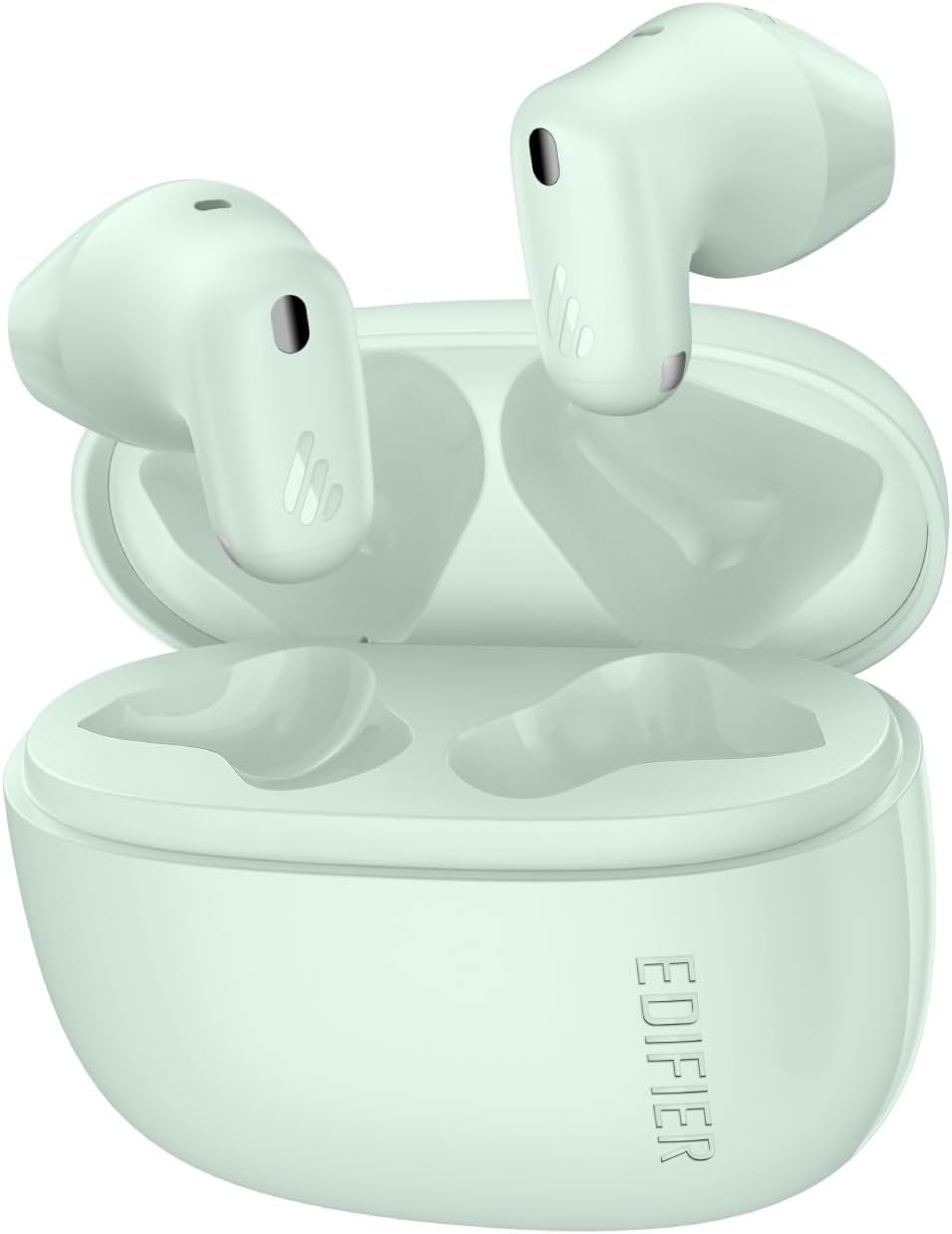
Image: Edifier X1 Lite True Wireless Earbuds and their charging case. The earbuds are shown in their compact, in-ear form factor.
Componentes de los auriculares:
- Área de control táctil: Para reproducción, gestión de llamadas y activación del asistente de voz.
- Micrófono: Para llamadas y comandos de voz.
- Contactos de carga: Para cargar dentro del estuche.
Componentes del estuche de carga:
- Ranuras de carga para auriculares: To hold and charge the earbuds.
- Puerto de carga USB-C: Para cargar el estuche.
- Luz indicadora: Muestra el estado de carga y el nivel de la batería.
4. Configuración
4.1 Carga de los auriculares y el estuche
Antes del primer uso, cargue completamente los auriculares y el estuche de carga.
- Coloque los auriculares en el estuche de carga. Asegúrese de que estén correctamente colocados.
- Conecte el estuche de carga a una fuente de alimentación utilizando el cable de carga USB proporcionado.
- The indicator light on the charging case will show the charging status. Once fully charged, the light will indicate completion (refer to specific light patterns in the full manual if available).
A 15-minute fast charge provides approximately 1.5 hours of playback time. A full charge offers up to 7 hours of playtime for the earbuds, with an additional 19 hours from the charging case, totaling 26 hours.

Image: Diagram illustrating the Edifier X1 Lite earbuds' battery life: 7 hours on a single charge, 19 hours with the charging case, and 1.5 hours of playback from a 15-minute fast charge.
4.2 Emparejamiento Bluetooth
To connect your Edifier X1 Lite earbuds to a device:
- Open the charging case. The earbuds will automatically enter pairing mode, indicated by a flashing light (refer to specific light patterns in the full manual if available).
- En su dispositivo (teléfono inteligente, tableta, computadora portátil), habilite Bluetooth y busque los dispositivos disponibles.
- Select "EDIFIER X1 Lite" from the list of found devices.
- Once connected, the earbuds will indicate successful pairing (e.g., a steady light or audio prompt).
The earbuds utilize Bluetooth 5.4 for faster speeds, lower power consumption, and a stable connection.

Image: Edifier X1 Lite earbuds shown with a laptop and smartphone, illustrating Bluetooth 5.4 connectivity for various devices.
5. Instrucciones de funcionamiento
5.1 Controles táctiles
The Edifier X1 Lite earbuds feature intuitive touch controls. The specific functions may be customized via the EDIFIER ConneX app.
| Acción | Función |
|---|---|
| Un solo toque (auricular izquierdo/derecho) | Reproducir/Pausar música, Responder/Finalizar llamada |
| Doble toque (auricular izquierdo) | Pista anterior |
| Doble toque (auricular derecho) | Pista siguiente |
| Triple toque (auricular izquierdo/derecho) | Activar Asistente de Voz |
| Pulsación larga (auricular izquierdo/derecho) | Rechazar llamada |
5.2 Llamadas claras
The earbuds feature AI algorithm voice pick-up technology to ensure clear communication by reducing background noise, even in noisy environments.

Image: A person wearing Edifier X1 Lite earbuds in a snowy outdoor setting, demonstrating the clear call feature in challenging environments.
5.3 Experiencia de audio
Experience powerful sound quality with Φ13mm dynamic drivers, delivering good bass performance and crisp audio. The EDIFIER ConneX app allows for personalization of your listening experience.

Imagen: Una explosión view of an Edifier X1 Lite earbud, highlighting the 13mm dynamic driver responsible for sound quality, including wide soundstage, excellent bass, and detailed highs and mids.
5.4 Modo de baja latencia
For gaming and streaming, the earbuds offer a 60ms low-latency design, ensuring smooth and uninterrupted audio-visual synchronization.

Image: A person holding a smartphone displaying a game, with Edifier X1 Lite earbuds in the foreground, emphasizing the 0.06s ultra-low latency feature for gaming and video playback.
6. Mantenimiento
6.1 Limpieza
- Limpie periódicamente los auriculares y el estuche de carga con un paño suave, seco y sin pelusa.
- No utilice limpiadores abrasivos, alcohol ni disolventes químicos.
- Asegúrese de que los contactos de carga estén libres de polvo y residuos.
6.2 Resistencia al agua y al sudor
The Edifier X1 Lite earbuds are IP54 certified, making them sweat-resistant and suitable for active use. This means they are protected against dust ingress and splashing water from any direction. However, they are not waterproof and should not be submerged in water.

Image: A person wearing an Edifier X1 Lite earbud during physical activity, with an icon indicating IP54 certification for sweat and splash resistance.
6.3 Almacenamiento
Cuando no los utilice, guarde los auriculares en su estuche de carga para protegerlos y garantizar que permanezcan cargados.
7. Solución de problemas
If you encounter issues with your Edifier X1 Lite earbuds, try the following steps:
- Sin sonido: Asegúrese de que los auriculares estén cargados, conectados a su dispositivo y con el volumen alto.
- No se puede emparejar: Asegúrate de que el Bluetooth esté activado en tu dispositivo y que los auriculares estén en modo de emparejamiento. Intenta olvidar el dispositivo en tu teléfono y vuelve a emparejarlo.
- Conexión intermitente: Asegúrese de que no haya obstrucciones entre los auriculares y el dispositivo. Acérquese al dispositivo.
- Un auricular no funciona: Place both earbuds back in the case, close it, then open it again. Check battery levels.
- Problemas de carga: Asegúrese de que el cable de carga esté bien conectado y que los contactos de carga de los auriculares y el estuche estén limpios.
For further assistance, refer to the official Edifier support websitio o póngase en contacto con el servicio de atención al cliente.
8. Especificaciones
| Característica | Detalle |
|---|---|
| Marca | Edificador |
| Nombre del modelo | X1 Lite |
| Número de modelo | x1lite |
| Tecnología de conectividad | Inalámbrico (Bluetooth) |
| Versión de Bluetooth | 5.4 |
| Colocación de orejas | En el oído |
| Tipo de controlador de audio | Controlador dinámico (Φ13 mm) |
| Rango de frecuencia | 20Hz - 20,000Hz |
| Impedancia | 140 ohmios |
| Duración de la batería (auriculares) | Hasta 7 horas |
| Tiempo total de juego (con estuche) | Hasta 26 horas |
| Carga rápida | 15 minutos para 1.5 horas de reproducción |
| Baja latencia | 60 ms |
| Resistencia al agua | IP54 (resistente al sudor) |
| Método de control | Tocar |
| Peso del artículo (auriculares) | Aprox. 4 g por auricular |
| Dispositivos compatibles | Laptops, Desktops, Gaming Consoles, Tablets, Telephones |
9. Garantía y soporte
Edifier products are designed and manufactured to the highest quality standards. For detailed warranty information, please refer to the warranty card included in your package or visit the official Edifier website. For technical support, product registration, or frequently asked questions, please visit www.edificador.com or contact Edifier customer service directly.