
ATAQUE TIBURÓN X98
Manual de usuario del teclado mecánico inalámbrico ATTACK SHARK X98
Modelo: X98
1. Producto terminadoview
The ATTACK SHARK X98 is a versatile mechanical keyboard designed for various uses, including gaming, office work, and programming. It features tri-mode connectivity, hot-swappable switches, a gasket mount design, PBT keycaps, and customizable RGB backlighting.
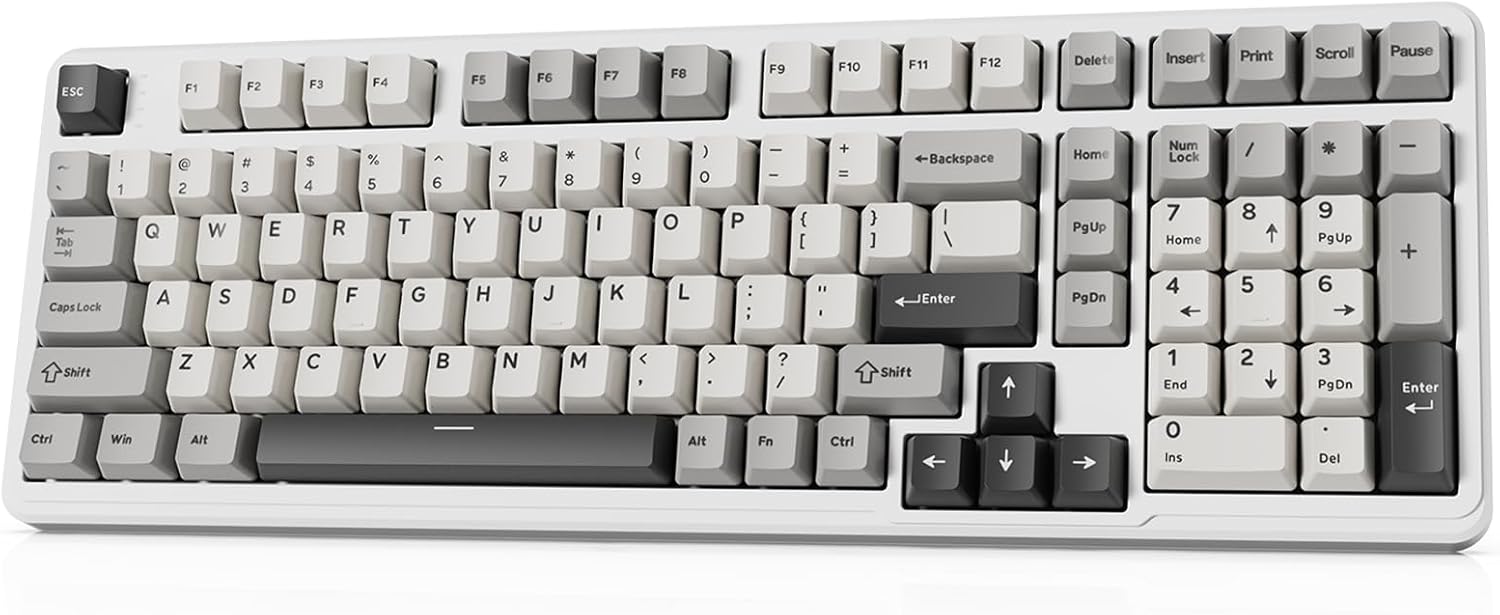
Image 1.1: The ATTACK SHARK X98 Wireless Mechanical Keyboard in Starlight White.
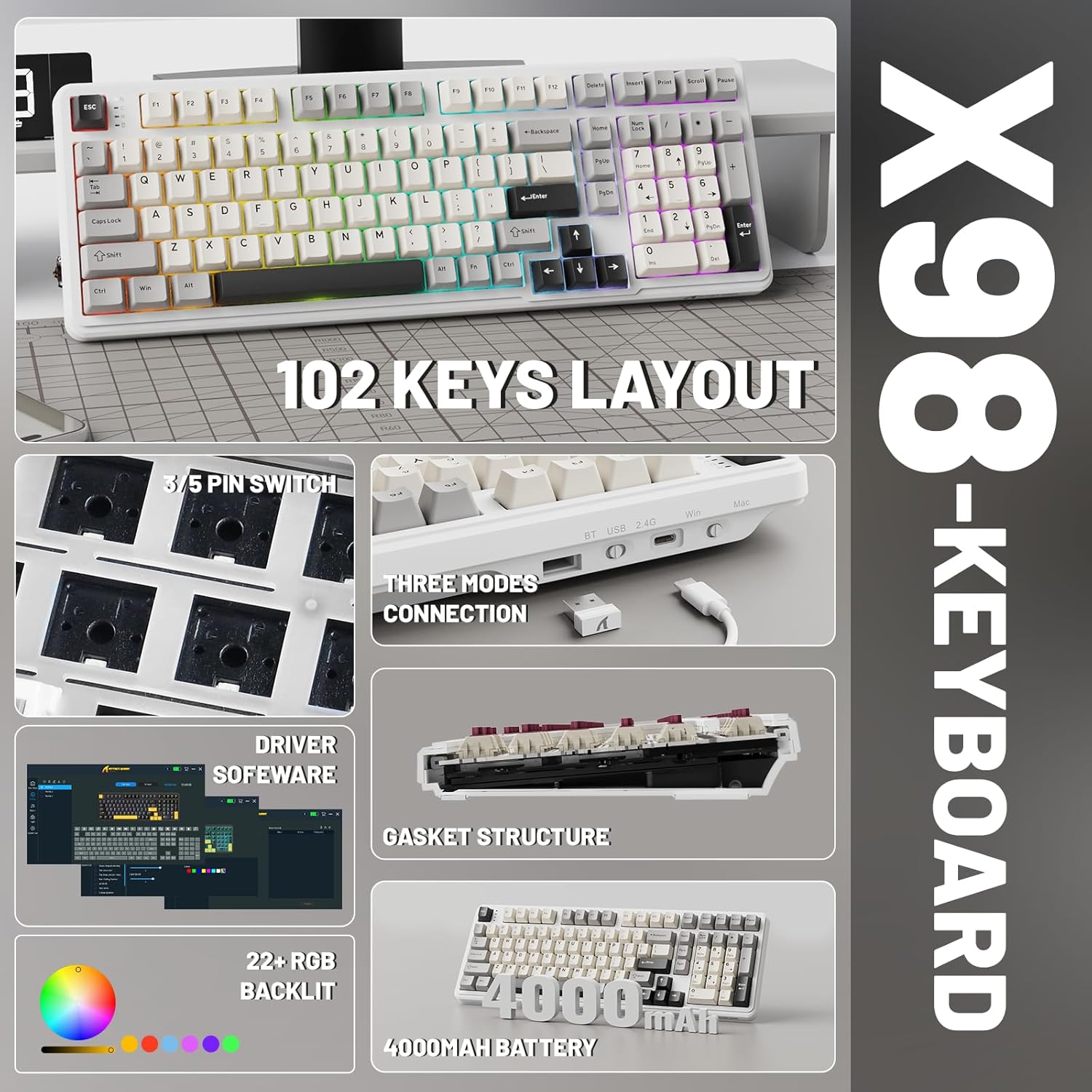
Imagen 1.2: Másview of key features including 102-key layout, 3/5 pin switch support, three modes connection, driver software, gasket structure, 22+ RGB backlight, and 4000mAh battery.
2. Contenido del paquete
Por favor verifique que todos los artículos estén presentes en el paquete:
- Teclado mecánico inalámbrico ATTACK SHARK X98
- Cable USB-C
- Extractor de teclas
- Extra Switches (typically 2)
- Manual de usuario (este documento)
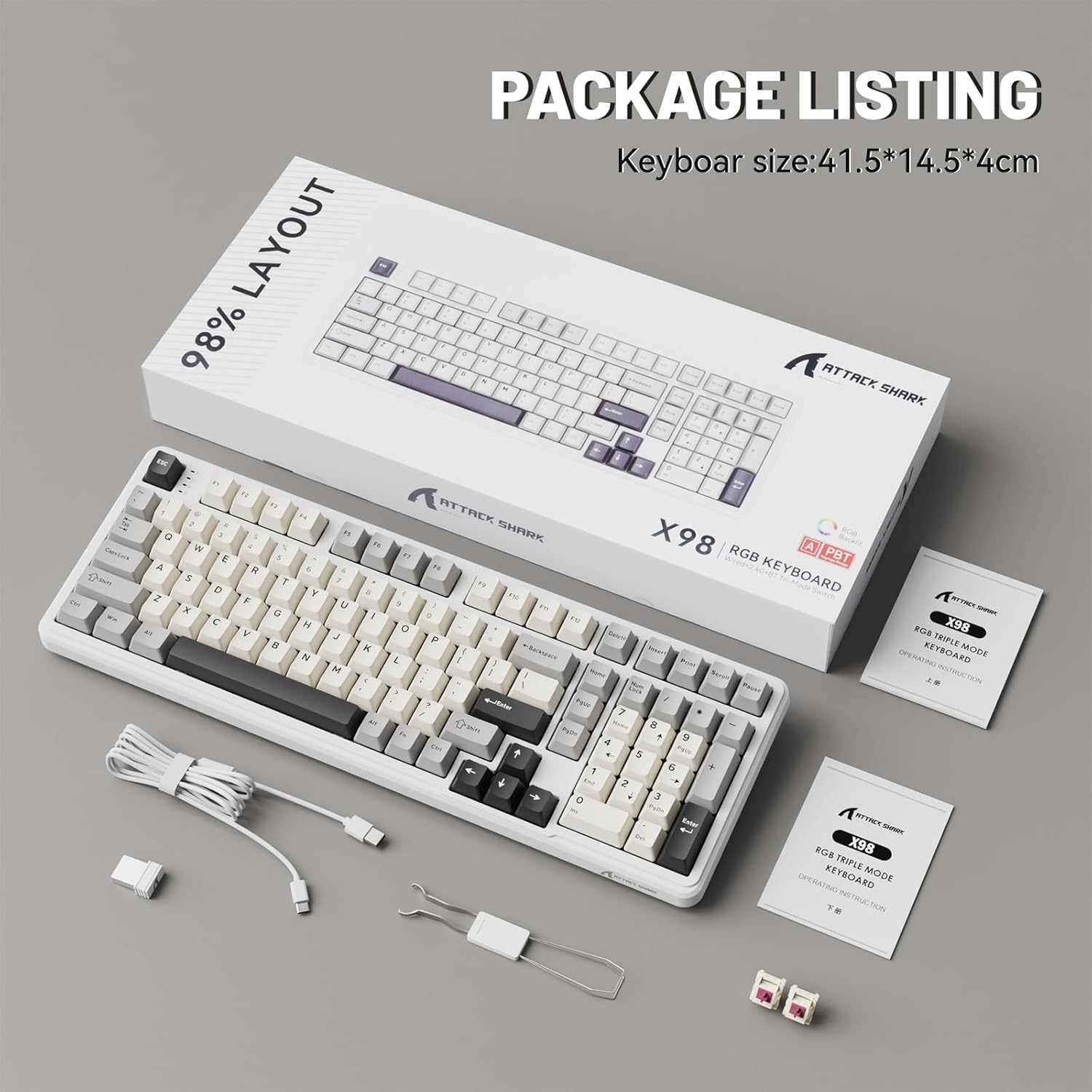
Image 2.1: Contents of the ATTACK SHARK X98 keyboard package, including the keyboard, USB-C cable, keycap puller, and extra switches.
3. Características principales
- Conectividad tri-modo: Supports Bluetooth 5.0, 2.4GHz wireless, and USB-C wired connections for versatile use across various devices.
- Conmutadores intercambiables en caliente: Equipped with sockets compatible with both 3-pin and 5-pin mechanical switches, allowing for easy customization and replacement of switches without soldering. Features pre-lubed linear switches for a smooth and quiet typing experience.
- Diseño de montaje de junta: Incorporates a 5-layer sound-absorbing foam structure (PORON Foam, IXPE Switch Pad, PET Noise Cancellation Pad, EPDM Dampening Pad, Silicone Pad) to reduce cavity sound and provide a pure, thocky sound profile.
- Retroiluminación RGB vibrante: Offers 16.8 million RGB colors with 21 lighting effects and 7 single-color options, enhancing the aesthetic of your setup. Full Anti-Ghosting N-key rollover ensures accurate input during intense gaming sessions.
- Teclas PBT duraderas: Features doubleshot PBT keycaps that resist shine and fading, ensuring long-lasting durability and a premium feel.
- Batería de larga duración: Built-in 4000mAh battery provides extended wireless usage, capable of continuous operation for up to 7 days on a single charge.

Image 3.1: Diagram illustrating the 5-layer gasket structure for sound absorption and improved typing feel.
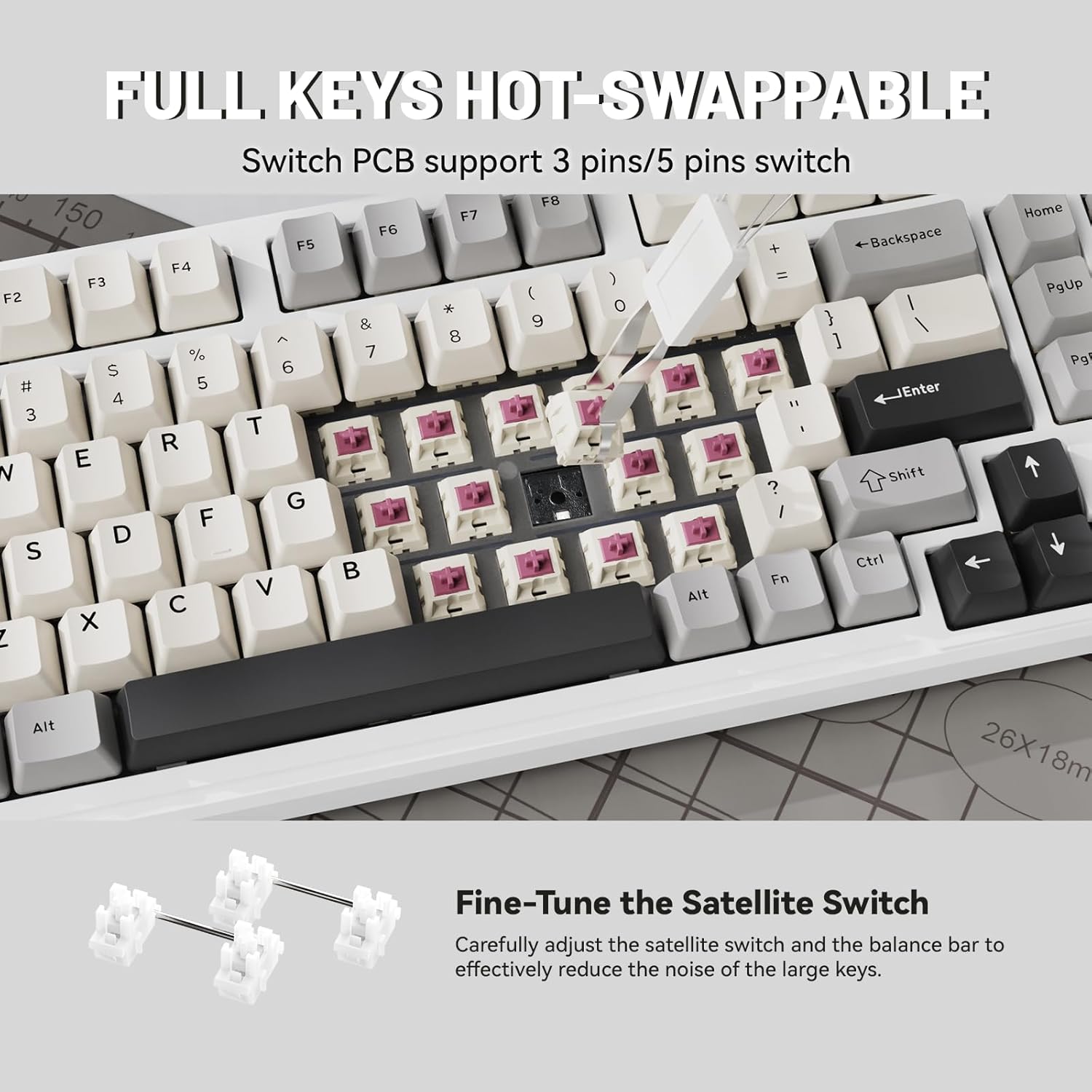
Imagen 3.2: Primer plano view demonstrating the hot-swappable switch sockets, supporting both 3-pin and 5-pin switches.
4. Configuración y conectividad
4.1. Conexión por cable (USB-C)
- Conecte el cable USB-C provisto al puerto USB-C del teclado.
- Conecte el otro extremo del cable USB-C a un puerto USB disponible en su computadora o dispositivo.
- El teclado se reconocerá automáticamente y estará listo para usarse. También se cargará en este modo.
4.2. Conexión inalámbrica de 2.4 GHz
- Locate the 2.4G wireless receiver (USB dongle), typically stored in a magnetic compartment on the keyboard.
- Conecte el receptor 2.4G a un puerto USB disponible en su computadora o dispositivo.
- On the keyboard, locate the connectivity switch (usually on the top edge or bottom) and slide it to the "2.4G" position.
- The keyboard should automatically connect. If not, refer to the troubleshooting section.
4.3. Conexión Bluetooth 5.0
- On the keyboard, locate the connectivity switch and slide it to the "BT" position.
- The keyboard will enter pairing mode. The indicator light may flash.
- On your device (PC, tablet, smartphone), open Bluetooth settings.
- Buscar new devices and select "ATTACK SHARK X98" (or similar name) from the list.
- Follow any on-screen prompts to complete the pairing process. The indicator light on the keyboard will become solid once connected.

Image 4.1: The ATTACK SHARK X98 keyboard demonstrating its three connection modes: 2.4GHz Wireless, Bluetooth Wireless, and Type-C Wired.
Video 4.2: An official product video demonstrating the features and connectivity options of the ATTACK SHARK X98 Wireless Mechanical Keyboard. This video highlights the keyboard's design, hot-swappable switches, RGB lighting, and tri-mode connectivity.
5. Instrucciones de funcionamiento
5.1. Cambio de sistema (Windows/Mac)
The keyboard features a dedicated switch to toggle between Windows and Mac layouts. Locate the "WIN/MAC" switch on the keyboard and slide it to the appropriate operating system for optimal key mapping.
5.2. Control de retroiluminación RGB
The ATTACK SHARK X98 offers various RGB lighting effects. Use the following key combinations to control the backlighting:
- Fn + [Tecla]: Specific key combinations (refer to keyboard legends or software) control lighting modes, brightness, and speed.
- Software de personalización: For advanced customization of RGB lighting and key functions, download and install the official driver software. The driver link is typically provided in the product packaging or on the manufacturer's websitio.
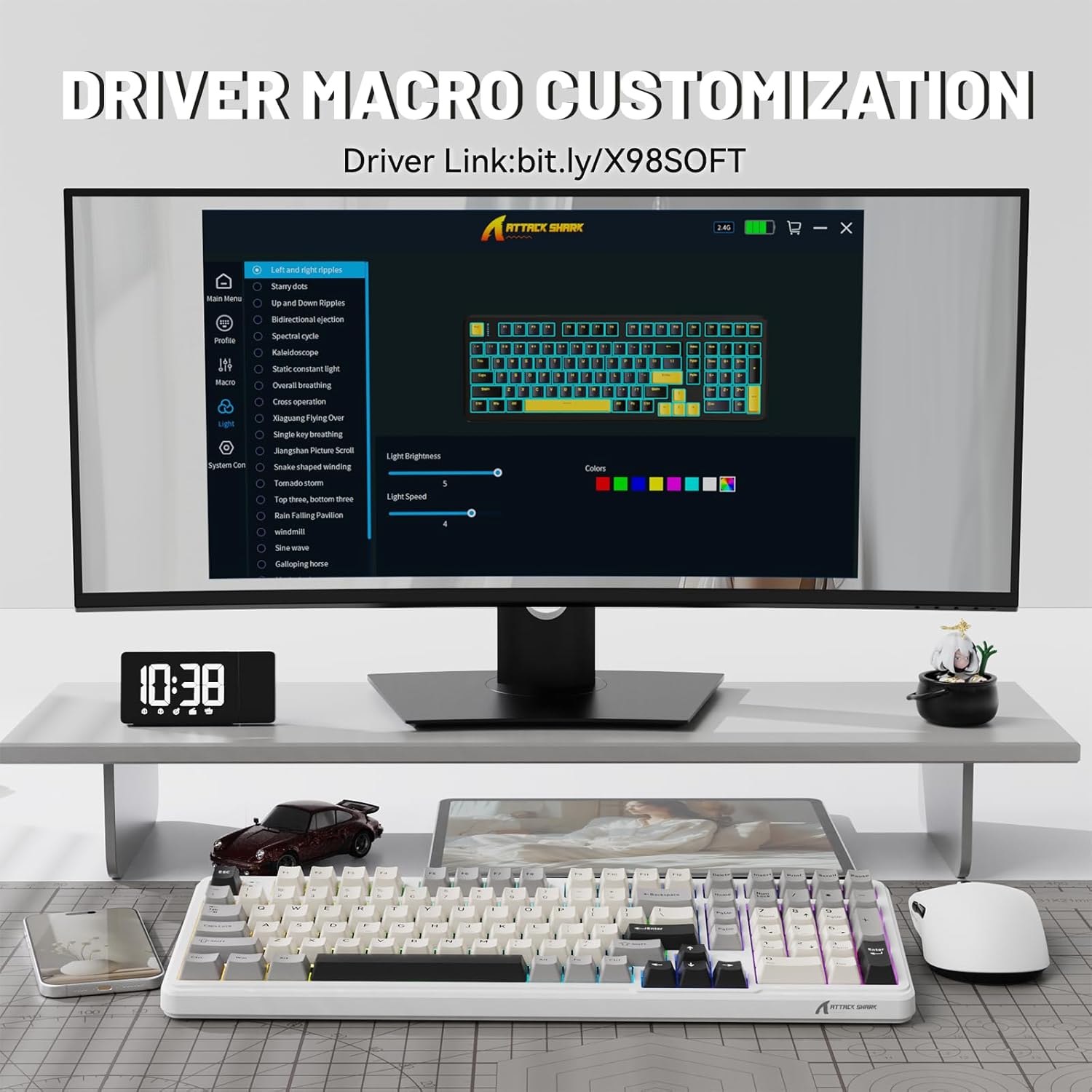
Image 5.1: Screenshot of the driver software interface, showing options for macro customization and RGB lighting control.
5.3. Comprobación del nivel de la batería
To check the battery level in wireless mode, press and hold Fn + Retroceso. The indicator lights on the keyboard will illuminate to show the approximate battery percentage:
- Luz roja: 20% or less battery remaining.
- Luz amarilla: 50% de batería restante.
- Luz verde: 60% de batería restante.
- Full Green Lights: 100% de batería restante.

Image 5.2: Visual guide for checking the battery level using Fn + Backspace, showing different light indicators for battery percentage.
6. Mantenimiento
- Limpieza de teclas: Utilice el extractor de teclas proporcionado para retirar las teclas con cuidado. Límpielas con un paño suave.amp Paño y jabón suave si es necesario. Asegúrese de que las teclas estén completamente secas antes de volver a colocarlas.
- Limpieza del cuerpo del teclado: Use a soft, lint-free cloth to wipe down the keyboard body. For stubborn dirt, a slightly damp Se puede utilizar un paño. Evitar la humedad excesiva.
- Mantenimiento del conmutador: The hot-swappable design allows for easy switch replacement. If a switch malfunctions, use the keycap puller and switch puller (if included, or a small tool) to remove the faulty switch and insert a new one.
- Almacenamiento: Cuando no utilice el teclado durante períodos prolongados, guárdelo en un entorno seco y sin polvo.
7. Solución de problemas
| Problema | Posible causa | Solución |
|---|---|---|
| El teclado no responde (con cable) | Conexión de cable suelta; puerto USB defectuoso; problema con el controlador. | Asegúrate de que el cable USB-C esté bien conectado. Prueba con otro puerto USB. Reinicia el ordenador. |
| El teclado no se conecta (conexión inalámbrica de 2.4 GHz) | Receiver not plugged in; keyboard not in 2.4G mode; low battery. | Ensure 2.4G receiver is plugged in. Slide switch to "2.4G". Charge the keyboard. |
| El teclado no se conecta (Bluetooth) | Keyboard not in BT mode/pairing mode; device Bluetooth off; interference. | Slide switch to "BT" and ensure it's in pairing mode. Enable Bluetooth on your device. Move closer to the device. Remove other Bluetooth devices. |
| RGB lights not working/customizing | Software not installed/running; incorrect key combination; low battery. | Install/run the driver software. Refer to operating instructions for key combinations. Charge the keyboard. |
| Las teclas no se registran o se escriben dos veces | Interruptor defectuoso; residuos debajo de la tecla. | Retire la tecla y límpiela. Si el problema persiste, reemplace el interruptor mediante la función de intercambio en caliente. |
8. Especificaciones
| Número de modelo | X98 |
| Marca | ATAQUE DE TIBURÓN |
| Tecnología de conectividad | Bluetooth 5.0, 2.4G Wireless, USB-C |
| Número de llaves | 102 |
| Retroiluminación del teclado | RGB (16.8 millones de colores, 21 efectos) |
| Material de las teclas | PBT de doble inyección |
| Tipo de interruptor | Pre-lubed Linear Switches (Hot-swappable 3/5-pin) |
| Estilo de montaje | Montaje de junta |
| Capacidad de la batería | 4000 mAh |
| Dimensiones del producto | 16 x 5.6 x 1.5 pulgadas |
| Peso del artículo | 2.71 libras |
| Dispositivos compatibles | Portátil, consola de juegos, PC, tableta, teléfono inteligente |
9. Garantía y soporte
The ATTACK SHARK X98 Wireless Mechanical Keyboard comes with a standard manufacturer's warranty. Please refer to the warranty card included in your package for specific terms and conditions, including warranty duration and coverage details.
Para obtener asistencia técnica, asistencia para la resolución de problemas o reclamos de garantía, comuníquese con el servicio de atención al cliente de ATTACK SHARK a través de su sitio web oficial. websitio o la información de contacto proporcionada en la documentación de su producto.
Oficial website for driver software and further support: cn.attackshark.pro
Ask a question about this manual
Ask about setup, troubleshooting, compatibility, parts, safety, or missing instructions. Manuals+ will review the question and use this page’s manual context to help answer it.