
1. Introducción
Thank you for choosing the EDUPLINK M6Pro Bluetooth Speaker. This portable wireless speaker is designed to deliver high-fidelity audio with deep bass, featuring IPX7 waterproofing, TWS stereo pairing, and a dynamic RGB light show. This manual provides detailed instructions to help you get the most out of your device.
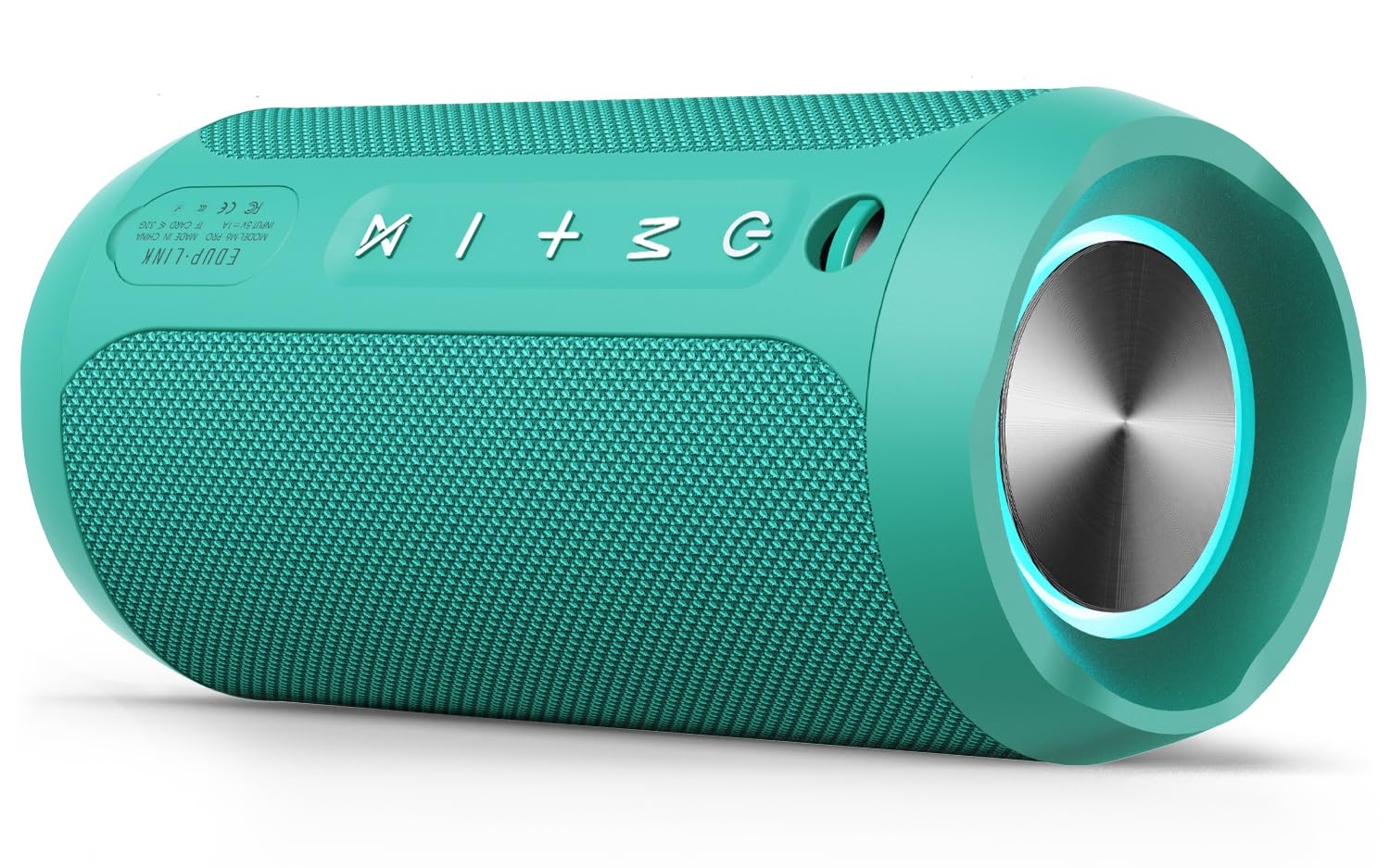
Image: The EDUPLINK M6Pro Bluetooth Speaker in teal, showcasing its cylindrical design.
2. Contenido del paquete
Por favor, marque la casilla correspondiente a los siguientes artículos:
- 1 x Portable Bluetooth Speaker (M6Pro)
- 1 x cable de carga USB
- Cable 1 x AUX
- 1 x Cordón
- 1 x Manual de usuario (este documento)
3. Producto terminadoview & Control S
Familiarícese con los botones y puertos del altavoz para un uso óptimo.

Imagen: Lateral view of the EDUPLINK M6Pro speaker, highlighting the control panel with power, mode, volume, and TWS buttons.
Botones de control:
- Botón de encendido (⏻):
- Pulsación larga: encender/apagar.
- Short press (while playing): Play/Pause music.
- Botón de modo (M):
- Short press: Switch between Bluetooth, TF Card, and AUX modes.
- Long press: Disconnect current Bluetooth device.
- Subir volumen / Siguiente pista (+):
- Pulsación corta: Aumentar el volumen.
- Pulsación larga: Salta a la siguiente pista.
- Bajar volumen / Pista anterior (-):
- Pulsación corta: Disminuir el volumen.
- Pulsación larga: Ir a la pista anterior.
- Botón TWS (⋈):
- Short press: Initiate TWS pairing (see Section 5).
- Long press: Disconnect TWS pairing.
Ports (under protective flap):
- Puerto de carga USB-C:Para cargar el altavoz.
- Ranura para tarjetas TF: Insert a MicroSD card (up to 32GB) for direct music playback.
- Entrada auxiliar (3.5 mm):Conecte dispositivos de audio externos utilizando el cable AUX provisto.
4. Configuración y funcionamiento básico
4.1 Carga del altavoz
- Abra la solapa protectora de goma en el lateral del altavoz.
- Connect the provided USB-C charging cable to the speaker's charging port and the other end to a USB power adapter (not included).
- El indicador LED mostrará el estado de carga. Una carga completa tarda aproximadamente 3 horas.
4.2 Encendido / Apagado
- To power on, long press the Power button (⏻) until you hear an audible prompt.
- To power off, long press the Power button (⏻) again until you hear an audible prompt.
4.3 Emparejamiento Bluetooth
- Ensure the speaker is powered on and in Bluetooth mode (indicated by a flashing blue LED). If not, short press the Mode (M) button to switch.
- En su dispositivo móvil, habilite Bluetooth y busque dispositivos disponibles.
- Select "EDUPLINK M6Pro" from the list.
- Una vez emparejado, el indicador LED se volverá azul fijo y escuchará un sonido de confirmación.
5. Emparejamiento TWS (estéreo inalámbrico verdadero)
To achieve a more immersive stereo sound experience, you can pair two EDUPLINK M6Pro speakers together.

Image: Two EDUPLINK M6Pro speakers positioned to illustrate True Wireless Stereo (TWS) pairing.
- Ensure both EDUPLINK M6Pro speakers are powered on and not connected to any Bluetooth device.
- On one speaker (this will be your primary speaker), short press the TWS button (⋈). The speaker will emit a sound indicating it's searching for another speaker.
- On the second speaker, short press the TWS button (⋈).
- Los dos altavoces se conectarán automáticamente. Escuchará un sonido de confirmación una vez que el emparejamiento TWS se haya realizado correctamente.
- Now, connect your mobile device to the primary speaker via Bluetooth (as described in Section 4.3). Both speakers will play audio in stereo.
- To disconnect TWS pairing, long press the TWS button (⋈) en cualquiera de los altavoces.
6. Hard Reset Procedure
If your speaker is experiencing connectivity issues, is stuck connected to an incorrect device, or is not pairing correctly, a hard reset can resolve these problems by clearing its connection history.
- Asegúrese de que el altavoz esté encendido.
- Mantenga presionada simultáneamente la Subir volumen (+) y Bajar volumen (-) buttons for approximately 1-2 seconds until the speaker powers off.
- Once powered off, the speaker's connection history will be cleared.
- Power the speaker back on (long press Power button). It will enter Bluetooth pairing mode.
- On your mobile device, go to your Bluetooth settings and "forget" or "unpair" the "EDUPLINK M6Pro" device if it was previously connected.
- Proceed with Bluetooth pairing as described in Section 4.3 to connect the speaker as a new device.
7. Impermeabilidad (IPX7)
The EDUPLINK M6Pro speaker features an IPX7 waterproof rating, meaning it can be submerged in water up to 1 meter (3 feet) for 30 minutes. This makes it suitable for use by the pool, at the beach, or in the shower.

Image: The EDUPLINK M6Pro speaker partially submerged in water, demonstrating its IPX7 waterproof capability.
Importante: Ensure the protective rubber flap covering the charging, TF card, and AUX ports is securely closed before exposing the speaker to water.
8. Especificaciones
| Característica | Detalle |
|---|---|
| Nombre del modelo | M6Pro |
| Marca | ENLACE EDUP |
| Tecnología de conectividad | Bluetooth, Auxiliar |
| Versión de Bluetooth | 5.0 |
| Alcance de Bluetooth | Hasta 80 pies (24 metros) |
| Nivel de resistencia al agua | IPX7 (impermeable) |
| Potencia máxima de salida del altavoz | 24 vatios |
| Modo de salida de audio | Estéreo (con emparejamiento TWS) |
| Recreo | Hasta 20 horas |
| Tiempo de carga | Aproximadamente 3 horas |
| Capacidad de la batería | 20 Amp Hours (2 Lithium Metal batteries) |
| Vol de entradatage | 5 voltios |
| Respuesta de frecuencia | 20 Hz - 20 kHz |
| Relación señal a ruido | 80 dB |
| Dimensiones del producto | 2.76" de profundidad x 6.3" de ancho x 2.76" de alto (7 cm de profundidad x 16 cm de ancho x 7 cm de alto) |
| Peso del artículo | 14.8 onzas (420 gramos) |
| Material | Poliuretano termoplástico (TPU) |
| Características especiales | LED Light, Portable, Shockproof, Stereo Pairing, Waterproof |
| Dispositivos compatibles | Computadora de escritorio, computadora portátil, proyector, teléfono inteligente, tableta |
| Método de control | Aplicación |
9. Solución de problemas
- El altavoz no se enciende: Asegúrese de que la batería esté cargada. Conecte el altavoz a una fuente de alimentación mediante el cable USB-C.
- No se puede emparejar con el dispositivo Bluetooth:
- Asegúrese de que el altavoz esté en modo de emparejamiento Bluetooth (LED azul intermitente).
- Make sure the speaker is not already connected to another device. Long press the Mode (M) button to disconnect.
- Perform a hard reset (see Section 6).
- On your device, "forget" or "unpair" the speaker from your Bluetooth list and try pairing again.
- Asegúrese de que su dispositivo esté dentro del alcance de Bluetooth de 80 pies.
- Sin sonido:
- Verifique los niveles de volumen tanto en el altavoz como en el dispositivo conectado.
- Ensure the speaker is correctly paired via Bluetooth or the AUX/TF card is properly inserted and selected.
- Error en el emparejamiento de TWS:
- Ensure both speakers are M6Pro models and are not connected to any other Bluetooth device.
- Coloque los altavoces cerca uno del otro durante el emparejamiento.
- Try performing a hard reset on both speakers before attempting TWS pairing again.
10. Garantía y soporte
The EDUPLINK M6Pro Bluetooth Speaker comes with a limited warranty. For specific warranty details, please refer to the product packaging or contact EDUPLINK customer support. For further assistance or technical support, please visit the official EDUPLINK websitio o comuníquese con sus canales de atención al cliente.
Soporte en línea: Visit the EDUPLINK Store on Amazon