1. Introducción
Thank you for choosing the CubiCubi 42-inch White Ceiling Fan. This modern ceiling fan integrates lighting and air circulation, offering features such as remote and APP control, dimmable LED lighting with adjustable color temperature (3000K-6500K), quiet operation, and a reversible motor for year-round comfort. This manual provides essential information for safe installation, operation, maintenance, and troubleshooting of your new ceiling fan.
2. Información de seguridad
Lea atentamente todas las instrucciones antes de comenzar la instalación y conserve este manual para futuras consultas. La instalación o el uso incorrectos pueden provocar descargas eléctricas, incendios o lesiones personales.
- Seguridad eléctrica: Ensure the power is turned off at the circuit breaker before installation or servicing. All wiring must be in accordance with national and local electrical codes. If you are unsure about wiring, consult a qualified electrician.
- Montaje: The ceiling fan must be mounted to a structurally sound ceiling joist or outlet box capable of supporting the fan's weight (approximately 10.69 lbs). Use only the outlet box marked "Acceptable for Fan Support of 35 lbs (15.9 kg) or less."
- Espacio libre de la hoja: Ensure there is adequate clearance from the fan blades to any obstacles, walls, or furniture. A minimum of 7 feet (2.1 meters) from the floor to the blade trailing edge is recommended.
- Partes móviles: No inserte objetos en el camino de las aspas del ventilador mientras éste esté en funcionamiento.
- Fuente de luz: The LED light source is integrated and not user-replaceable. Do not attempt to disassemble the light kit.
- Uso en exteriores: This fan is rated for Indoor and Outdoor (covered patio) usage. Ensure it is not directly exposed to water.
3. Contenido del paquete
Carefully unpack all components and ensure you have received all items listed below. If any parts are missing or damaged, please contact customer support.

Image: CubiCubi 42-inch white ceiling fan with light and its various components, including the main fan unit, remote control, smartphone app interface, fan blades, and activated carbon filters.
- Aspas de ventilador (5)
- LED Lampsombra
- Kit de luz
- Ensamble del motor
- Control remoto (2 pilas AAA incluidas)
- Varillas de bajada (opciones de 5 y 10 pulgadas)
- Soporte de montaje
- Paquete de hardware (tornillos, tuercas para cables, arandelas)
- Activated Carbon Air Filters (set of 5)
- Manual de usuario
4. Configuración e instalación
Professional installation is recommended for safety and optimal performance. Ensure all power is disconnected at the circuit breaker before proceeding.
4.1 opciones de montaje
The CubiCubi ceiling fan offers flexibility for different ceiling types and heights.

Image: Diagram showing the two available downrod lengths (5-inch and 10-inch) and how the fan can be installed on both flat ceilings and sloped ceilings up to 15 degrees. Recommended room sizes are also indicated.
- Selección de varilla descendente: Choose between the included 5-inch or 10-inch downrod based on your ceiling height and desired fan clearance.
- Tipos de techo: Suitable for both flat ceilings and sloped ceilings with an angle of up to 15 degrees.
- Recomendación de tamaño de habitación: Ideal for rooms ranging from 10ft x 10ft to 15ft x 15ft.
4.2 Pasos generales de instalación (resumen)
- Apague la energía en el disyuntor.
- Mount the hanging bracket to the ceiling outlet box.
- Assemble the downrod and motor housing.
- Cuelgue el conjunto del ventilador en el soporte de montaje.
- Connect electrical wiring according to the provided wiring diagram (refer to detailed instructions in the included installation guide).
- Conecte las aspas del ventilador al motor.
- Install the light kit and lampsombra.
- Restore power and test the fan.
5. Instrucciones de funcionamiento
Your CubiCubi ceiling fan can be controlled via the included remote control or a dedicated smartphone application.
Métodos de control 5.1

Image: The remote control and smartphone application interface for the CubiCubi ceiling fan, detailing buttons for fan and light functions, timer, and reverse rotation.
- Mando a distancia: The included remote allows for easy adjustment of fan speed, light brightness, color temperature, and other functions. Ensure AAA batteries are installed correctly.
- Smartphone APP: Download the CubiCubi app from your device's app store. Connect via Bluetooth to control the fan and light. Pairing typically needs to be done within 10 seconds of powering on the fan.
- Interruptor de pared: A standard wall switch can turn the fan's power on/off. Note that advanced functions require the remote or app.
5.2 control de velocidad del ventilador
The fan features 6 customizable speeds to suit various needs.
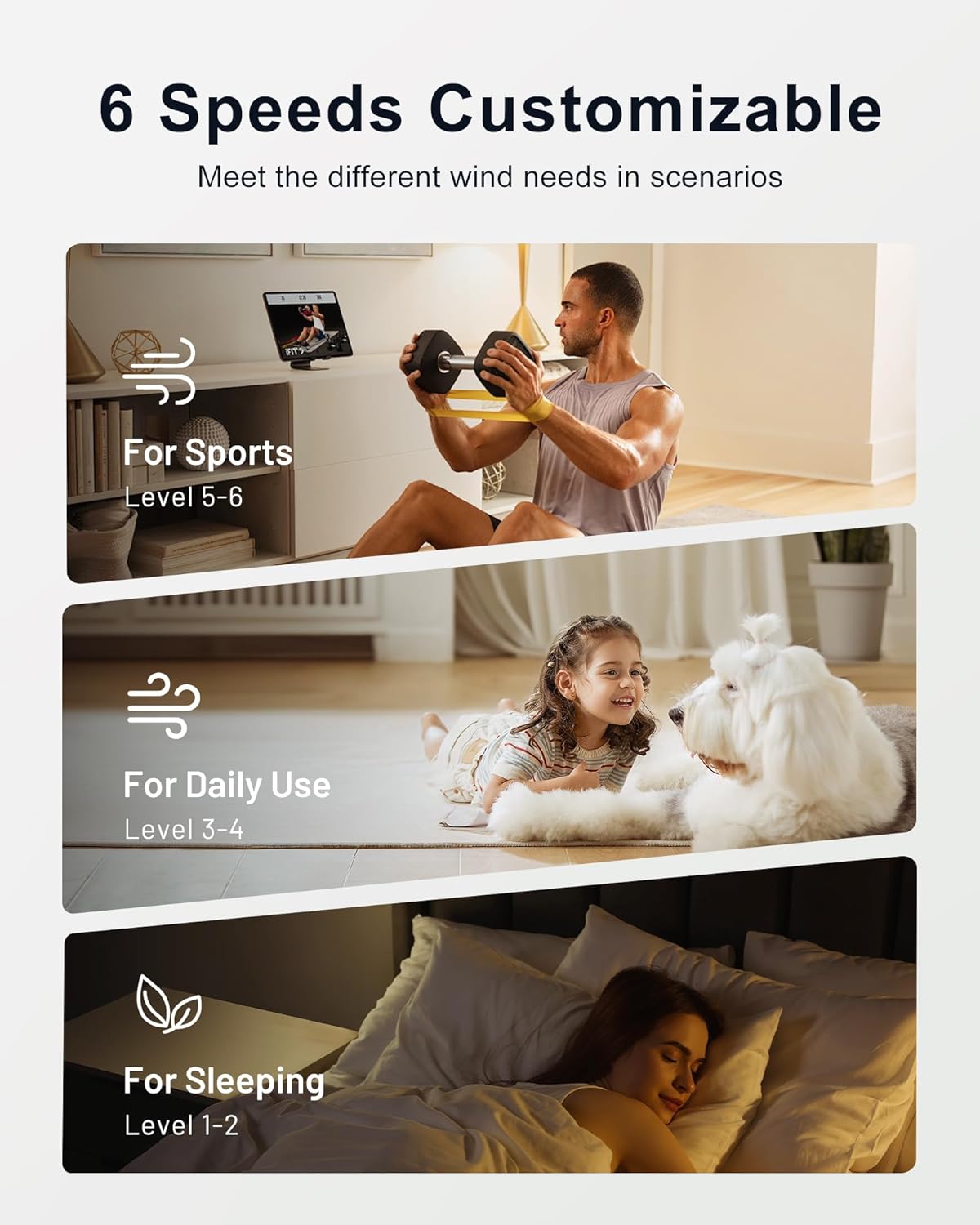
Image: A visual guide illustrating the 6 fan speed levels and their recommended uses, such as levels 5-6 for sports, 3-4 for daily use, and 1-2 for sleeping.
- Niveles 1-2: Ideal for sleeping or a gentle breeze.
- Niveles 3-4: Suitable for daily use and comfortable air circulation.
- Niveles 5-6: Provides strong airflow for activities or rapid cooling.
5.3 Control de la luz
The integrated LED light offers adjustable brightness and color temperature.

Image: An illustration demonstrating the fan's light capabilities, showing adjustable brightness from 10% to 100% (200LM to 2000LM) and three color temperature options: 3000K (Warm Light), 4000K (Natural Light), and 6500K (Cold Light).
- Ajuste de brillo: Dimmable from 10% to 100% (200 to 2200 lumens) using the remote or app.
- Temperatura de color (CCT): Select from 3000K (Warm White), 4000K (Natural White), or 6500K (Daylight White) to match your ambiance needs.
5.4 Función inversa
El ventilador cuenta con un motor reversible para uso durante todo el año.

Image: A diagram illustrating the fan's reverse function, showing how downward airflow provides coolness in summer and upward airflow circulates warm air in winter.
- Modo Verano: Las aspas giran en sentido antihorario, empujando el aire hacia abajo para crear una brisa refrescante.
- Modo de invierno: Las aspas giran en el sentido de las agujas del reloj, aspirando el aire hacia arriba para hacer circular el aire caliente atrapado cerca del techo.
5.5 Función de memoria
The fan retains your preferred settings.
- The smart memory function remembers your last used brightness and color temperature settings.
- To save settings, turn off the light and ensure it remains off for at least 10 seconds. When turned on again, it will recall the previous settings.
5.6 Ajuste del temporizador
Set the fan to turn off automatically.
- Available timer options: 1 hour, 2 hours, or 4 hours.
- Activate the timer via the remote control or smartphone app.
6. Mantenimiento
El mantenimiento regular garantiza la longevidad y el rendimiento óptimo de su ventilador de techo.
6.1 Limpieza
- Apague siempre el aparato antes de limpiarlo.
- Utilice un paño suave y seco.amp cloth to wipe down the fan blades and motor housing. Avoid harsh chemicals or abrasive cleaners.
- No sumerja el ventilador en agua.
6.2 Activated Carbon Air Filters
The fan includes activated carbon air filters to help purify the air.

Imagen: Un primer plano view of an activated carbon air filter, emphasizing its role in creating a cleaner breathing atmosphere by trapping dust and odors.
- Periodically check the filters for dust accumulation.
- Clean or replace the filters as needed to maintain air purification effectiveness. Refer to the detailed installation guide for filter replacement instructions.
7. Solución de problemas
Si tiene problemas con su ventilador, consulte los siguientes problemas y soluciones comunes. Si el problema persiste, contacte con atención al cliente.
| Problema | Posible causa | Solución |
|---|---|---|
| El ventilador no arranca | No power; Loose wiring; Remote/APP not paired; Dead remote batteries. | Check circuit breaker; Verify all wire connections; Re-pair remote/APP; Replace remote batteries. |
| La luz no funciona | Loose wiring; Light function off; LED failure. | Check light kit wiring; Ensure light is turned on via remote/APP; Contact support if LED is faulty. |
| Fan is noisy (e.g., squeaking) | Loose screws; Light cover rubbing; Unbalanced blades. | Tighten all mounting and blade screws; Check if the light cover is rubbing against the fan body (loosen screws slightly or add washers if necessary); Ensure blades are balanced. |
| El control remoto o la aplicación no responden | Batteries low/dead; Out of range; Interference; Not paired. | Replace batteries; Move closer to the fan; Reduce interference sources; Re-pair remote/APP. |
| El ventilador se bambolea | Loose mounting; Unbalanced blades; Improper downrod installation. | Ensure mounting bracket is secure; Use blade balancing kit (not included); Re-check downrod installation. |
8. Especificaciones
Technical details for the CubiCubi 42-inch White Ceiling Fan.

Image: Documents displaying the ETL Safety Certification, DOE Energy Standards, and FCC compliance for the CubiCubi ceiling fan.
| Característica | Detalle |
|---|---|
| Nombre del modelo | 42-F5191L-YH |
| Tamaño | 42 pulgadas |
| Color | Blanco |
| Material | Copper Wire Motor, Engineered Wood, Metal |
| Peso del artículo | 10.69 libras |
| Dimensiones del producto | 42 x 21 x 14 pulgadas |
| Fuente de poder | DC |
| Volumentage | 24 voltios |
| Quétage | 35 vatios |
| Tipo de fuente de luz | CONDUJO |
| Brillo | 2200 lúmenes |
| Color claro | Warm White (3000K), Natural White (4000K), Daylight White (6500K) |
| Método de control | Aplicación, remoto |
| Tipo de instalación | Montaje empotrado (con opciones de varilla bajante) |
| Uso en interiores y exteriores | Indoor, Outdoor (covered) |
| Especificación cumplida | ETL |
| Baterías | 2 pilas AAA (incluidas para el control remoto) |
9. Garantía y soporte
CubiCubi is committed to providing high-quality products and customer satisfaction.

Image: Warranty details for the CubiCubi ceiling fan, highlighting a lifetime warranty for the motor and a 2-year warranty for the entire fan unit.
- Garantía del motor: The fan motor is covered by a lifetime warranty.
- Garantía completa del ventilador: The entire fan unit (excluding the motor) is covered by a 2-year warranty.
- Servicio al cliente: For any questions regarding installation, operation, or warranty claims, please contact CubiCubi customer support. Refer to the product packaging or official websitio para detalles de contacto.