
Introducción
Thank you for choosing the Poolin EOC06 Embroidery Machine. This manual provides essential information for the safe and efficient operation of your new embroidery machine. Please read all instructions carefully before use and keep this manual for future reference.
Información de seguridad
Siga siempre las precauciones básicas de seguridad al utilizar aparatos eléctricos para reducir el riesgo de incendio, descarga eléctrica o lesiones a las personas.
- Ensure the machine is connected to a properly grounded outlet.
- Mantenga los dedos alejados de todas las partes móviles, especialmente de la aguja.
- Unplug the machine from the electrical outlet when cleaning, making adjustments, or when not in use.
- No opere la máquina si el cable de alimentación está dañado o si la máquina no funciona correctamente.
- Keep the machine dry and away from heat sources.
Contenido del paquete
Verifique que todos los artículos estén incluidos en su paquete:
- Poolin EOC06 Embroidery Machine
- Embroidery Hoops: 2 x 5.5x5.5 inch, 1 x 8x8 inch, 1 x 7.9x11 inch
- 80 Rolls Richword 800M Polyester Embroidery Threads (40 W.T., 108D/2)
- 144pcs Richword Prewound Bobbins (Class 15, Size A Plastic)
- Unidad USB
- Estabilizador de corte
- Cable de alimentación
- Manual de instrucciones
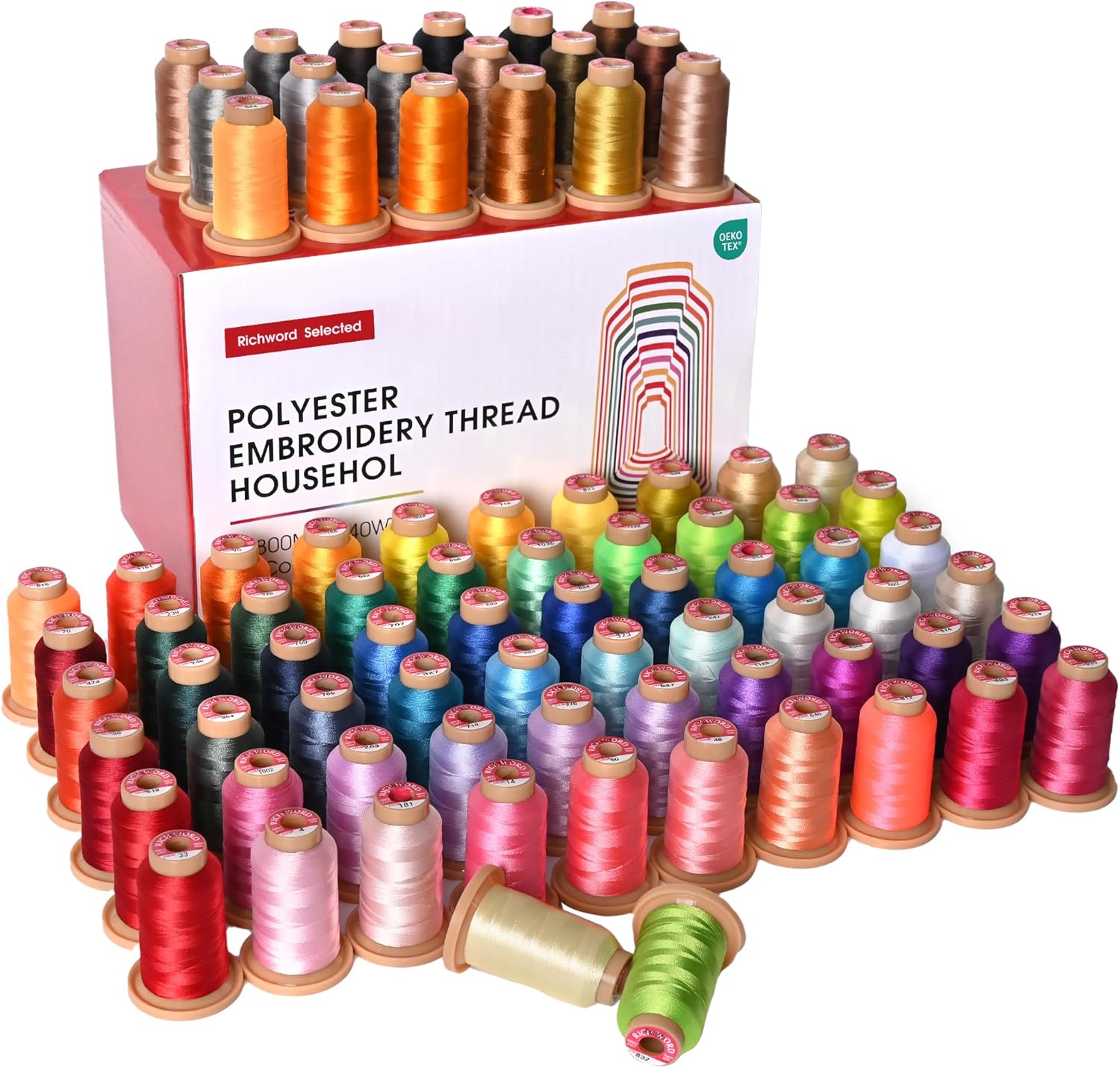
Image: Richword Polyester Embroidery Thread. This image displays a box of Richword polyester embroidery threads, indicating the quantity and specifications included with the machine.

Image: Richword Polyester Embroidery Thread Spools. A close-up view of various colored spools of Richword polyester embroidery thread, highlighting the vibrant selection.
Producto terminadoview
The Poolin EOC06 is a computerized embroidery machine designed for ease of use, featuring a 7-inch touchscreen and automatic systems for threading, bobbin winding, and thread trimming. It offers a large embroidery area suitable for various projects.
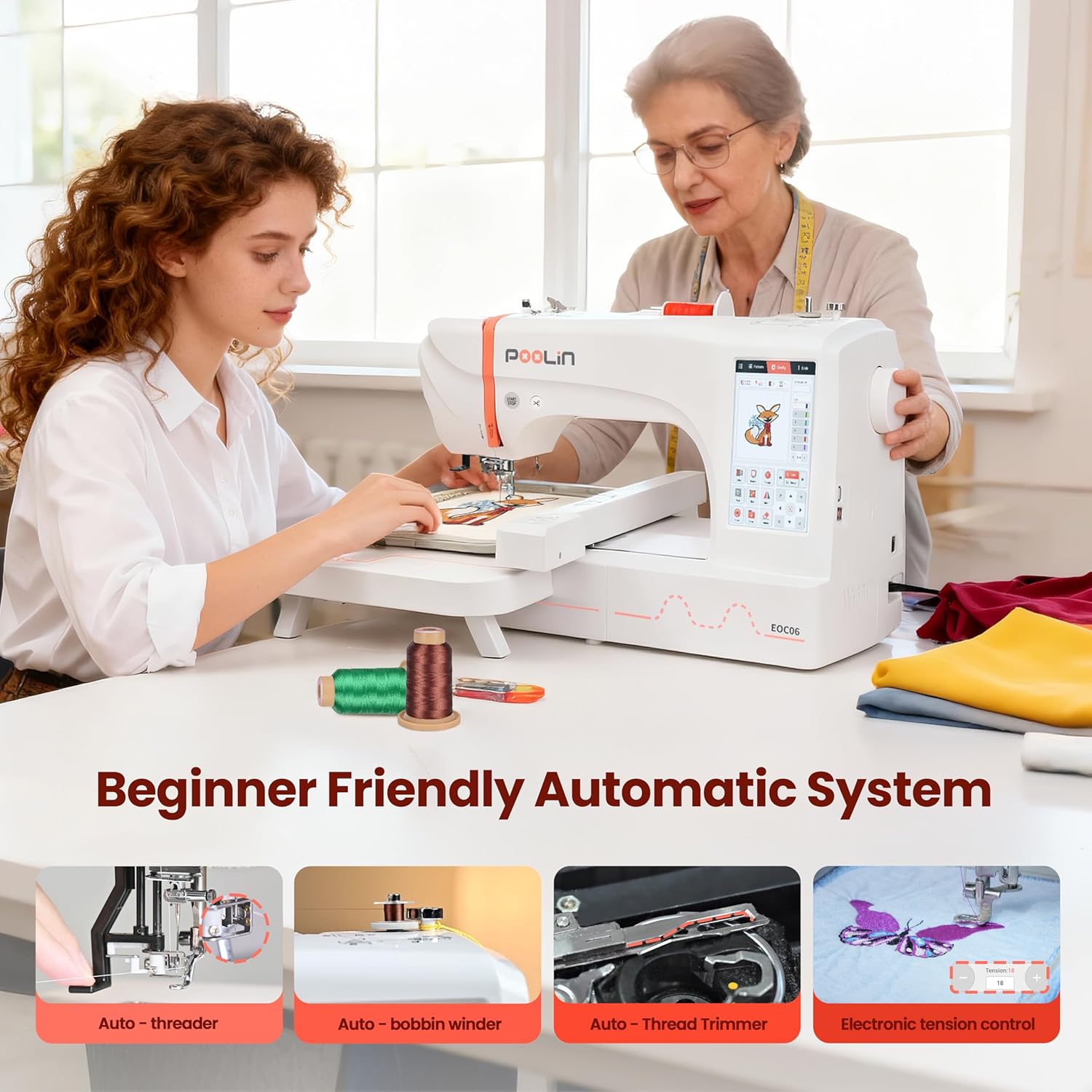
Image: Poolin EOC06 Embroidery Machine with Automatic Systems. This image shows the Poolin EOC06 machine in use, highlighting its beginner-friendly automatic features like auto-threader, auto-bobbin winder, auto-thread trimmer, and electronic tension control.

Image: Poolin EOC06 Embroidery Machine with Max Embroidery Area. The machine is shown with various hoop sizes, emphasizing its maximum embroidery area of 7.9x11 inches.

Image: Poolin EOC06 7-inch Touchscreen Display. A comparison showing the larger 7-inch touchscreen of the EOC06 model versus smaller screens on other machines, indicating enhanced usability.
Configuración
1. Enhebrado de la máquina
The EOC06 features an automatic threading system, making the process simpler and more user-friendly compared to older models. Follow the numbered guides on the machine for correct thread pathing. The machine also includes automatic tension adjustment for accurate stitching.
2. Bobinado de la bobina
The machine includes an auto-bobbin winder. Place your bobbin thread on the designated spindle and follow the on-screen instructions or machine guides to wind the bobbin automatically.
3. Hoop Preparation
Select the appropriate hoop size for your design. Place your fabric and stabilizer securely within the hoop, ensuring it is taut and wrinkle-free. The EOC06 comes with multiple hoop sizes to accommodate various project dimensions.
Video: Comparison Between Poolin Embroidery Machine EOC05 and EOC06. This video demonstrates the differences between the EOC05 and EOC06 models, including aspects of threading, screen interface, and frame sizes. It highlights the EOC06's easier threading and automatic tension features.
Instrucciones de funcionamiento
The Institch OS3 System on the 7-inch touchscreen simplifies the embroidery process into three easy steps: Choose Design, Place Fabric, and Start Embroidering.
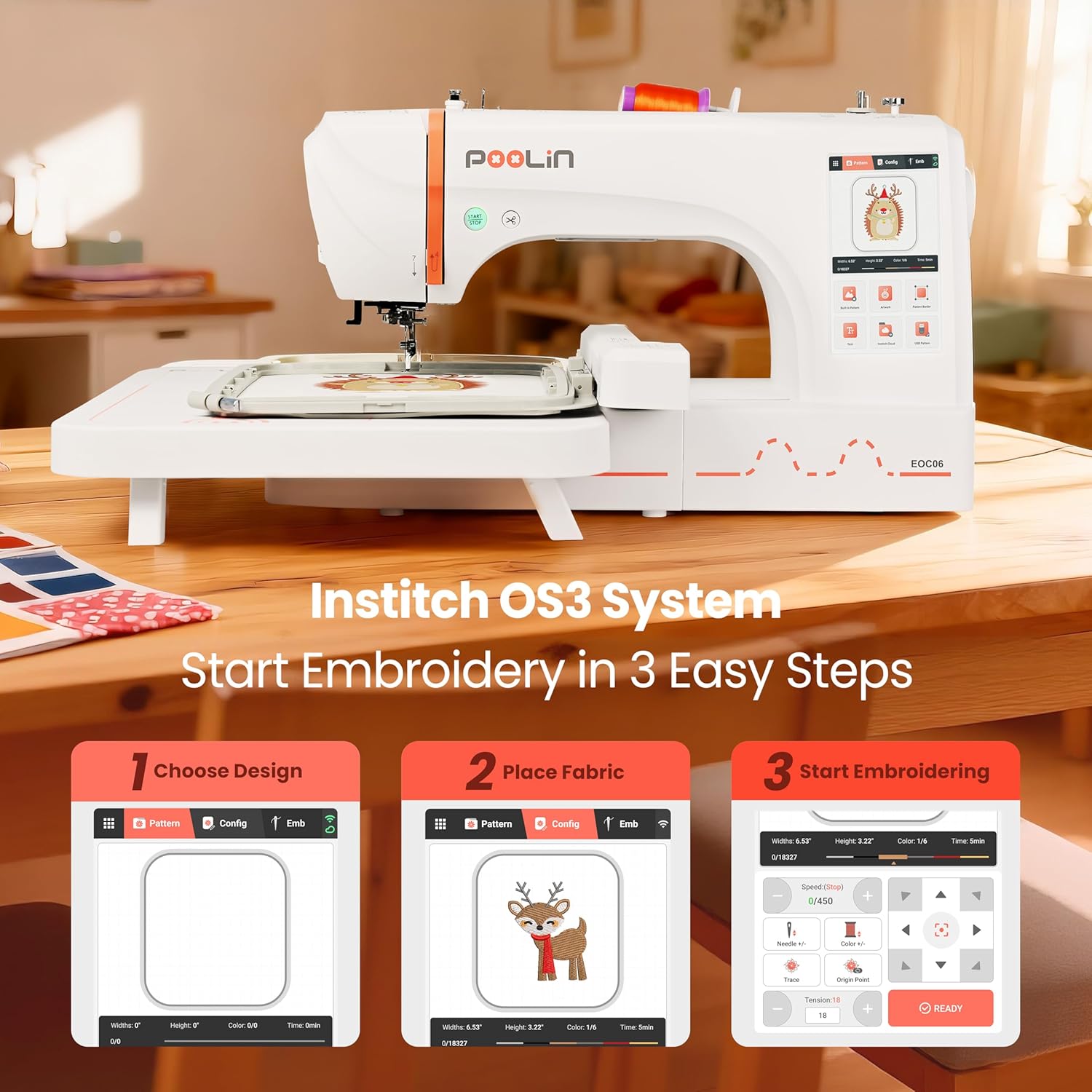
Image: Institch OS3 System - 3 Easy Steps. This image illustrates the three-step process for starting embroidery: 1. Choose Design, 2. Place Fabric, 3. Start Embroidering, as displayed on the machine's touchscreen.
1. Choose Design
Navigate the touchscreen to select a built-in pattern, import designs via USB, or use the Institch Cloud feature. You can adjust the design's size, rotation, and color scheme directly on the screen.
2. Place Fabric
Attach the prepared hoop with your fabric to the embroidery unit. The machine will guide you to ensure correct placement.
3. Start Embroidering
Once the design is selected and the fabric is in place, confirm all settings on the screen. The EOC06 features automatic tension control and a maximum speed of 600 stitches per minute (SPM), providing efficient and precise embroidery.
Video: Comparison Between Poolin Embroidery Machine EOC05 and EOC06. This video demonstrates the screen interface of the EOC06, showing how to select designs, adjust frame sizes, and manage speed and automatic tension settings, highlighting its user-friendly features.
Mantenimiento
El mantenimiento regular garantiza la longevidad y el rendimiento óptimo de su máquina de bordar.
- Limpieza: Regularly clean the bobbin area, feed dogs, and needle plate to remove lint and thread residue. Use a soft brush or vacuum cleaner.
- Reemplazo de aguja: Replace needles frequently, especially when working with different fabric types or if the needle becomes dull or bent.
- Almacenamiento: Store the machine in a dry, dust-free environment. Use a dust cover when not in use for extended periods.
Solución de problemas
Si encuentra problemas, consulte los siguientes problemas y soluciones comunes:
- Rotura del hilo: Revise la trayectoria del hilo, el estado de la aguja y la tensión. Asegúrese de que la bobina esté correctamente insertada.
- Puntadas saltadas: Replace the needle, ensure proper threading, and check fabric hooping for tautness.
- Mala calidad de puntada: Verify thread tension (automatic on EOC06), use appropriate stabilizer for your fabric, and ensure the needle is suitable for the thread and fabric.
- La máquina no arranca: Check power connection, ensure the embroidery unit is correctly attached, and follow all on-screen prompts.
Presupuesto
- Modelo: EOC06
- Marca: Poolin
- Max Embroidery Area: 7.9x11 pulgadas
- Pantalla táctil: 7-inch Computerized Touchscreen
- Included Hoops: 2 x 5.5x5.5 pulgadas, 1 x 8x8 pulgadas, 1 x 7.9x11 pulgadas
- Tipo de hilo: Richword 800M 80 Colors Polyester Threads (40 W.T., 108D/2)
- Bobinas: Richword Prewound Bobbins 144pcs (Class 15, Size A Plastic)
- Material: Plástico
- Color: Blanco
Garantía y soporte
For any questions or assistance, search for "Poolin Official User Group" on Facebook for free one-to-one after-sales service from engineers. You can also visit the official YouTube channel "Poolin" for teaching videos and real usage feedback.