
1. Introduction
This manual provides detailed instructions for the installation and proper use of the QSZN VW-RZ-08 Canbus Box and 16-Pin Power Harness. This product is designed to facilitate the integration of an Android car radio multimedia system into compatible Volkswagen vehicles, including Golf 5/6, Polo, Passat, Jetta, and Tiguan models. Please read this manual thoroughly before beginning installation to ensure correct setup and optimal performance.
2. Product Overview
The QSZN VW-RZ-08 system consists of a Canbus decoder box and a 16-pin power harness. The Canbus box translates vehicle data signals, allowing your aftermarket Android head unit to communicate with the car's systems (e.g., steering wheel controls, ignition, reverse gear signal). The 16-pin harness provides the necessary power and signal connections for seamless integration.
2.1 Components
- QSZN VW-RZ-08 Canbus Decoder Box
- 16-Pin Power Wiring Harness
- RCA/Video Input Cable (integrated into harness)
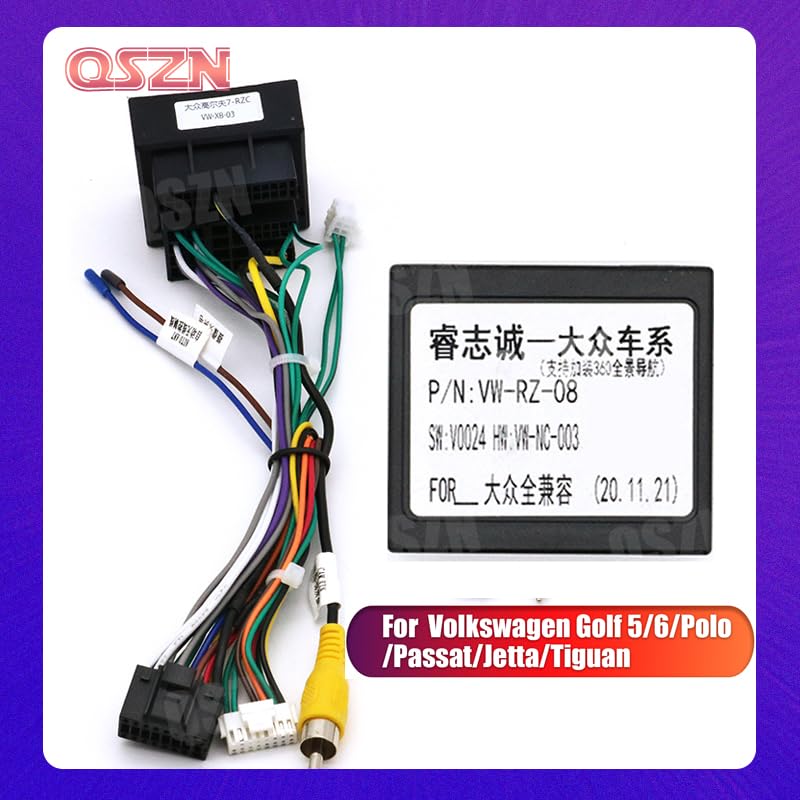
Figure 2.1: Overview of the QSZN VW-RZ-08 Canbus Box and 16-Pin Harness. This image displays the main components, including the Canbus decoder module and the multi-colored wiring harness with various connectors, designed for Volkswagen vehicles.
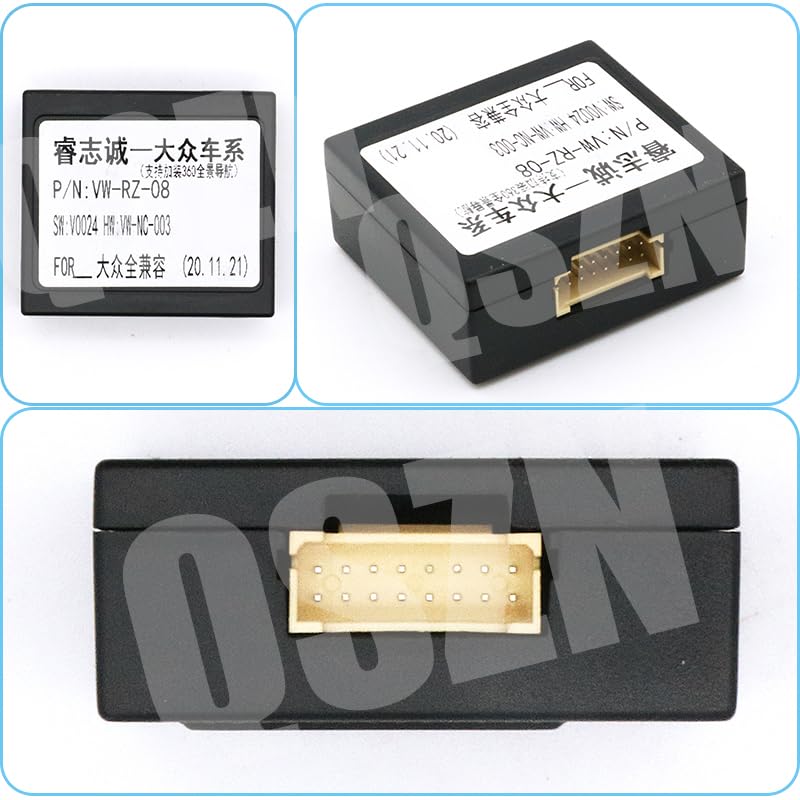
Figure 2.2: Detailed view of the QSZN VW-RZ-08 Canbus Box label, showing the model number P/N: VW-RZ-08 and compatibility information for Volkswagen models.
3. Setup and Installation
Installation of the Canbus box and harness requires basic automotive electrical knowledge. If you are unsure about any steps, it is recommended to seek professional assistance.
3.1 Safety Precautions
- Disconnect the vehicle's battery negative terminal before starting any electrical work.
- Ensure all connections are secure to prevent short circuits.
- Refer to your vehicle's service manual for specific wiring diagrams if needed.
3.2 Wiring Diagram (General)
The 16-pin harness connects to your Android head unit and the vehicle's existing wiring. Below is a general guide; specific wire functions may vary slightly depending on your vehicle and head unit.
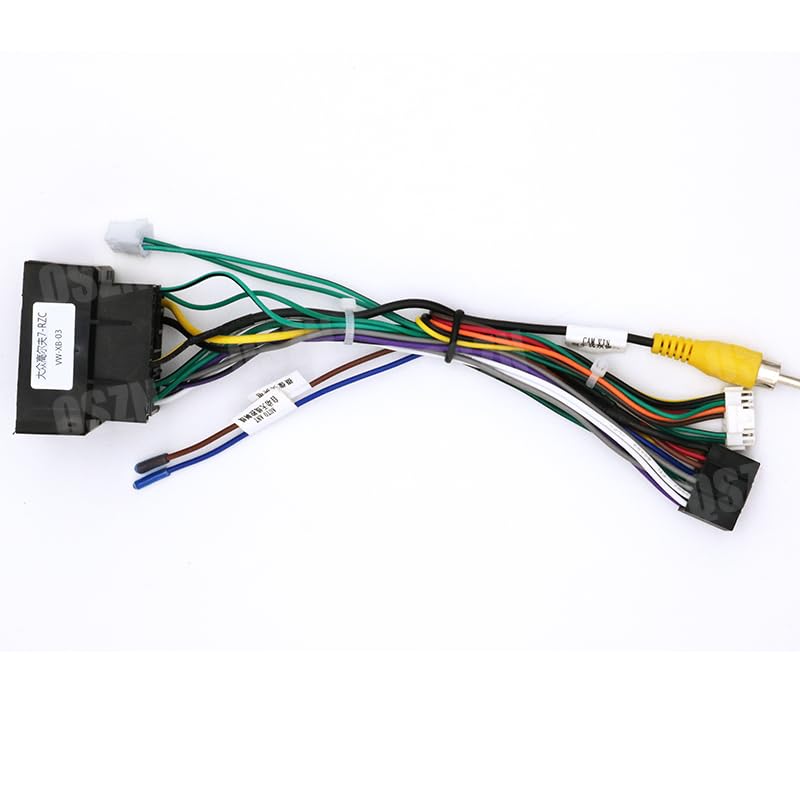
Figure 3.1: The complete 16-pin wiring harness, showing various colored wires and connectors. This harness facilitates the connection between the vehicle's electrical system and an aftermarket Android head unit.
- Identify Vehicle Connectors: Locate the existing radio wiring harness in your Volkswagen.
- Connect Canbus Box: Plug the Canbus box into the designated connector on the 16-pin harness.
- Connect 16-Pin Harness to Head Unit: Connect the 16-pin connector of the QSZN harness to the corresponding port on your Android car radio.
- Connect to Vehicle: Plug the vehicle-specific end of the QSZN harness into your car's factory wiring.
- Auxiliary Connections: Connect any additional wires such as RCA video input (for reverse camera), USB, or antenna adapters as required by your head unit and vehicle.
- Secure Wiring: Route and secure all cables to prevent pinching or interference.
- Reconnect Battery: Once all connections are made and verified, reconnect the vehicle's battery.
- Test System: Turn on the vehicle and test the Android head unit's functions, including power, audio, steering wheel controls, and reverse camera (if installed).
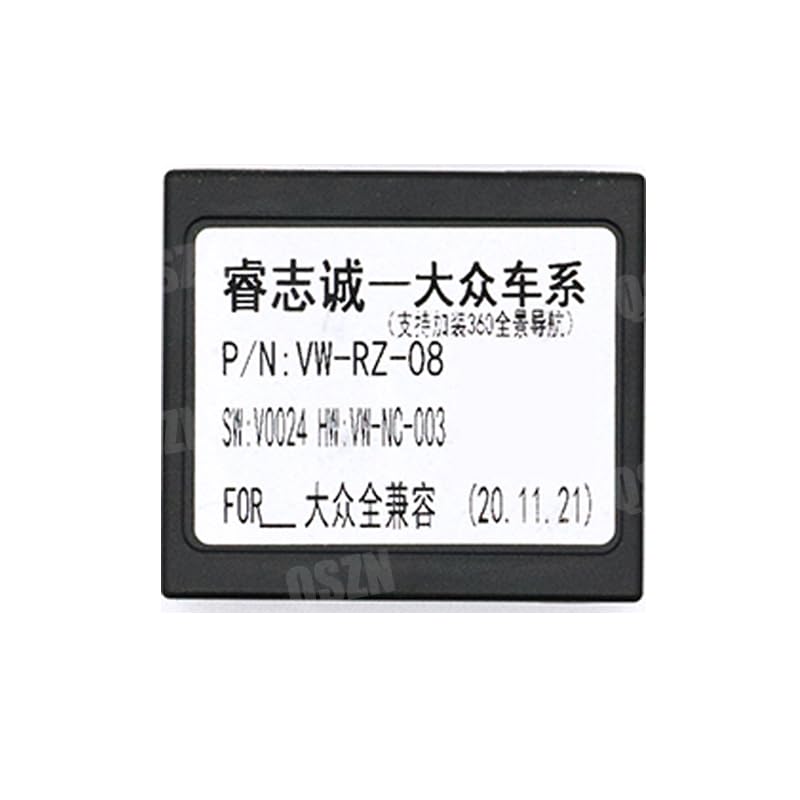
Figure 3.2: A close-up view of the 16-pin connector, highlighting the individual pin configuration for electrical connections.
4. Operating Instructions
Once installed, the QSZN VW-RZ-08 Canbus Box operates automatically. It translates the vehicle's digital signals into a format compatible with your Android head unit, enabling various functions.
- Steering Wheel Controls: After installation, you may need to configure steering wheel controls within your Android head unit's settings. Refer to your head unit's manual for specific instructions on mapping these controls.
- Ignition Power: The Canbus box provides a switched 12V ignition signal, allowing the head unit to turn on and off with the vehicle's ignition.
- Reverse Gear Signal: A reverse signal is provided for automatic camera activation when the vehicle is put into reverse (if a compatible camera is installed).
- Illumination: The Canbus box may also provide an illumination signal for automatic dimming of the head unit's display with the vehicle's headlights.
5. Maintenance
The QSZN VW-RZ-08 Canbus Box and harness are designed for maintenance-free operation under normal conditions.
- Regular Checks: Periodically inspect visible wiring for any signs of wear, damage, or loose connections.
- Cleaning: Keep the area around the Canbus box and connections free from dust and debris. Do not use liquid cleaners directly on electrical components.
- Environmental Conditions: Ensure the Canbus box is installed in a dry location, away from extreme temperatures or direct moisture.
6. Troubleshooting
If you encounter issues after installation, refer to the following troubleshooting steps:
6.1 No Power to Head Unit
- Check all power connections, especially the main 16-pin harness connection to the head unit and the vehicle.
- Verify the vehicle's battery is properly connected and charged.
- Inspect vehicle fuses related to the radio or accessory power.
6.2 Steering Wheel Controls Not Working
- Ensure the Canbus box is correctly connected and recognized by the head unit.
- Access the steering wheel control settings in your Android head unit and attempt to re-learn or re-map the buttons.
- Confirm the Canbus box is compatible with your specific vehicle model and year.
6.3 Reverse Camera Not Activating
- Check the connection of the reverse camera's video input to the head unit.
- Verify the reverse signal wire from the harness is correctly connected to the head unit's reverse trigger input.
- Ensure the camera itself is receiving power.
6.4 Intermittent Functionality
- Re-check all connections for looseness or poor contact.
- Ensure no wires are pinched or damaged.
- Consider temporarily disconnecting and reconnecting the vehicle battery to reset the system.
7. Specifications
| Feature | Specification |
|---|---|
| Model | VW-RZ-08 |
| Brand | QSZN |
| Item Type | Cables, Adapters & Sockets |
| Voltage | 12V |
| Item Weight | 0.1 kg |
| Connector Type | Pin |
| Contact Material | Copper |
| Terminal | Screw Terminal |
| Materials | Brass, Copper, Plastic, Polyvinyl Chloride |
| Manufacturer | HUNTAN |
| Compatibility | Volkswagen Golf 5/6, Polo, Passat, Jetta, Tiguan |
8. Warranty and Support
For warranty information or technical support, please contact your point of purchase or the manufacturer directly. Keep your purchase receipt as proof of purchase.
Manufacturer: HUNTAN
For further assistance, refer to the product listing on Amazon or contact QSZN customer service.


