
AGPTEK T05(Black)
Manual de usuario del reproductor MP3 AGPTEK T05
Model: T05(Black)
Introducción
This user manual provides detailed instructions for the AGPTEK T05 MP3 Player. Please read this manual thoroughly before using the device to ensure proper operation and to maximize your user experience. Keep this manual for future reference.
Información de seguridad
- No exponga el dispositivo a temperaturas extremas, luz solar directa o humedad alta.
- Evite dejar caer o someter el dispositivo a impactos fuertes.
- No desmonte ni intente reparar el dispositivo usted mismo. Esto anulará la garantía.
- Utilice únicamente el cable de carga y el adaptador proporcionados.
- Escuche a niveles de volumen moderados para evitar daños auditivos.
Contenido del paquete

The image displays the AGPTEK T05 MP3 Player along with its standard accessories. The package typically includes:
- AGPTEK T05 MP3 Player
- Cable de carga USB
- Tarjeta de memoria de 32 GB (preinstalada o incluida por separado)
- Manual de usuario (este documento)
Producto terminadoview
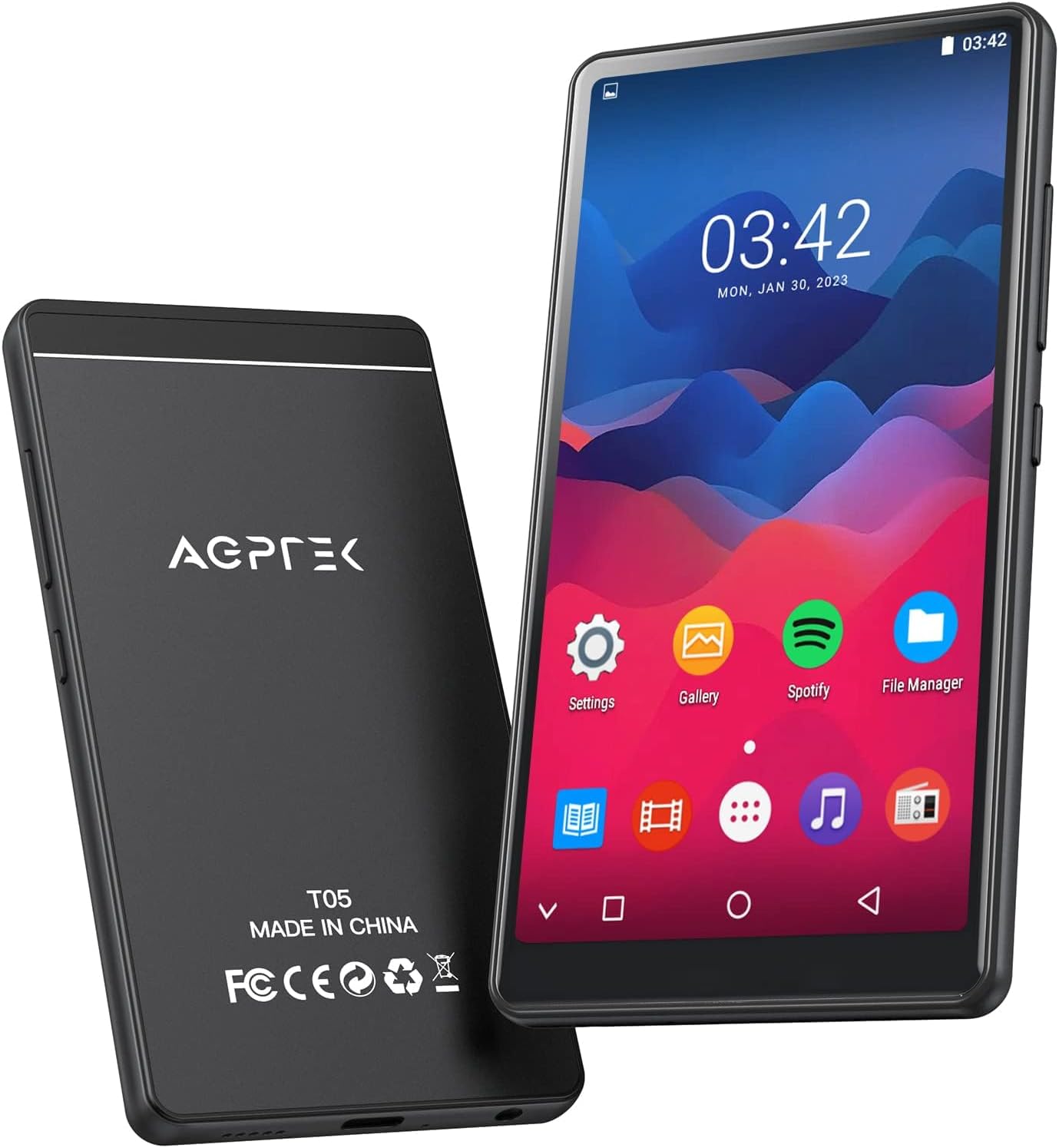
This image shows the front and back of the AGPTEK T05 MP3 Player. The front features a 4-inch full touch screen display, while the back displays the AGPTEK logo, model number (T05), and regulatory markings. The device is designed for portable music playback and multimedia functions.
Componentes físicos:
- Pantalla táctil completa de 4 pulgadas: Interfaz principal para navegación e interacción.
- Botón de encendido: Ubicado en el lateral, se utiliza para encender/apagar el dispositivo y bloquear la pantalla.
- Botones de volumen: Ajustar el nivel de salida de audio.
- Puerto USB-C: Para carga y transferencia de datos.
- Toma de auriculares de 3.5 mm: Para conectar auriculares con cable.
- Ranura para tarjeta microSD: Para ampliar la capacidad de almacenamiento.
- Altavoz incorporado: Para reproducción de audio sin auriculares.
Configuración
1. Carga del dispositivo
Before first use, fully charge the MP3 player. Connect the provided USB cable to the device's USB-C port and the other end to a USB power adapter (not included) or a computer's USB port. The charging indicator will show the charging status. A full charge typically takes about 2 hours.
2. Insertar la tarjeta de memoria
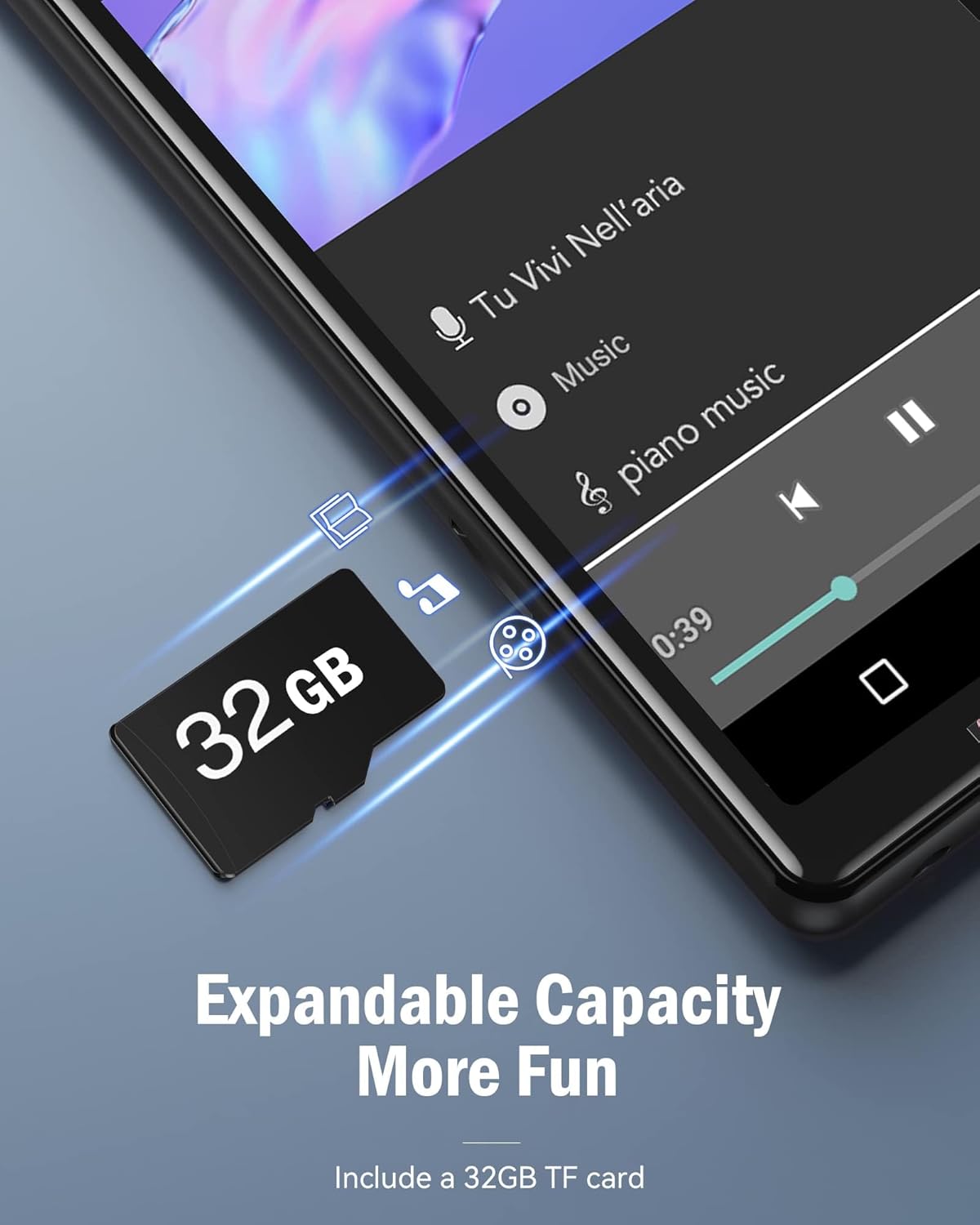
The device comes with a 32GB memory card to expand its storage capacity. Locate the MicroSD card slot on the side of the player. Gently insert the memory card into the slot until it clicks into place. Ensure the card is inserted in the correct orientation. This image illustrates the process of inserting the TF card, highlighting the expandable capacity feature.
3. Encendido y apagado
Press and hold the Power button on the side of the device for a few seconds to turn it on or off. A short press will turn the screen on or off (lock/unlock).
4. Conexión a Wi-Fi
- Desde la pantalla de inicio, toque el ícono "Configuración".
- Seleccione “Red e Internet” o “Wi-Fi”.
- Cambie la opción Wi-Fi a "Activado".
- Seleccione la red Wi-Fi deseada de la lista e ingrese la contraseña si se le solicita.
- Una vez conectado, el icono de Wi-Fi aparecerá en la barra de estado.
5. Emparejamiento Bluetooth

This image demonstrates the AGPTEK T05 MP3 Player's ability to connect to Bluetooth audio devices, such as earbuds. The Bluetooth icon is prominently displayed, indicating a stable connection. To pair with Bluetooth headphones or speakers:
- Asegúrese de que su dispositivo Bluetooth esté en modo de emparejamiento.
- On the MP3 player, go to "Settings" > "Connected devices" or "Bluetooth".
- Cambie Bluetooth a "Activado".
- Buscar dispositivos disponibles.
- Seleccione su dispositivo Bluetooth de la lista para emparejarlo.
Note: Avoid using Bluetooth near 2.4G signal source devices (base stations and routers) as it may cause signal interference.
Instrucciones de funcionamiento
1. Navegación por la pantalla táctil
The AGPTEK T05 features a responsive touch screen for intuitive navigation. Tap icons to open applications, swipe left/right to switch between screens, and swipe down from the top for quick settings and notifications.
2. Reproducción de música
Música local:

The AGPTEK T05 supports a wide range of audio formats for local music playback, including MP3, FLAC, WAV, OGG, AAC, and APE. This image shows a user enjoying music, emphasizing the device's compatibility with various high-fidelity audio formats. To play local music, tap the "Music" or "File Manager" icon on the home screen, then browse and select your desired audio files.
Online Music (Wi-Fi Streaming):

The device comes with pre-installed applications for popular online music services like Spotify and Amazon Music. This image highlights the presence of these streaming apps on the device's screen. Ensure you are connected to Wi-Fi to use these services. Tap the respective app icon, log in with your account, and stream music directly. Please note that this device does not support the installation of additional third-party applications.
3. Radio FM
To use the FM Radio function, connect wired headphones (not included) as they act as the antenna. Open the "FM Radio" app, then scan for available stations or manually tune to a frequency.
4. Grabación de voz
Tap the "Voice Recorder" app icon. Press the record button to start recording and press it again to stop. Recordings are saved to the device's internal storage or memory card.
5. Picture Browsing
Open the "Gallery" or "Photos" app to view images stored on the device or memory card. Swipe left or right to navigate through pictures.
6. Lectura de libros electrónicos
El dispositivo admite la lectura de libros electrónicos. Transfiera libros electrónicos compatibles. files (e.g., TXT, PDF) to the device and open them using the "E-book" app.
7. Calendar and Clock
Access the "Calendar" app to view dates and manage events. The "Clock" app provides time display, alarm, and stopwatch functions.
Mantenimiento
1. Limpieza
Limpie el dispositivo con un paño suave, seco y sin pelusa. No utilice limpiadores líquidos ni productos abrasivos.
2. Almacenamiento
Guarde el dispositivo en un lugar fresco y seco, alejado de la luz solar directa y de temperaturas extremas cuando no lo utilice durante períodos prolongados.
3. Cuidado de la batería
To prolong battery life, avoid fully discharging the battery frequently. Charge the device regularly, even if not in constant use. If storing for a long time, charge it to about 50% every few months.
Solución de problemas
| Problema | Posible causa | Solución |
|---|---|---|
| El dispositivo no se enciende | Batería baja; Fallo del sistema | Cargue el dispositivo; mantenga presionado el botón de encendido durante 10 a 15 segundos para forzar el reinicio. |
| No se puede conectar al wifi | Contraseña incorrecta; Fuera de rango; Problema con el enrutador | Verify password; Move closer to router; Restart router and device. |
| El emparejamiento de Bluetooth falla | Dispositivo no en modo de emparejamiento; Interferencia | Ensure Bluetooth device is in pairing mode; Move away from 2.4G signal sources. |
| Sin sonido | Volumen demasiado bajo; Auriculares no conectados correctamente; Audio corrupto file | Increase volume; Re-insert headphones; Try another audio file. |
| El dispositivo es lento o no responde | Too many apps open; Low storage | Close background apps; Free up storage space; Restart device. |
Presupuesto

This image provides a visual summary of the AGPTEK T05's battery performance, indicating a 1000 mAh battery capacity and various usage times. Below are the detailed specifications:
| Característica | Detalle |
|---|---|
| Nombre del modelo | T05(Black) / MT05B-0FUS2 |
| Tamaño de pantalla | 4 Inches (960*480 resolution) |
| Capacidad de almacenamiento de memoria | 8GB ROM (internal) + 32GB TF Card (included) = 40GB total |
| RAM | 1 GB |
| Tecnología de conectividad | Bluetooth 4.0, Wi-Fi |
| Batería | 1000 mAh (approx. 30 hours music playtime, 2 hours charging time) |
| Formatos de audio compatibles | MP3, FLAC, WAV, OGG, AAC, APE |
| Aplicaciones preinstaladas | Spotify, Amazon Music (no additional app installation supported) |
| Dimensiones | 6.14 x 3.86 x 1.65 pulgadas (paquete) |
| Peso del artículo | 7.8 onzas |
| Fabricante | AGPTEK |
| País natal | Porcelana |
Garantía y soporte
AGPTEK products typically come with a standard manufacturer's warranty. For specific warranty details, please refer to the warranty card included in your package or visit the official AGPTEK website. For technical support, troubleshooting assistance, or warranty claims, please contact AGPTEK customer service through their official channels. Contact information can usually be found on the product packaging or the brand's websitio.
You can also visit the AGPTEK Store on Amazon for more information: AGPTEK Store