
1. Introducción
This manual provides detailed instructions for the installation, operation, and maintenance of the QSZN Hiworld FDF2 16-PIN Android Canbus Box and Wiring Harness Adaptor. This product is designed to integrate an aftermarket Android car radio with your vehicle's existing electrical system, enabling functions such as steering wheel controls, door status, and other vehicle data communication through the Canbus protocol.
Vehículos compatibles:
- Ford Ranger
- Ford Focus
- Ford Edge
- Ford Kuga
- Ford Everest
2. Contenido del paquete
Verifique que todos los artículos enumerados a continuación estén presentes en su paquete:
- 1 x QSZN Hiworld FDF2 Canbus Box
- 1 x 16-PIN Wiring Harness Adaptor
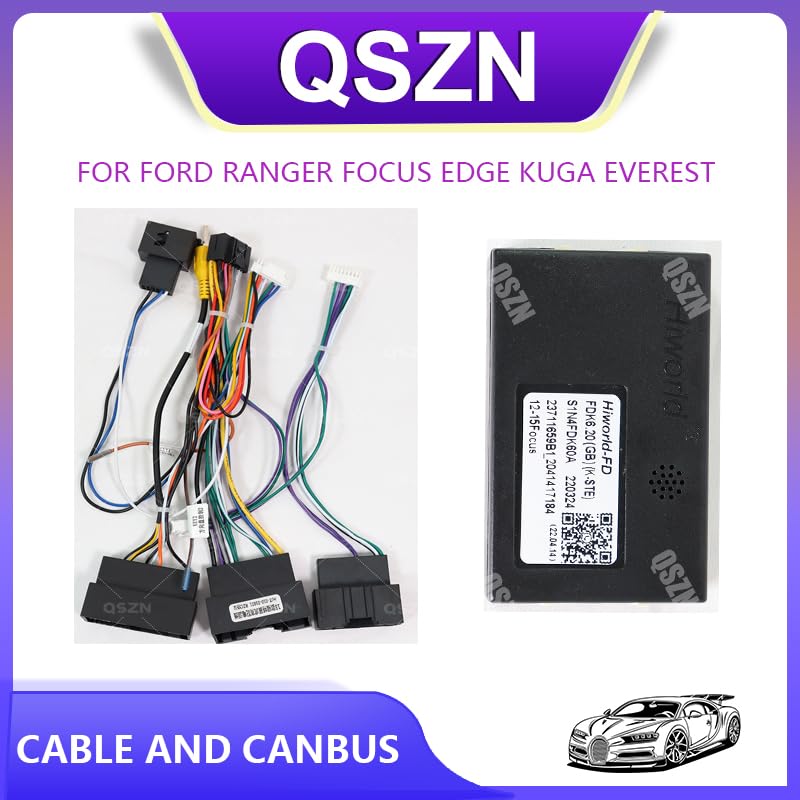
Image 2.1: The QSZN Hiworld FDF2 Canbus Box and its accompanying wiring harness adaptor.
3. Configuración e instalación
Installation of the Canbus box and wiring harness requires basic knowledge of car audio wiring. If you are unsure, it is recommended to seek professional assistance.
3.1. Precauciones de seguridad
- Desconecte siempre el terminal negativo de la batería del vehículo antes de comenzar cualquier trabajo eléctrico para evitar cortocircuitos y daños.
- Asegúrese de que el encendido del vehículo esté apagado.
- Utilice herramientas apropiadas y use equipo de protección.
3.2. Pasos de instalación
- Remove Existing Car Radio: Carefully remove your vehicle's factory car radio or existing aftermarket unit. Refer to your vehicle's service manual for specific instructions on dash disassembly.
- Identificar el cableado del vehículo: Locate the vehicle's factory wiring harness connector. This is where the new adaptor will connect.
- Connect Wiring Harness Adaptor: Connect the vehicle-specific end of the QSZN 16-PIN Wiring Harness Adaptor to your vehicle's factory wiring harness. Ensure a secure and snug fit.
- Conectar la caja Canbus: Locate the dedicated connector on the wiring harness adaptor designed for the Canbus box. Plug the QSZN Hiworld FDF2 Canbus Box into this connector. Ensure the connection is firm.
- Conectarse a la unidad principal Android: Connect the remaining end of the 16-PIN Wiring Harness Adaptor to the corresponding port on your aftermarket Android car radio.
- Cableado seguro: Route all cables neatly and securely to prevent pinching or interference. Ensure the Canbus box is placed in a location where it will not be damaged or interfere with other components.
- Funcionalidad de prueba: Reconnect the vehicle's negative battery terminal. Turn on the ignition and test the Android car radio. Verify that steering wheel controls, reverse camera input (if applicable), and other vehicle-specific functions are working correctly.
- Reensamblar el tablero: Once all functions are confirmed, carefully reassemble the vehicle's dashboard components.

Image 3.1: Close-up of the QSZN wiring harness connectors, showing the various pins for connection.

Imagen 3.2: Lateral view of the QSZN Hiworld FDF2 Canbus Box, illustrating the specific port for harness connection.
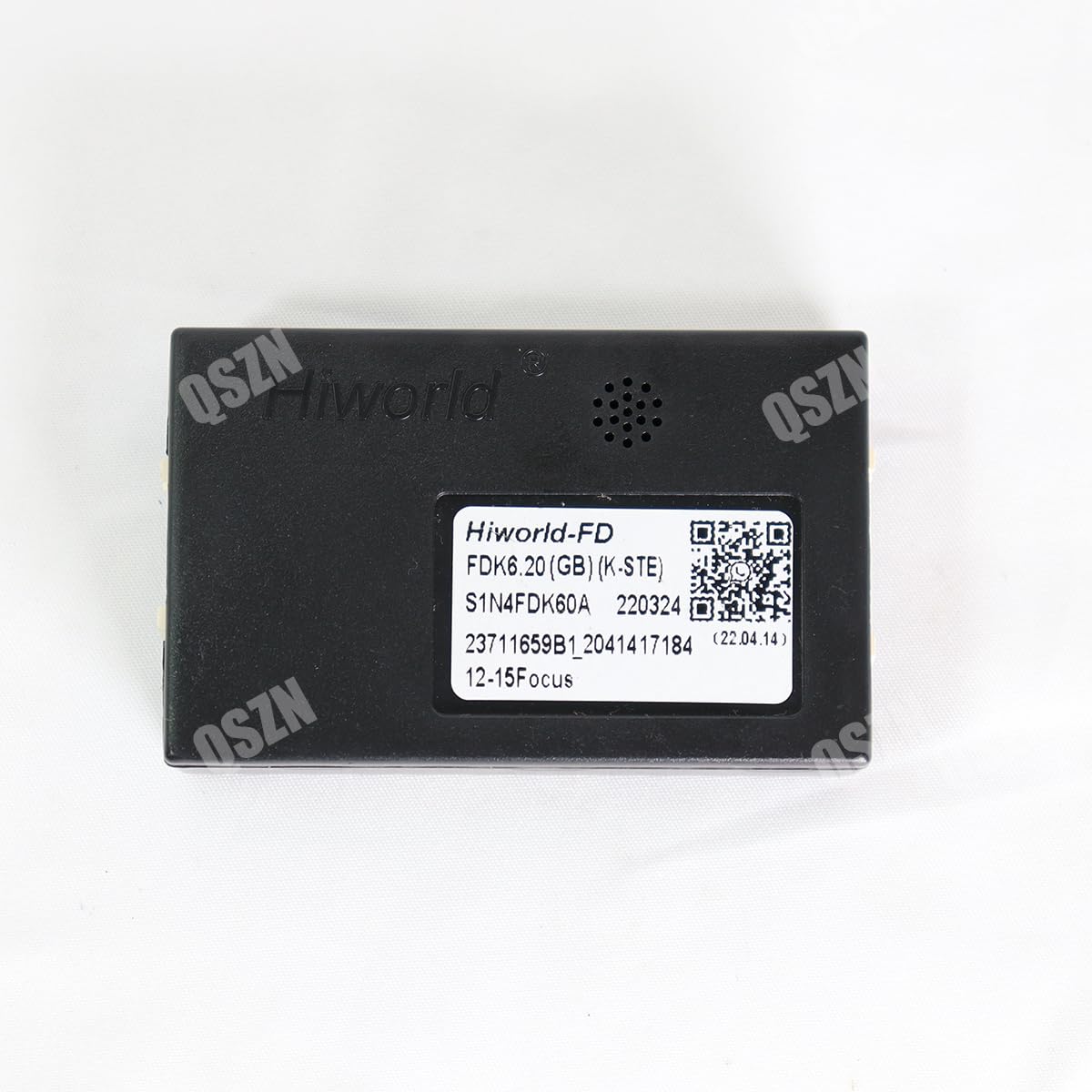
Image 3.3: The QSZN Hiworld FDF2 Canbus Box, displaying its identification label and QR code for product information or support. The QR code links to Soporte de WhatsApp.
4. Instrucciones de funcionamiento
The QSZN Hiworld FDF2 Canbus Box operates automatically once correctly installed. Its primary function is to translate vehicle data (such as ignition status, speed, reverse gear, handbrake, and steering wheel control signals) into a format that your aftermarket Android car radio can understand and utilize.
- Controles del volante: After installation, your Android head unit should automatically detect and allow configuration of your vehicle's steering wheel controls. Refer to your Android head unit's manual for specific instructions on mapping these controls.
- Información del vehículo: Depending on your Android head unit's capabilities, the Canbus box may enable the display of certain vehicle information (e.g., door open warnings, climate control status) on the head unit screen.
5. Mantenimiento
The QSZN Hiworld FDF2 Canbus Box is a sealed electronic component and requires minimal maintenance.
- Integridad de la conexión: Compruebe periódicamente que todas las conexiones del cableado permanezcan seguras y libres de corrosión.
- Protección ambiental: Ensure the Canbus box is installed in a dry location, away from direct moisture and extreme temperatures.
- Limpieza: If necessary, gently wipe the exterior of the Canbus box with a dry, soft cloth. Do not use liquid cleaners or solvents.
6. Solución de problemas
If you encounter issues after installation, perform the following basic troubleshooting steps:
- No hay energía en la unidad principal:
- Verifique todas las conexiones de energía del vehículo al mazo de cables y a la unidad principal.
- Verify vehicle fuses related to the car radio.
- Los controles del volante no funcionan:
- Ensure the Canbus box is securely connected to the wiring harness.
- Check the settings within your Android head unit for steering wheel control configuration. Some head units require manual learning or selection of the correct Canbus protocol.
- Incorrect Vehicle Data Display:
- Confirm the Canbus box is the correct model for your specific vehicle and year.
- Check for firmware updates for your Android head unit, as these can sometimes improve Canbus compatibility.
- Funcionalidad intermitente:
- Inspeccione todas las conexiones para detectar si están flojas o dañadas.
- Asegúrese de que no haya ningún cable pinchado o en cortocircuito.
Si los problemas persisten, comuníquese con el servicio de atención al cliente para obtener más ayuda.
7. Especificaciones
| Tipo | Caja Canbus |
| Modelo | Hiworld FDF2 |
| Volumentage | 12 V |
| Peso del artículo | 0.2 kilogramos |
| Tamaño del artículo (aprox.) | 10 x 10 x 10 cm |
| Material | Plástico |
| Compatibilidad | Ford Ranger, Focus, Edge, Kuga, Everest |
8. Información de garantía
Specific warranty terms and conditions for the QSZN Hiworld FDF2 Canbus Box are provided by the seller at the time of purchase. Please retain your proof of purchase for any warranty claims. For detailed information regarding warranty coverage, duration, and procedures, please contact your original point of sale.
9. Soporte
For technical assistance, installation queries, or troubleshooting support, please contact our customer service team. You can reach us via the following methods:
- Soporte WhatsApp: Scan the QR code on the product packaging or Canbus box, or click this link: Soporte de WhatsApp