
1. Introducción
The Delton S22 Vertical Wireless Mouse is designed to provide a comfortable and efficient computing experience. Its ergonomic vertical design aims to reduce wrist strain and promote a natural hand posture, making it suitable for extended use. This manual provides instructions for setting up, operating, maintaining, and troubleshooting your Delton S22 mouse.

This image illustrates the ergonomic benefits of the Delton S22 Vertical Wireless Mouse. It compares the unnatural wrist position required by a traditional mouse with the natural, handshake-like grip promoted by the vertical mouse, highlighting how it reduces strain and is recommended by rheumatologists.
2. Producto terminadoview y componentes
Familiarize yourself with the various parts of your Delton S22 Vertical Wireless Mouse:

Este diagrama proporciona una descripción detallada view of the Delton S22 mouse, pointing out its key components: Left Button, Scroll Wheel, Right Button, DPI Switch, Detachable Wrist Pad, Optical Sensor, USB Receiver Compartment, Back Cover, 2*AA Battery Slot, Glide Pads, Forward Button, Back Button, and Power On/Off switch.
- Botón izquierdo: Función de clic izquierdo estándar.
- Botón derecho: Función estándar de clic derecho.
- Rueda de desplazamiento: Para desplazamiento vertical y función de clic central.
- Botón de avance: Navega hacia adelante en web navegadores o file exploradores.
- Botón Atrás: Navega hacia atrás en web navegadores o file exploradores.
- Interruptor DPI: Ajusta la sensibilidad del cursor (800/1600/2400 DPI).
- Interruptor de encendido/apagado: Conserves battery life when the mouse is not in use.
- Sensor óptico: Realiza un seguimiento del movimiento del ratón.
- Compartimento del receptor USB: Almacena el adaptador USB 2.4G.
- Ranura de la batería: Admite dos pilas AA (no incluidas).
- Detachable Wrist Pad: Provides additional wrist support and reduces friction.
3. Configuración
- Instale las baterías: Open the battery compartment on the underside of the mouse. Insert two AA batteries, ensuring correct polarity. Close the compartment.
- Conectar el adaptador USB: Locate the USB receiver (dongle) stored in its compartment on the underside of the mouse. Plug the USB dongle into an available USB-A port on your computer (PC, laptop, or tablet PC).
- Encendido: Flip the Power On/Off switch on the underside of the mouse to the "On" position.
- Emparejamiento automático: The mouse should automatically pair with the USB dongle. Your computer's operating system will typically install the necessary drivers automatically.
- Attach Wrist Pad (Optional): If desired, attach the detachable wrist pad to the base of the mouse for enhanced comfort.
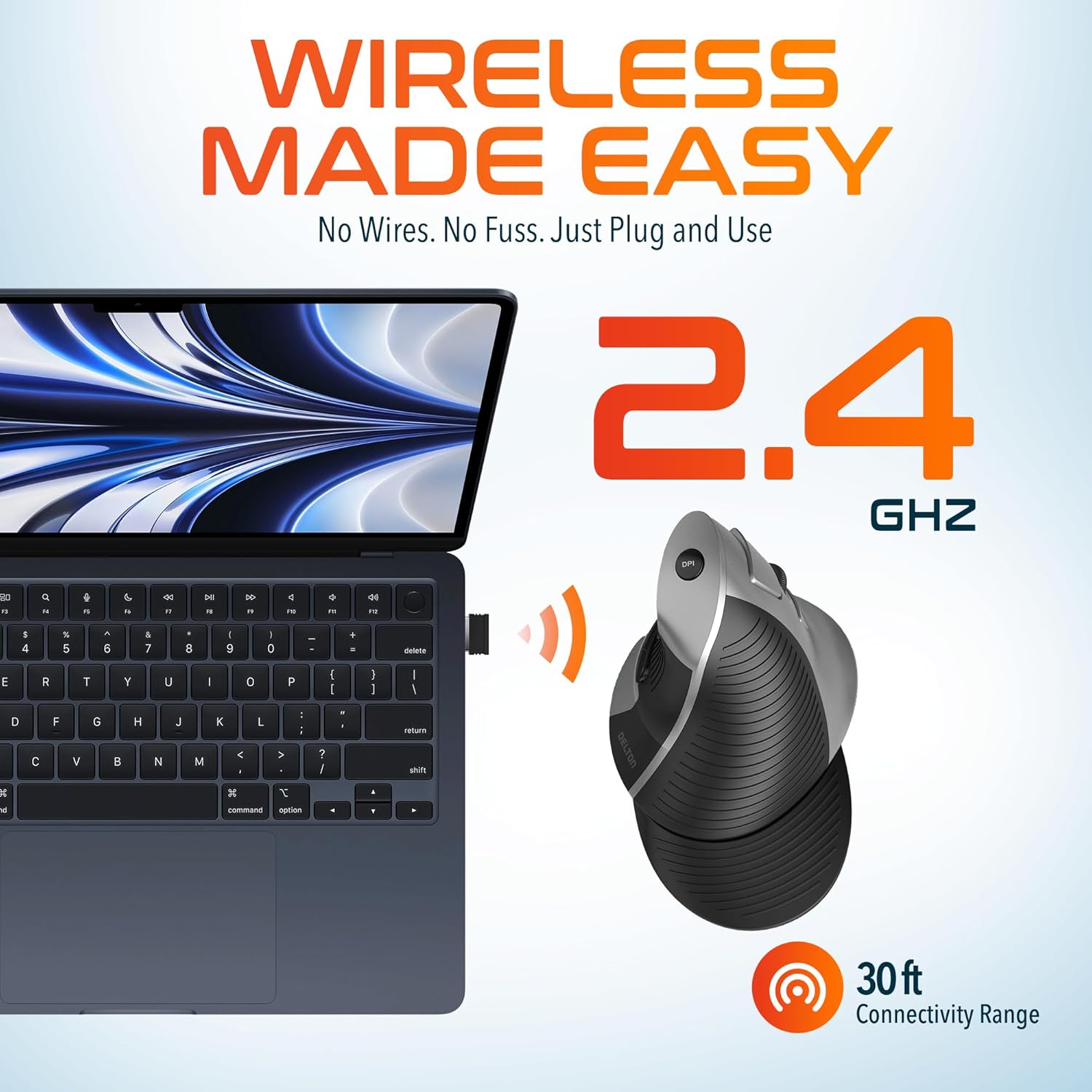
This image demonstrates the wireless connectivity of the Delton S22 mouse. It shows the mouse operating wirelessly with a laptop, emphasizing the 2.4 GHz connection and a 30 ft connectivity range, indicating a simple plug-and-use setup.
4. Instrucciones de funcionamiento
Funciones de los botones
The Delton S22 mouse features 6 buttons for enhanced functionality:
- Click izquierdo: Selección primaria y activación.
- Botón derecho del ratón: Accede a los menús contextuales.
- Rueda de desplazamiento: Se desplaza verticalmente a través de los documentos y web pages. Pressing it acts as a middle-click.
- Botón de avance: Navigates to the next page in supported applications.
- Botón Atrás: Navigates to the previous page in supported applications.
- Interruptor DPI: Recorre las configuraciones de DPI.
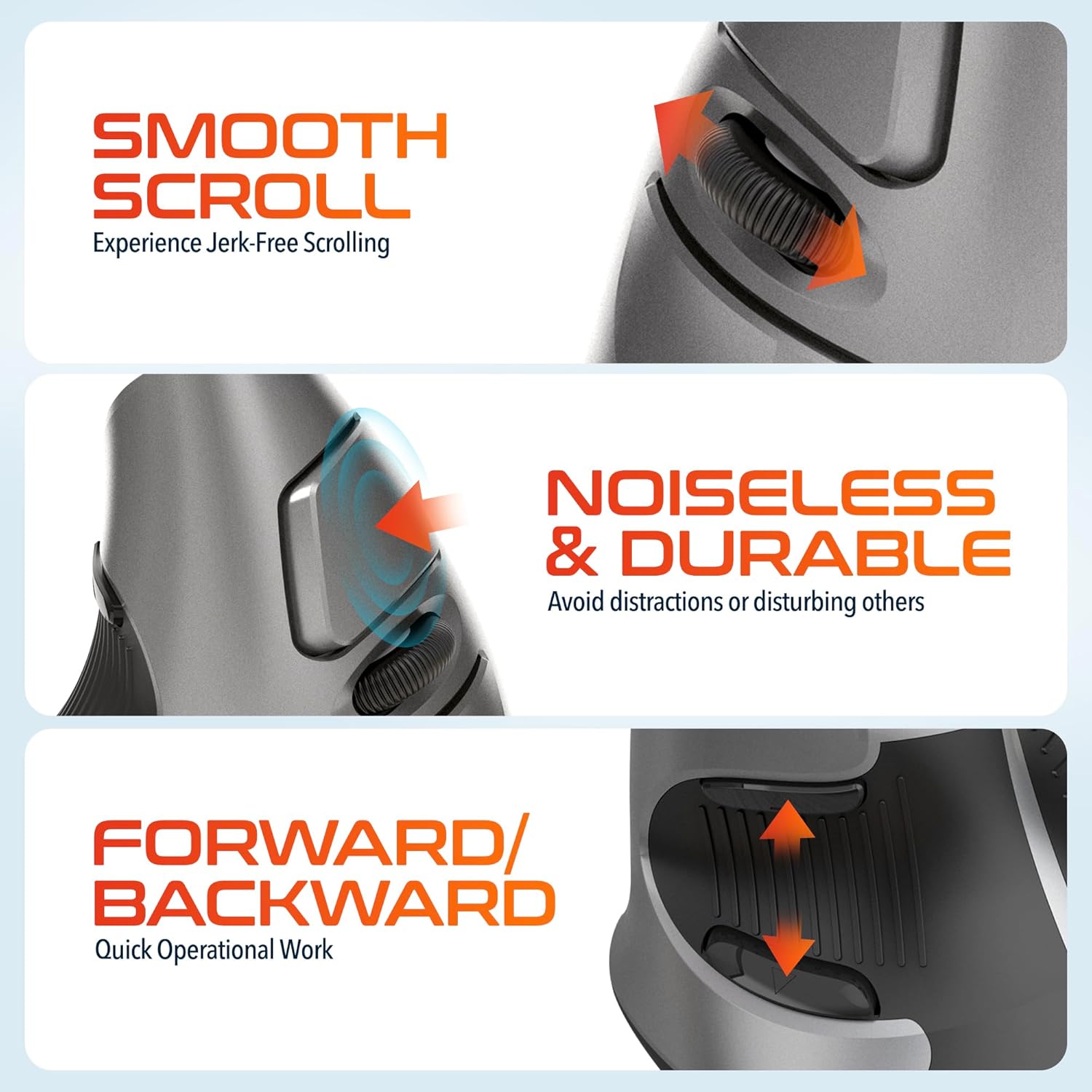
This composite image highlights three key operational features: the smooth, jerk-free scrolling experience, the noiseless and durable buttons designed to prevent distractions, and the convenient forward/backward buttons for quick navigation.
Ajuste de DPI
The DPI (Dots Per Inch) switch allows you to adjust the cursor sensitivity to match your preference or task requirements. Press the DPI button located on the top of the mouse to cycle through the following settings:
- 800 ppp: Menor sensibilidad para tareas precisas.
- 1600 ppp: Sensibilidad media para uso general.
- 2400 ppp: Mayor sensibilidad para un movimiento más rápido del cursor.

This image focuses on the high precision control offered by the Delton S22 mouse. It shows the DPI switch button and how it allows users to toggle between 800, 1600, and 2400 DPI settings for customized cursor sensitivity.
Gestión de energía
To conserve battery life, switch the mouse to the "Off" position using the power switch on the underside when not in use for extended periods.
5. Compatibilidad
The Delton S22 Vertical Wireless Mouse is designed for broad compatibility with various operating systems and devices:
- Sistemas operativos: Windows, macOS, iOS, Android, Chrome OS, Linux.
- Dispositivos compatibles: Laptop, Personal Computer, Tablet.
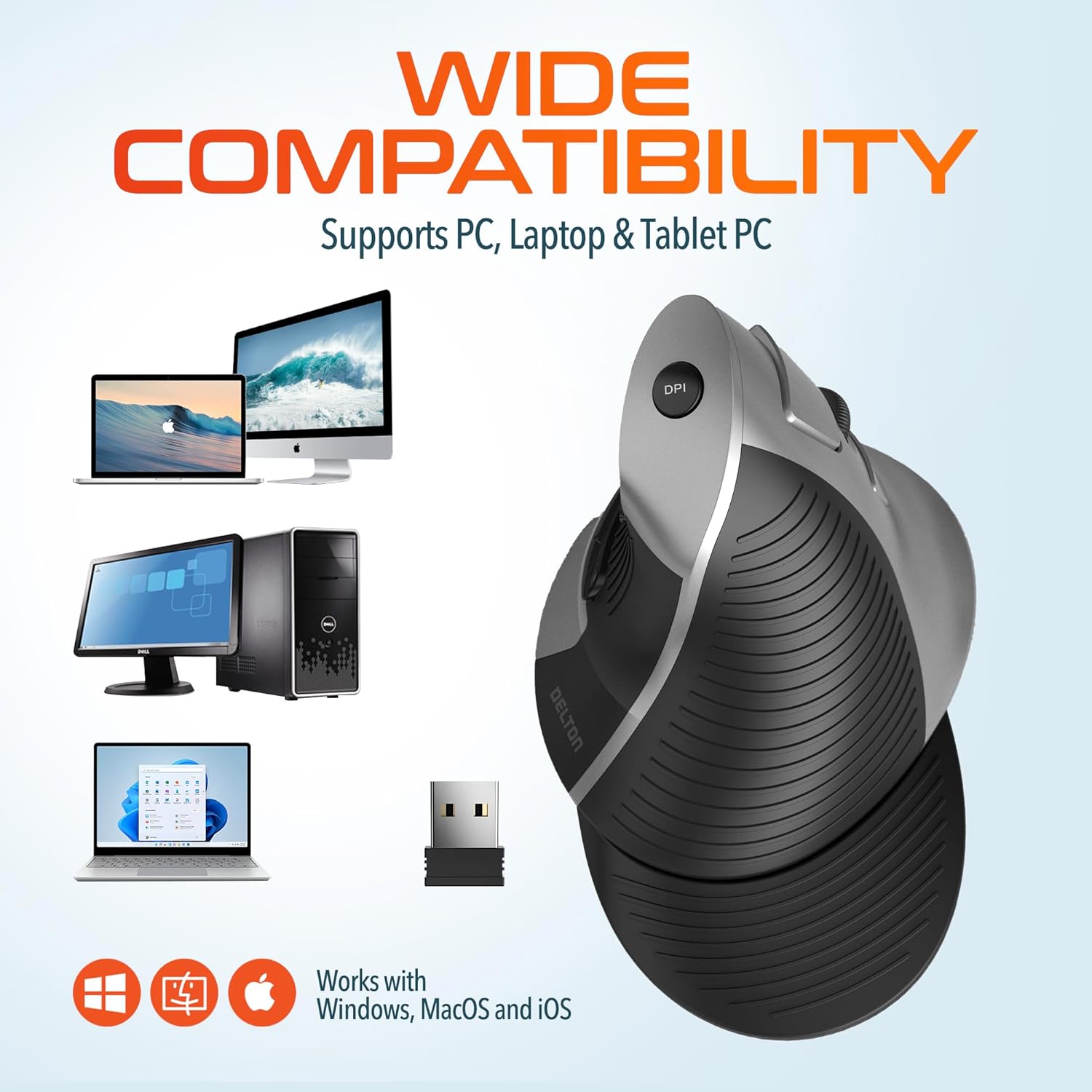
This image illustrates the wide compatibility of the Delton S22 mouse, showing it works seamlessly with PCs, laptops, and tablet PCs across Windows, macOS, and iOS operating systems. The USB dongle is also depicted as the connection method.
6. Mantenimiento
- Limpieza: Utilice un paño suave y seco para limpiar el ratón. Para la suciedad difícil, frote ligeramente.ampLave el paño con agua o una solución limpiadora suave. Evite productos químicos agresivos o materiales abrasivos.
- Reemplazo de batería: When the mouse performance degrades or it stops responding, replace the two AA batteries. Ensure the power switch is off before replacing batteries.
- Almacenamiento: When transporting or storing the mouse, ensure the USB dongle is securely placed in its dedicated compartment to prevent loss.
7. Solución de problemas
| Problema | Posible solución |
|---|---|
| El ratón no responde. |
|
| El movimiento del cursor es errático o irregular. |
|
| DPI setting is not changing. |
|
| Forward/Back buttons not working. |
|
8. Especificaciones
| Característica | Detalle |
|---|---|
| Marca | Delton |
| Número de modelo | S22 |
| Tecnología de conectividad | Conexión inalámbrica 2.4G (dongle USB) |
| Característica especial | Vertical, Ergonomic Design, Wireless |
| Tecnología de detección de movimiento | Óptico |
| Cantidad de botones | 6 |
| Orientación de la mano | Bien |
| Dispositivos compatibles | Computadora portátil, computadora personal, tableta |
| Compatibilidad del sistema operativo | Windows, macOS, iOS, Android, Chrome OS, Linux |
| Fuente de poder | Funciona con pilas (2 pilas AA, no incluidas) |
| Niveles de DPI | 800, 1600, 2400 |
| alcance inalámbrico | Hasta 30 pies |
| Color | Negro |
| Dimensiones del artículo (L x An) | 5.3" de largo x 3.7" de ancho |
| Código Postal | 802029086375 |
9. Garantía y soporte
The Delton S22 Vertical Wireless Mouse comes with a Garantía del fabricante de 1 añoEsta garantía cubre defectos de materiales y mano de obra en condiciones normales de uso.
For warranty claims, technical support, or any questions regarding your product, please refer to the contact information provided with your purchase or visit the official Delton webSitio para recursos de soporte.
Recursos en línea: For additional information, FAQs, or driver downloads (if applicable), please visit the Delton Store on Amazon.