
Introducción
Thank you for choosing the Mibro Smartwatch Lite 3. This manual provides essential information for setting up, operating, and maintaining your device. Please read it carefully to ensure proper use and to maximize the performance of your smartwatch.
Contenido del paquete
Asegúrese de que todos los artículos estén presentes en el paquete:
- Mibro Smartwatch Lite 3 (with strap)
- Cable de carga magnética
- Manual de usuario
Producto terminadoview
The Mibro Smartwatch Lite 3 features a 1.3-inch AMOLED display, designed for clear visuals and intuitive interaction. It integrates various sensors for health monitoring and supports Bluetooth calling.
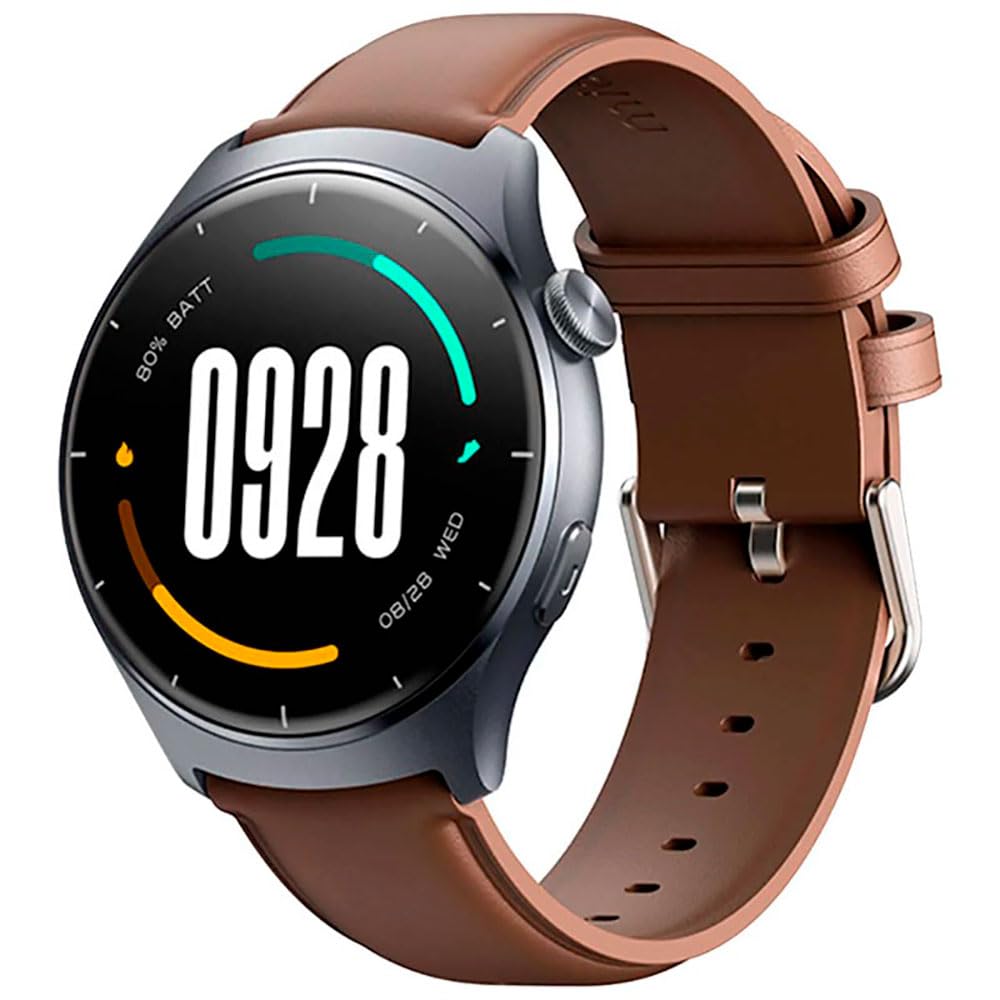
Imagen: Frente view of the Mibro Smartwatch Lite 3, showcasing su pantalla redonda y correa.
Configuración
1. Carga del reloj inteligente
- Conecte el cable de carga magnético a los contactos de carga en la parte posterior del reloj inteligente.
- Conecte el extremo USB del cable a un adaptador de corriente USB estándar (se recomienda 5 V/1 A) o al puerto USB de una computadora.
- La pantalla del reloj mostrará un indicador de carga. Asegúrese de que el reloj esté completamente cargado antes del primer uso.
2. Instalación y emparejamiento de la aplicación
- Download the official Mibro Fit application from your smartphone's app store (App Store for iOS, Google Play Store for Android).
- Abra la aplicación Mibro Fit y cree una cuenta o inicie sesión.
- Asegúrese de que Bluetooth esté habilitado en su teléfono inteligente.
- In the Mibro Fit app, navigate to 'Device' or 'Add Device' and select 'Mibro Lite 3' from the list of available devices.
- Confirm the pairing request on both your smartphone and the smartwatch. A successful connection will be indicated on the watch display.
Operante
1. Navegación básica
- Deslizar hacia abajo: Acceda a configuraciones rápidas (por ejemplo, brillo, no molestar, ahorro de batería).
- Muévase hacia arriba: View notificaciones.
- Deslizar hacia la izquierda/derecha: Navegue a través de los widgets (por ejemplo, frecuencia cardíaca, clima, datos de actividad).
- Presione el botón lateral: Regrese a la pantalla del reloj o acceda al menú principal.
- Botón lateral de pulsación larga: Encender/apagar o reiniciar el dispositivo.
2. Modos deportivos
The Mibro Lite 3 supports over 100 sports modes. To start a workout:
- From the main menu, select the 'Workout' or 'Sports' icon.
- Elija la actividad deseada (por ejemplo, correr, andar en bicicleta, nadar).
- Tap 'Start' to begin tracking. The watch will display real-time data such as duration, heart rate, and calories burned.
- Para pausar o finalizar un entrenamiento, presione el botón lateral o deslice el dedo por la pantalla según se le indique.
3. Llamadas Bluetooth
Once paired with your smartphone, the Mibro Lite 3 allows you to make and receive calls directly from your wrist.
- Recibir llamadas: Al recibir una llamada, el reloj mostrará el identificador de llamada. Toca el icono verde para responder o el icono rojo para rechazar.
- Haciendo llamadas: Access the 'Phone' or 'Dialer' function on the watch, then select a contact or dial a number.
4. Monitoreo de la salud
- Frecuencia cardíaca: El reloj monitorea continuamente tu frecuencia cardíaca. View real-time data by swiping to the heart rate widget or accessing the 'Heart Rate' app.
- SpO2 (oxígeno en sangre): Measure your blood oxygen levels through the 'SpO2' app on the watch. Ensure the watch is snug on your wrist for accurate readings.
- Seguimiento del sueño: Wear the watch to bed for automatic sleep monitoring. Data on sleep stages and duration can be viewed in the Mibro Fit app.
- Stress Monitoring & Breath Training: Utilize these features to manage stress and improve relaxation.
5. Otras características
- Control de música: Controla la reproducción de música en tu teléfono inteligente directamente desde el reloj.
- App Message Reminders: Receive notifications from various apps on your watch.
- Clima: Obtenga actualizaciones meteorológicas en tiempo real.
- Alarma, Temporizador, Cronómetro: Funciones de utilidad estándar.
- Encuentra tu teléfono: Localice su teléfono inteligente emparejado activando un sonido de alerta.
- Salud de la mujer: Seguimiento de ciclos menstruales y datos relacionados.
Mantenimiento
1. Limpieza
- Limpie periódicamente el cuerpo y la correa del reloj con un paño suave y húmedo.amp paño.
- Ensure the charging contacts are free from dust and debris to maintain efficient charging.
- Evite el uso de productos químicos agresivos o materiales abrasivos para la limpieza.
2. Resistencia al agua
The Mibro Lite 3 is 2ATM waterproof, meaning it can withstand splashes, rain, and brief immersion in shallow water. It is suitable for activities like swimming in pools. However, it is not recommended for hot showers, saunas, or diving, as steam and high-pressure water jets may compromise the seal.
Solución de problemas
- El reloj no enciende: Asegúrese de que el reloj esté completamente cargado. Conéctelo al cargador durante al menos 30 minutos.
- No se puede emparejar con el teléfono:
- Compruebe si Bluetooth está habilitado en su teléfono.
- Asegúrese de que el reloj esté dentro del alcance Bluetooth de su teléfono.
- Reinicie el reloj y el teléfono y luego intente emparejarlos nuevamente.
- Asegúrese de que la aplicación Mibro Fit esté actualizada a la última versión.
- Datos de salud inexactos: Asegúrese de que el reloj esté ajustado a la muñeca, a aproximadamente un dedo del hueso de la muñeca. Evite movimientos excesivos durante las mediciones.
- Notificaciones no recibidas:
- Check notification permissions for the Mibro Fit app in your phone settings.
- Ensure 'Do Not Disturb' mode is not active on either the watch or the phone.
- Verify that the app is running in the background on your phone.
- Duración de la batería corta: Reduce el brillo de la pantalla, desactiva el monitoreo continuo de la frecuencia cardíaca si no es necesario y limita la actualización de aplicaciones en segundo plano.
Presupuesto
| Característica | Especificación |
|---|---|
| Nombre del modelo | Reloj Mibro Lite 3 |
| Dimensiones | φ44.8mm, T=11.2mm (Without HR protrusion) |
| Peso | 53.2g (with leather strap), 56g (with rubber strap) |
| Mostrar | 1.3-inch AMOLED, 360*360 resolution, AOD, PPI 277 |
| Conectividad | Bluetooth V5.3 |
| Sensores | PPG Heart Rate/SpO2 Sensor/Accelerometer |
| Clasificación de impermeabilidad | 2 cajeros automáticos |
| Duración de la batería (modo diario) | Hasta 12 días |
| Duración de la batería (modo de espera) | Hasta 50 días |
| Duración de la batería (modo música) | Hasta 5 horas |
| Battery Life (BT-Calling Mode) | Hasta 6 horas |
| Temperatura de funcionamiento | 0 °C ~ 45 °C |
Garantía y soporte
The Mibro Smartwatch Lite 3 comes with a 12-month warranty from the date of purchase. This warranty covers manufacturing defects under normal use. It does not cover damage caused by misuse, accidents, unauthorized modifications, or normal wear and tear.
For technical support, warranty claims, or further assistance, please contact Mibro customer service through the official Mibro websitio o la información de contacto proporcionada en su documentación de compra.


