
1. Introducción
Welcome to the Atto Digital Atto Note AI Voice Recorder user manual. This device is designed to capture high-quality audio, offering advanced AI features such as automatic transcription, smart summarization, and real-time translation. Its ultra-slim design and long battery life make it an ideal tool for professionals, students, and anyone needing reliable audio recording and intelligent processing.

2. Contenido del paquete
Por favor verifique que todos los artículos estén presentes en su paquete:
- Atto Digital AI Voice Recorder (Atto Note)
- Anillo magnético
- Cable de carga magnética
3. Dispositivo terminadoview
The Atto Note features a minimalist design with essential controls for ease of use.
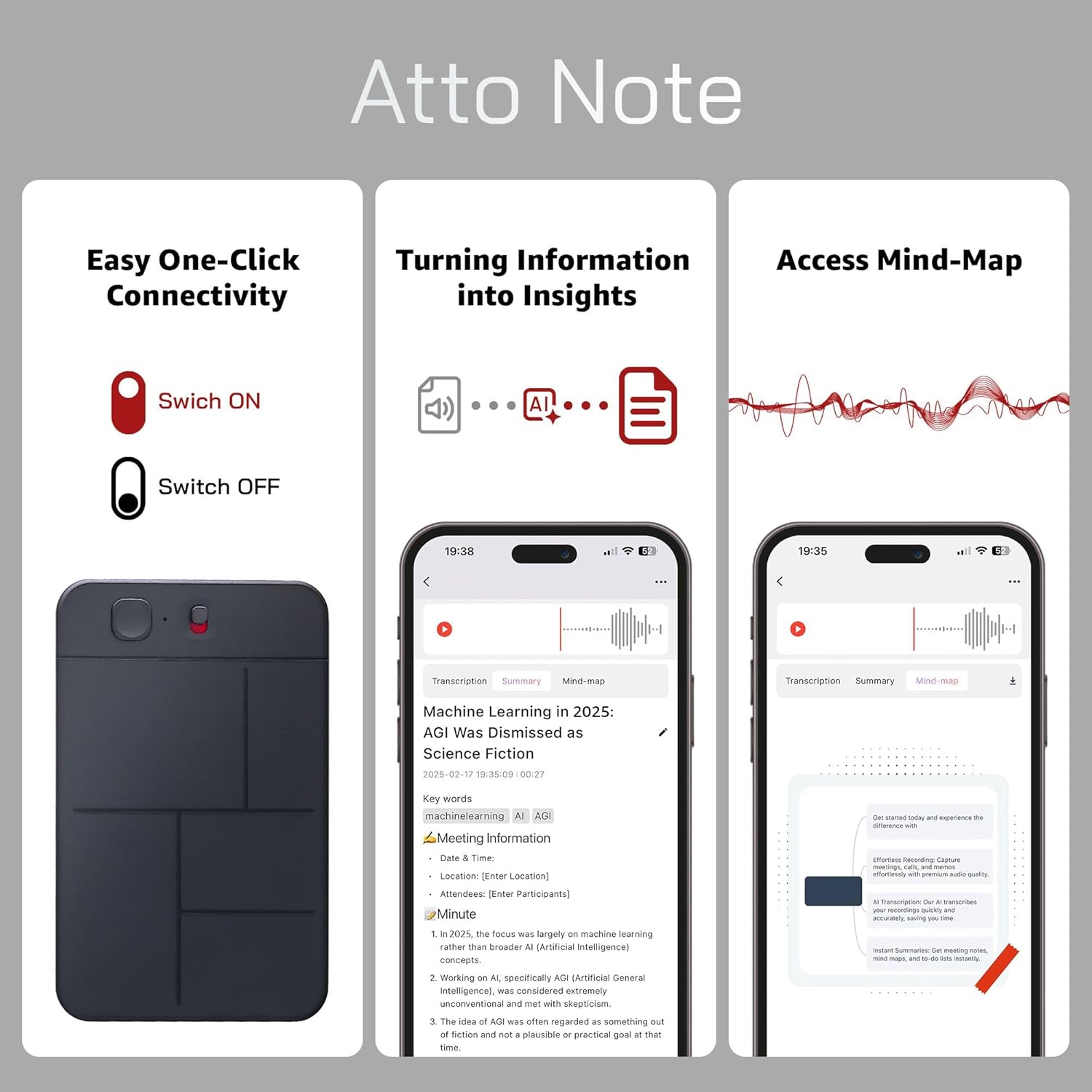
- Power/Record Switch: Located on the side/top, this switch controls power and initiates/stops recording.
- Luz indicadora: A small LED light provides status feedback (e.g., recording, charging, low battery).
- Micrófono: Integrated for clear audio capture.
- Puerto de carga: Para conectar el cable de carga magnética.
4. Configuración
4.1 Carga inicial
Before first use, fully charge your Atto Note recorder. Connect the magnetic charging cable to the device and a USB power source. The indicator light will show charging status and turn off or change color when fully charged.
4.2 Encendido / Apagado
- Para encender: Slide the power switch to the 'ON' position. The indicator light will briefly illuminate.
- Para apagar: Slide the power switch to the 'OFF' position. The indicator light will turn off.
4.3 Instalación y emparejamiento de la aplicación
To unlock the full AI capabilities, download and install the AIREC app on your smartphone.
- Buscar "AIREC" in your smartphone's app store (iOS or Android).
- Instalar la aplicación.
- Open the AIREC app and follow the on-screen instructions to register an account.
- Ensure your Atto Note recorder is powered on and Bluetooth is enabled on your smartphone.
- Within the AIREC app, select the option to add a new device and follow the pairing instructions.

5. Instrucciones de funcionamiento
5.1 Grabación básica
The Atto Note is designed for simple, one-click recording.
- Asegúrese de que el dispositivo esté suficientemente cargado.
- Slide the Power/Record switch to the 'ON' position. The device will automatically begin recording. The indicator light may turn off during recording to be discreet.
- To stop recording, slide the Power/Record switch to the 'OFF' position. The recording will be saved automatically, and the device will power down.
5.2 Modos de grabación avanzados
The Atto Note supports various recording scenarios, including phone calls and general notes.

- Grabación de llamadas telefónicas: Attach the Atto Note to the back of your smartphone using the Magsafe ring (if applicable) or directly to a compatible phone. Ensure the recorder's microphone is positioned to capture both sides of the conversation.
- Nota de grabación: Place the Atto Note in a central location for meetings or lectures, or hold it discreetly for personal notes.
5.3 Using the AIREC App
The AIREC app enhances your recording experience with powerful AI features.
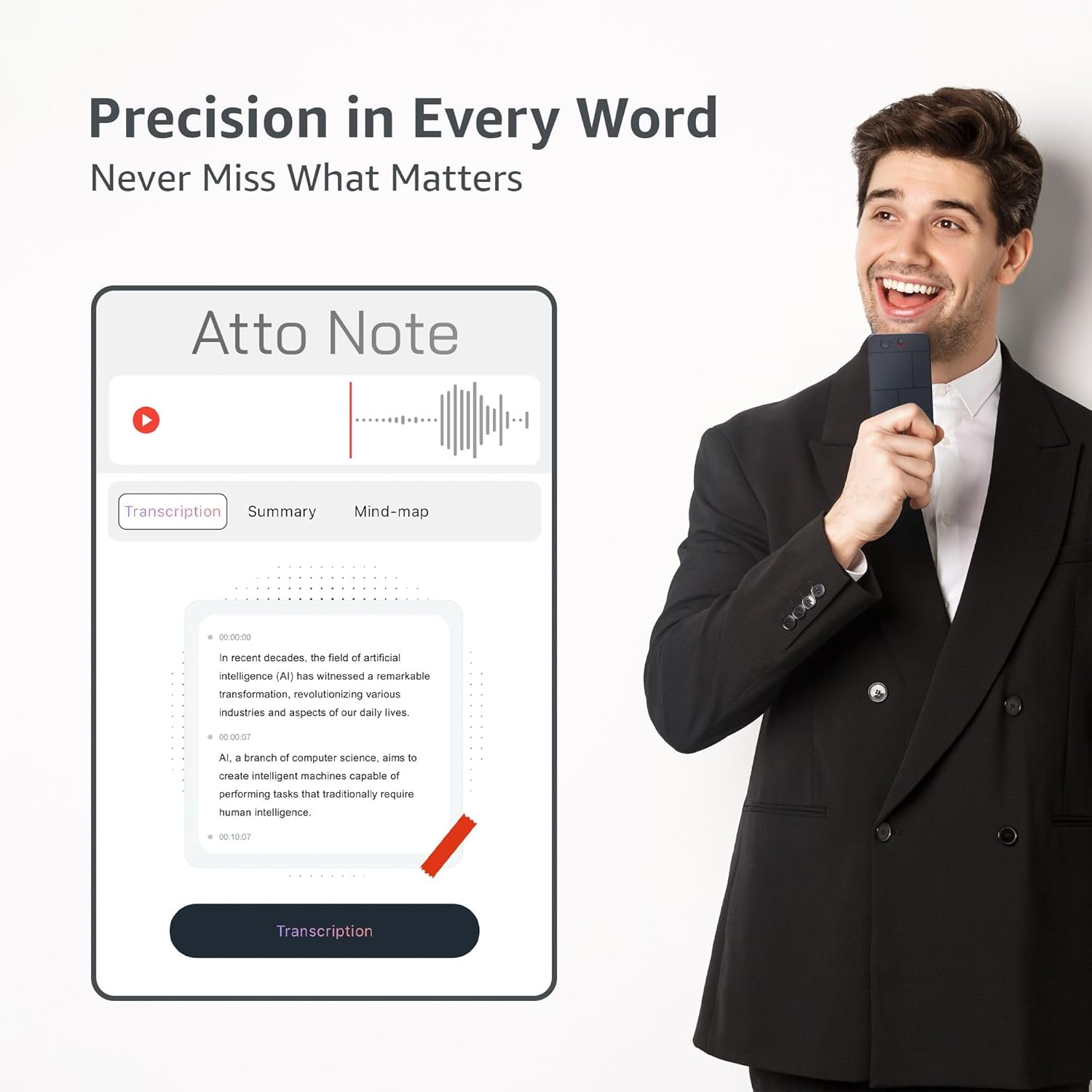
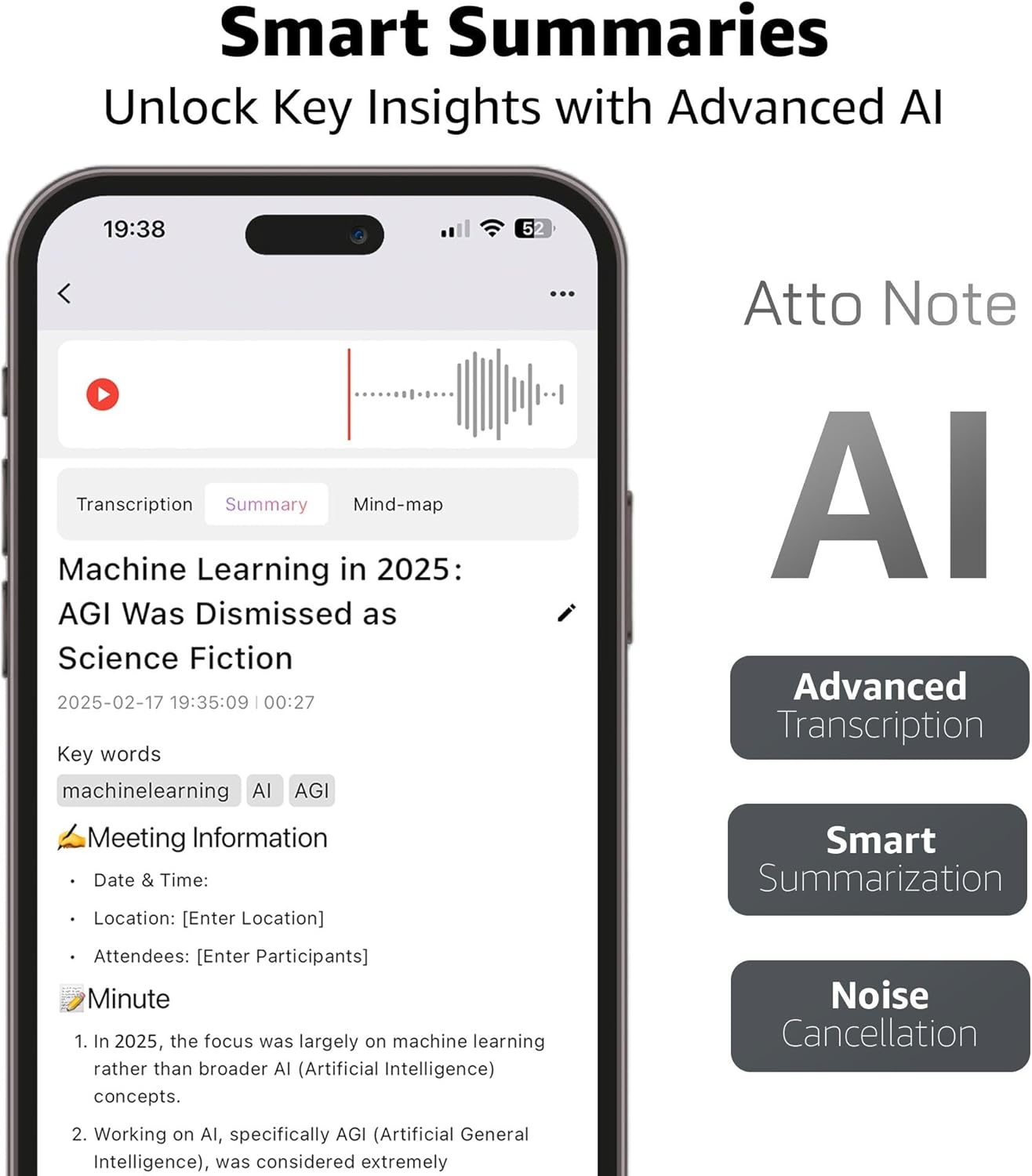
- Transcripción: Upload your recordings to the app for AI-powered speech-to-text transcription. The app supports automatic punctuation, timestamps, and speaker identification.
- Resumen inteligente: The AI can generate concise summaries of long recordings, highlighting key points and actionable items.
- Traducción en tiempo real: For multi-language environments, the app offers real-time translation of transcribed content.
- Mind-Map Generation: Visualize the structure and key concepts of your recordings through automatically generated mind-maps.
- Búsqueda por palabra clave: Use the AI-powered keyword search to quickly locate specific information within your recordings without listening to the entire audio.
- Opciones de exportación: Export transcripts, summaries, and audio files in various formats for sharing or archiving.


5.4 File Gestión
- Transferencia a PC: Connect the Atto Note to your computer using the magnetic charging cable. The device will appear as a removable drive, allowing you to drag and drop audio files (WAV format).
- Cloud Sync & Sharing: Utilize the AIREC app's cloud sync features to access your recordings across multiple devices and share them securely.
6. Mantenimiento
- Limpieza: Utilice un paño suave y seco para limpiar el dispositivo. Evite limpiadores líquidos o materiales abrasivos.
- Almacenamiento: Guarde el dispositivo en un lugar fresco y seco, alejado de la luz solar directa y de temperaturas extremas.
- Cuidado de la batería: Para prolongar la vida útil de la batería, evite descargar completamente el dispositivo con frecuencia. Cárguelo regularmente, incluso si no lo usa constantemente.
- Actualizaciones de software: Regularly check the AIREC app for software updates to ensure optimal performance and access to new features.
7. Solución de problemas
| Asunto | Posible causa | Solución |
|---|---|---|
| El dispositivo no enciende | Batería baja; interruptor de encendido en posición APAGADO | Charge the device fully; Ensure power switch is in ON position. |
| Mala calidad de audio | Microphone obstructed; Excessive background noise; Device too far from source | Ensure microphone is clear; Use AI noise cancellation feature in app; Place device closer to audio source. |
| La aplicación no se conecta al dispositivo | Bluetooth off; Device not powered on; App not updated | Enable Bluetooth on phone; Power on Atto Note; Update AIREC app to latest version. |
| Errores de transcripción | Unclear audio; Multiple speakers; Accents not recognized | Improve recording conditions; Manually edit transcription in app; Ensure language settings are correct. |
| Dispositivo no reconocido por la PC | Faulty cable; Driver issue; Incorrect USB port | Try a different USB cable/port; Restart PC; Ensure device is powered on when connected. |
8. Especificaciones técnicas
| Característica | Especificación |
|---|---|
| Número de modelo | Atto Note |
| Capacidad de almacenamiento de memoria | 64 GB (hasta 500 horas de grabación) |
| Duración de la batería | Hasta 30 horas |
| Formato de audio | Archivo WAV |
| Factor de forma del micrófono | Incorporado |
| Dimensiones del producto | 0.12" de profundidad x 2.1" de ancho x 3.3" de alto |
| Peso del artículo | 0.317 onzas |
| Dispositivos compatibles | Smartphone (via AIREC app) |
| Funciones de IA | Transcription, Summarization, Translation, Noise Cancellation |
9. Información de garantía y soporte
Atto Digital products are manufactured to high-quality standards. For specific warranty details, please refer to the warranty card included with your product or visit the official Atto Digital website. If you encounter any issues or require technical assistance, please contact Atto Digital customer support through the contact information provided on our website or within the AIREC application.
Conserve su comprobante de compra para reclamos de garantía.