
1. Introducción
This instruction manual provides comprehensive guidance for the assembly, operation, and maintenance of your CAT Construction Workforce Jumbo Tower Crane Set. Please read this manual thoroughly before use to ensure safe and correct operation. This product is designed for ages 5 and up.
2. Información de seguridad
- Peligro de asfixia: Contiene piezas pequeñas. No apto para niños menores de 3 años.
- Supervise siempre a los niños durante el juego.
- Mantenga el producto alejado del agua y la humedad excesiva.
- Do not attempt to lift objects heavier than recommended by the manufacturer.
- Asegúrese de que todas las piezas estén ensambladas de forma segura antes de la operación.
3. Contenido del paquete
Verifique que todos los componentes enumerados a continuación estén presentes en su paquete:
- Tower Crane components
- Mando a distancia
- Articulated Figure (4 inches)
- Freewheeling Skid Steer Vehicle
- Wrecking Ball attachment
- Accesorio de gancho
- Accesorio magnético
- Cable de carga USB

The set includes various parts for the crane structure, a remote control, a construction figure, a skid steer, and multiple attachments for diverse play scenarios.
4. Instrucciones de montaje
The CAT Construction Workforce Jumbo Tower Crane Set is designed for quick and easy assembly. Follow these steps to set up your crane:
- Attach the base supports to the main base unit.
- Connect the tower sections, ensuring they lock securely into place.
- Mount the crane cabin and boom assembly to the top of the tower.
- Secure the counterweight section to the rear of the boom.
- Thread the hoist cable through the designated pulleys and attach the desired lifting accessory (hook, wrecking ball, or magnet).
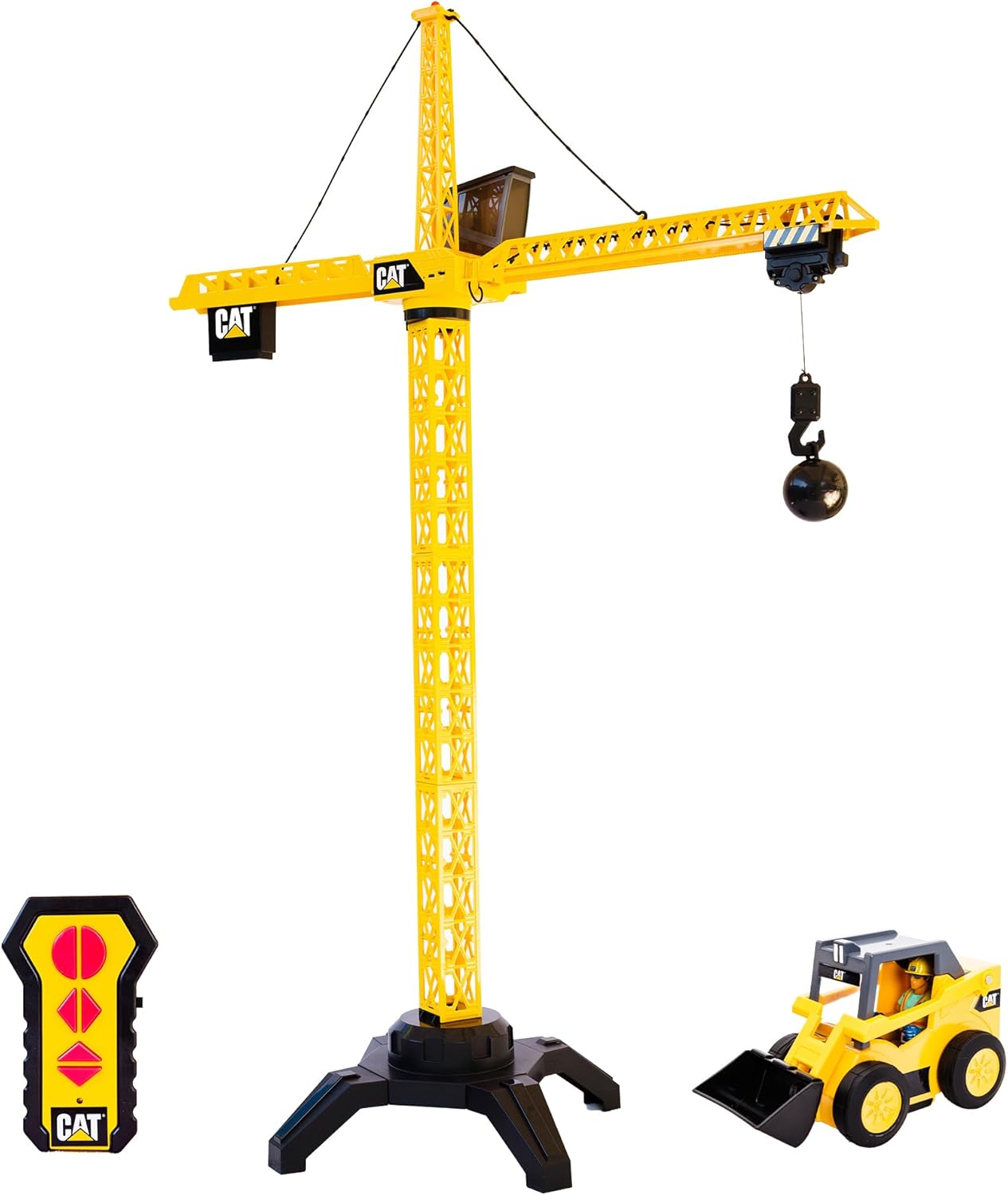
For a visual guide on assembly and initial setup, please refer to the video below:
5. Instalación de la batería
The crane unit is USB rechargeable. Use the provided USB cable to charge the crane's internal battery. The remote control requires 2 AA batteries (included).
- Para el control remoto: Locate the battery compartment on the back of the remote. Open the compartment and insert 2 AA batteries, ensuring correct polarity (+/-). Close the compartment securely.
- For the Crane Unit: Connect the USB charging cable to the designated port on the crane unit. Plug the other end into a compatible USB power source. The crane's light may indicate charging status.
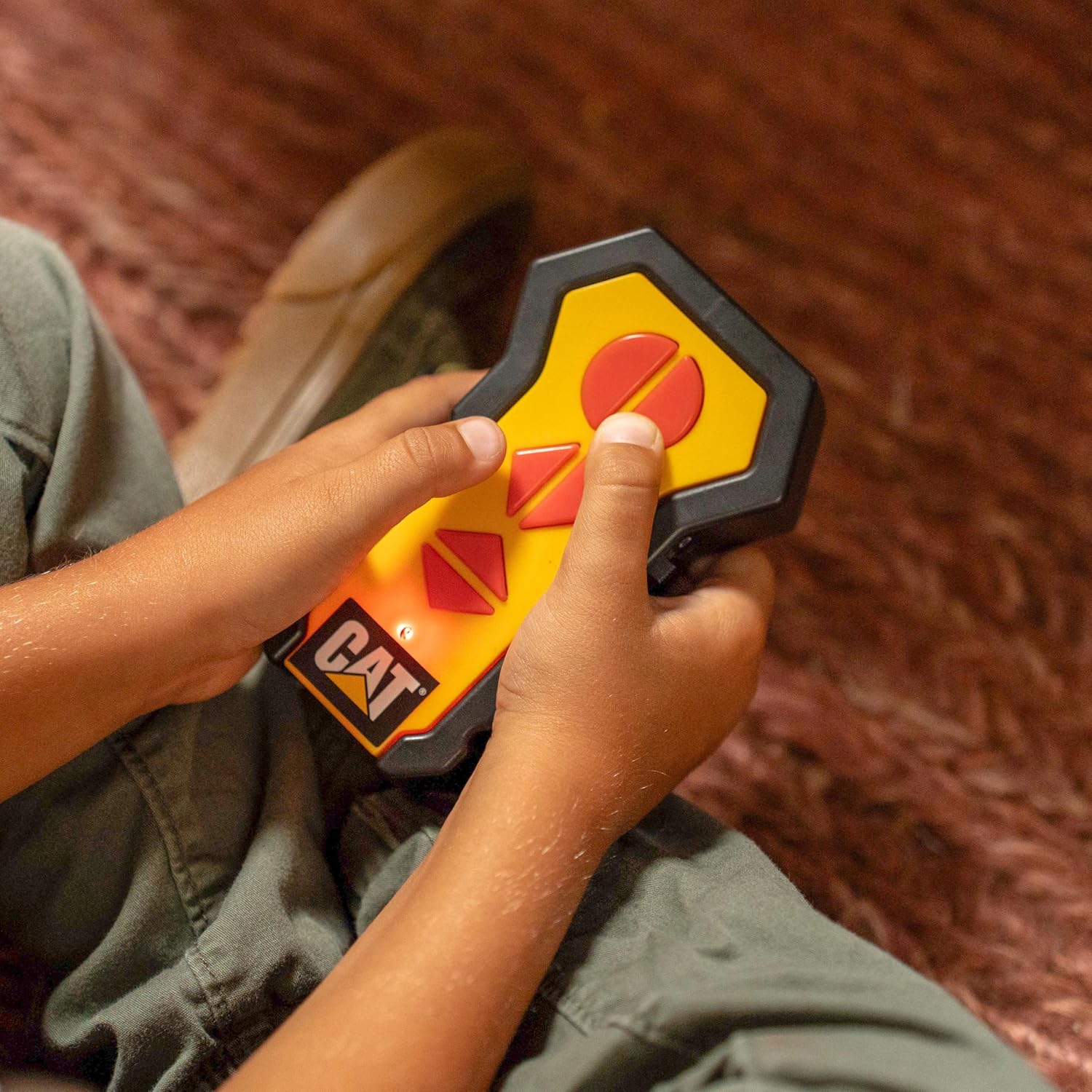
6. Instrucciones de funcionamiento
Once assembled and powered, use the wireless remote control to operate the crane's functions:
- Rotación: Use the directional controls on the remote to rotate the crane's boom 360 degrees.
- Elevación/descenso: Use the dedicated buttons to raise or lower the hook and its attached load.
- Movimiento del carro: Controls allow the trolley to move along the boom, extending or retracting the hook's reach.
- Luz de trabajo: The crane features a built-in light on top that illuminates during operation, enhancing realism.

The set also includes a 4-inch articulated figure and a freewheeling skid steer vehicle for expanded play scenarios.

Observe the crane in action with its various functions:
7. Mantenimiento
- Clean the crane and accessories with a soft, dry cloth. Do not use harsh chemicals or abrasive materials.
- Guarde el producto en un lugar fresco y seco lejos de la luz solar directa cuando no esté en uso.
- Retire las pilas del control remoto si el juguete no se utilizará durante un período prolongado.
8. Solución de problemas
- Crane not responding: Check if the crane unit is charged and the remote control batteries are correctly installed and have sufficient power. Ensure the crane and remote are within operating range.
- Weak lifting power: Ensure the crane's battery is fully charged. Avoid attempting to lift objects exceeding the crane's capacity.
- Operación intermitente: Check for any obstructions to the remote control's signal or interference from other electronic devices.
9. Especificaciones
| Característica | Detalle |
|---|---|
| Dimensiones del producto | 17.5 x 37.7 x 50 pulgadas |
| Peso del artículo | 5 libras |
| Número de modelo | 82438 |
| Edad recomendada | 5 años y más |
| Crane Power | Recargable por USB |
| Baterías remotas | 2 pilas AA (incluidas) |
| Fabricante | Funrise, Inc. |
10. Garantía y soporte
For warranty information and customer support, please refer to the contact details provided on the product packaging or visit the official Funrise, Inc. webSitio. Conserve su recibo de compra como comprobante de compra.