
Introducción
This manual provides comprehensive instructions for the Machenike G5PRO Max SE Wireless Gaming Controller. It covers setup, operation, maintenance, and troubleshooting to ensure optimal performance and longevity of your device.
The Machenike G5PRO Max SE is a versatile gaming controller featuring Hall Effect sensing sticks and triggers, 6-axis gyroscope, and tri-mode connectivity (wired, 2.4GHz, Bluetooth). It is designed for use with NS, PC, iOS, and Android devices, offering precise control and an immersive gaming experience.
Configuración
Contenido del paquete
Asegúrese de que todos los artículos estén presentes en el paquete:
- Machenike G5PRO Max SE Wireless Gaming Controller
- Base de carga
- Cable de carga USB-C a USB-A
- Adaptador USB de 2.4 GHz
- Manual de usuario
Carga inicial
Before first use, fully charge your controller. The G5Pro Max SE Set Edition bundle includes a charging dock that charges your controller as soon as it's placed down. Simply press the Home button to automatically reconnect when picking it up.
- Connect the USB-C end of the charging cable to the charging dock.
- Connect the USB-A end of the charging cable to a power source (e.g., PC USB port, USB wall adapter).
- Place the controller onto the charging dock. The indicator lights on the controller will illuminate, indicating charging status.
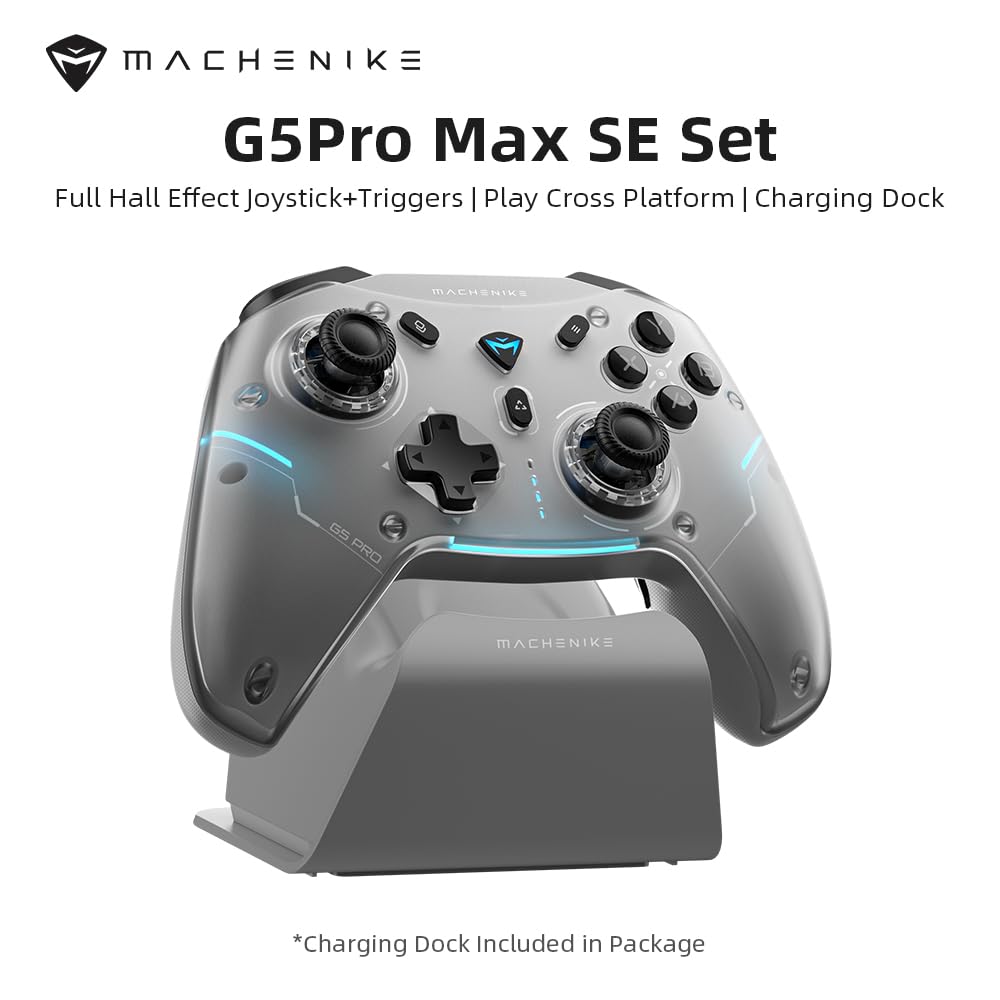
Image: Machenike G5PRO Max SE Controller with its dedicated charging dock.
Modos de conectividad
The controller supports three connectivity modes:
- Conexión por cable: Conecte el controlador directamente a su dispositivo mediante el cable USB-C.
- 2.4 GHz inalámbrico: Use the included 2.4GHz USB adapter for a stable wireless connection. This is ideal for PC and Nintendo Switch.
- Bluetooth: Pair the controller with your iOS, Android, or other Bluetooth-enabled devices.
To switch between modes, use the toggle switch located on the back of the controller. Ensure the switch is set to the correct mode (O, NS, PC, 2.4G) for your intended device.

Image: Diagram illustrating the controller's multi-platform compatibility.
Instrucciones de funcionamiento
Hall Effect Sensing Sticks & Triggers
The controller features Hall Effect sensing sticks and triggers, providing accurate anti-drift control and seamless linear input. This technology ensures high precision and extended lifespan compared to traditional potentiometers.

Image: Close-up of the Hall Effect sensing sticks, highlighting their internal mechanism.

Imagen: Detallada view of the Hall Effect analog triggers, showing their linear control range.
Control de movimiento giroscópico de 6 ejes
Enhance your gaming experiences with the advanced 6-axis gyro. This technology provides unmatched control as you tilt and rotate the controller, making it an immersive gamepad for PC and other compatible systems.

Image: Controller with visual representation of 6-axis gyro motion sensing.
Smart Charging Dock & Reconnection
The included charging dock not only charges your controller but also offers a smart reconnection feature. Simply place the controller on the dock to charge, and when you pick it up, it will automatically reconnect to the last paired device.

Image: Controller resting on the smart charging dock.
Advanced App Configuration (Keylinker App)
Customize your controller to match your playstyle using the Keylinker App. Download the app to remap buttons, adjust lighting effects, and fine-tune sensitivity settings for joysticks and triggers.

Image: Screenshots of the Keylinker App interface for controller customization.
Magnetic Detachable Faceplate
The controller features a full magnetic detachable faceplate, allowing for easy customization and maintenance. This design also helps resolve potential Hall-effect interference.

Image: Illustration of the magnetic detachable faceplate and its removal.
Machenike Co-Play (Single Dongle Dual Controller Support)
The G5Pro Max SE comes with a dual-core wireless dongle, allowing simultaneous connection of two controllers, including direct compatibility with both original and third-party Switch controllers.

Image: Diagram showing two controllers connected via a single dongle.
Vídeo oficial del producto
Vídeo: Final oficialview of the Machenike G5Pro Max Gaming Controller, demonstrating its features and design.
Mantenimiento
Cuidados generales
- Keep the controller clean by wiping it with a soft, dry cloth. Avoid abrasive cleaners or solvents.
- Guarde el controlador en un lugar fresco y seco, alejado de la luz solar directa y de temperaturas extremas.
- Evite dejar caer el controlador o someterlo a impactos fuertes.
Cuidado de la batería
- Para prolongar la vida útil de la batería, evite descargar completamente el controlador con frecuencia.
- Cargue el controlador periódicamente, incluso si no lo utiliza durante períodos prolongados, para mantener la salud de la batería.
Solución de problemas
Problemas de conectividad
- El controlador no se conecta: Ensure the mode switch on the back of the controller is set correctly for your device (PC, NS, 2.4G, Bluetooth).
- For 2.4GHz, ensure the USB adapter is securely plugged into your device.
- Para Bluetooth, asegúrese de que el Bluetooth de su dispositivo esté habilitado y que el controlador esté en modo de emparejamiento.
- Intente reiniciar tanto el controlador como su dispositivo.
Input/Responsiveness Problems
- Deriva del joystick o entrada inexacta: Although equipped with Hall Effect sensors to minimize drift, if you experience issues, use the Keylinker App to calibrate the joysticks and triggers.
- Los botones no responden: Ensure the controller is charged. Check for any physical obstructions.
- Actualización de firmware: Regularly check for firmware updates via the Keylinker App to ensure optimal performance and bug fixes.
Presupuesto
| Característica | Detalle |
|---|---|
| Modelo | G5 PRO V2 |
| Conectividad | 2.4GHz, Bluetooth, Wired (USB-C) |
| Plataformas compatibles | NS (Nintendo Switch), PC, iOS, Android |
| Joysticks | Varillas de detección de efecto Hall |
| Desencadenantes | Disparadores analógicos de efecto Hall |
| Control de movimiento | Built-In 6-Axis Gyro |
| Batería | 600mAh Li-Ion (Up to 8 hours playtime) |
| Cargando | Smart Charging Dock (included) |
| Dimensiones | 8.66 x 3.15 x 6.69 pulgadas |
| Peso | 1.1 libras |
| Fabricante | Machenike |
Garantía y soporte
Para obtener información sobre la garantía y soporte técnico, consulte el sitio web oficial de Machenike. webSitio web o contacte directamente con el servicio de atención al cliente. Conserve su comprobante de compra para cualquier reclamación de garantía.
Additional protection plans may be available through your retailer. Please check with your point of purchase for details.
Manufacturer: Machenike


