
1. Producto terminadoview
The Cillso H97 Wireless Earbuds are designed to provide a high-quality audio experience with advanced features. This manual will guide you through the setup, operation, and maintenance of your earbuds.

Image: Cillso H97 Wireless Earbuds and their charging case, showcasing el diseño elegante.
2. Contenido del paquete
- Auriculares inalámbricos Cillso H97 (izquierdo y derecho)
- Estuche de carga
- Cable de carga USB-C
- Manual de usuario
3. Configuración
3.1 Carga inicial
Before first use, fully charge the earbuds and the charging case. The charging case features a dual LED battery display, showing the battery percentage of each earbud in real-time. The charging case fully charges in approximately 1.5 hours.
- Connect the provided USB-C charging cable to the charging port on the case and to a standard charger (5V/1A or 5V/2A).
- The LED display will indicate charging progress.
- For optimal performance, ensure the earbuds are fully charged before their first use, which provides up to 4 hours of call time.

Image: The Cillso H97 charging case with its dual LED display indicating battery levels for both earbuds and the case itself.
3.2 Emparejamiento con su dispositivo
The H97 earbuds utilize an advanced Bluetooth 5.4 chip for stable and efficient connections.
- Asegúrese de que los auriculares estén cargados.
- Abre el estuche de carga. Los auriculares se encenderán automáticamente y entrarán en modo de emparejamiento.
- En su dispositivo (teléfono inteligente, tableta, computadora portátil), habilite Bluetooth.
- Buscar available Bluetooth devices and select "H97" from the list.
- Once connected, the earbuds will automatically pair with your device whenever the case is opened, provided Bluetooth is enabled on your device. The connection range is up to 15 meters.
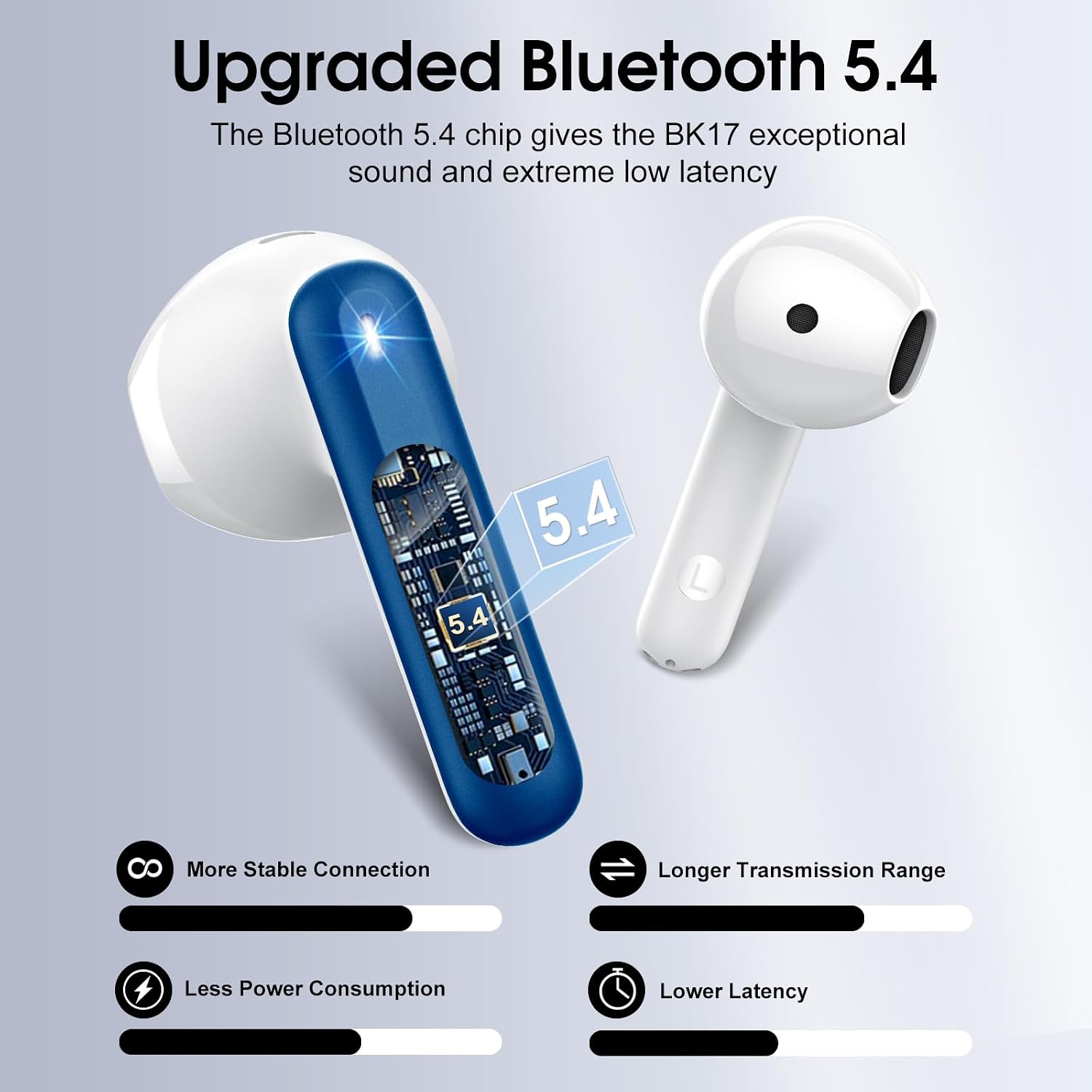
Image: A visual representation of the upgraded Bluetooth 5.4 chip, highlighting benefits such as stable connection, longer range, lower power consumption, and reduced latency.
4. Instrucciones de funcionamiento
4.1 Control táctil inteligente
The H97 earbuds feature high-precision touch sensors for easy control of various functions.
- Reproducir/Pausa: Toque dos veces el auricular izquierdo o derecho.
- Responder/Finalizar llamada: One tap the left or right earbud.
- Siguiente canción: Mantenga presionado el auricular derecho durante 2 segundos.
- Canción anterior: Mantenga presionado el auricular izquierdo durante 2 segundos.
- Activar asistente de voz: (Specific gesture not provided, typically a triple tap or long press on one earbud. Refer to the image for visual cues if available.)
- Control de volumen: (Specific gesture not provided. Refer to the image for visual cues if available.)

Image: A diagram illustrating the touch control functions on the earbuds, including gestures for play/pause, answering calls, and skipping tracks.
4.2 Calidad de audio y llamadas
The earbuds feature 14.2mm diaphragm drivers and AAC/SBC audio encoding for immersive sound. Equipped with 4 ENC (Environmental Noise Cancelling) microphones, they effectively filter out 85% of background noise for clear calls.

Imagen: Una explosión view diagram of the earbud's internal structure, highlighting the 13mm diameter speaker and components responsible for Hi-Fi stereo sound.

Imagen: Una transparente view of an earbud showing the placement of four microphones designed for crystal-clear calls and effective background noise suppression.
5. Mantenimiento
5.1 Resistencia al agua
The H97 earbuds feature IP7 nano-coating technology, making them resistant to daily splashes, sweat, and rain. This protection allows for use during workouts or in light rain conditions.

Image: A woman with water splashing on her face while wearing an earbud, demonstrating the IPX7 waterproof capability against water, sweat, and rain.
5.2 Mejores prácticas de carga
Always use a standard 5V/1A or 5V/2A charger for the charging case. Using incompatible chargers may damage the device or affect charging efficiency.
5.3 Limpieza
To maintain optimal sound quality and hygiene, regularly clean your earbuds. Use a soft, dry, lint-free cloth to wipe the earbuds and charging case. Avoid using abrasive materials or harsh chemicals.
6. Solución de problemas
6.1 Problemas de conectividad
- Los auriculares no se emparejan: Ensure both earbuds are in the charging case, then open the lid. Check that Bluetooth is enabled on your device. If issues persist, try forgetting the device in your phone's Bluetooth settings and re-pairing.
- Conexión intermitente: Ensure you are within the 15-meter Bluetooth range. Avoid physical obstructions between the earbuds and your device.
6.2 Problemas de carga
- El estuche no se carga: Verify the USB-C cable is securely connected to both the case and the power adapter. Ensure the power adapter is a standard 5V/1A or 5V/2A model and is functioning correctly.
- Los auriculares no se cargan en caso de: Ensure the earbuds are properly seated in the charging slots. Clean the charging contacts on both the earbuds and the case with a dry cotton swab to remove any debris.
6.3 Problemas de calidad del sonido
- Volumen bajo o sonido distorsionado: Check the volume levels on both your device and the earbuds. Ensure the earbuds are clean and free from earwax buildup.
- Lack of noise cancellation: Ensure the earbuds are properly seated in your ears to create a good seal. Refer to the earbud fit diagram for optimal placement.

Image: A diagram illustrating the recommended angles (90-degree and 60-degree) for proper earbud placement within the ear canal to ensure a secure fit and optimal sound.
6.4 Ajuste de los auriculares
The H97 earbuds feature a semi-in-ear ergonomic design. If you experience discomfort or if the earbuds feel loose, try adjusting their position in your ear. Proper fit is crucial for both comfort and sound performance.
7. Especificaciones
| Marca | Cillso |
| Número de modelo | H97 |
| Versión de Bluetooth | 5.4 |
| Alcance de Bluetooth | 15 metros |
| Tiempo de reproducción de los auriculares | Hasta 8 horas (una sola carga) |
| Tiempo total de juego (con estuche) | Hasta 40 horas |
| Tiempo de carga (estuche) | 1.5 horas |
| Resistencia al agua | IP7 |
| Tamaño del controlador de audio | 14.2 milímetros |
| Control de ruido | Cancelación de ruido ambiental (ENC) |
| Tipo de control | Control táctil |
| Peso del auricular | 3.5 gramos (cada uno) |
| Peso del estuche de carga | 32 gramos |
| Dispositivos compatibles | iOS 9.0+/Android 5.0+ con Bluetooth 4.0+ |
8. Vídeo del producto
Video: An official product video from Harson-US providing an overview of the Cillso H97 Wireless Earbuds, demonstrating key features and design.
9. Garantía y soporte
9.1 Información de garantía
Your Cillso H97 Wireless Earbuds are covered by a 30-day refund/replacement policy from the date of purchase. Please retain your proof of purchase for warranty claims.
9.2 Atención al cliente
For any questions, technical assistance, or warranty claims, please contact Cillso customer service. You can find more information and contact details on the official Cillso store page: Cillso Store.