
1. Introducción
Thank you for choosing the Bonsaii C277-C Cross-Cut Paper Shredder. This manual provides essential information for the safe and efficient operation, maintenance, and troubleshooting of your new shredder. Please read it thoroughly before use and retain it for future reference.
The Bonsaii C277-C is designed for home and small office use, offering P-4 security level cross-cut shredding for sensitive documents, credit cards, staples, and paper clips.
2. Instrucciones de seguridad importantes
To reduce the risk of injury or damage, always follow basic safety precautions when using this product.
- Mantener fuera del alcance de los niños y las mascotas.
- Mantenga la ropa suelta, las joyas, el cabello y las manos lejos de la ranura de entrada de papel.
- No rocíe ningún producto inflamable ni lubricantes en la trituradora.
- Do not shred adhesive labels or items with glue, as this can cause jams and damage.
- Do not insert more than the specified maximum number of sheets (8 sheets of A4 80g/m²) at once.
- Desenchufe la trituradora antes de moverla, limpiarla o vaciar el contenedor de residuos.
- No opere la trituradora si el cable de alimentación está dañado.
- The shredder features a safety lock mechanism; ensure the shredder head is properly seated on the bin for operation.
3. Producto terminadoview

Figura 1: Bonsaii C277-C Cross-Cut Paper Shredder. This image shows the overall design of the shredder, featuring a white body, a grey handle, and a transparent window on the waste bin to monitor shredded paper levels.
The Bonsaii C277-C is a compact and efficient cross-cut shredder designed for personal and small office use. Key features include:
- Capacidad de trituración: Up to 8 sheets of A4 (80g/m²) paper per pass.
- Nivel de seguridad: P-4 (cross-cut to 5x18mm particles).
- fragmentos: Paper, credit cards, staples, and small paper clips.
- Capacidad del contenedor de basura: 13 Liters with a transparent window.
- Protección contra sobrecalentamiento: Automatic shutdown after 4 minutes of continuous operation.
- Características de seguridad: Auto-start/stop, manual reverse, and lid safety lock.
4. Configuración
- Desembalaje: Retire con cuidado la trituradora de su embalaje. Conserve el material de embalaje para su posterior transporte o almacenamiento.
- Colocación: Coloque la trituradora sobre una superficie plana y estable cerca de una toma de corriente. Asegúrese de que haya suficiente espacio alrededor de la unidad para su ventilación.
- Ensamblar el contenedor de basura: Ensure the 13L waste bin is clean and empty. Place the shredder head securely onto the waste bin. The shredder will not operate if the head is not correctly seated due to the safety interlock.
- Conexión de energía: Conecte el cable de alimentación a una toma eléctrica estándar.
5. Instrucciones de funcionamiento
Panel de control
The control panel typically features a slide switch with three positions: FWD (Forward), AUTO (Automatic), and REV (Reverse).
- COCHE: The shredder is in standby mode. When paper is inserted, it will automatically start shredding.
- OFF: La trituradora está apagada.
- RDO: The shredder blades rotate in reverse, useful for clearing paper jams.
- Adelante: The shredder blades rotate continuously forward, primarily used for clearing minor jams or for specific shredding tasks.
Destrucción de documentos

Figura 2: Powerful Shredding Performance. This image illustrates the shredder's capability to shred up to 8 sheets of A4 (80g) paper at once, with a continuous run time of 4 minutes.
- Coloque el interruptor deslizante en la posición AUTO position. The power indicator light should illuminate.
- Insert up to 8 sheets of A4 paper (80g/m²) straight into the paper entry slot. The shredder will automatically start and stop once shredding is complete.
- For shredding credit cards, insert one card at a time into the designated slot (if available, otherwise use the main paper entry).
- La trituradora también puede manejar pequeñas grapas y clips adheridos a los documentos.

Figura 3: High Security P-4 Level. This image demonstrates the 5x18mm cross-cut size, indicating the high security level of the shredded particles. It also shows that the shredder can process credit cards, staples, and paper clips.
6. Mantenimiento
Vaciado de la papelera
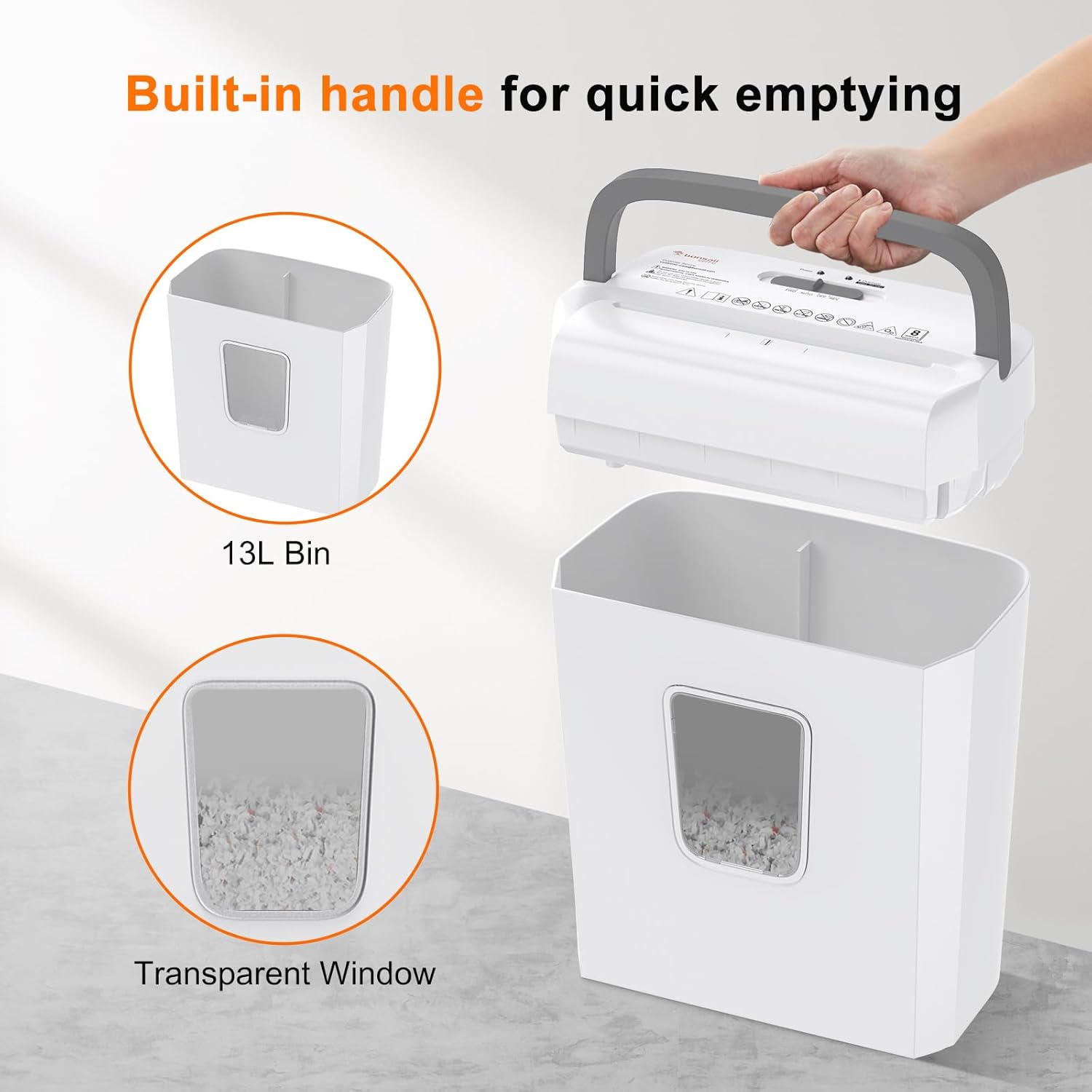
Figura 4: Built-in Handle for Quick Emptying. This image highlights the 13L waste bin with a transparent window and a convenient built-in handle on the shredder head for easy removal and emptying.
The 13L waste bin has a transparent window, allowing you to monitor the shredded paper level. Empty the bin regularly to prevent paper jams and ensure optimal performance.
- Coloque el interruptor deslizante en la posición APAGADO position and unplug the shredder from the power outlet.
- Lift the shredder head using the built-in handle.
- Carefully empty the shredded contents from the bin into a recycling receptacle.
- Vuelva a colocar el cabezal de la trituradora de forma segura en el contenedor de residuos.
- Vuelva a enchufar la trituradora.
Limpieza
Regular cleaning helps maintain the shredder's efficiency.
- Desenchufe siempre la trituradora antes de limpiarla.
- Limpie el exterior de la trituradora con un paño suave y seco. No utilice limpiadores abrasivos ni disolventes.
- Occasionally, use shredder oil sheets or liquid shredder oil (applied to a sheet of paper) to lubricate the cutting blades. Follow the instructions provided with the shredder oil.
7. Solución de problemas
Atasco de papel
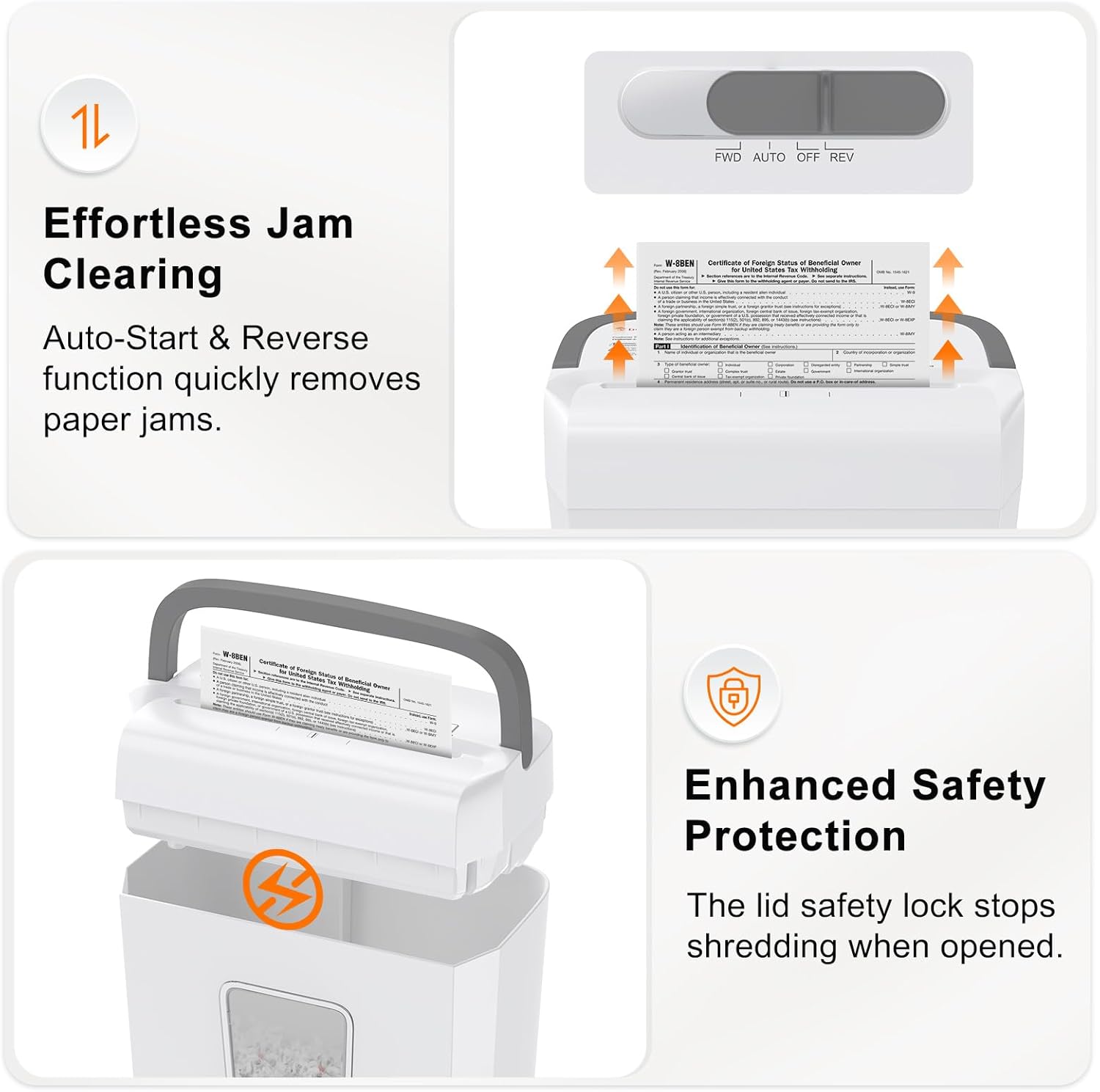
Figura 5: Effortless Jam Clearing and Enhanced Safety Protection. This image illustrates the auto-start and reverse function for quickly removing paper jams, and the lid safety lock that stops shredding when the head is opened.
Si se produce un atasco de papel:
- Coloque el interruptor deslizante en la posición RDO position. This will reverse the cutting blades, allowing you to pull the jammed paper out.
- If the paper does not clear, switch to Delantero briefly, then back to RDO. Repeat this cycle a few times.
- If the jam persists, unplug the shredder and carefully remove the shredder head. Manually clear any visible paper from the cutting blades using tweezers or pliers. Do not use your bare hands.
- Once cleared, replace the shredder head, plug it in, and resume operation.
Protección contra sobrecalentamiento

Figura 6: Overheat Protection. This image shows the shredder's indicator lights, demonstrating that the shredder automatically stops after 4 minutes of continuous operation to prevent overheating. It indicates a 30-minute cooldown period.
The Bonsaii C277-C is equipped with an overheat protection system. If the shredder operates continuously for approximately 4 minutes, it will automatically shut down to prevent damage from overheating. The 'Overheat' indicator light will illuminate.
- If this occurs, turn the shredder off and unplug it.
- Allow the shredder to cool down for at least 30 minutes before resuming operation.
- After the cooling period, plug it back in, and the shredder should function normally.
8. Especificaciones
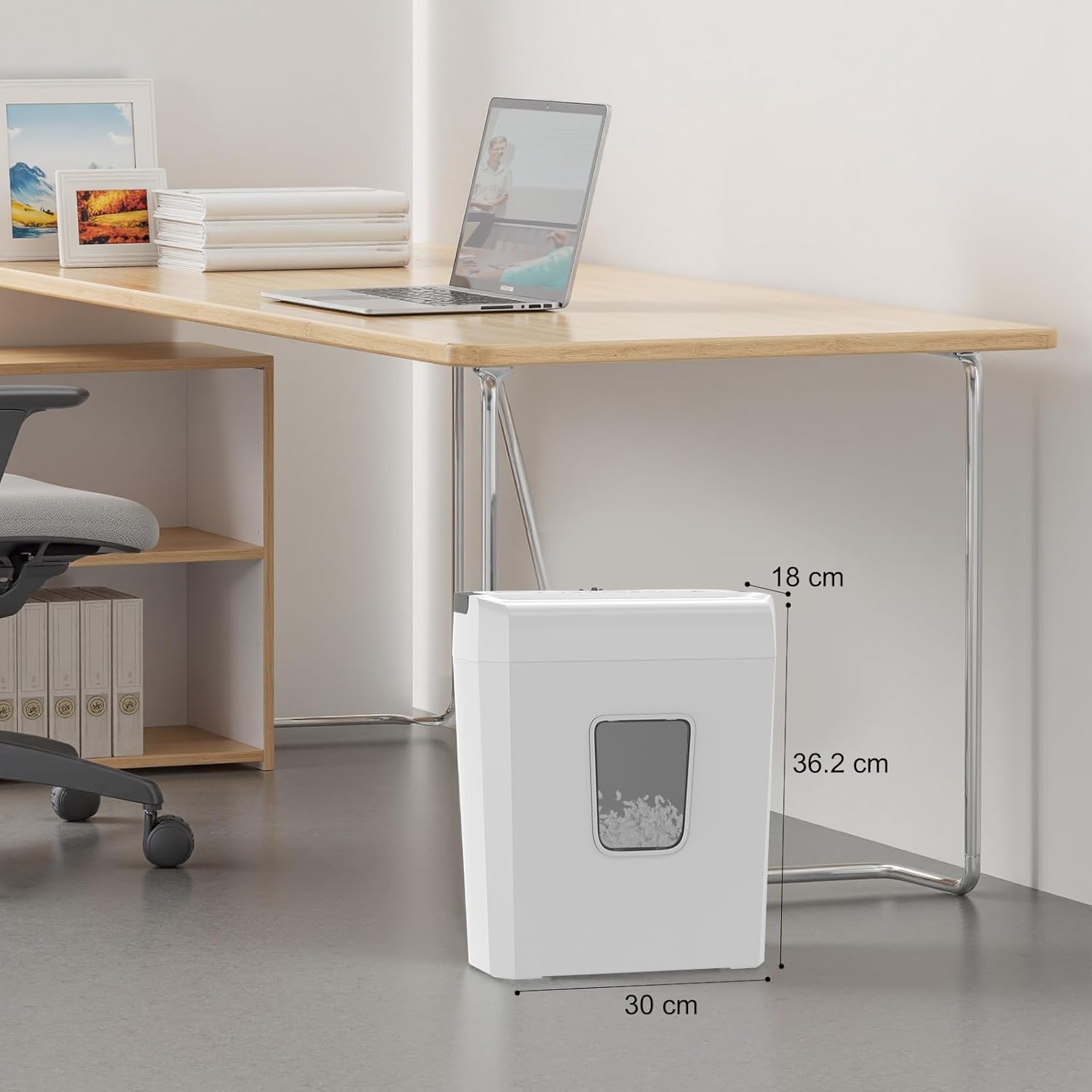
Figura 7: Bonsaii C277-C Dimensions. This image provides the physical dimensions of the shredder: 18 cm (depth) x 30 cm (width) x 36.2 cm (height).
| Característica | Especificación |
|---|---|
| Marca | Bonsái |
| Número de modelo | C277-C |
| Shredder Type | Corte transversal |
| Tamaño triturado | 5 x 18 mm |
| Nivel de seguridad | P-4 |
| Capacidad de hoja | 8 hojas (A4, 80 g/m²) |
| Capacidad de la papelera | 13 litros |
| Tiempo de funcionamiento continuo | 4 minutos |
| Tiempo de enfriamiento | 30 minutos |
| Tiras | Papel, tarjetas de crédito, grapas, clips |
| Características especiales | Anti-jam, Auto Start/Stop, Manual Reverse, Portable, Safety Lock |
| Fuente de poder | Cable eléctrico |
| Dimensiones del producto (Pr. x An. x Al.) | 18 cm x 30 cm x 36.2 cm |
9. Garantía y soporte
For warranty information and customer support, please refer to the warranty card included with your product or visit the official Bonsaii webSitio. Conserve su recibo de compra como comprobante de compra para cualquier reclamación de garantía.