1. Introducción
Thank you for choosing the Generic T10 Ultra Smartwatch Series 8. This manual provides essential information for setting up, operating, and maintaining your new smartwatch. Please read it carefully to ensure proper use and to fully utilize all its features.
2. Producto terminadoview
The T10 Ultra Smartwatch Series 8 features a 49mm stunning large screen and a durable aluminum body. It is designed to assist you with health monitoring, fitness tracking, and communication.
2.1 Características principales
- 49mm large display
- Durable aluminum body with four screws and two strap locks
- ECG function, heart rate, blood pressure, blood oxygen, and sleep monitoring
- Bluetooth call and notification support (SMS, email, social media)
- Multiple sports modes for indoor and outdoor activities
- Resistencia al agua IP68
- Stopwatch, music control, vibration support, NFC payments, and password protection
- Batería de polímero de iones de litio
2.2 Componentes incluidos
- T10 Ultra Smartwatch Series 8
- Correa de reloj
- Cargador inalámbrico
- Manual de usuario
2.3 Diagrama del producto
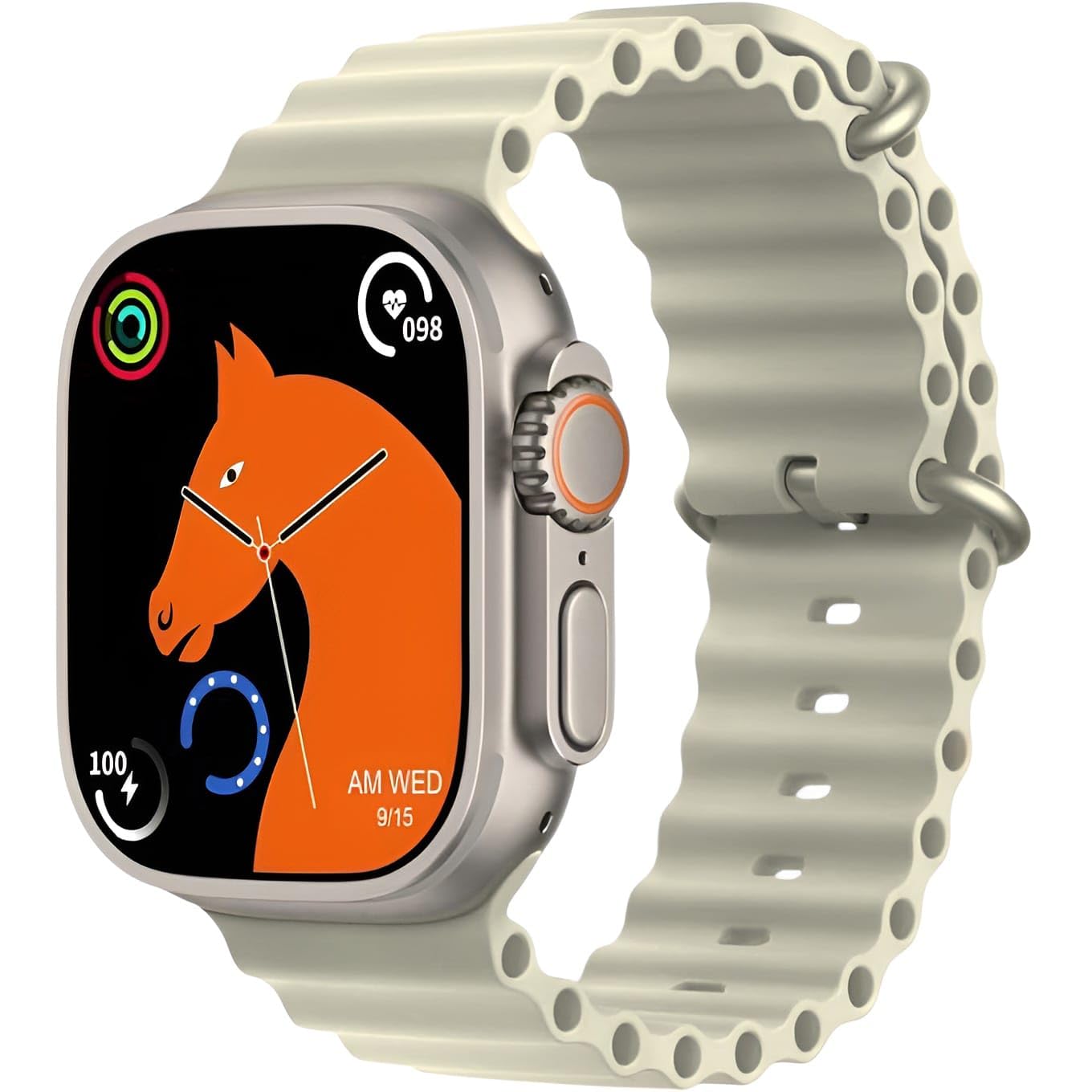
This image displays the T10 Ultra Smartwatch Series 8 in off-white. The watch features a large rectangular screen, a digital crown on the side, and a comfortable silicone strap. It highlights the sleek design and prominent display.
3. Configuración
3.1 Carga inicial
Before first use, fully charge your smartwatch. Place the watch on the wireless charging pad. The screen will indicate charging status. A full charge typically takes 2-3 hours.
3.2 Encendido y apagado
- Encendido: Mantenga presionado el botón lateral hasta que la pantalla se ilumine.
- Apagado: Mantenga presionado el botón lateral, luego seleccione “Apagar” en la pantalla.
3.3 Emparejamiento con su teléfono inteligente
- Download the companion app (refer to the packaging or watch screen for app name) from your smartphone's app store.
- Asegúrese de que Bluetooth esté habilitado en su teléfono inteligente.
- Abra la aplicación y siga las instrucciones en pantalla para crear una cuenta o iniciar sesión.
- In the app, search for your smartwatch. Select 'T10 Ultra Series 8' from the list of available devices.
- Confirme la solicitud de emparejamiento tanto en su teléfono inteligente como en su reloj inteligente.
4. Instrucciones de funcionamiento
4.1 Navegación básica
- Pantalla táctil: Desliza el dedo hacia la izquierda/derecha, arriba/abajo para navegar por los menús y las funciones. Toca para seleccionar.
- Botón lateral: Press to return to the home screen or wake the watch. Hold to access power options.
- Corona digital: Gire para desplazarse por las listas o acercar o alejar la imagen. Pulse para seleccionar o volver a la pantalla anterior.
4.2 Personalización de las esferas del reloj
Long-press on the watch face to access watch face options. Swipe left or right to browse available designs and tap to select your preferred watch face. Additional watch faces may be available through the companion app.
5. Monitoreo de la salud
The T10 Ultra Smartwatch provides various health monitoring features. For accurate readings, ensure the watch is worn snugly on your wrist.
5.1 Monitoreo de la frecuencia cardíaca
Access the heart rate function from the main menu. The watch will automatically start measuring your heart rate. View real-time data on the watch screen or in the app.
5.2 Blood Pressure and Blood Oxygen (SpO2)
Navigate to the blood pressure or blood oxygen features. Remain still during measurement for best results. These measurements are for reference only and should not be used for medical diagnosis.
5.3 ECG Function
To use the ECG function, follow the instructions on the watch screen or in the companion app. This feature provides an electrocardiogram reading, which is for informational purposes and not a substitute for professional medical advice.
5.4 Seguimiento del sueño
Wear the smartwatch while sleeping to track your sleep patterns. The watch automatically detects sleep duration and quality, providing data on deep sleep, light sleep, and awake times in the companion app.
6. Comunicación y notificaciones
6.1 Recibir notificaciones
Once paired with your smartphone, the smartwatch will display notifications for incoming calls, SMS messages, emails, and various social media apps (e.g., Facebook, WhatsApp, WeChat). Ensure notification permissions are enabled in your phone's settings and the companion app.
6.2 Hacer y contestar llamadas
You can make and answer calls directly from your smartwatch. When a call comes in, tap the answer icon on the watch screen. To make a call, access the dialer or contacts list on your watch.
7. Modos deportivos
The smartwatch supports various sports modes to track your physical activity.
7.1 Indoor Sports
- Correr
- Ciclismo
- Abdominales
- Lagartijas
- Free Movement
7.2 Outdoor Sports
- Caminando
- Escalada de montaña
- Other Sports
In each mode, the watch tracks metrics such as steps, calories burned, and distance. Select your desired sport from the activity menu to begin tracking.
8. Otras características
8.1 Resistencia al agua IP68
The smartwatch is IP68 rated for water resistance, meaning it can withstand dust and immersion in water up to 1.5 meters for 30 minutes. It is suitable for daily use and light water activities, but not recommended for swimming or diving.
8.2 Cronómetro
Access the stopwatch function from the menu to time activities.
8.3 Control de música
Control music playback on your paired smartphone directly from your watch. You can play, pause, skip tracks, and adjust volume.
8.4 Vibration Support
The watch provides vibration alerts for notifications, alarms, and other functions.
8.5 Pagos NFC
The smartwatch supports NFC payments. Refer to the companion app or specific payment service instructions for setup and usage details.
8.6 Protección con contraseña
Set a password on your smartwatch to protect your data and privacy. This can be configured in the watch settings.
9. Mantenimiento
9.1 Limpieza
Limpie el reloj y la correa regularmente con un paño suave y seco. Para la suciedad difícil, utilice un paño ligeramente seco.amp Paño y séquelo bien. Evite productos químicos agresivos o materiales abrasivos.
9.2 Almacenamiento
When not in use for extended periods, store the smartwatch in a cool, dry place. Ensure it has some charge to prevent deep discharge of the battery.
10. Solución de problemas
Si tiene problemas con su reloj inteligente, pruebe las siguientes soluciones:
- El reloj no enciende: Asegúrate de que el reloj esté completamente cargado. Conéctalo al cargador inalámbrico durante al menos 30 minutos.
- No se puede emparejar con el teléfono inteligente: Make sure Bluetooth is enabled on your phone and the watch. Restart both devices and try pairing again. Check if the companion app has necessary permissions.
- Lecturas de salud inexactas: Asegúrese de que el reloj esté bien ajustado a su muñeca, ni demasiado apretado ni demasiado suelto. Limpie los sensores de la parte trasera del reloj.
- Las notificaciones no aparecen: Verify that notifications are enabled in your phone's settings and within the companion app. Ensure the watch is connected via Bluetooth.
- Duración de la batería corta: Reduce el brillo de la pantalla, desactiva funciones innecesarias y limita la actualización de aplicaciones en segundo plano.
Si los problemas persisten, consulte los recursos de soporte del fabricante o comuníquese con el servicio de atención al cliente.
11. Especificaciones
| Característica | Detalle |
|---|---|
| Fabricante | Genérico |
| País natal | Porcelana |
| Peso del artículo | 100 gramos |
| ASIN | B0DRTLGS96 |
| Características especiales | Notificaciones por correo electrónico |
| Tecnología de conectividad | Bluetooth |
| Nombre de marca | Genérico |
| Color | Blanquecino |
| Componentes incluidos | Strap, Smartwatch, Wireless Charger |
12. Información de seguridad
- No intente desmontar ni modificar el reloj inteligente.
- Mantenga el dispositivo alejado de temperaturas extremas, luz solar directa y llamas abiertas.
- Evite exponer el reloj a impactos fuertes o caídas.
- The health monitoring features are for general wellness and fitness purposes only and are not intended for medical diagnosis, treatment, or prevention of any disease. Consult a medical professional for health-related concerns.
- Mantenga el reloj y sus accesorios fuera del alcance de los niños.
- Use only the provided wireless charger or a compatible charger.
13. Garantía y soporte
Specific warranty details and customer support contact information are not provided in the product data. Please refer to the product packaging, the seller's website, or contact the retailer for information regarding warranty coverage and technical support for your Generic T10 Ultra Smartwatch Series 8.


