
FLEXISPOT Maple Top + White Frame, 40x24 Inches
Manual del usuario del escritorio eléctrico de pie de una pieza FLEXISPOT
Model: Maple Top + White Frame, 40x24 Inches
Introducción
This manual provides detailed instructions for the assembly, operation, maintenance, and troubleshooting of your FLEXISPOT One-Piece Electric Standing Desk. Please read this manual thoroughly before use to ensure proper function and safety.

Image: The FLEXISPOT One-Piece Electric Standing Desk, featuring a maple top and white frame, with a monitor, keyboard, mouse, and headphones. This desk offers a seamless and sturdy workspace.
Configuración y montaje
Your FLEXISPOT standing desk is shipped in two separate packages, which may arrive at different times. Ensure all components are present before beginning assembly.
Contenido del paquete
- One-piece desktop (Maple Top, 40x24 inches)
- Electric lifting frame (White Frame)
- Panel de control y motor
- Assembly hardware and tools (some assembly may require an electric drill, not included)
- Manual de instrucciones
Instrucciones de montaje
- Desembale todos los componentes y verifíquelos con la lista de piezas proporcionada en la guía de montaje separada.
- Attach the lifting columns to the desktop, ensuring proper alignment.
- Instale los soportes de pie en las columnas de elevación.
- Connect the control panel and motor cables according to the wiring diagram.
- Asegure todas las conexiones y asegúrese de que el escritorio esté estable.

Image: Desktop dimensions indicating a width of 40 inches, a depth of 24 inches, and a thickness of 1 inch. This illustrates the compact and sturdy design of the one-piece desktop.

Imagen: Un detalle view of the dual-stage legs, highlighting their robust construction and the mechanism for continuous height adjustment from 28.1 to 45.7 inches.
Instrucciones de funcionamiento
Ajuste de altura
The desk features an electric height control system, allowing for effortless adjustment. The height can be adjusted from a minimum of 28.1 inches to a maximum of 45.7 inches.
- Utilice el Up y Abajo buttons on the control panel to manually adjust the desk to your desired height.
- The motor operates quietly, under 50 dB, ensuring a peaceful work environment.

Image: Visual representation of the desk's height adjustment capabilities, demonstrating its range from a minimum of 28.1 inches to a maximum of 45.7 inches, suitable for various user heights and preferences.

Image: A close-up of the desk surface with a graphic illustrating minimal noise during operation, emphasizing the smooth and quiet movement of the electric motor.
Preajustes de memoria
The control panel includes 4 memory height presets, allowing you to save and quickly recall your preferred sitting and standing positions.
- Ajuste el escritorio a la altura deseada utilizando los botones Arriba/Abajo.
- Presione el 'METRO' button (or similar memory set button, if applicable) followed by the desired preset number (1, 2, 3, or 4) to save the current height.
- Para recuperar una altura guardada, simplemente presione el botón con el número preestablecido correspondiente.

Imagen: Un detalle view of the smart control panel, illustrating the LED display, the Up and Down adjustment buttons, and the four programmable memory preset buttons for quick height recall.
Características adicionales
- Escritorio de una sola pieza sin costuras: The 1-inch thick desktop provides a smooth, gap-free, and stable surface.
- Gancho para auriculares: The desk includes a convenient headphone hook for organized storage.

Image: The desk showcasing its whole-piece desktop with smoothly rounded edges, emphasizing the seamless and durable surface design.
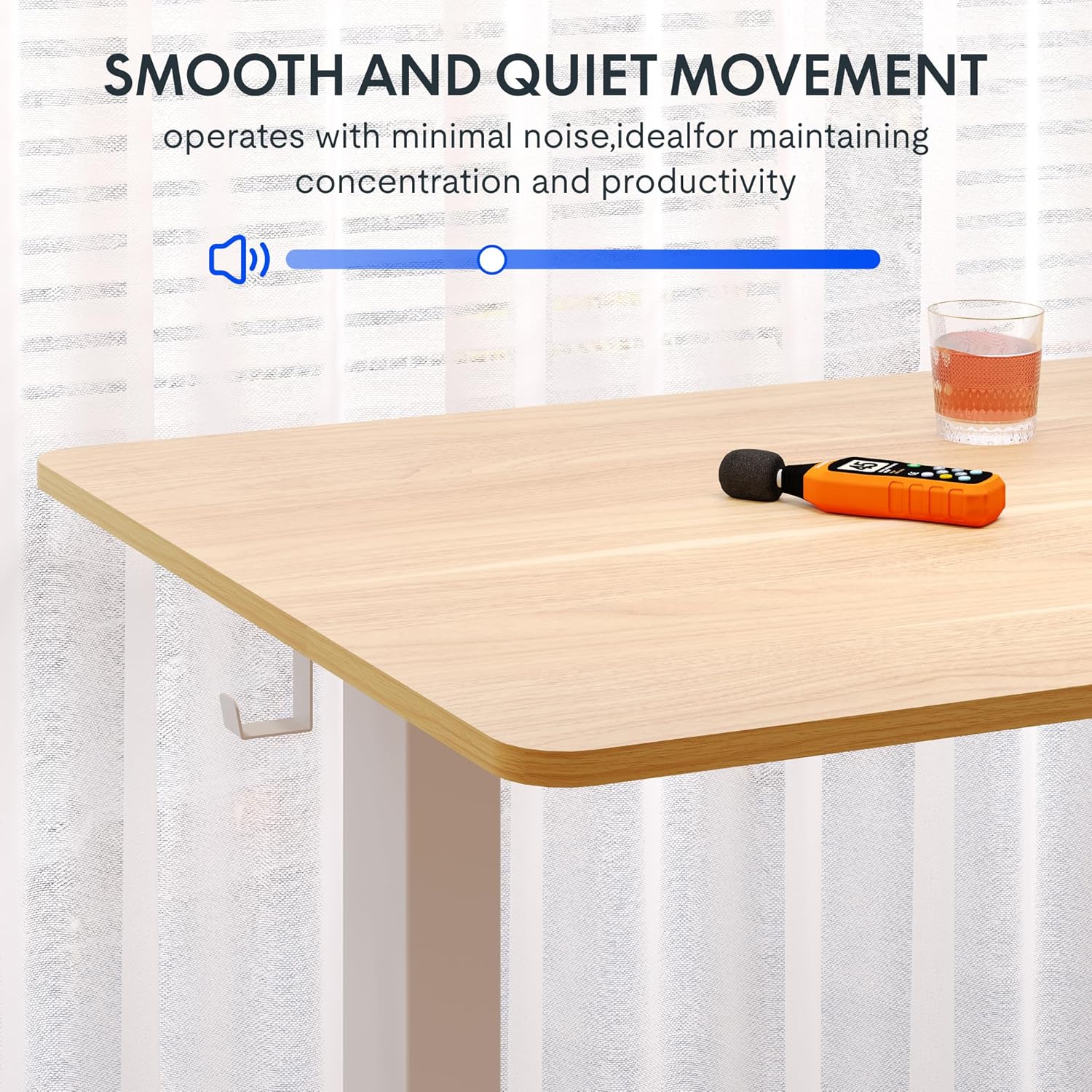
Image: A close-up of the two integrated desk hooks, designed for convenient storage of items such as headphones or bags, keeping your workspace tidy.
Mantenimiento y cuidado
Cuidados generales
- Limpie la superficie del escritorio con un paño suave.amp Paño. Evite limpiadores abrasivos o productos químicos fuertes.
- Revise periódicamente todos los tornillos y conexiones para asegurarse de que permanezcan apretados.
- Mantenga el escritorio alejado de fuentes de calor directo y humedad excesiva.
Precauciones de seguridad
- Do not exceed the maximum weight recommendation of 132 pounds on the desktop. The frame is built to hold up to 176 lbs, but the desktop's recommended limit is 132 lbs.
- Be cautious when adjusting the desk height to prevent injury or pinching. Ensure no objects are obstructing the desk's movement.
- Asegúrese de que el escritorio esté colocado sobre una superficie nivelada y estable antes de usarlo.
- No permita que los niños operen el escritorio sin la supervisión de un adulto.
Solución de problemas
If you encounter any issues with your FLEXISPOT standing desk, please refer to the following common troubleshooting tips. For more complex problems, contact customer support.
| Problema | Posible causa | Solución |
|---|---|---|
| El escritorio no se mueve ni responde a los controles. | Cable de alimentación desconectado; sobrecarga del motor; error del panel de control. | Check power connection. Unplug and replug the desk. Reduce weight on the desk. Perform a reset (refer to specific reset instructions in the full manual, if available). |
| El escritorio se mueve de manera desigual o hace ruidos inusuales. | Conexiones sueltas; distribución desigual del peso; obstrucción. | Ensure all assembly screws are tight. Redistribute weight evenly on the desktop. Check for any obstructions under or around the desk. |
| Los ajustes preestablecidos de memoria no funcionan. | Procedimiento de guardado incorrecto; falla temporal del panel de control. | Re-save the memory presets following the operating instructions. Power cycle the desk. |
Especificaciones del producto
- Marca: FLEXISPOT
- Modelo: Maple Top + White Frame, 40x24 Inches
- Dimensiones del producto (Pr x An x Al): 24" de profundidad x 40" de ancho x 28" de alto (altura mínima)
- Rango de ajuste de altura: 28.1" a 45.7"
- Material de escritorio: Madera de ingeniería (acabado arce)
- Grosor del escritorio: 1 pulgada (una pieza)
- Material del marco: Alloy Steel (White finish)
- Capacidad máxima de peso: 132 Pounds (Desktop), 176 Pounds (Frame)
- Nivel de ruido: Menos de 50 dB
- Características especiales: 4 Memory Height Presets, Headphone Hook, Seamless One-Piece Desktop
- Requiere ensamblaje: Sí
- Código postal: 840460428897
Garantía y soporte
Información de garantía
FLEXISPOT provides the following warranty for your electric standing desk:
- Bastidor, motor y piezas mecánicas: Garantía limitada de 5 años.
- Componentes electrónicos: Garantía limitada de 2 años.
Conserve su comprobante de compra para reclamaciones de garantía. La garantía cubre defectos de materiales y mano de obra en condiciones normales de uso.
Atención al cliente
For technical assistance, warranty claims, or any questions regarding your FLEXISPOT product, please visit the official FLEXISPOT store or contact their customer service directly.
Official FLEXISPOT Store: Tienda FLEXISPOT en Amazon
Documentos relacionados - Maple Top + White Frame, 40x24 Inches
 |
FlexiSpot EG1B Electric Standing Desk Assembly Instructions Detailed assembly instructions for the FlexiSpot EG1B electric standing desk, covering all steps from unboxing to final setup. Includes technical specifications, parts list, and troubleshooting tips. |
 |
Escritorio eléctrico de pie FlexiSpot E2Q: Guía de instalación y especificaciones Guía completa de instalación y especificaciones del escritorio eléctrico de pie FlexiSpot E2Q. Aprenda a ensamblar, operar y solucionar problemas de su escritorio de altura ajustable. |
 |
Manual del usuario del escritorio eléctrico de pie FlexiSpot EH1-EU Manual de usuario completo para el marco de escritorio de pie eléctrico FlexiSpot EH1-EU, que detalla especificaciones, instrucciones de montaje, cableado, funcionamiento y resolución de problemas para un uso óptimo. |
 |
Manual del usuario y garantía del marco del escritorio de pie de 4 patas FlexiSpot E7QB Manual de usuario completo para el escritorio de pie FlexiSpot E7QB de 4 patas, que incluye información sobre instalación, uso, resolución de problemas y garantía. Aprenda a ensamblar, usar y mantener su escritorio ajustable. |
 |
Guía de montaje del escritorio eléctrico de pie FlexiSpot EC1 con altura ajustable Esta guía de montaje proporciona instrucciones paso a paso para instalar el escritorio eléctrico de pie FlexiSpot EC1 con altura ajustable. Incluye especificaciones, lista de piezas, procedimientos de montaje, funcionamiento del teclado, consejos para la resolución de problemas e información sobre la garantía. |
 |
FlexiSpot E2Q-EUV2 Standing Desk Frame User Manual This user manual provides comprehensive instructions for the FlexiSpot E2Q-EUV2 Standing Desk Frame, including specifications, parts list, assembly steps, operation of the control panel, and troubleshooting tips. |
Ask a question about this manual
Ask about setup, troubleshooting, compatibility, parts, safety, or missing instructions. Manuals+ will review the question and use this page’s manual context to help answer it.