
eppfun Le Audio Aptx Lossless Bluetooth 5.4 Transmitter
Manual del usuario del transmisor Bluetooth 5.4 sin pérdida eppfun Le Audio Aptx
Model: Le Audio Aptx Lossless Bluetooth 5.4 Transmitter (ASIN: B0DRBFPQZP)
1. Introducción
The eppfun Le Audio Aptx Lossless Bluetooth 5.4 Transmitter is a versatile wireless audio adapter designed to enhance your audio experience across various devices. It supports high-quality, low-latency audio transmission, making it ideal for TVs, PS5 consoles, computers, and other audio sources. This device leverages advanced Bluetooth 5.4 technology, including Aptx Lossless and LC3 encoding, to deliver superior sound performance. It also features a unique broadcasting function, allowing connection to multiple Auracast-enabled receivers simultaneously.
2. Características principales
- Tecnología avanzada Bluetooth 5.4: Utilizes the American QCC308X chip for high sound quality, low latency, and stable transmission.
- Soporte de audio de alta resolución: Classic Bluetooth supports SBC, Aptx, Aptx Adaptive, and Aptx Lossless encoding/decoding, up to 24Bit/96kHz, meeting Hires sound quality standards. Also supports LC3 encoding/decoding.
- Auracast Broadcasting Function: Supports broadcasting to an unlimited number of compatible TV headphones, stereo speakers, or home entertainment systems (receivers must support broadcasting).
- Encrypted Broadcast Mode: Features an encryption function for broadcast mode, currently supported by Samsung S24 phones.
- Múltiples entradas/salidas de audio: Includes USB-C, Optical, and Aux (RCA) audio inputs, along with Optical and Aux bypass outputs for simultaneous wireless Bluetooth and wired operation.
- Amplia compatibilidad: Designed for use with televisions, game consoles (like PS5), computers, smartphones, and tablets.
3. Contenido del paquete
Por favor revise el paquete para ver los siguientes artículos:
- eppfun Le Audio Aptx Lossless Bluetooth 5.4 Transmitter
- Cable de fibra óptica
- Cable USB-C
- Aux Cable (3.5mm audio cable)
- RCA to AUX Cable
- Manual de usuario (este documento)

Image: The eppfun Bluetooth Transmitter unit shown with its various included cables: USB-C, 3.5mm AUX, Optical, and RCA to 3.5mm AUX.
4. Producto terminadoview y conexiones
Familiarize yourself with the ports and indicators on your eppfun Bluetooth Transmitter.

Imagen: Un detalle view of the eppfun Bluetooth Transmitter's ports, including 5V=500mA (USB-C power), AUX OUT, OPTICAL OUT, OPTICAL IN, AUX IN, and control buttons for AUX, USB, and OPT.
Puertos de entrada/salida:
- 5V=500mA (USB-C): Puerto de entrada de energía.
- SALIDA AUX: 3.5mm audio output for wired bypass.
- SALIDA ÓPTICA: Optical audio output for wired bypass.
- ÓPTICA EN: Entrada de audio óptica.
- ENTRADA AUX: Entrada de audio de 3.5 mm.
- USB: USB audio input (via USB-C port, also used for power).
Botones de control:
- Auxiliar: Selecciona el modo de entrada AUX.
- USB: Selecciona el modo de entrada USB.
- OPTAR: Selecciona el modo de entrada óptica.
- Botón de encendido/emparejamiento: Used for power on/off and initiating Bluetooth pairing.
5. Guía de configuración
Follow these steps to set up your eppfun Bluetooth Transmitter.
5.1 Encendido del dispositivo
- Connect the provided USB-C cable to the 5V=500mA port on the transmitter.
- Connect the other end of the USB-C cable to a 5V USB power adapter (not included) or a USB port on your TV/computer.
- The device will power on automatically or require a press of the power button (refer to specific device indicators for confirmation).
5.2 Conexión a una fuente de audio
Choose one of the following input methods based on your audio source (TV, PS5, PC, etc.):
- Entrada óptica: Use the provided fiber optic cable to connect the transmitter's OPTICAL IN port to the optical audio output of your TV or game console. Press the "OPT" button on the transmitter to select this input.
- Entrada auxiliar: Use the provided 3.5mm AUX cable or RCA to AUX cable to connect the transmitter's AUX IN port to the 3.5mm headphone jack or RCA audio output of your device. Press the "AUX" button on the transmitter to select this input.
- Entrada USB: Connect the USB-C cable from the transmitter to a USB audio output port on your computer or PS5. Press the "USB" button on the transmitter to select this input.

Image: An illustration demonstrating various audio input connections to the eppfun Bluetooth Transmitter, including USB-C, RCA-3.5mm, Optical, and RCA-3.5mm, connected to a TV setup.
6. Instrucciones de funcionamiento
6.1 Bluetooth Pairing (Classic Bluetooth)
- Ensure the transmitter is powered on and an audio input is selected.
- Put your Bluetooth headphones or speaker into pairing mode (refer to your audio receiver's manual).
- Press and hold the pairing button on the eppfun transmitter until the LED indicator flashes, indicating pairing mode.
- Place the transmitter and your Bluetooth receiver close to each other. They should automatically connect within a few seconds. The LED indicator will change to a solid light once connected.
- Once paired, audio from your source will be transmitted wirelessly to your Bluetooth device.

Image: A user enjoying a low-latency gaming experience with the eppfun Bluetooth Transmitter connected to a TV and audio transmitted wirelessly to headphones, highlighting high-quality and low-latency wireless broadcast transmission.
6.2 Auracast Broadcasting Mode (LE Audio LC3)
The eppfun transmitter supports Auracast broadcasting, allowing multiple compatible receivers to connect simultaneously.
- Activate the broadcasting mode on the eppfun transmitter (refer to specific button press sequence in the quick start guide if available, typically a long press or double press of a specific button).
- Ensure your Auracast-enabled headphones or speakers are in broadcast reception mode.
- The receivers will detect and connect to the broadcast signal from the transmitter.
- For encrypted broadcasts, ensure your receiving device (e.g., Samsung S24 phone) supports the encryption function.

Image: Three individuals on a couch, each wearing headphones, receiving audio from a single eppfun Bluetooth Transmitter connected to a TV, illustrating the ability to broadcast audio to an unlimited number of Auracast-enabled receivers.
6.3 Bypass Function (Simultaneous Wired and Wireless)
The transmitter allows audio to be output simultaneously via Bluetooth and through its wired bypass outputs (Optical Out, AUX Out).
- Connect your audio source to the transmitter's input (Optical In, AUX In, or USB).
- Connect your wired audio device (e.g., soundbar, wired headphones) to the corresponding bypass output (OPTICAL OUT or AUX OUT).
- Pair your Bluetooth headphones/speaker as described in section 6.1.
- Audio will now be simultaneously available on both your wired and wireless devices.
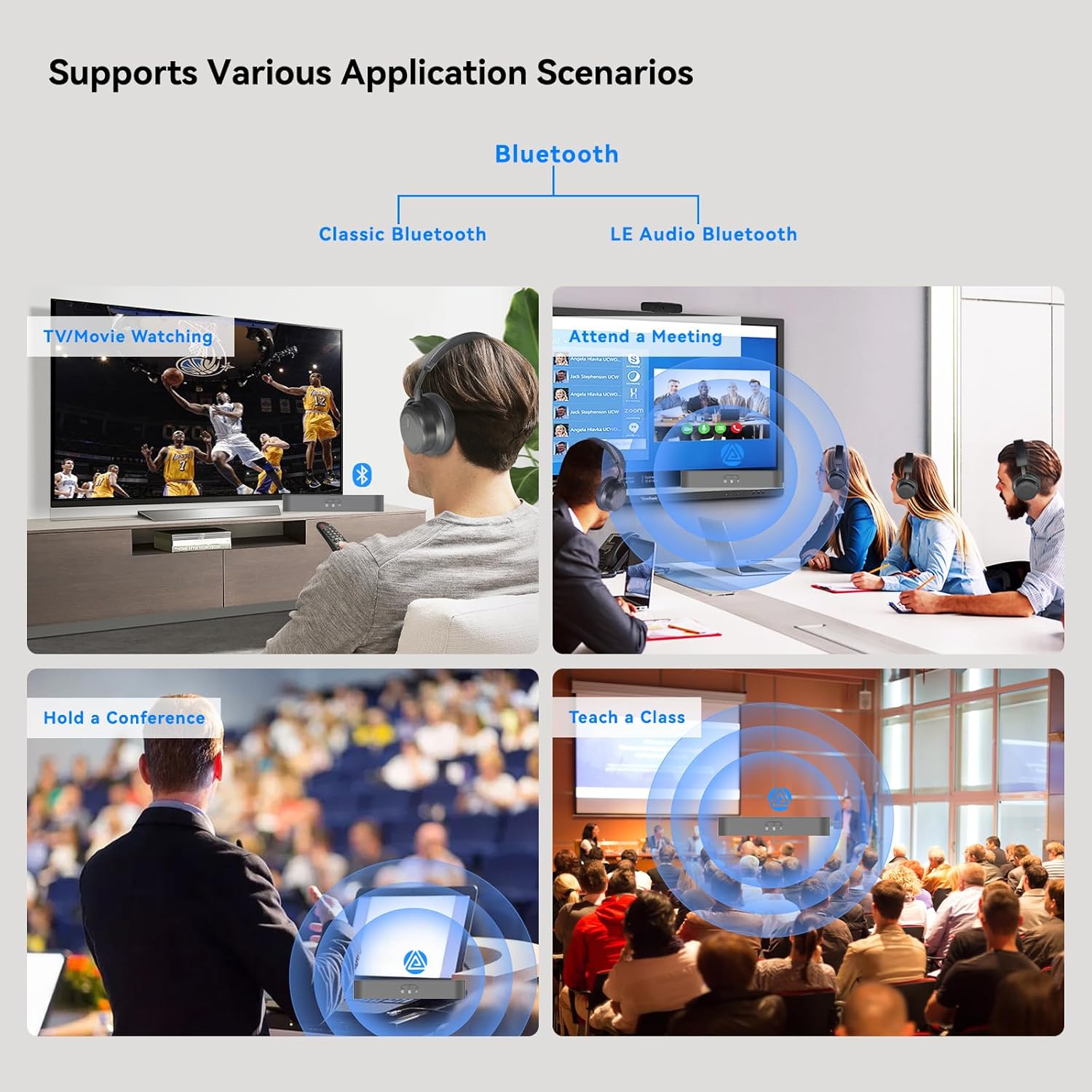
Image: A diagram showing the Transmitter Bypass Function, where the eppfun transmitter receives audio from a TV and simultaneously outputs it to a soundbar via a wired connection and to headphones via Bluetooth, allowing shared listening.
7. Mantenimiento
- Mantenga el dispositivo seco. Evite la exposición a la humedad o a líquidos.
- Limpie el dispositivo con un paño suave y seco. No utilice productos químicos agresivos ni limpiadores abrasivos.
- Guarde el dispositivo en un lugar fresco y seco cuando no esté en uso.
- Evite dejar caer o someter el dispositivo a impactos fuertes.
8. Solución de problemas
| Problema | Posible causa | Solución |
|---|---|---|
| No hay energía/El dispositivo no se enciende. | Incorrect power connection; faulty USB cable/adapter. | Ensure USB-C cable is securely connected to a 5V power source. Try a different USB port or power adapter. |
| Sin salida de audio. | Incorrect input mode selected; un-paired Bluetooth device; audio source issue. | Verify the correct input mode (AUX, USB, OPT) is selected on the transmitter. Re-pair your Bluetooth headphones/speaker. Check audio settings on your source device (TV, PC). |
| Conexión Bluetooth inestable o de corto alcance. | Interference; distance too far; obstacles. | Reduce distance between transmitter and receiver. Remove obstacles. Avoid placing near Wi-Fi routers or other strong signal sources. |
| Auracast broadcast not working. | Receiver not Auracast-enabled; encryption mismatch. | Ensure your receiving devices are Auracast-enabled and in reception mode. If using encryption, confirm your receiver supports the encryption standard (e.g., Samsung S24 for current encryption). |
9. Especificaciones
- Modelo: Le Audio Aptx Lossless Bluetooth 5.4 Transmitter
- Versión de Bluetooth: 5.4 (QCC308X Chip)
- Supported Codecs (Classic Bluetooth): SBC, Aptx, Aptx Adaptive, Aptx Lossless
- Supported Codecs (LE Audio): LC3
- Resolución de audio: Up to 24Bit/96kHz (Hires standard)
- Puertos de entrada: USB-C, Optical (SPDIF), AUX (3.5mm)
- Puertos de salida: Optical (SPDIF) Bypass, AUX (3.5mm) Bypass
- Entrada de energía: 5V=500mA (via USB-C)
- Dimensiones: 5.91 x 2.36 x 0.59 pulgadas (15 x 6 x 1.5 cm)
- Peso: 3.53 onzas (100 gramos)
- Color: Negro
- Fabricante: diversión epp
10. Garantía y soporte
eppfun products typically come with a standard manufacturer's warranty. For specific warranty terms and conditions, please refer to the warranty card included with your product or visit the official eppfun website. For technical support, troubleshooting assistance, or inquiries regarding your product, please contact eppfun customer service through their official channels.
You can visit the eppfun Store on Amazon for more information and product updates: Tienda de Amazon eppfun