
1. Introducción
Thank you for choosing the Anmite A160W03T 16-inch Portable Touch Monitor. This manual provides essential information for the safe and efficient use of your new monitor. Please read it thoroughly before operation and retain it for future reference.
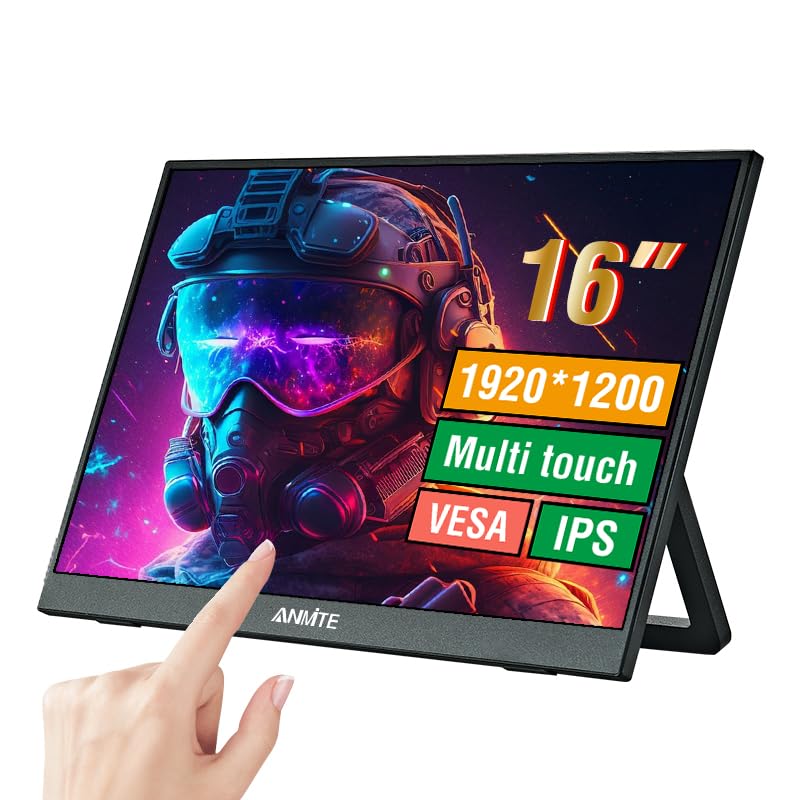
Image 1.1: Anmite 16-inch Portable Touch Monitor. This image displays the monitor's front view, highlighting its 16-inch screen, 1920x1200 resolution, 16:10 aspect ratio, 100% sRGB color gamut, VESA mount compatibility, touch functionality, 1200P resolution, and IPS panel technology. A hand is shown interacting with the touch screen.
2. Información importante de seguridad
- No exponga el monitor a la lluvia ni a la humedad para evitar incendios o descargas eléctricas.
- Evite colocar el monitor bajo la luz solar directa o cerca de fuentes de calor.
- Utilice únicamente el adaptador de corriente y los cables proporcionados por el fabricante.
- No intente desmontar ni modificar el monitor. Encargue cualquier reparación a personal cualificado.
- Mantenga el monitor alejado de campos magnéticos fuertes.
- Asegúrese de que haya una ventilación adecuada alrededor del monitor.
3. Contenido del paquete
Por favor, revise el contenido del paquete al abrirlo. Si falta algún artículo o está dañado, contacte con atención al cliente.
- Monitor portátil Anmite x 1
- Cable mini-HDMI a HDMI x 1
- Cable tipo C a tipo C x 1
- Cable tipo C a USB-A x 1
- Guía del usuario x 1

Image 3.1: Contents of the Anmite Portable Monitor package. This image shows the monitor lying next to its retail box, which displays various product labels and certifications.
4. Características y especificaciones del producto
Características principales:
- 16-inch IPS Panel with 1920x1200 Resolution
- Relación de aspecto 16:10
- Funcionalidad de pantalla táctil
- Multiple Connectivity Options: Mini-HDMI, Full-Function Type-C
- Built-in Speakers (1W*2)
- Lightweight Metal Enclosure
Especificaciones técnicas:
| Especificación | Valor |
|---|---|
| Peso neto | 0.81 kg (28.57 onzas) |
| Dimensiones | 355 x 237 x 5-13 mm (13.97 x 9.33 x 0.51 inches) |
| Tamaño de pantalla | 16 pulgadas |
| Tipo de panel | IPS |
| Relación de aspecto | 16:10 |
| Resolución | 1920 x 1200 |
| Color de la pantalla | 16.7 millones |
| Relación de contraste | 1000:1 |
| Brillo | 300 cd/m² |
| Gama de colores | 100 % sRGB |
| Frecuencia de actualización | 60 Hz |
| Tiempo de respuesta | 5 milisegundos |
| Interfaz de entrada | Mini-HDMI, Tipo-C (función completa), Tipo-C (alimentación) |
| Interfaz de salida | Interfaz de audio de 3.5 mm |
| Oradores | Incorporado (1W*2) |
| Volumentage | 5 voltios (CC) |

Image 4.1: Product dimensions. This diagram illustrates the physical measurements of the monitor, including width, height, and thickness, in both centimeters and inches.
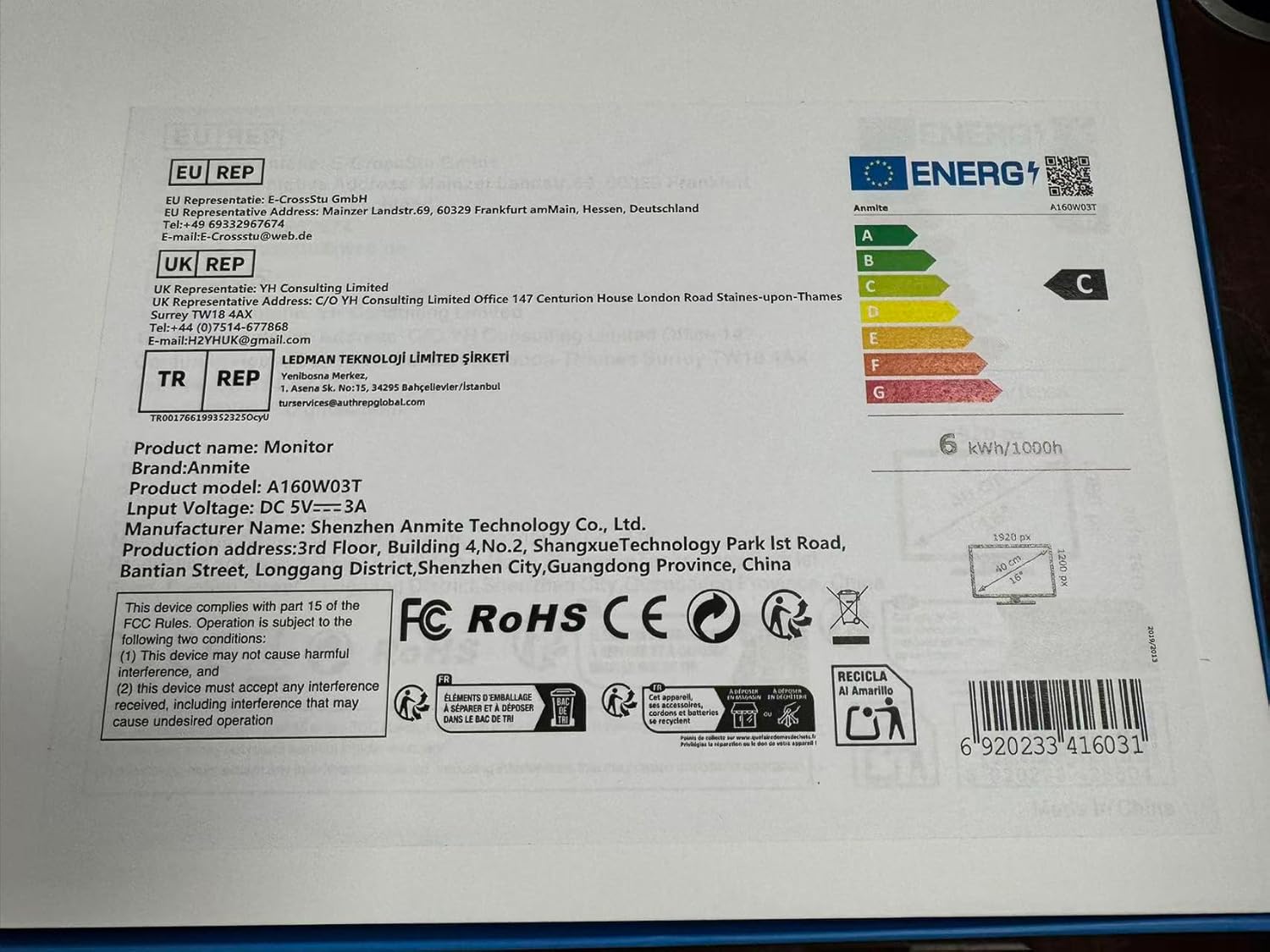
Image 4.2: Product label details. This close-up shows the product name, brand, model number (A160W03T), input voltage (DC 5V-3A), manufacturer information, and various compliance logos.
5. Configuración
5.1 Conexión a un dispositivo
The Anmite A160W03T monitor supports connectivity via Type-C (Full Function) and Mini-HDMI.
- Conexión de energía: Connect the monitor to a power source using the provided Type-C to USB-A cable and a compatible power adapter (not always included, typically 5V/3A). Alternatively, if your device provides sufficient power via a full-function Type-C port, a separate power connection may not be needed.
- Type-C Connection (Full Function):
- Ensure your device's Type-C port supports video output (DisplayPort Alternate Mode) and power delivery.
- Connect one end of the Type-C to Type-C cable to your device's full-function Type-C port and the other end to the monitor's full-function Type-C port.
- This single cable can transmit video, audio, touch signals, and power.
- Mini-HDMI Connection:
- Connect one end of the Mini-HDMI to HDMI cable to the monitor's Mini-HDMI port and the other end to your device's HDMI port.
- For power, use the Type-C to USB-A cable connected to the monitor's dedicated power Type-C port and a power adapter.
- For touch functionality with HDMI, an additional USB-A to Type-C cable (provided) must be connected from your device's USB-A port to the monitor's full-function Type-C port.

Imagen 5.1: Trasera view of the monitor. This image shows the integrated stand and the location of the various input/output ports on the side and back of the monitor.
5.2 Ajuste del soporte
The monitor features an integrated stand. Gently pull out the stand from the back of the monitor to adjust it to your desired viewing angle. Ensure the stand is stable on a flat surface.
6. Instrucciones de funcionamiento
6.1 Encendido y apagado
- To power on the monitor, press the power button located on the side or back of the monitor.
- To power off, press and hold the power button for a few seconds until the screen turns off.
6.2 Menú de visualización en pantalla (OSD)
The monitor includes an OSD menu for adjusting settings such as brightness, contrast, color, and input source. Use the control buttons (typically located on the side or back) to navigate the menu:
- Presione el botón Menú para abrir el OSD.
- Use the navigation buttons (up/down or +/-) to select options.
- Press the Enter button to confirm selections.
- Presione el botón Salir para cerrar el OSD.
6.3 Funcionalidad de la pantalla táctil
The monitor features a 10-point capacitive touch screen. When connected via a full-function Type-C cable or an HDMI + USB-A to Type-C cable, the touch function will be enabled automatically. Ensure your operating system supports touch input.
6.4 salida de audio
The monitor has built-in speakers. You can also connect external headphones or speakers to the 3.5mm audio output interface for private listening or higher quality audio.
7. Mantenimiento
7.1 Limpieza del monitor
- Always power off the monitor and unplug all cables before cleaning.
- Utilice un paño suave y sin pelusa ligeramenteampLimpiar con agua o un limpiador de pantalla no abrasivo.
- No rocíe el limpiador directamente sobre la pantalla.
- Evite utilizar productos químicos agresivos, alcohol o materiales abrasivos.
7.2 Almacenamiento
When not in use for extended periods, store the monitor in a cool, dry place, preferably in its original packaging, to protect it from dust and physical damage.
8. Solución de problemas
Si tiene problemas con su monitor, consulte los siguientes problemas y soluciones comunes:
- Sin señal:
- Asegúrese de que todos los cables (de vídeo y de alimentación) estén conectados de forma segura.
- Verify that your device's Type-C port supports video output if using Type-C.
- Pruebe con un cable o puerto diferente en su dispositivo.
- Seleccione la fuente de entrada correcta en el menú OSD del monitor.
- Sin energía:
- Check if the power adapter is properly connected and the power outlet is functional.
- Ensure the Type-C power cable is connected to the correct power input port on the monitor.
- La función táctil no funciona:
- For Type-C connection, ensure it's a full-function Type-C port on your device.
- For HDMI connection, ensure the additional USB-A to Type-C cable is connected from your device to the monitor's full-function Type-C port for touch data.
- Reinicie su dispositivo conectado.
- Sin sonido:
- Verifique la configuración del volumen tanto en el monitor como en el dispositivo conectado.
- Asegúrese de que el dispositivo de salida de audio correcto esté seleccionado en su computadora.
- Si utiliza HDMI, asegúrese de que el cable HDMI admita la transmisión de audio.
9. Garantía y soporte
This Anmite portable monitor is manufactured by Shenzhen Anmite Technology Co., Ltd. For warranty information and technical support, please refer to the documentation provided with your purchase or contact your retailer. Please have your model number (A160W03T) and UPC (6920233416031) available when seeking support.