
Introducción
The Samsers KF06X Foldable Bluetooth Keyboard is a full-size wireless keyboard designed for portability and multi-device compatibility. It features a numeric keypad, adjustable 7-color backlight, and supports connection to up to three devices simultaneously. This manual provides essential information for setting up, operating, maintaining, and troubleshooting your keyboard.
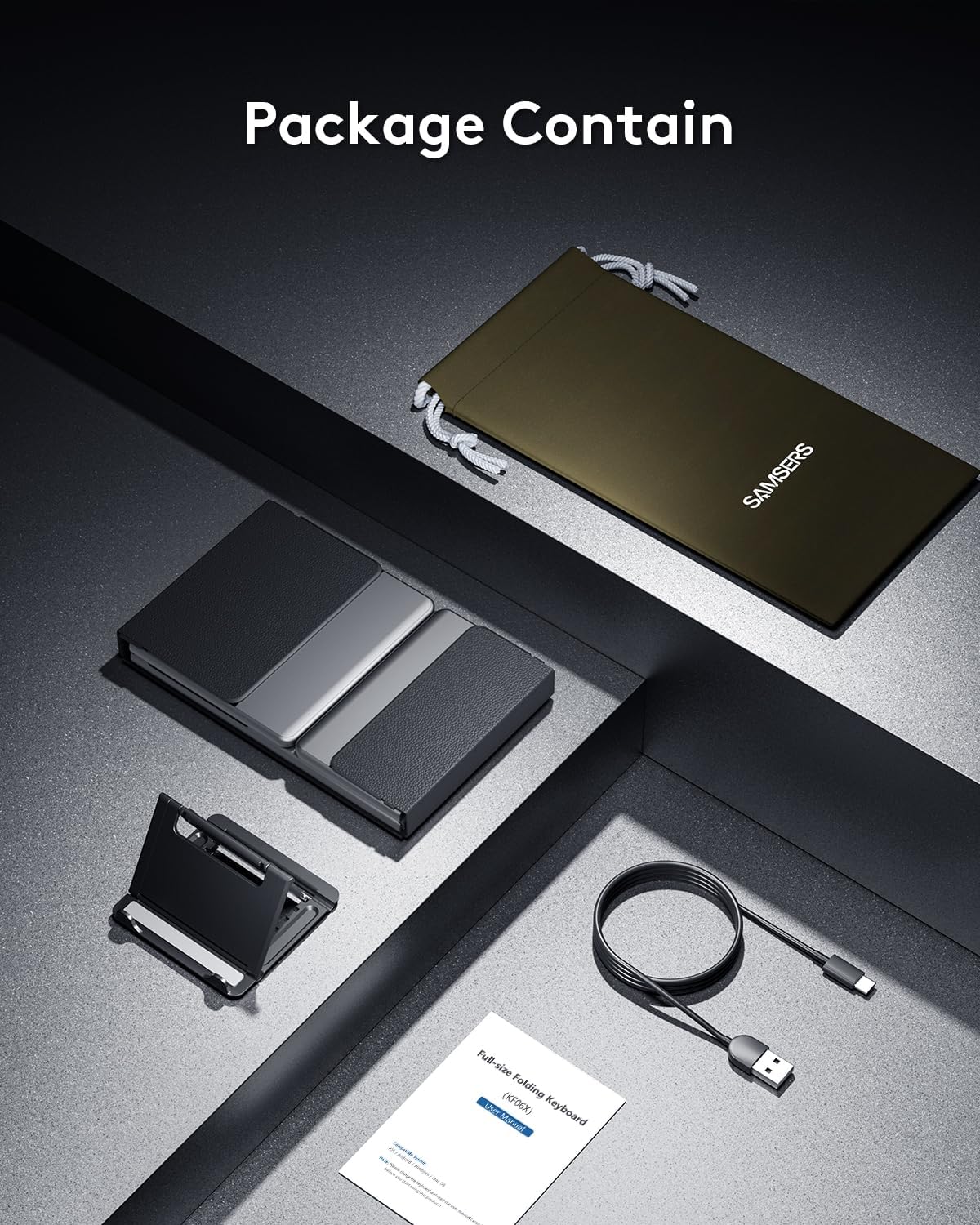
Contenido del paquete
Por favor verifique que todos los artículos estén presentes en el paquete:
- 1 x Foldable Keyboard with backlight
- 1 x cable de carga tipo C
- 1 x Soporte para teléfono
- 1 bolsa de almacenamiento de terciopelo
- 1 x Manual de instrucciones
Configuración
1. Carga inicial
Before first use, fully charge the keyboard for 2-3 hours using the provided Type-C cable. A low battery may affect keyboard functionality.

2. Encendido y apagado
To power on the keyboard, unfold it completely. The keyboard will automatically power on. To power off, fold the keyboard. It will automatically power off to conserve battery.
3. Emparejamiento Bluetooth
The Samsers KF06X keyboard supports pairing with up to three devices. Follow these steps to pair your device:
- Despliegue el teclado para encenderlo.
- Presione el BT1, BT2, o BT3 key once to select the desired Bluetooth channel.
- Mantenga presionado el botón seleccionado BT key (e.g., BT1) for 5 seconds until its indicator light starts flashing blue. This indicates the keyboard is in pairing mode.
- En su dispositivo (teléfono inteligente, tableta, computadora portátil), vaya a la configuración de Bluetooth y habilite Bluetooth.
- Buscar dispositivos disponibles. El teclado aparecerá como Samsers KF06X.
- Seleccionar Samsers KF06X to connect. The indicator light will stop flashing and remain solid blue once connected.
- Repeat these steps for other devices using BT2 and BT3 channels.
Instrucciones de funcionamiento
1. Mecanografía y diseño
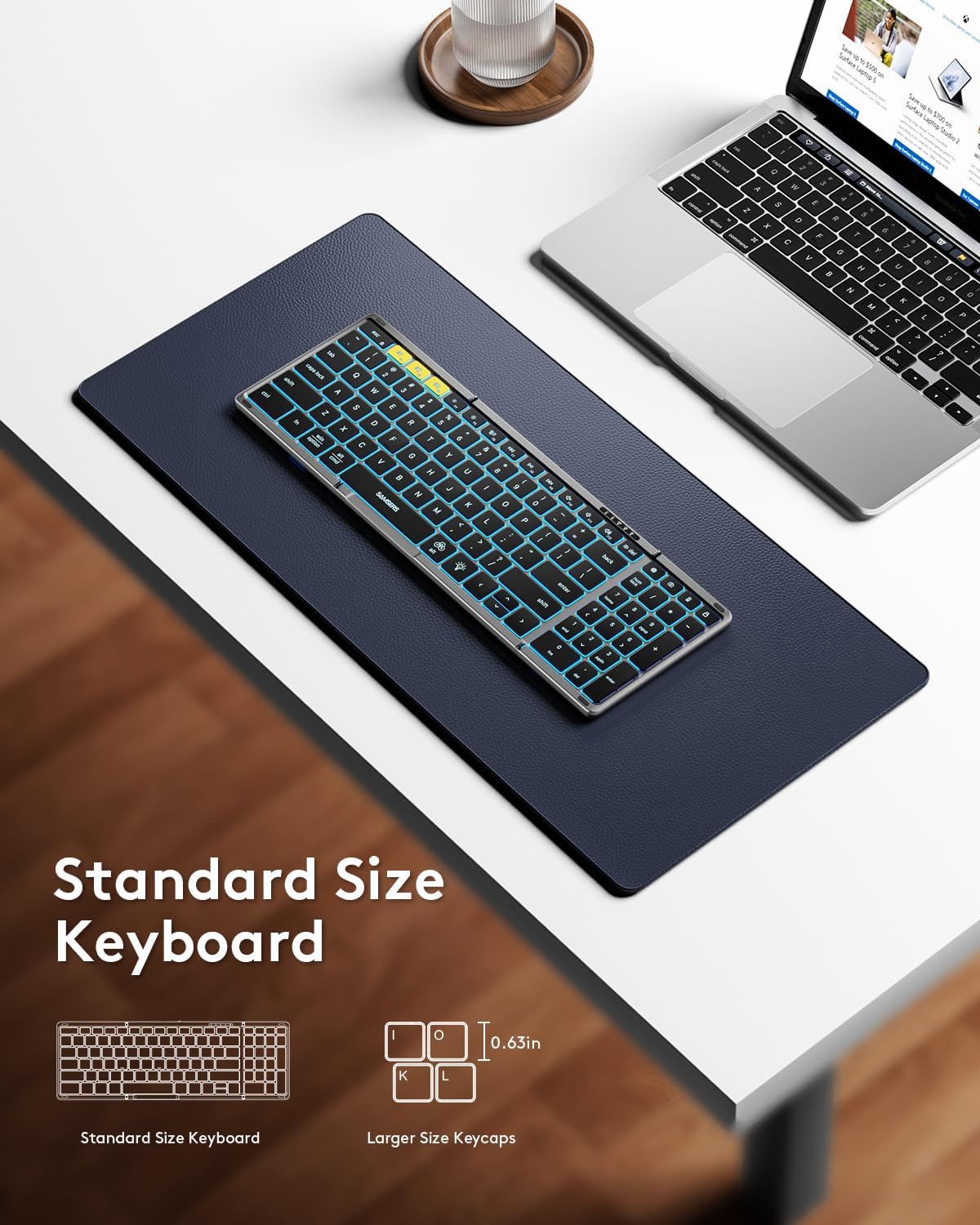
The keyboard features a full-size layout with standard 0.63-inch keys and a dedicated numeric keypad for efficient data entry. The scissor-switch keys provide a quiet and comfortable typing experience.

2. Control de luz de fondo
The keyboard features an adjustable backlight with 7 colors and 4 brightness levels:
- Ajustar el brillo: Presione el Tecla del icono de bombilla (usually F4 or a dedicated key) to cycle through 4 brightness levels (High-Medium-Low-Off).
- Cambiar el color: Prensa Fn + Alt to cycle through 7 available backlight colors (Green, Purple, Blue, Yellow, White, Cyan, Red).

3. Funciones multimedia
Access multimedia shortcuts and other functions by pressing the Fn key in combination with the corresponding F-keys (F1-F12) or other designated keys. Refer to the key legends for specific functions.
4. Cambio de dispositivo
Para cambiar entre dispositivos emparejados, simplemente presione el correspondiente BT1, BT2, o BT3 key once. The keyboard will seamlessly switch its connection to the selected device.
Mantenimiento
To ensure the longevity and optimal performance of your Samsers KF06X keyboard, follow these maintenance guidelines:
- Keep the keyboard clean by wiping it with a soft, dry cloth. Avoid abrasive cleaners or solvents.
- Protect the keyboard from extreme temperatures, direct sunlight, and moisture.
- Store the keyboard in its velvet storage bag when not in use to prevent scratches and dust accumulation.
- Handle the folding mechanism gently to avoid damage to the seamless metal hinge.
Solución de problemas
If you encounter issues with your Samsers KF06X keyboard, refer to the following common solutions:
- El teclado no se conecta/empareja: Ensure the keyboard is fully charged. On your device, delete/remove/forget any previous pairing records for the keyboard before attempting to re-pair. Make sure Bluetooth is enabled on your device and the keyboard is in pairing mode (flashing blue indicator).
- Typing lag or unresponsiveness: Check the keyboard's battery level and recharge if necessary. Ensure there are no other strong wireless signals or devices interfering with the Bluetooth connection. Try disconnecting and reconnecting the keyboard.
- La luz de fondo no funciona: Press the Light Bulb icon key to cycle through brightness levels. Ensure the keyboard is powered on.
- Numeric keypad not functioning: Ensure the 'Num Lock' function is activated if required by your operating system.
Presupuesto
| Número de modelo | KF06X |
| Dimensiones del producto (desplegado) | 13.5 x 4.5 x 0.35 pulgadas |
| Peso del artículo | 11 onzas |
| Tecnología de conectividad | Bluetooth 5.1 |
| Dispositivos compatibles | Portátil, PC, teléfono inteligente, tableta (iOS, Android, Windows, Mac OS) |
| Características especiales | Backlit (7 colors, 4 brightness levels), Foldable, Lightweight, Numeric Keypad, Rechargeable |
| Batería | Batería de iones de litio de 500 mAh (incluida) |
| Duración de la batería (sin luz de fondo) | Hasta 150 horas |
| Tiempo de espera | Hasta 300 días |
Garantía y soporte
Samsers ofrece lo siguiente para su producto:
- Garantía de 1 años: Your keyboard is covered by a 1-year guarantee for quality and guidance.
- Política de devolución o reemplazo gratuito de 30 días: If you are not satisfied with your purchase, you may return or replace it within 30 days.
- Servicio de por vida: Samsers offers technical service and support for the lifetime of the product.
For further assistance, please contact Samsers customer support.


