1. Introducción
This manual provides detailed instructions for the installation, operation, maintenance, and troubleshooting of your podofo 4G+64G 8 Inch Car Radio Stereo. This unit features Wireless CarPlay, Android Auto, an IPS Touch Screen, Android 13 operating system, GPS, WiFi, USB/Type C connectivity, Bluetooth, and DSP Audio. Please read this manual thoroughly before using the product to ensure proper function and safety.
2. Características del producto
- Sistema operativo: Android 13.0 with Quad Core CPU, 4GB RAM, and 64GB ROM for smooth performance.
- Mostrar: 8-inch HD IPS Touch Screen with 1024*600 resolution, supporting split screen and multiple UI themes.
- Conectividad: Wireless CarPlay and Android Auto (wired and wireless), Bluetooth 5.0 for hands-free calls and music streaming, WiFi, USB, and Type C ports.
- Navegación: Built-in offline map app with support for worldwide offline map data download. Online maps are available when connected to WiFi or a hotspot.
- Audio: DSP Audio with 32-band EQ for precise sound adjustments, subwoofer output.
- Multimedia: FM RDS radio, support for rear view camera, dual USB ports, dual microphone.
- Control: Compatibilidad con control del volante (SWC).
3. Configuración e instalación
3.1 Contenido del paquete
Antes de la instalación, verifique que todos los componentes estén presentes:
- Unidad de radio para coche
- Cámara de respaldo de alta definición
- Micrófono externo
- Antena GPS
- Cable de alimentación
- Cable RCA
- Cables USB
- Antena de radio
- Decodificador Canbus (si corresponde)
- Manual de usuario
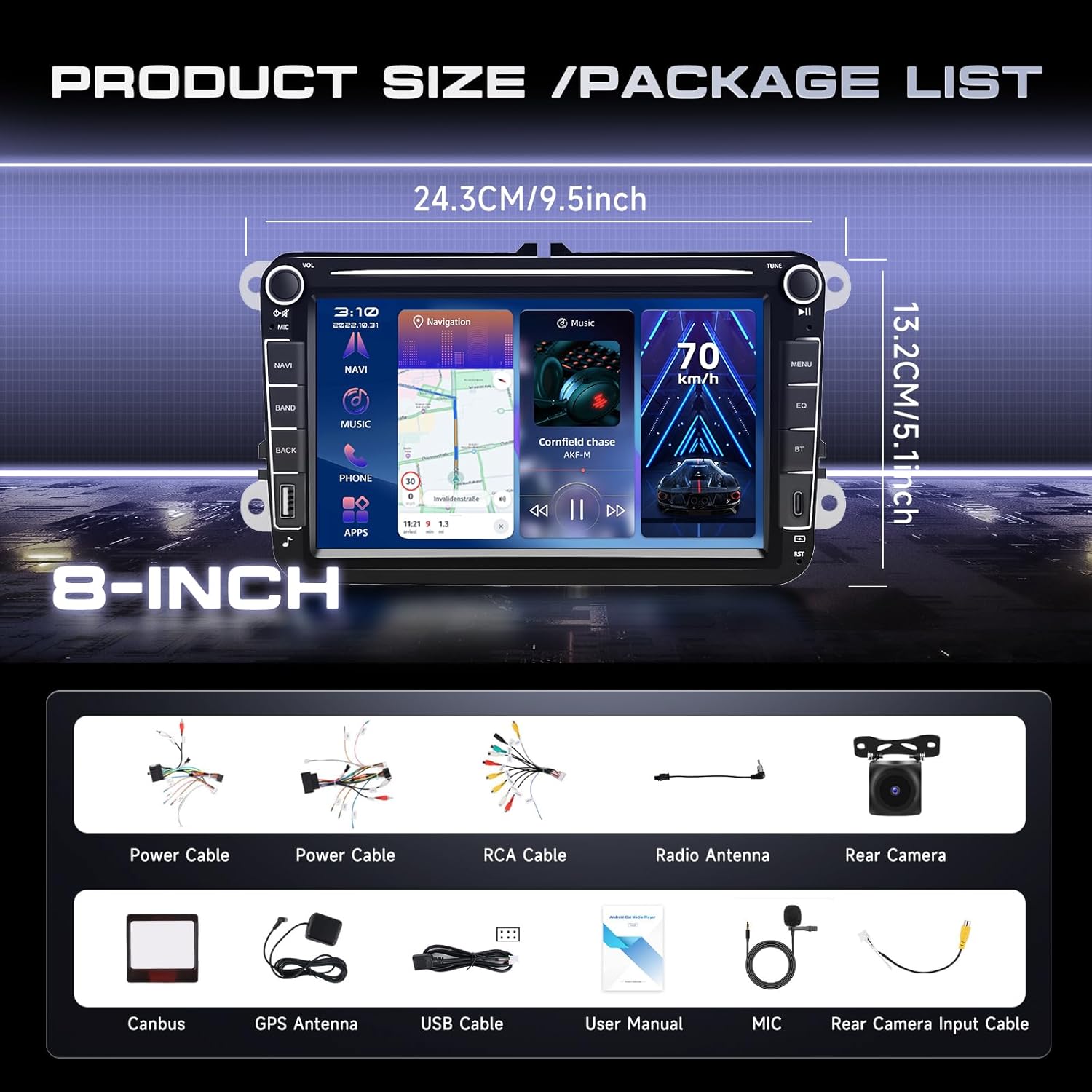
Image: Product dimensions and a visual representation of the included accessories in the package.
3.2 Compatibilidad del vehículo
This car head unit is compatible with various VW models, including Passat, Jetta, Tiguan, Golf MK5, MK6, T5, EOS, and Polo. It also supports certain Seat and Skoda models. A plug-and-play wiring harness is included for simplified installation.

Image: Diagram showing compatible car models for VW, Seat, and Skoda vehicles.
Antes de comprarasing and installing, it is crucial to check the shape of your vehicle's center console to ensure proper fitment. Some console designs may not be compatible.
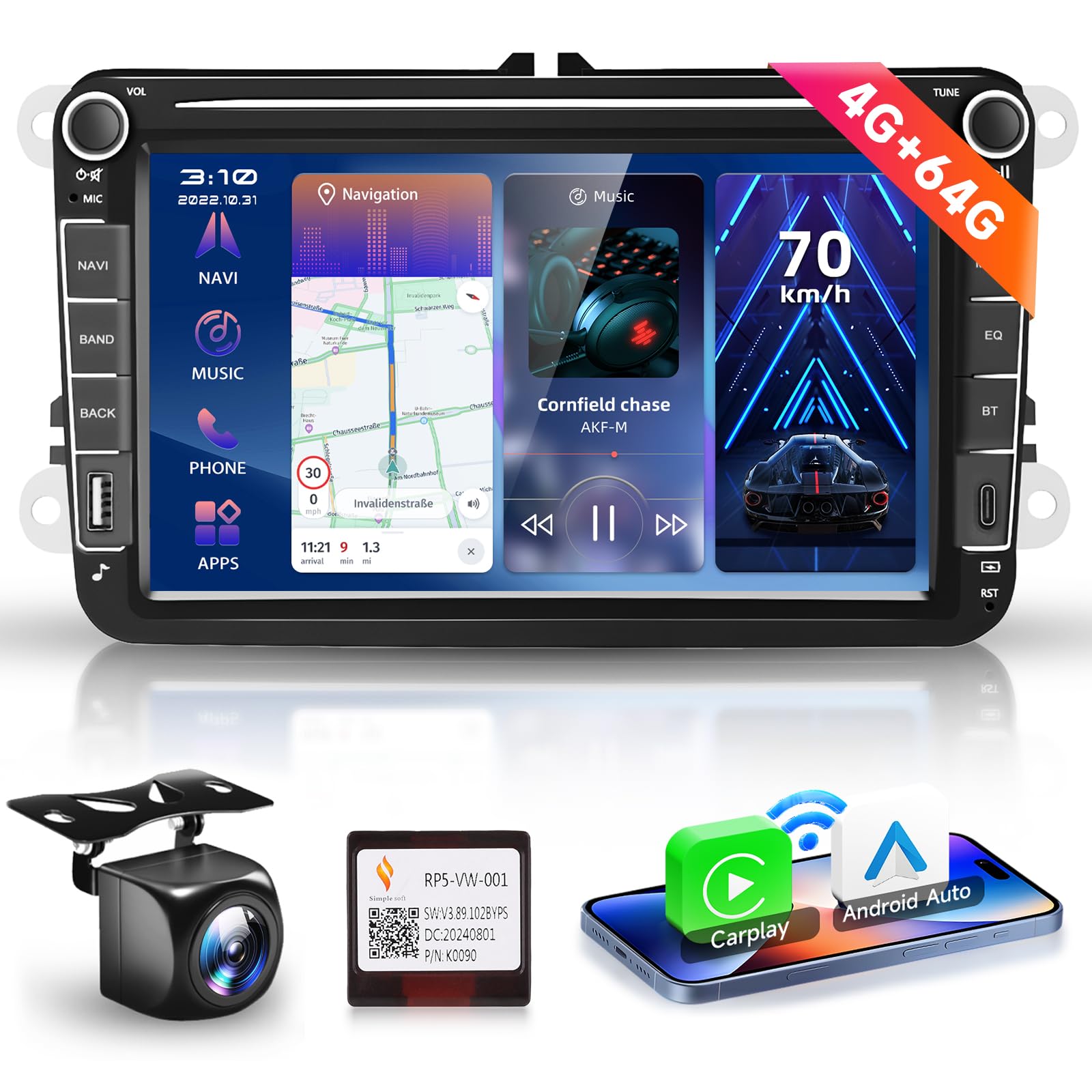
Image: Visual guide indicating compatible and incompatible car console shapes for installation.
3.3 Diagrama de cableado
Refer to the following diagrams for correct wiring connections. Ensure all connections are secure before powering on the unit.

Image: Detailed diagram illustrating the main wiring harness connections for the car radio unit, including power, RCA, USB, and antenna ports.
Cableado de cámara 3.3.1
Para la parte trasera view camera installation, follow these steps:
- Conectar el Cable rojo (1) y (3) to the positive (+) terminal of the car's reverse light power supply.
- Conectar el Cable negro (2) to the negative (-) terminal of the car's reverse light power supply.
- Conectar el Cable negro (4) to the reverse trigger wire on the power harness of the car radio.

Image: Step-by-step diagram for connecting the rear view Cámara al sistema de radio del coche.
4. Instrucciones de funcionamiento
4.1 CarPlay inalámbrico / Android Auto
The unit supports both wired and wireless CarPlay and Android Auto. This feature allows seamless integration with your smartphone, providing access to navigation, music, calls, and voice control directly from the car radio display. This enhances driving safety and convenience.

Image: Display showing the user interface for Wireless CarPlay and Android Auto, highlighting voice control features.
4.2 Navegación GPS y WiFi
Utilize the built-in GPS for navigation. The unit comes with an offline map app, allowing you to download worldwide map data for use without an internet connection. For real-time traffic and online map services, connect the unit to WiFi or a mobile hotspot. The Android operating system allows for installation and deletion of various Android applications from the Application Store, similar to a smartphone.

Image: Screen displaying GPS navigation and various applications accessible via WiFi connectivity.
4.3 funciones bluetooth
The integrated Bluetooth 5.0 chip enables wireless streaming of music and hands-free calling. Pair your smartphone to make and receive calls directly through the car radio and play audio from your device.

Image: User interface showing Bluetooth call management and music playback screens.
4.4 Funciones multimedia
Enjoy various multimedia options including FM RDS radio with auto memory store/preset/scan functions. The unit supports USB and Type C ports for media playback. The 32-band EQ DSP allows for precise sound adjustments, providing a more realistic and immersive audio experience.

Image: Display of the 32-band DSP equalizer settings and an illustration of steering wheel control functionality.
4.5 Control del volante (SWC)
The unit supports steering wheel controls, allowing you to easily answer/end calls, play music, switch modes, and adjust volume without taking your hands off the wheel. This feature enhances convenience and safety while driving.
4.6 Split Screen and UI Options
The 8-inch HD IPS touch screen supports split-screen functionality, enabling you to run two applications simultaneously, such as navigation and music. Multiple themed user interfaces (UIs) are available for selection, allowing for personalization of the display.

Image: Demonstration of the IPS HD screen quality and the split-screen feature displaying two applications concurrently.
4.7 Enlace espejo
The Wireless Mirror Link feature allows you to sync your phone's screen to the car audio display. This provides clear navigation and media display directly on the unit's screen, supporting both Android and iOS devices.

Image: Illustration of the wireless mirror link function for Android and iOS devices, alongside various customizable user interface themes.
5. Mantenimiento
Para garantizar la longevidad y el rendimiento óptimo del estéreo de su automóvil, siga estas pautas de mantenimiento:
- Limpieza: Utilice un paño suave y seco para limpiar la pantalla y el exterior. Para manchas difíciles, limpie ligeramenteampEnjuague el paño con agua o un limpiador de pantallas. Evite materiales abrasivos o productos químicos agresivos.
- Actualizaciones de software: Periodically check for software updates to ensure you have the latest features and bug fixes. Updates can typically be found through the unit's settings or the manufacturer's websitio.
- Temperatura: Evite exponer la unidad a temperaturas extremas, tanto calientes como frías, durante períodos prolongados.
- Conexiones: Asegúrese de que todos los cables y conexiones estén bien sujetos. Las conexiones sueltas pueden causar problemas intermitentes.
- Administración de energía: Always turn off your vehicle's ignition before disconnecting or connecting any components to prevent electrical damage.
6. Solución de problemas
Si tiene problemas con el estéreo de la radio de su automóvil, consulte los siguientes problemas y soluciones comunes:
| Problema | Posible causa | Solución |
|---|---|---|
| La unidad no enciende | Conexión de alimentación suelta, fusible quemado, problema con la batería del vehículo. | Check power cable connections. Inspect vehicle fuses. Verify car battery voltage. |
| No hay salida de sonido | Volume too low, incorrect audio source, loose speaker wires, mute activated. | Increase volume. Select correct audio source. Check speaker wiring. Disable mute function. |
| Señal GPS perdida o inexacta | Antena GPS obstruida o desconectada, unidad en un área con mala recepción de satélite. | Asegúrese de que la antena GPS esté conectada correctamente y tenga una vista clara. view del cielo. Mueva el vehículo a un área abierta. |
| Problemas de conexión Bluetooth | Dispositivo no en modo de emparejamiento, unidad no detectable, interferencia. | Ensure Bluetooth is enabled on both devices and in pairing mode. Restart both devices. Clear previous pairings. |
| La pantalla táctil no responde | Fallo de software, pantalla sucia, daño físico. | Reinicie la unidad. Limpie la pantalla. Si el problema persiste, contacte con el servicio de asistencia. |
Si el problema persiste después de intentar estas soluciones, comuníquese con el servicio de atención al cliente para obtener más ayuda.
7. Especificaciones
| Característica | Detalle |
|---|---|
| Sistema operativo | Androide 13 |
| Memoria RAM/ROM | 4 GB de RAM / 64 GB de ROM |
| Tamaño de pantalla | 8 pulgadas |
| Resolución de pantalla | 1024*600 |
| Conectividad | Bluetooth, USB, Wi-Fi |
| Características especiales | Android Auto, CarPlay, DSP |
| Tipo de mapa | Worldwide (offline map app included) |
| Tipo de montaje | Montaje en tablero de instrumentos |
| Peso del artículo | 2.2 libras |
| Dimensiones del paquete | 10.63 x 8.27 x 3.94 pulgadas |
8. Garantía y soporte
8.1 Información de garantía
Este producto viene con un 3 año de garantía A partir de la fecha de compra. Conserve su comprobante de compra para cualquier reclamación de garantía. La garantía cubre defectos de fabricación y mal funcionamiento en condiciones normales de uso. No cubre daños causados por mal uso, accidentes, modificaciones no autorizadas o instalación incorrecta.
8.2 Soporte técnico
For technical assistance, troubleshooting, or warranty inquiries, please contact podofo customer support. You can typically find support contact information through the seller's page on the platform where you purchased the product.

Image: Instructions on how to locate and contact Podofo technical support through the seller's page.
Our customer support team is available to assist you with any questions or issues you may have regarding your podofo car radio stereo.