Introducción
This manual provides detailed instructions for the installation, operation, and maintenance of your Asiahorse Nyota 120mm Case Fan. Designed for efficient cooling and vibrant ARGB lighting, these fans enhance your PC's performance and aesthetic appeal. Please read this manual thoroughly before installation and use.
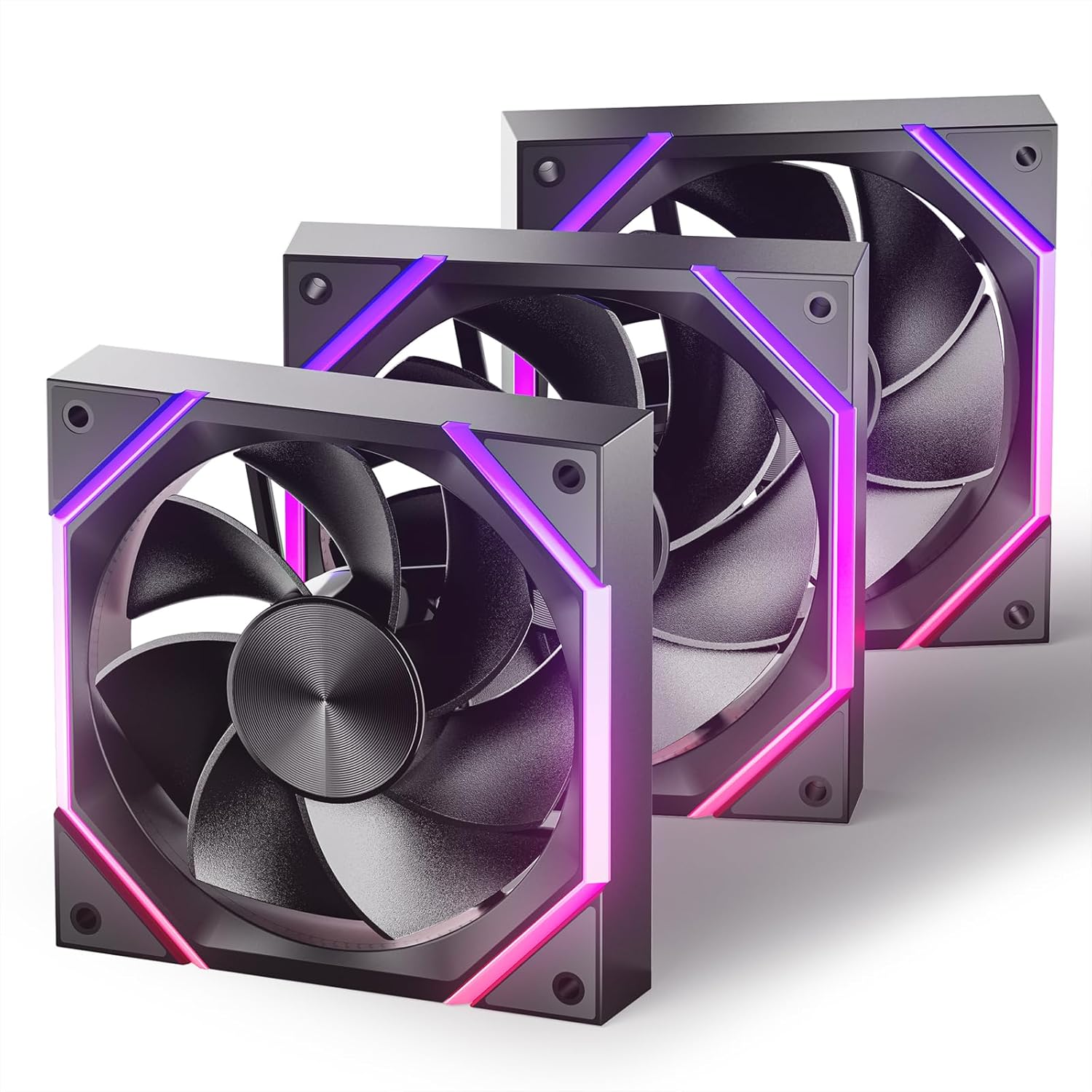
Image: Three Asiahorse Nyota 120mm case fans showcasing their ARGB lighting and sleek design.
Características del producto
- Efficient Cooling Power: These ARGB case fans deliver exceptional cooling performance, ensuring your system stays cool and stable. With a high airflow of up to 61.5 CFM for the 120mm model and an adjustable speed of 800-2000 RPM (PWM), these fans quickly expel hot air, maintaining optimal PC temperatures.
- Funcionamiento silencioso: Equipped with high-precision hydraulic bearings, these fans operate at a noise level of less than 29 dBA. The optimized blade design and precision engineering reduce air resistance and friction, ensuring a quiet computing environment.
- ARGB Lighting Effects: Transform your PC with customizable ARGB lighting. Featuring patented OSKAR light beads, these fans provide rich colors and smooth lighting effects. RGB lighting is customizable via motherboard software, allowing synchronization with other components.
- Unique Design Aesthetics: The fans feature a meticulously crafted appearance with light lines and blade lines designed according to the golden ratio, enhancing both cooling efficiency and visual appeal.
- Versatile Size Options: Available in both 120mm and 140mm sizes to fit a wide range of cases, providing optimal cooling and seamless integration into your build.
- Easy Control and Premium Build Quality: Full control over cooling and lighting is provided via PWM and ARGB connectors. Fans are built with high-quality materials, including silicon pads for a secure fit and patented light strips for a unique look.

Imagen: Un detalle view of the fan's internal structure, emphasizing its hydraulic bearings for quiet operation.
¿Qué hay en la caja?
Your Asiahorse Nyota Case Fan package includes:
- Case Fan(s) (Quantity varies by pack size)
- Tornillos de montaje
- Manual de instrucciones
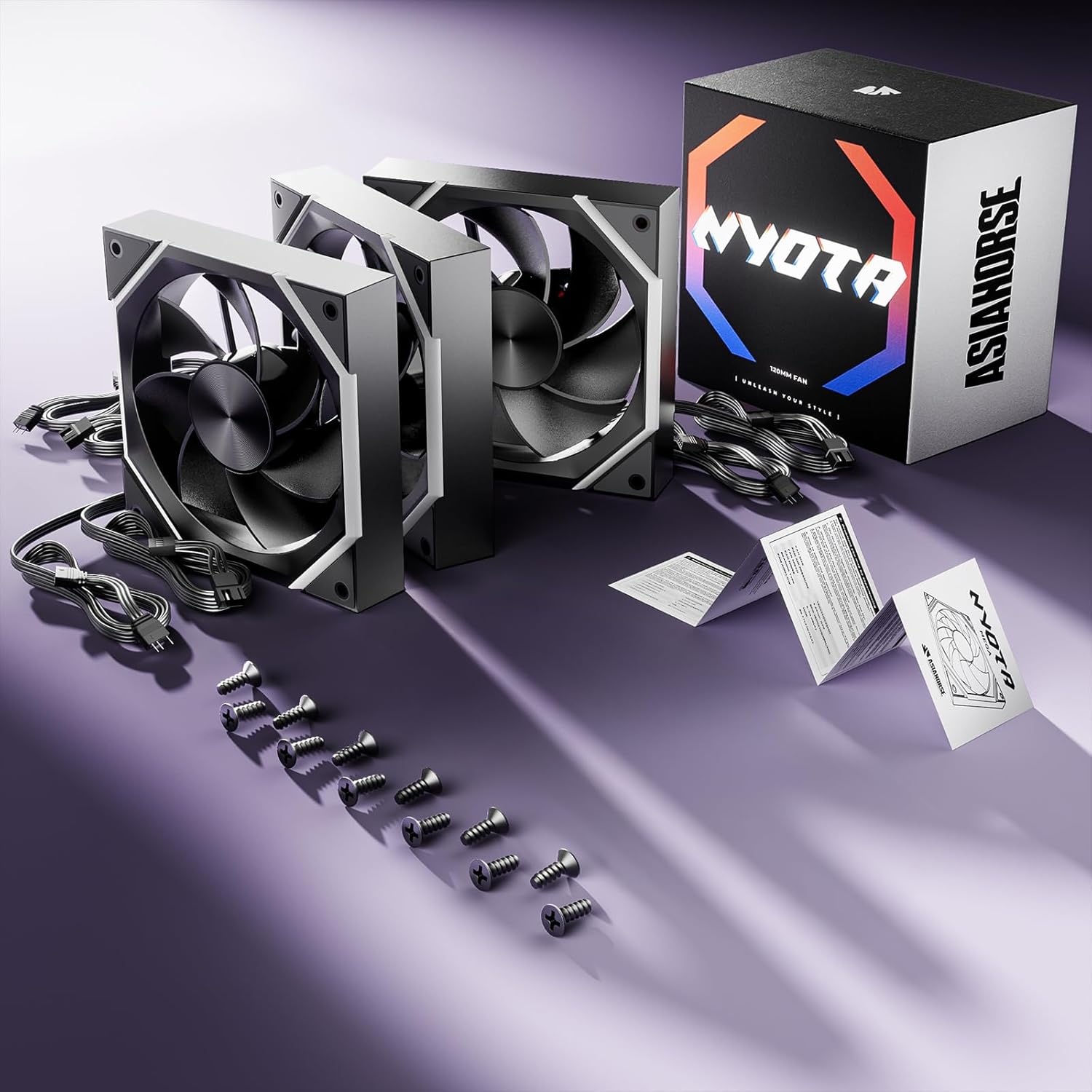
Image: Contents of the Asiahorse Nyota fan package, including fans, cables, and mounting hardware.
Guía de instalación
Follow these steps to properly install your Asiahorse Nyota case fans:
- Prepare la carcasa de su PC: Asegúrese de que su PC esté apagada y desenchufada. Abra el panel lateral de la carcasa.
- Identificar las ubicaciones de montaje: Determine the desired mounting locations for your fans (e.g., front, top, rear, bottom). Ensure proper airflow direction (intake or exhaust).
- Monte los ventiladores: Position each fan in its chosen location. Secure the fan to the case using the provided mounting screws. Ensure the screws are tightened firmly but do not overtighten.
- Conectar los cables de alimentación: Connect the 4-pin PWM power cable from each fan to an available fan header on your motherboard or a fan controller.
- Conectar cables ARGB: Connect the 3-pin ARGB cable from each fan to an available 5V ARGB header on your motherboard or an ARGB controller. Ensure the connector is aligned correctly to avoid damage.
- Sistema de organización de cables: Coloque todos los cables de forma ordenada para garantizar un flujo de aire óptimo y una estética de construcción limpia.
- Cerrar la caja y encender: Once all connections are secure and cables are managed, close your PC case, plug it back in, and power it on.

Image: Asiahorse Nyota fans integrated into a PC build, demonstrating their visual impact and placement.
Instrucciones de funcionamiento
The Asiahorse Nyota fans offer both speed control and customizable ARGB lighting.
Control de velocidad del ventilador (PWM)
The fan speed can be controlled via your motherboard's BIOS/UEFI settings or through motherboard software (e.g., ASUS AI Suite, MSI Dragon Center, Gigabyte SIV). Look for fan control options to adjust the PWM curve based on temperature or set a fixed speed.
Control de iluminación ARGB
The ARGB lighting effects are controlled through your motherboard's ARGB software. Compatible software includes:
- Sincronización policromática ASRock
- Sincronización de luz MSI Mystic
- Sincronización ASUS Aura
- Fusión RGB de Gigabyte
Refer to your motherboard's manual for specific instructions on how to use its ARGB control software to customize colors, patterns, and synchronization with other ARGB components.
Vídeo: Un overview of the Asiahorse Nyota Series Case Fan, demonstrating its features and ARGB lighting effects.
Mantenimiento
El mantenimiento regular garantiza un rendimiento óptimo y la longevidad de sus ventiladores.
- Limpieza: Periodically clean the fan blades and frame to remove dust buildup. Use compressed air or a soft, dry cloth. Ensure the PC is powered off and unplugged before cleaning.
- Inspección: Revise los cables del ventilador para detectar signos de desgaste o daños. Asegúrese de que todas las conexiones estén bien sujetas.
- Evite Obstrucciones: Ensure no cables or other components obstruct the fan blades, which can lead to increased noise or reduced performance.
Solución de problemas
| Asunto | Posible causa | Solución |
|---|---|---|
| El ventilador no gira | Conexión de alimentación suelta, conector de ventilador incorrecto, ventilador defectuoso. | Check 4-pin PWM cable connection. Ensure it's connected to a functional fan header. Test with another fan header or replace the fan if necessary. |
| La iluminación ARGB no funciona | Loose ARGB connection, incorrect ARGB header (12V RGB vs. 5V ARGB), software issue. | Verify 3-pin ARGB cable connection to a 5V ARGB header. Do not connect to a 12V RGB header. Check motherboard ARGB software settings. |
| El ventilador es ruidoso | Dust buildup, loose mounting screws, fan obstruction, high fan speed. | Clean fan blades. Tighten mounting screws. Ensure no cables obstruct the fan. Adjust fan speed in BIOS/software. |
| Bajo rendimiento de refrigeración | Incorrect airflow direction, dust buildup, low fan speed. | Ensure fans are oriented for optimal airflow (intake/exhaust). Clean fans. Increase fan speed in BIOS/software. |
Presupuesto
| Característica | Detalle |
|---|---|
| Número de modelo | Nyota |
| Tamaño del ventilador | 120 x 120 x 25 mm |
| Velocidad rotacional | 800-2000 RPM (PWM) |
| Capacidad de flujo de aire | 61.5 CFM (Max for 120mm) |
| Nivel de ruido | Menos de 29 dBA |
| Tipo de conector de alimentación | 4-Pin (PWM) |
| Tipo de conector ARGB | 3-Pin (5V ARGB) |
| Volumentage | 5 voltios |
| Quétage | 6 vatios |
| Método de enfriamiento | Aire |
| Dispositivos compatibles | Computadoras de escritorio |
Garantía y soporte
AsiaHorse products are manufactured to high-quality standards. For warranty information, technical support, or service inquiries, please refer to the official AsiaHorse webSitio web o contacte directamente con el servicio de atención al cliente. Conserve su comprobante de compra para reclamaciones de garantía.
Para obtener recursos adicionales e información sobre el producto, visite el AsiaHorse Store on Amazon.