
1. Introducción
Thank you for choosing the AWEI T21 Bluetooth Earbuds. These wireless earbuds are designed to provide a high-quality audio experience with advanced features such as Bluetooth 5.3 connectivity, smart touch controls, and IPX6 waterproofing. This manual will guide you through the setup, operation, and maintenance of your new earbuds.

Imagen: Más alláview of AWEI T21 Earbuds key features including Bluetooth 5.3, TWS, HD Microphone, comfortable fit, Type-C fast charging, and touch control.
2. Contenido del paquete
- AWEI T21 Wireless Bluetooth Headset (Left and Right Earbuds)
- Estuche de carga
- Cable de carga USB-C
- Instrucciones de uso (este manual)
3. Configuración
3.1 Carga inicial
Before first use, fully charge the earbuds and the charging case. Connect the provided USB-C cable to the charging port on the case and to a power source. The charging case has a 300mAh capacity and takes approximately 1.5 hours to fully charge.

Image: The AWEI T21 charging case with its Type-C fast-fill port, shown connected to a power source.

Image: The AWEI T21 multi-function charging case highlighting its 300mAh capacity, 2.5 hours play time, and 130 hours standby time.
3.2 Emparejamiento con un dispositivo
- Abre el estuche de carga. Los auriculares se encenderán automáticamente y entrarán en modo de emparejamiento.
- En su dispositivo (teléfono inteligente, tableta, computadora portátil), habilite Bluetooth.
- Buscar “AWEI T21” en la lista de dispositivos Bluetooth disponibles y selecciónelo para conectarse.
- Una vez conectado, escuchará un tono de confirmación y los auriculares estarán listos para usar.
The earbuds feature Bluetooth 5.3 technology for a fast and stable connection, with a range of up to 10 meters.

Image: AWEI T21 earbuds in their charging case, illustrating instant connection via Bluetooth 5.3 upon removal.
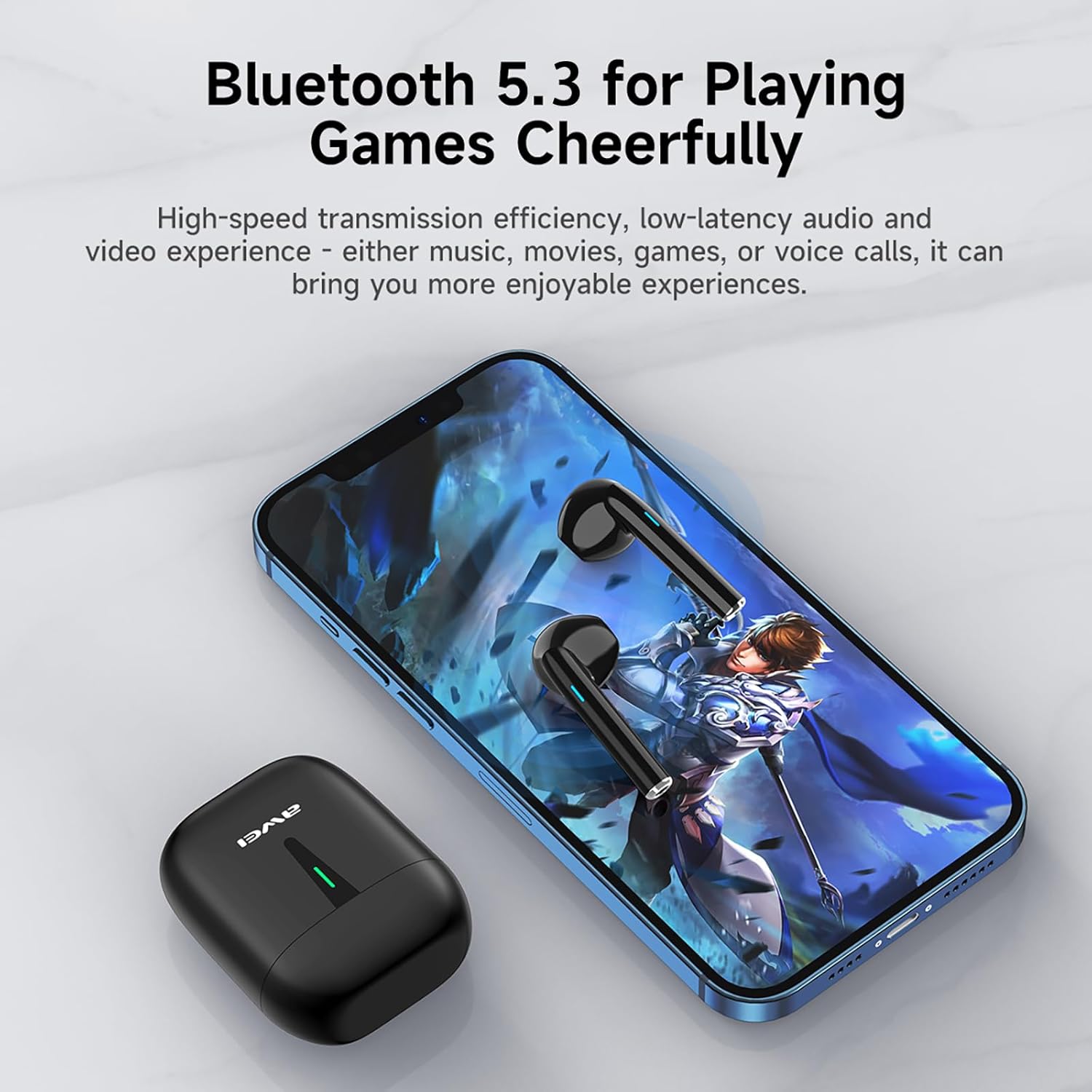
Image: A smartphone displaying a game, with AWEI T21 earbuds and their charging case nearby, emphasizing Bluetooth 5.3 for low-latency audio.
4. Instrucciones de funcionamiento
4.1 Encendido y apagado
- Encendido: Los auriculares se encienden automáticamente cuando se retiran del estuche de carga.
- Apagado: Coloque los auriculares nuevamente en el estuche de carga para apagarlos automáticamente y comenzar a cargarse.
4.2 Controles táctiles inteligentes
The AWEI T21 earbuds feature intuitive touch controls on each earbud. Specific touch functions may vary slightly by device, but common controls include:
- Reproducir/Pausa: Un solo toque en cualquiera de los auriculares.
- Siguiente canción: Toque dos veces el auricular derecho.
- Canción anterior: Toque dos veces el auricular izquierdo.
- Responder/Finalizar llamada: Un solo toque en cualquiera de los auriculares.
- Rechazar llamada: Mantenga presionado cualquiera de los auriculares durante 2 segundos.
- Control de volumen: (Specific gesture not detailed in product info, typically long press or multiple taps. Refer to device settings if needed.)
- Activar asistente de voz: (Specific gesture not detailed in product info, typically triple tap or long press.)
4.3 Monaural and Binaural Modes
The earbuds support both single-ear (monaural) and dual-ear (binaural) usage modes.
- Modo monoaural: Use one earbud independently while the other is in the charging case. This extends total listening time by allowing you to alternate earbuds.
- Modo binaural: Use both earbuds simultaneously for stereo sound.

Image: Illustration of AWEI T21 earbuds in both monaural (single earbud connected) and binaural (both earbuds connected for stereo) modes.
5. Mantenimiento
5.1 Limpieza
- Limpie suavemente los auriculares y el estuche de carga con un paño suave, seco y sin pelusa.
- No utilice limpiadores abrasivos, disolventes ni aerosoles.
- Asegúrese de que los contactos de carga de ambos auriculares y del estuche estén limpios y secos.
5.2 Resistencia al agua
The AWEI T21 earbuds are rated IPX6 waterproof, meaning they are protected against high-pressure water jets from any direction. This makes them suitable for use during workouts or in light rain. However, they are not designed for submersion in water. Ensure earbuds are dry before placing them back in the charging case.
5.3 Almacenamiento
Cuando no los uses, guarda los auriculares en su estuche de carga para protegerlos y mantenerlos cargados. Guárdalos en un lugar fresco y seco, alejado de temperaturas extremas.
6. Solución de problemas
| Problema | Posible solución |
|---|---|
| Los auriculares no se emparejan con el dispositivo. |
|
| Solo funciona un auricular. |
|
| Los auriculares no se cargan. |
|
| Low sound quality or intermittent connection. |
|
7. Especificaciones
| Nombre del modelo | T21 |
| Marca | Awei |
| Tecnología de conectividad | Inalámbrico (Bluetooth) |
| Versión de Bluetooth | 5.3 |
| Alcance de Bluetooth | 10 metros |
| Colocación de orejas | En el oído |
| Tipo de control | Control táctil |
| Nivel de resistencia al agua | Resistente al agua IPX6 |
| Duración de la batería del auricular | 6 horas (uso continuo) |
| Capacidad del estuche de carga | 300 mAh |
| Tiempo total de reproducción (con estuche) | Up to 36 Hours (dual-ear mode), Up to 72 Hours (single-ear alternating) |
| Tiempo de carga (estuche) | 1.5 horas (vía Tipo-C) |
| Tipo de controlador de audio | Controlador dinámico (altavoz de 10 mm) |
| Material | Silicone (ear caps) |
| Peso del artículo | 0.09 kilogramos |
| Componentes incluidos | USB-C Charging Cable, Wireless Bluetooth Headset, User Instructions, Wireless Bluetooth Headset Charging Case |
8. Información de garantía
The AWEI T21 Bluetooth Earbuds come with a 1 año de garantía A partir de la fecha de compra. Esta garantía cubre defectos de fabricación. Conserve su comprobante de compra para cualquier reclamación de garantía. La garantía no cubre daños causados por mal uso, accidentes, modificaciones no autorizadas ni desgaste normal.
9. Atención al cliente
For further assistance, technical support, or warranty inquiries, please contact Awei customer service through the retailer where you purchased the product or visit the official Awei websitio para información de contacto.