
Introducción
Thank you for choosing the Phomemo M836 A4 Portable Thermal Printer. This device offers convenient, inkless printing for various document types, making it ideal for business, travel, and personal use. This manual will guide you through the setup, operation, and maintenance of your printer to ensure optimal performance.
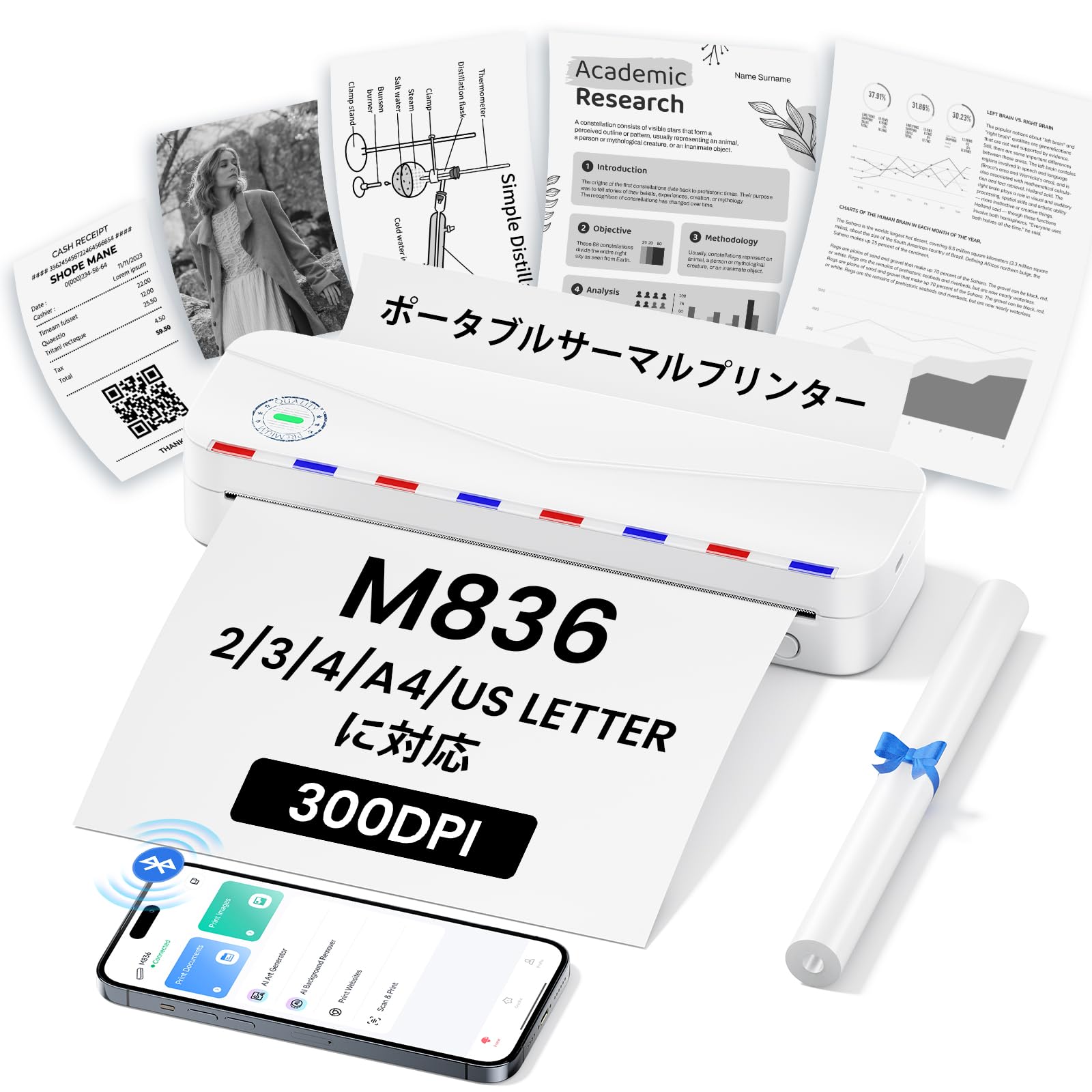
Image: The Phomemo M836 A4 Portable Thermal Printer, showcasing its compact design and portability.
Producto terminadoview
Características principales
- Impresión térmica sin tinta: Utilizes advanced thermal printing technology, eliminating the need for ink cartridges or toner.
- Compacto y portátil: Weighing approximately 750g, it is designed for easy transport in a bag, perfect for on-the-go printing.
- Compatibilidad con papel de varios tamaños: Compatible with A4 (8.27 x 11.69 inches) and other thermal paper sizes including 53mm, 80mm, and 110mm. Supports standard thermal sheets, roll paper, and fanfold thermal paper.
- Resolución alta: Delivers clear and vivid prints at 304dpi resolution.
- Amplia compatibilidad: Connects via Bluetooth to iPhones, Android phones, and iPads, and via USB cable to laptops and computers (Windows, macOS).
- Batería de larga duración: Equipped with an upgraded 2600mAh battery, ensuring extended use throughout the day.
- Impresión versátil: Capable of printing PDF, Word, image (JPG), web pages, TXT, office documents, receipts, contracts, resumes, invoices, drawings, and school notes.

Image: The Phomemo M836 printer highlighting its compact dimensions (264mm length, 78mm width, 45mm height) and light weight (715g).

Image: The printer demonstrating compatibility with single sheets, fanfold paper, and roll paper. Note: Only thermal paper is supported, not ordinary copy paper.
Instrucciones de instalación
1. Carga de papel térmico
- Abra la cubierta de papel de la impresora.
- Insert the thermal paper with the printable side facing up. Ensure the paper is aligned correctly.
- Close the paper cover. The printer will automatically adjust the paper.

Image: Illustration of how to load thermal paper into the printer, showing the adjustable snaps for different paper widths.
2. Conexión del dispositivo móvil (Bluetooth)
- Download the "Phomemo" app from the Apple App Store or Google Play Store.
- Turn on your mobile phone's Bluetooth.
- Press and hold the power button on the M836 printer to turn it on.
- Open the "Phomemo" app and connect to the printer via Bluetooth within the app.

Image: Step-by-step guide for connecting the Phomemo M836 to a smartphone via the Phomemo app and Bluetooth.
3. Conexión a PC (USB)
- Turn on the printer by pressing and holding the power button. Ensure thermal paper is loaded.
- Connect the printer to your computer using the provided Type-C USB cable.
- Download and install the printer driver from M836.phomemo.com.
- After driver installation, select "[M836] Printer" from your computer's print options to begin printing.

Image: Instructions for connecting the Phomemo M836 to a PC via USB, including driver download and print selection.
Instrucciones de funcionamiento
General Printing Steps
- Ensure the printer is powered on and connected to your device (mobile or PC) as described in the Setup section.
- Abra el documento o la imagen que desea imprimir en su dispositivo.
- Initiate the print function from your application (e.g., "Print" in the Phomemo app, or "File" > "Print" on PC).
- Select the "M836 Printer" from the list of available printers.
- Ajuste la configuración de impresión, como el tamaño del papel, la orientación y el número de copias, según sea necesario.
- Confirme y envíe el trabajo de impresión a la impresora.

Image: The Phomemo app interface, showing options to print various file types like Word, TXT, PDF, Excel, Web pages, and images, along with scanning functionality.
Mantenimiento
Limpieza del cabezal de la impresora
- Apague la impresora y desconéctela de cualquier fuente de alimentación.
- Abra la cubierta de papel.
- Limpie suavemente el cabezal de impresión térmica con un hisopo de algodón.ampenriquecido con alcohol isopropílico.
- Deje que el cabezal de impresión se seque completamente antes de cerrar la cubierta y reanudar su uso.
- Do not touch the print head with bare hands to avoid damage or residue transfer.
Cuidado de la batería
- Charge the printer regularly, especially if it will not be used for an extended period, to maintain battery health.
- Use the provided Type-C USB cable for charging.
- Avoid exposing the printer to extreme temperatures, which can affect battery life.
Solución de problemas
| Problema | Posible causa | Solución |
|---|---|---|
| La impresora no se enciende. | Problema de batería baja o energía. | Charge the printer using the Type-C USB cable. Ensure the power adapter is working. |
| No se puede conectar a través de Bluetooth. | Bluetooth is off, incorrect pairing, or app issue. | Ensure Bluetooth is enabled on your device. Restart the printer and your device. Try pairing again through the Phomemo app. |
| Poor print quality (faint or blank). | Incorrect paper loading, non-thermal paper, or dirty print head. | Ensure thermal paper is loaded correctly with the printable side up. Verify you are using thermal paper. Clean the print head as described in the Maintenance section. |
| La PC no reconoce la impresora. | Driver not installed or USB cable issue. | Instale el controlador correcto desde M836.phomemo.comPruebe con un puerto o cable USB diferente. |
| Atasco de papel. | Carga incorrecta de papel u objeto extraño. | Turn off the printer. Carefully open the paper cover and remove any jammed paper or obstructions. Reload paper correctly. |
Presupuesto
| Característica | Detalle |
|---|---|
| Marca | Fomemo |
| Nombre del modelo | M836 |
| Tecnología de conectividad | Bluetooth, USB |
| Tecnología de impresión | Térmico |
| Característica especial | Portátil |
| Color | Blanco |
| Salida de impresora | Monocromo |
| Velocidad máxima de impresión (monocromo) | 20 páginas / minuto |
| Dimensiones del producto (Pr. x An. x Al.) | 210 mm x 47 mm x 65 mm |
| Tamaño máximo del medio (papel) | 8.5 x 11 pulgadas (A4) |
| Tipo de medio impreso | Papel térmico |
| Funciones adicionales de la impresora | Sólo imprimir |
| Resolución | 304 ppp |
| Capacidad máxima de entrada de hojas | 10 hojas |
| Interfaz de hardware | USB-C |
| Impresión dúplex | No (simple) |
| Capacidad de la batería | 2600 mAh |
Garantía y soporte
The Phomemo M836 A4 Portable Thermal Printer comes with a Garantía del fabricante de 1 años a partir de la fecha de compra. Esta garantía cubre defectos de materiales y mano de obra en condiciones normales de uso.
For technical support, warranty claims, or any questions regarding your product, please contact Phomemo customer service through their official website or the retailer where you purchased the product. Please have your model number (M836) and proof of purchase ready when contacting support.