
Introducción
Thank you for choosing the KLIM K7 Cassette Tape Player and MP3 Converter. This device allows you to enjoy your classic cassette tapes and convert them into digital MP3 files for modern playback. It features a built-in microphone for recording, an integrated speaker, and a rechargeable battery for portability. This manual provides detailed instructions for setup, operation, and maintenance of your KLIM K7.
Producto terminadoview
Características principales
- Cassette to MP3 Converter: Effortlessly convert cassette tapes to digital MP3 files directly onto an SD card.
- Diseño portátil: Lightweight and compact for on-the-go listening.
- Micrófono incorporado: Record audio directly to the SD card.
- Altavoz incorporado: Share your audio without external devices.
- Batería recargable: Integrated 1000mAh battery provides extended playback.
- SD Card Player: Reproducir MP3 filese almacena en la tarjeta SD.
- Conector de auriculares de 3.5 mm: For private listening with included earphones.
Componentes y controles del dispositivo
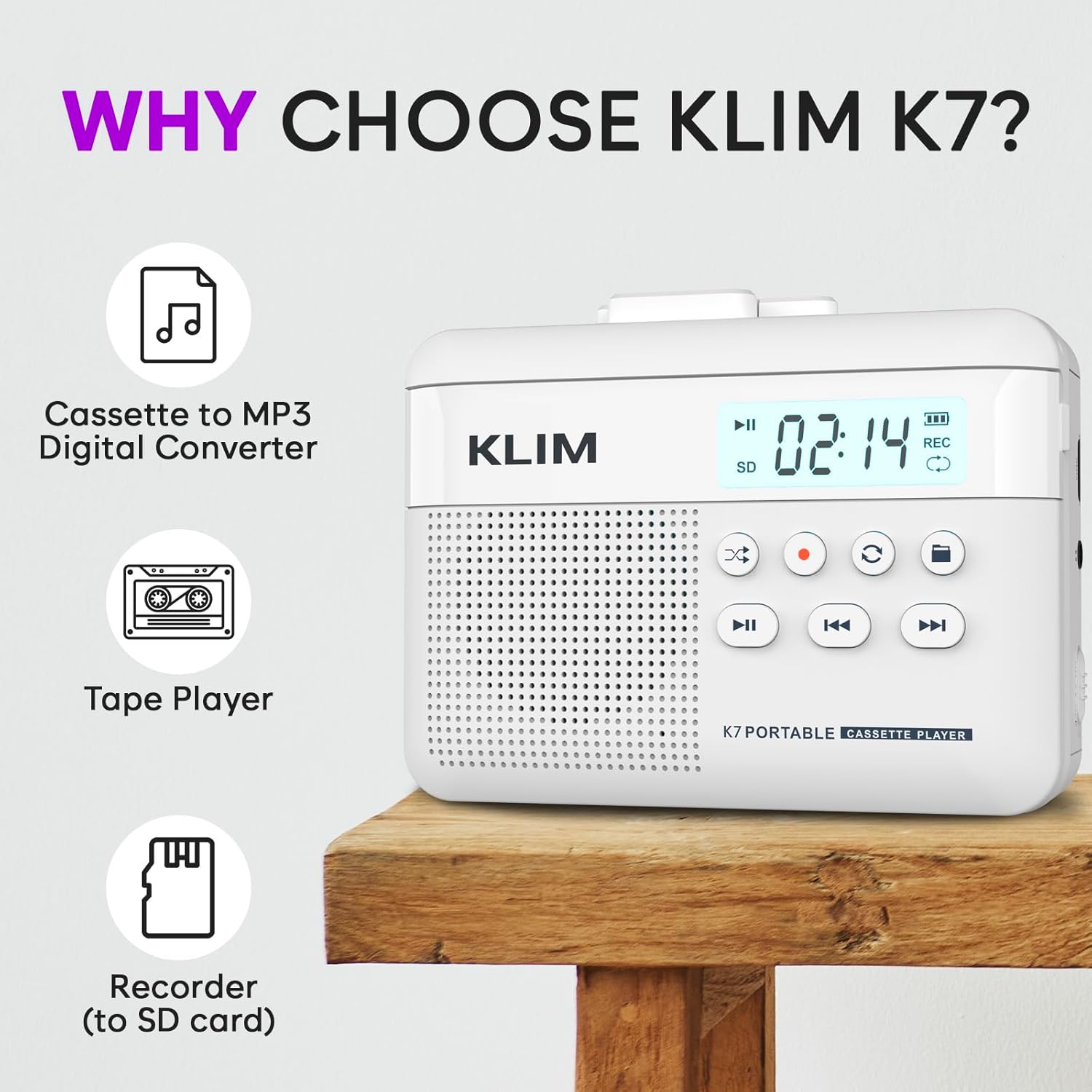
Figura 1: Frente view of the KLIM K7 Cassette Player, showing the speaker grille, LCD display, and control buttons (Play/Pause, Rewind, Fast Forward, Stop, Record, Mode, Folder, Loop).
- Pantalla LCD: Shows track number, recording status, and battery level.
- Vocero: Altavoz integrado para reproducción de audio.
- Botón de reproducción/pausa (►▮): Inicia o pausa la reproducción.
- Rewind Button (◀◀): Rewinds the cassette tape or navigates backward through MP3 tracks.
- Fast Forward Button (►►): Fast forwards the cassette tape or navigates forward through MP3 tracks.
- Botón de parada (■): Detiene la reproducción o grabación.
- Record Button (●): Inicia o detiene la grabación.
- Botón de modo (↻): Switches between cassette playback and SD card MP3 playback.
- Folder Button (🖿): Navigates through folders on the SD card.
- Loop Button (⟳): Repite la pista actual o todas las pistas.

Figura 2: Lado view of the KLIM K7 Cassette Player, highlighting the SD card slot, 3.5mm headphone jack, and On/Off switch.
- Ranura para tarjeta SD: Insert your Micro SD card here for recording and MP3 playback.
- Toma de auriculares de 3.5 mm: Connect the included earphones or other standard headphones.
- Interruptor de encendido/apagado: Enciende o apaga el dispositivo.
- Control de volumen: Ajusta el nivel de salida de audio.

Figura 3: Arriba view of the KLIM K7 Cassette Player with the cassette compartment open, showing the tape mechanism.
- Compartimento del casete: Inserte sus cintas de casete aquí.
- Cassette Door Release: Abre el compartimento del casete.
Configuración
1. Carga de la batería
Before first use, fully charge the KLIM K7. The device comes with a 1000mAh rechargeable battery.
- Locate the Type-C USB charging port on the side of the device.
- Connect the included Type-C USB cable to the charging port and the other end to a USB power adapter (not included) or a computer's USB port.
- The charging indicator on the LCD display will show charging status. A full charge typically takes approximately 2 hours.

Figura 4: The KLIM K7 connected to a Type-C USB cable for charging.
2. Inserción de una tarjeta SD
An SD card (16GB included) is required for converting tapes to MP3 and for recording with the built-in microphone.
- Locate the SD card slot on the side of the device (refer to Figure 2).
- Inserte con cuidado la tarjeta Micro SD en la ranura con los contactos dorados hacia abajo hasta que encaje en su lugar.
- To remove, push the SD card inward until it clicks, then release, and it will eject.

Figura 5: Inserting the Micro SD card into the KLIM K7.
3. Inserción de una cinta de casete
- Press the Cassette Door Release button to open the cassette compartment.
- Insert your cassette tape with the open side facing upwards and the tape reels aligned with the player's mechanism.
- Cierre firmemente la puerta del compartimiento del casete hasta que haga clic.
Instrucciones de funcionamiento
1. Reproducción de cintas de casete
- Ensure the device is powered on using the On/Off switch.
- Insert a cassette tape as described in the Setup section.
- Presione el Reproducir/Pausa (►▮) para iniciar la reproducción.
- Ajuste el volumen usando el control de volumen.
- Utilice el Rewind (◀◀) y Avance rápido (►►) Botones para navegar por la cinta.
- Presione el Detenerse (■) Botón para finalizar la reproducción.
2. Converting Cassette Tapes to MP3
The KLIM K7 allows direct conversion of cassette audio to MP3 files on the inserted SD card, without needing a computer or additional software.
- Ensure an SD card is inserted and the device is powered on.
- Inserte la cinta de casete que desea convertir.
- Presione el Reproducir/Pausa (►▮) Botón para iniciar la reproducción de la cinta.
- Pulsación larga el Record (●) button. The 'REC' indicator on the LCD display will illuminate, indicating that recording has started.
- Para detener la grabación, presione el Record (●) button again. The 'REC' indicator will turn off. The recorded audio will be saved as an MP3 file en la tarjeta SD.
- You can then remove the SD card and use the included SD card reader to transfer the MP3 files a una computadora u otro dispositivo.

Figura 6: Visual guide for converting cassette audio to MP3 files.
3. Using the Built-in Microphone for Recording
The KLIM K7 can also record audio directly from its built-in microphone to the SD card.
- Ensure an SD card is inserted and the device is powered on.
- Presione el Mode (↻) button until the device is in SD card mode (no cassette playing).
- Pulsación larga el Record (●) button. The 'REC' indicator will light up, and the device will start recording audio from its microphone.
- Para detener la grabación, presione el Record (●) button again. The 'REC' indicator will turn off, and the recording will be saved as an MP3 file.

Figura 7: Using the KLIM K7's built-in microphone for recording.
4. Playing MP3 Files de la tarjeta SD
- Asegúrese de tener una tarjeta SD con MP3 files is inserted and the device is powered on.
- Presione el Mode (↻) button to switch to SD card playback mode. The LCD display will show track information.
- Presione el Reproducir/Pausa (►▮) para iniciar la reproducción.
- Utilice el Rewind (◀◀) y Avance rápido (►►) Botones para saltar pistas.
- El Folder (🖿) button allows navigation through different folders on the SD card.
- El Loop (⟳) button can be used to repeat the current track or all tracks.
- Ajuste el volumen usando el control de volumen.
- Presione el Detenerse (■) Botón para finalizar la reproducción.

Figura 8: Enjoying audio with the KLIM K7 and included earphones.
Mantenimiento
Proper maintenance ensures the longevity and optimal performance of your KLIM K7.
- Limpieza: Utilice un paño suave y seco para limpiar el exterior del dispositivo. No utilice limpiadores líquidos ni disolventes.
- Compartimento del casete: Limpie periódicamente los cabezales de la cinta y los rodillos de presión con un hisopo de algodón ligeramente húmedo.ampened with isopropyl alcohol to prevent audio quality degradation. Ensure the device is off and dry before use.
- Almacenamiento: Guarde el dispositivo en un lugar fresco y seco, alejado de la luz solar directa y de temperaturas extremas.
- Cuidado de la batería: Para el almacenamiento a largo plazo, cargue la batería hasta aproximadamente el 50 % cada pocos meses para mantener su salud.
Solución de problemas
If you encounter any issues with your KLIM K7, please refer to the following common solutions:
| Problema | Posible causa | Solución |
|---|---|---|
| El dispositivo no se enciende. | La batería está agotada. | Charge the device using the provided Type-C USB cable. |
| No hay sonido durante la reproducción del casete. | El volumen es demasiado bajo o los auriculares no están conectados correctamente. | Increase the volume. Ensure headphones are fully plugged into the 3.5mm jack. |
| Recording to MP3 fails or produces no file. | SD card is full, not inserted correctly, or corrupted. | Check SD card insertion. Ensure sufficient space on the SD card. Try reformatting the SD card (this will erase all data). |
| Poor audio quality from cassette. | Dirty tape heads or worn-out cassette tape. | Clean the tape heads and pinch rollers. Try a different cassette tape to determine if the issue is with the tape itself. |
| El dispositivo se congela o no responde. | Fallo temporal del software. | Turn the device off and then on again. If the issue persists, allow the battery to fully discharge and then recharge. |
Presupuesto
- Dimensiones del producto: 4.76 x 3.61 x 1.56 pulgadas
- Peso del artículo: 9.9 onzas
- Batería: 1 batería de iones de litio (incluida), 1000 mAh
- Tiempo de carga: Aproximadamente 2 horas
- Almacenamiento: Admite tarjeta Micro SD (16 GB incluida)
- Salida de audio: Altavoz incorporado, conector para auriculares de 3.5 mm
- Formato de grabación: MP3

Figura 9: Dimensions of the KLIM K7 Cassette Player.
Garantía y soporte
KLIM is committed to producing quality electronics. The KLIM K7 Cassette Tape Player comes with a Garantía de 5 años. If you encounter any problems with your device, please contact KLIM customer support for assistance.
Es posible que estén disponibles para su compra planes de protección adicionales:
- Plan de protección de 2 años: $3.99 (una sola vez)
- Plan de protección de 3 años: $5.99 (una sola vez)
- NEW Complete Protect: $16.99 (monthly)
Para obtener más ayuda, visite el sitio web Tienda KLIM en Amazon.