
1. Introducción
Thank you for choosing the Jiawu Body Camera. This manual provides essential information for the safe and effective operation of your 1080P HD body worn camcorder. Please read this manual thoroughly before use and retain it for future reference.
2. Contenido del paquete
Verifique que todos los artículos enumerados a continuación estén incluidos en su paquete:
- 1 x Jiawu Body Camera (Small Memory Card Not Included)
- 2 x Accessories (e.g., clips, mounts)
- 1 x pasador de extracción de tarjeta
- 1 x cable de datos
- 1 x Manual de usuario

Image: The Jiawu Body Camera, along with its data cable, card removal pin, and two mounting accessories.
3. Producto terminadoview
The Jiawu Body Camera is a compact, high-definition recording device designed for various applications, including personal security and law enforcement. It features a 1.54-inch color screen, a 180° rotatable lens, and integrated night vision capabilities.

Imagen: Un detalle view of the Jiawu Body Camera, showing its front with the screen and lens, and a side view highlighting its compact design and control buttons.
4. Características principales
- Resolución Full HD 1080P: Captura videos claros y detallados.tage, ensuring optimal visual performance.
- Diseño multifuncional: Combines photography, video recording, and night vision in one device.
- Visión nocturna superior: Advanced technology allows for clear image capture in low-light environments.
- Lente giratoria de 180°: Adjust the camera angle to suit specific recording requirements.
- Convenient Magnetic Installation: Easily attach the camera to metal surfaces without complex tools.
- Five Flashing Modes: Offers various light signaling options for different situations.

Image: The body camera screen displaying a black and white image captured in a low-light urban environment, demonstrating its night vision functionality.

Image: A hand holding the compact body camera, illustrating its small size and ease of carrying, with text highlighting its 1080P high-definition video resolution.
5. Configuración
5.1. Carga del dispositivo
- Conecte el cable de datos provisto al puerto de carga de la cámara.
- Conecte el otro extremo del cable a un adaptador de corriente USB (no incluido) o al puerto USB de una computadora.
- The charging indicator light will illuminate. The device is fully charged when the indicator changes or turns off (refer to on-screen battery icon).
5.2. Insertar una tarjeta de memoria
The camera supports a small memory card (up to 128GB, not included).
- Localice la ranura para tarjeta de memoria en la cámara.
- Inserte con cuidado la tarjeta de memoria en la ranura hasta que encaje. Asegúrese de que la tarjeta esté correctamente orientada.
- Para quitarla, empuje suavemente la tarjeta hacia adentro hasta que salte y luego tire de ella hacia afuera.
6. Instrucciones de funcionamiento
For detailed operational guidance, including specific button functions and menu navigation, please refer to the QR code provided in the physical user manual for on-screen prompts.
6.1. Encendido y apagado
- Encendido: Mantenga presionado el botón de encendido durante unos segundos hasta que la pantalla se ilumine.
- Apagado: Mantenga presionado el botón de encendido nuevamente hasta que el dispositivo se apague.
6.2. Grabación de video
- Ensure a memory card is inserted.
- From the main interface, select the video recording mode.
- Press the Record button to start recording. A recording indicator will appear on the screen.
- Press the Record button again to stop and save the video.
6.3. Toma de fotos
- From the main interface, select the photo mode.
- Encuadre su toma usando la pantalla.
- Presione el botón del obturador para capturar una fotografía.
6.4. Activación de la visión nocturna
The camera automatically adjusts to low-light conditions. Manual activation may be available through the menu settings.
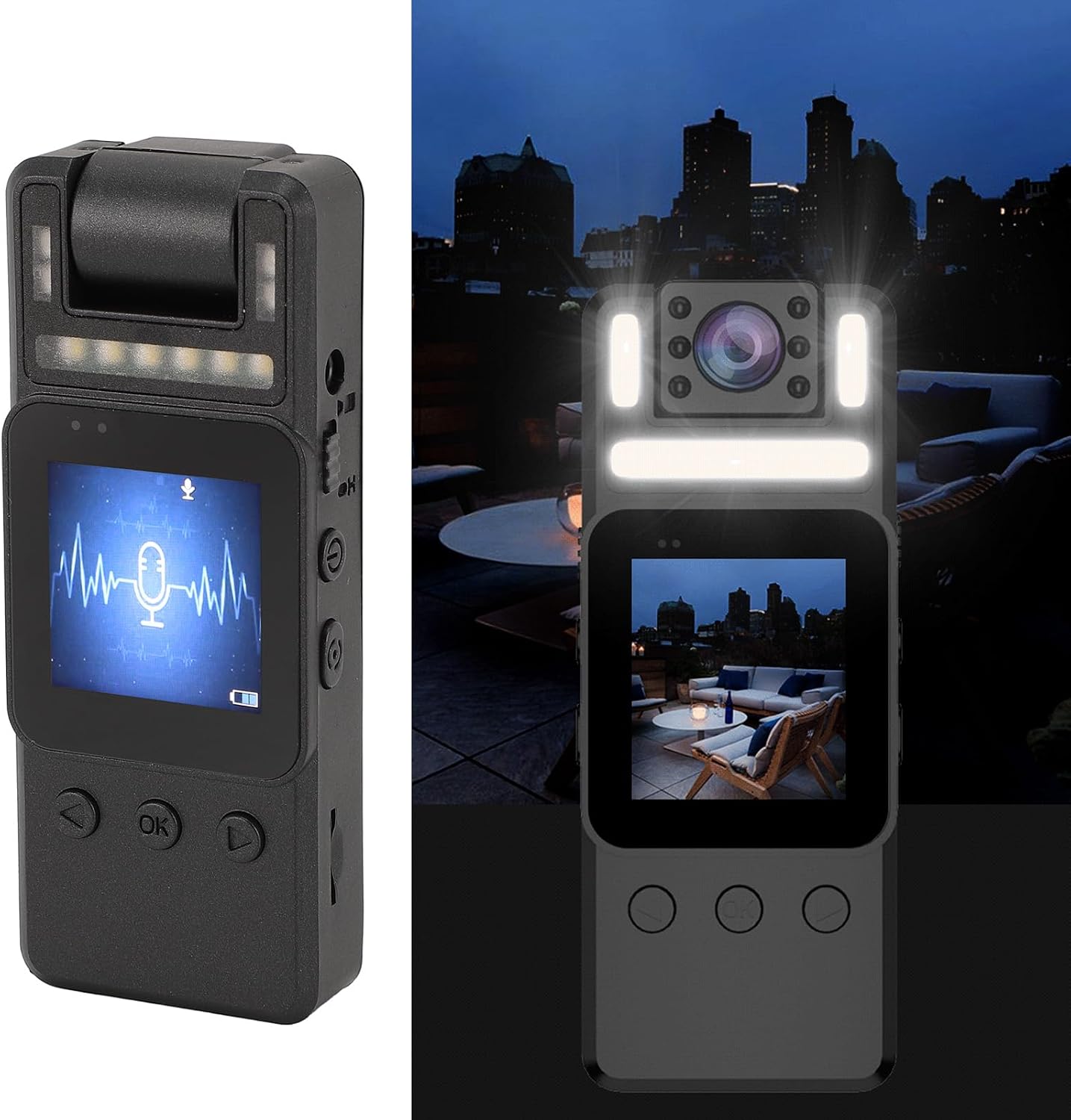
Image: The body camera shown in a dark environment, with its night vision LEDs illuminated, and the screen displaying a live view.
6.5. Rotación de la lente
The camera lens can be manually rotated 180° to adjust the recording angle. Gently rotate the lens module to the desired position.
6.6. Magnetic Installation
Utilize the magnetic back of the camera or the included accessories to attach the device to suitable metal surfaces or clothing.
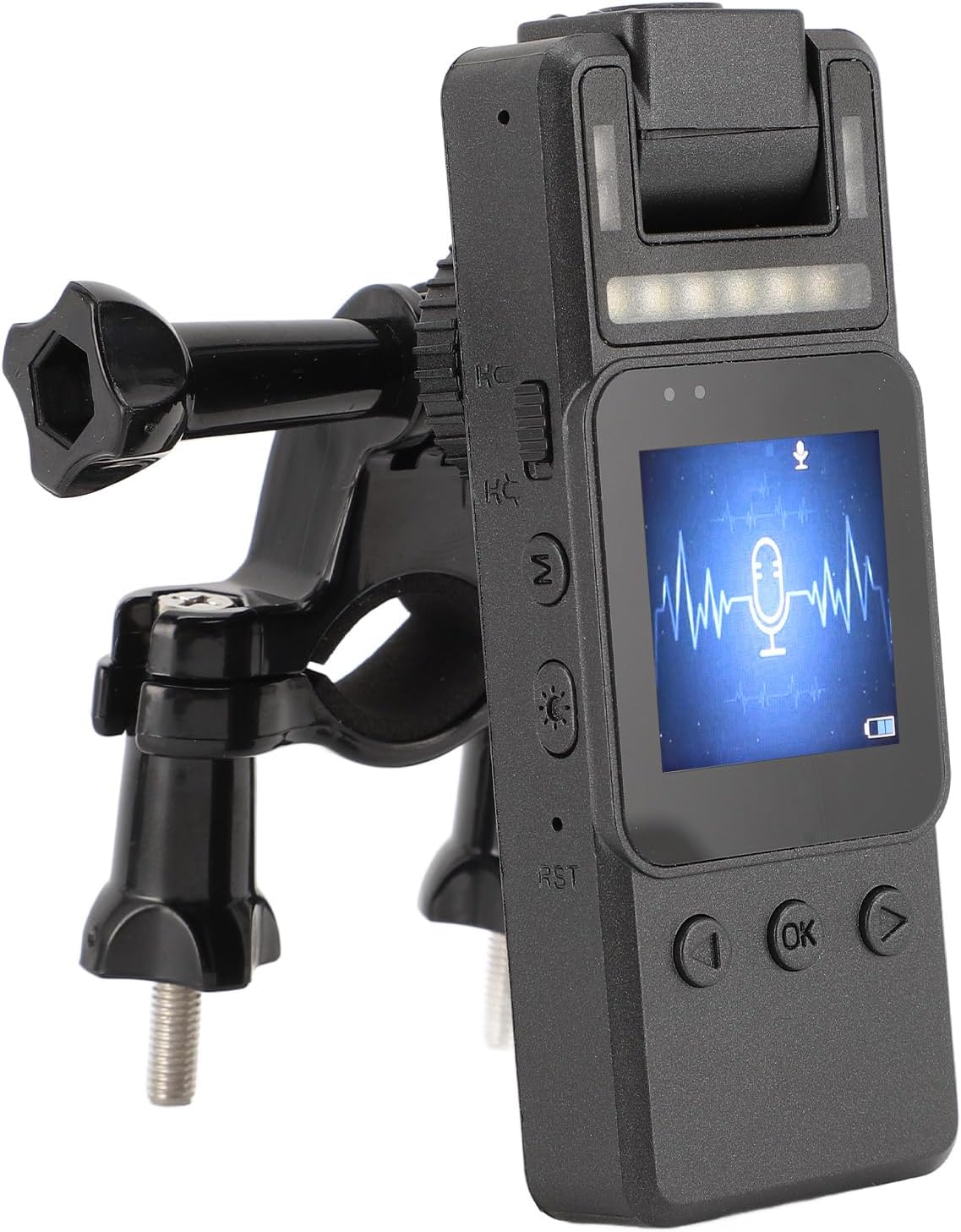
Image: The body camera mounted on a bicycle handlebar bracket, demonstrating its versatile attachment options.
7. Mantenimiento
7.1. Limpieza
- Utilice un paño suave y seco para limpiar el cuerpo de la cámara.
- Para la lente, utilice un paño y una solución de limpieza de lentes especializados para evitar rayones.
- No utilice productos químicos agresivos ni materiales abrasivos.
7.2. Almacenamiento
- Guarde la cámara en un lugar fresco y seco, alejado de la luz solar directa y de temperaturas extremas.
- Si va a almacenarlo durante períodos prolongados, asegúrese de que la batería esté parcialmente cargada (alrededor del 50%) para prolongar su vida útil.
7.3. Cuidado de la batería
- Evite descargar completamente la batería con frecuencia.
- Cargue la batería periódicamente, incluso si la cámara no está en uso, para mantener la salud de la batería.
8. Solución de problemas
- El dispositivo no enciende: Asegúrese de que la batería esté cargada. De lo contrario, conéctela a una fuente de alimentación y vuelva a intentarlo.
- No se pueden grabar vídeos ni tomar fotografías: Compruebe si hay una tarjeta de memoria insertada y si hay suficiente espacio libre. Asegúrese de que la tarjeta esté formateada correctamente.
- Mala calidad de imagen: Clean the camera lens. Ensure adequate lighting or activate night vision if in a dark environment.
- Pantalla congelada: Use the card removal pin to press the reset button (RST) if available, or hold the power button to force a restart.
9. Especificaciones
| Tipo de artículo | Law Enforcement Camera |
| Material | abdominales |
| Pantalla | Pantalla a color de 1.54 pulgadas |
| Resolución de vídeo | 1080P |
| Almacenamiento | Up to 128GB Small Memory Card (Not Included) |
| Tipo de batería | Batería de iones de litio de 1000 mAh incorporada |
| Rotación de la lente | 180° |
| Visión nocturna | Integrado |
| Tecnología de conectividad | Ethernet (for data transfer) |
| Peso del artículo | 6.1 onzas |
| Dimensiones del paquete | 4.33 x 3.15 x 1.97 pulgadas |
| Nombre del modelo | Jiawu3pigzcugrn |
10. Garantía y soporte
For warranty information and technical support, please refer to the documentation included with your purchase or visit the official Jiawu webSitio. Conserve su recibo de compra como comprobante de compra.