
1. Producto terminadoview
The Machenike Machcreator Mini Desktop, Model 4762H, is a compact and powerful computing solution designed for various applications, from business to everyday use. It features a 13th Gen Intel Core i7-13620H processor, 16GB DDR5 RAM, and a 512GB PCIe M.2 SSD, providing high-speed performance and efficient multitasking capabilities. This mini PC supports 4K dual monitor output and comes pre-installed with Windows 11 Pro.
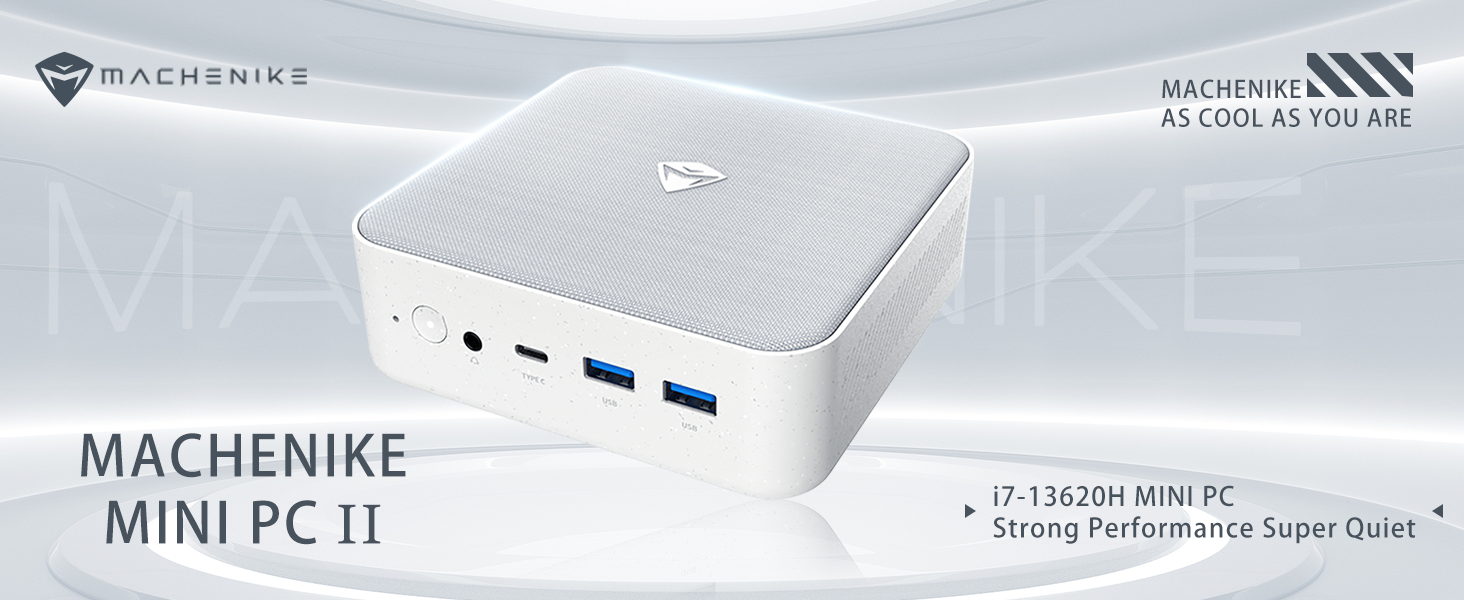
Imagen: Más alláview of the Intel Core i7 processor, highlighting 10 Cores, 16 Threads, 4.90 GHz Max Turbo Frequency, and 24 MB L3 Cache.
Características principales:
- Procesador: Intel Core i7-13620H (10 núcleos, 16 subprocesos, hasta 4.9 GHz)
- Memoria: 16GB DDR5 SODIMM RAM (expandable up to 64GB)
- Almacenamiento: 512GB PCIe M.2 Solid State Drive (supports dual M.2 expansion)
- Sistema operativo: Windows 11 Pro
- Gráficos: Integrated Intel UHD Graphics, supporting 4K dual monitor output via HDMI 2.0 and DisplayPort 1.4
- Conectividad: Wi-Fi 6, Bluetooth, 2 x RJ45 Ethernet, USB 3.2 Gen2 Type-A, USB Type-C
- Sistema de enfriamiento: Ventilador de refrigeración de doble turbina con radiador de lujo totalmente de cobre
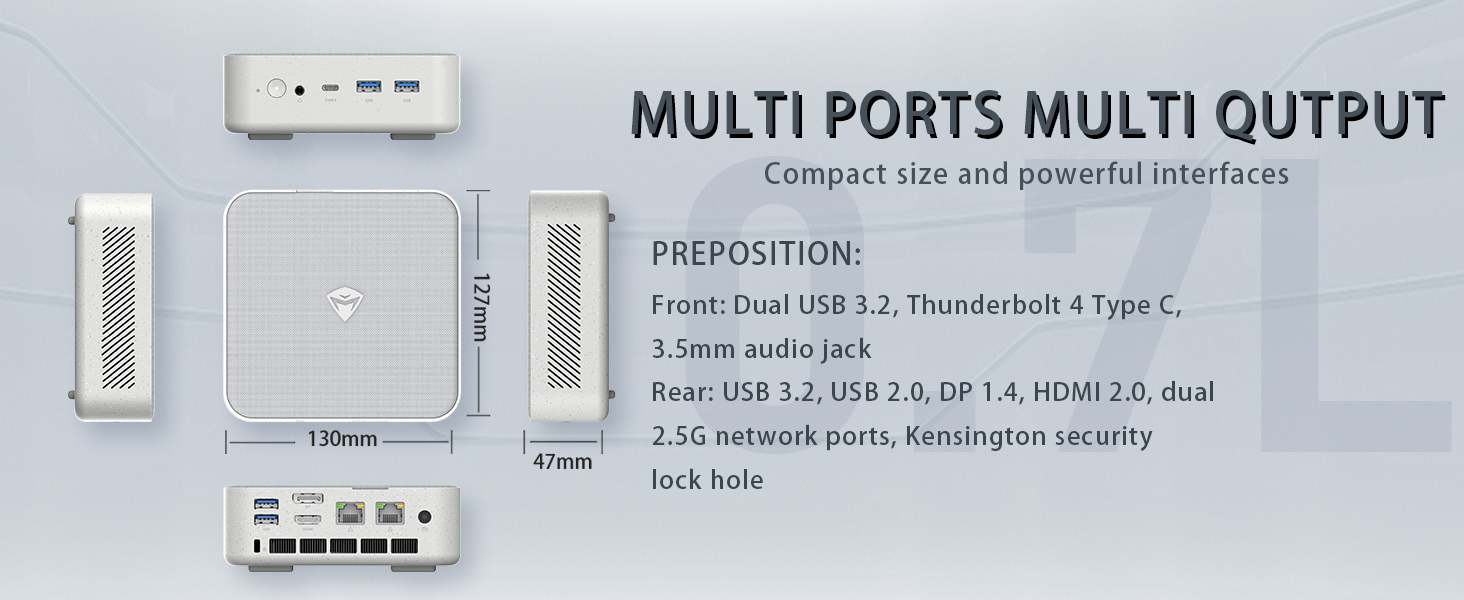
Image: Illustration of PCIe 4.0 SSD and memory slots, indicating support for up to 64GB DDR5 RAM and up to 4TB PCIe SSD expansion.
2. Guía de configuración
2.1 Desembalaje del dispositivo
Retire con cuidado todos los componentes del embalaje. Asegúrese de que estén presentes los siguientes elementos:
- Machenike Machcreator Mini Desktop (Model 4762H)
- Adaptador de corriente
- Manual de usuario (este documento)
- (Opcional) Kit de montaje VESA
2.2 Conexión de periféricos
Antes de encender, conecte sus periféricos esenciales:
- Mostrar: Connect your monitor(s) to the HDMI 2.0 or DisplayPort 1.4 ports on the rear of the mini PC. The USB Type-C port also supports video output.
- Teclado y ratón: Connect your USB keyboard and mouse to any of the available USB 3.2 Gen2 Type-A ports.
- Red: For a wired connection, connect an Ethernet cable to one of the RJ45 ports. For wireless, ensure your Wi-Fi network is available.
- Fuerza: Conecte el adaptador de corriente al puerto de entrada de CC de la mini PC y luego enchufe el adaptador a una toma de corriente.
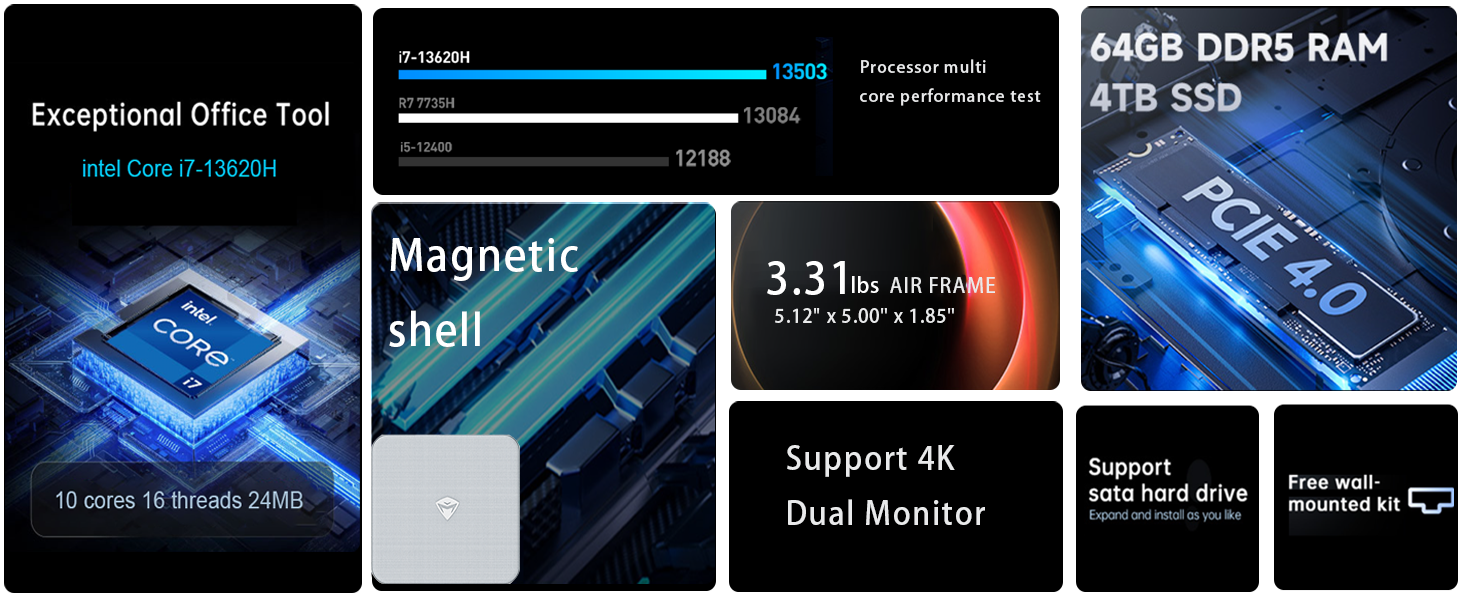
Imagen: Detallada view of the mini PC's front and rear ports, including USB 3.2 Gen2 Type-A, USB Type-C, 3.5mm Audio Jack, HDMI 2.0, DisplayPort 1.4, and RJ45 Ethernet ports. Dimensions are also shown.
2.3 Initial Boot-up and Windows 11 Pro Setup
- Presione el botón de encendido ubicado en la parte frontal de la mini PC.
- The system will boot into the Windows 11 Pro setup wizard. Follow the on-screen instructions to configure your language, region, network, and user account.
- Once setup is complete, your mini PC is ready for use.
3. Instrucciones de funcionamiento
3.1 Encendido y apagado
- Encendido: Presione el botón de encendido una vez.
- Cerrar: Haga clic en el botón Inicio en Windows, luego seleccione Energía > Apagar.
- Reanudar: Haga clic en el botón Inicio en Windows, luego seleccione Energía > Reiniciar.
- Dormir: Haga clic en el botón Inicio en Windows, luego seleccione Energía > Suspender.
3.2 Configuración de pantalla
The mini PC supports up to two 4K displays simultaneously. To configure display settings:
- Haga clic derecho en el escritorio y seleccione "Configuración de pantalla".
- Here you can detect multiple displays, arrange them, change resolution, and adjust scaling.
3.3 Conectividad de red
- Wifi: Click the network icon in the taskbar, select your Wi-Fi network, enter the password, and connect.
- Ethernet: Si se conecta un cable Ethernet, el sistema debería establecer automáticamente una conexión de red cableada.
3.4 Cooling System Modes
The mini PC features an advanced cooling system with adjustable modes via the BIOS to optimize performance and noise levels. These modes include:
- Modo silencio: Prioritizes quiet operation, suitable for light tasks.
- Modo de equilibrio: Offers a good balance between performance and noise.
- Modo de rendimiento: Maximizes performance (up to 65W power release), ideal for demanding applications.
To change these settings, access the BIOS during startup (typically by pressing Del or F2 repeatedly after powering on) and navigate to the relevant power or performance settings.
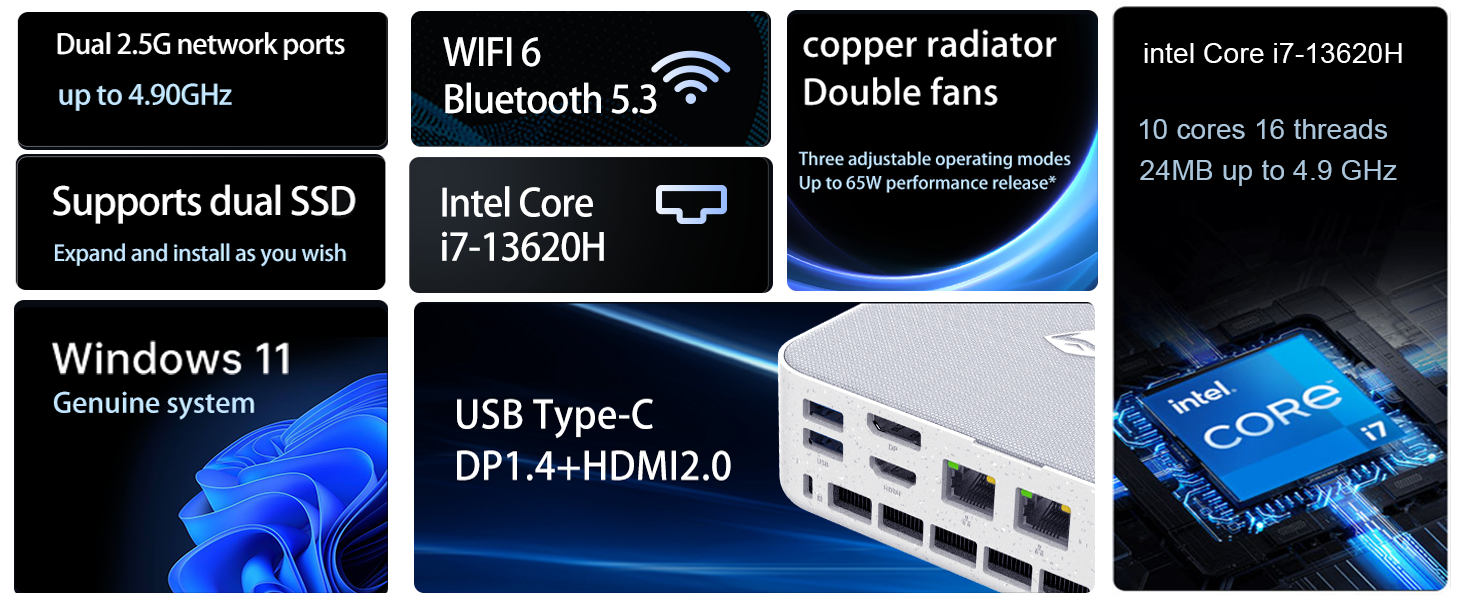
Image: Illustration of the twin turbine cooling fan and deluxe all-copper radiator, explaining how it prevents slowdowns due to overheating and offers silence, balance, and performance modes.
4. Mantenimiento
4.1 Limpieza del dispositivo
To ensure optimal performance and longevity, regularly clean your mini PC:
- Power off the device and disconnect it from the power outlet.
- Utilice un paño suave y seco para limpiar el exterior.
- Use compressed air to gently clear dust from ventilation openings. Do not insert any objects into the vents.
4.2 Actualizaciones de software
Keep your Windows 11 Pro operating system and drivers updated to ensure security and performance:
- Actualizaciones de Windows: Go to Start > Settings > Windows Update and check for updates.
- Actualizaciones de controladores: Visit the Machenike official webSitio para obtener los controladores más recientes para su modelo específico.
4.3 Expansión de almacenamiento y memoria
The Machenike Machcreator Mini Desktop supports upgrades for both RAM and storage:
- RAM: The device has 2 SODIMM slots and supports up to 64GB DDR5 RAM.
- Almacenamiento: It supports dual PCIe M.2 SSDs, allowing for significant storage expansion up to 4TB.
Nota: Opening the device for upgrades may void your warranty. Consult a qualified technician or refer to specific upgrade guides from Machenike if available.
5. Solución de problemas
Esta sección aborda problemas comunes que podrías encontrar. Para problemas más complejos, contacta con atención al cliente.
5.1 Sin energía
- Asegúrese de que el adaptador de corriente esté conectado de forma segura tanto a la mini PC como a una toma de corriente que funcione.
- Verifique que la toma de corriente funcione enchufando otro dispositivo.
- Compruebe si el adaptador de corriente presenta daños visibles.
5.2 No hay salida de pantalla
- Confirme que el monitor esté encendido y que la fuente de entrada correcta esté seleccionada.
- Asegúrese de que el cable HDMI o DisplayPort esté conectado de forma segura tanto a la mini PC como al monitor.
- Pruebe con un cable de pantalla o monitor diferente si está disponible.
- Si utiliza varias pantallas, intente conectar solo una a la vez.
5.3 Problemas de conectividad de red
- Cableado (Ethernet): Check if the Ethernet cable is properly connected to both the mini PC and the router/modem. Verify router/modem status.
- Inalámbrico (Wi-Fi): Ensure Wi-Fi is enabled in Windows settings. Restart your router/modem. Check if other devices can connect to the Wi-Fi network.
- Run Windows Network Troubleshooter (Start > Settings > Network & internet > Advanced network settings > Network troubleshooter).
6. Especificaciones
Detailed technical specifications for the Machenike Machcreator Mini Desktop, Model 4762H:
| Característica | Especificación |
|---|---|
| Marca | Machenike |
| Número de modelo | 4762H |
| Sistema operativo | Windows 11 Pro |
| Modelo de CPU | Intel Core i7-13620H |
| Velocidad de la CPU | Up to 4.9 GHz (Max Turbo Frequency) |
| Tamaño de la memoria RAM instalada | 16 GB DDR5 (ampliable a 64 GB) |
| Velocidad del reloj de memoria | 4800 MHz |
| Ranuras de memoria disponibles | 2 |
| Capacidad de almacenamiento de memoria | 512 GB PCIe M.2 SSD (Supports dual M.2, up to 4TB) |
| Coprocesador gráfico | Gráficos Intel UHD (integrados) |
| Interfaz de salida de vídeo | HDMI 2.0, DisplayPort 1.4, USB Type-C |
| Resolución máxima de pantalla | 3840x2160 (4K) |
| Interfaz de hardware | 3.5mm Audio, Bluetooth, DisplayPort, Ethernet (2x RJ45), HDMI, USB, USB Type C |
| Conectividad inalámbrica | Wi-Fi 6 (802.11ax), Bluetooth |
| Dimensiones del artículo (LxWxH) | 5.12 x 5 x 1.85 pulgadas |
| Peso del artículo | 49.8 libras (Note: This weight may be a data entry error; actual weight for a mini PC is typically much less.) |
| Código Postal | 193200587317 |
7. Garantía y soporte
7.1 Información de garantía
Machenike products typically come with a limited manufacturer's warranty. Please refer to the warranty card included with your purchase or visit the official Machenike webConsulte el sitio web para conocer los términos y condiciones detallados de la garantía según su región y modelo de producto. Conserve su comprobante de compra para reclamaciones de garantía.
7.2 Atención al cliente
For technical assistance, troubleshooting beyond this manual, or warranty inquiries, please contact Machenike customer support:
- Soporte en línea: Visita la página oficial de Machenike websitiowww.machenike.com - exampEl enlace real puede variar.) y navegue a la sección de soporte.
- Soporte por correo electrónico: Consulte la documentación de su producto para obtener la dirección de correo electrónico de soporte específica.
- Soporte telefónico: Check the Machenike webSitio para números de soporte telefónico regional.
When contacting support, please have your product model number (4762H) and serial number ready.