
eppfun Cutemeet 818 (LS003)
Manual de usuario de los auriculares inalámbricos eppfun Cutemeet 818
Modelo: LS003
Marca: eppfun
Introducción
Gracias por la compraasing the eppfun Cutemeet 818 Wireless Headphones. These headphones are designed to provide a superior audio experience with advanced features such as Bluetooth 5.4, LE Audio, and aptX Lossless support. They offer both wireless and wired connectivity, ensuring versatility for various listening scenarios. With a lightweight and comfortable design, the Cutemeet 818 is perfect for extended use.
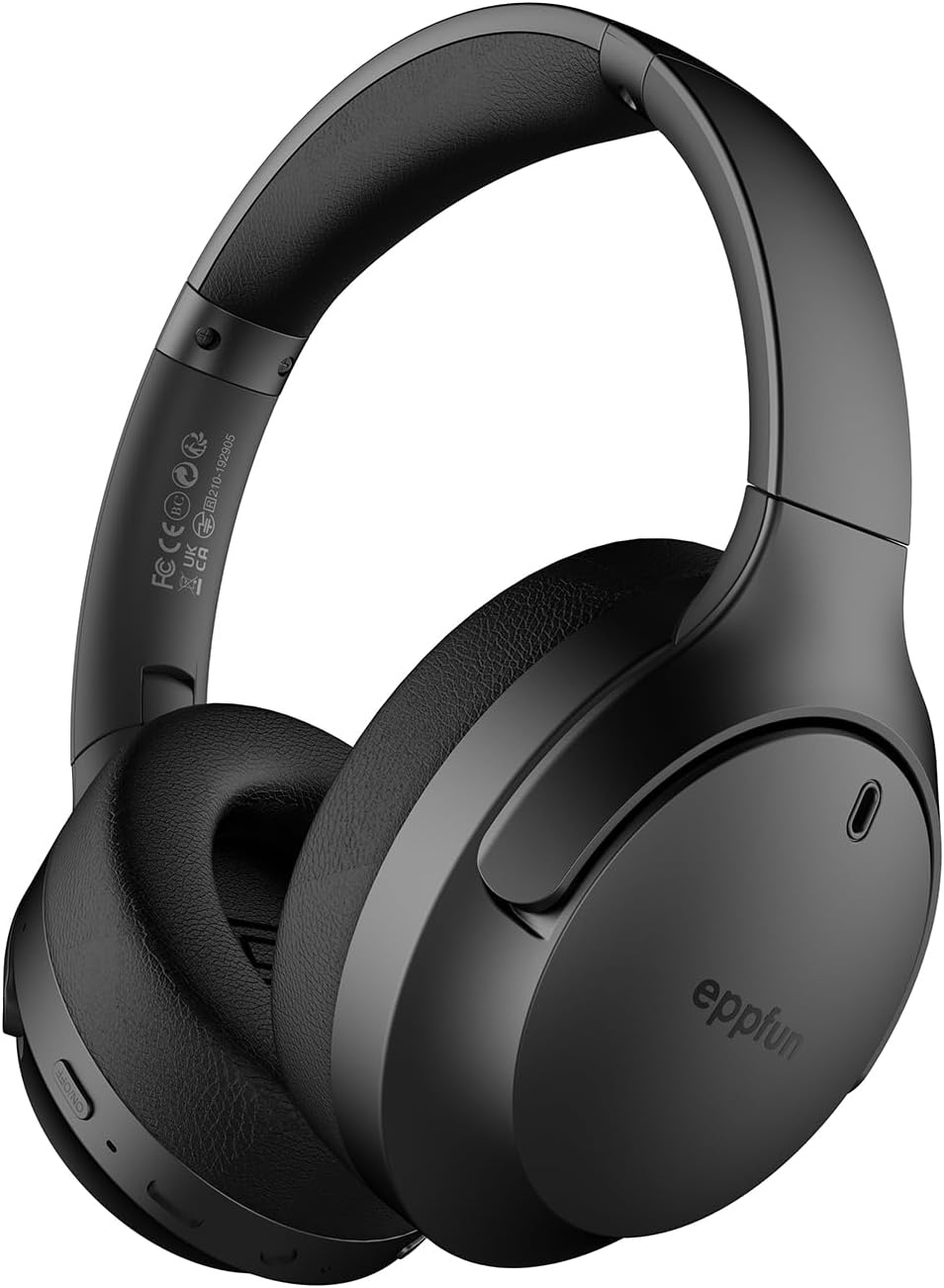
Figure 1: eppfun Cutemeet 818 Wireless Headphones
The image displays the eppfun Cutemeet 818 wireless headphones in black, showcasing their sleek design and over-ear form factor. The eppfun logo is visible on the earcups.
Información de seguridad
Please read this safety information carefully before using the headphones to ensure proper operation and prevent damage or injury.
- No exponga los auriculares a temperaturas extremas, humedad o sustancias corrosivas.
- Evite dejar caer o someter los auriculares a impactos fuertes.
- No desmonte ni intente reparar los auriculares usted mismo. Esto anulará la garantía.
- Limpie los auriculares con un paño suave y seco. No utilice productos químicos agresivos ni materiales abrasivos.
- Escuche a un volumen moderado para evitar daños auditivos. La exposición prolongada a sonidos fuertes puede causar pérdida auditiva irreversible.
- Mantener fuera del alcance de los niños y las mascotas.
Contenido del paquete
Verifique que todos los artículos estén presentes en su paquete:
- eppfun Cutemeet 818 Wireless Headphones
- Cable de carga USB-C
- Cable de audio AUX de 3.5 mm
- Manual de usuario (este documento)
Producto terminadoview
Familiarícese con las distintas partes y controles de sus auriculares.
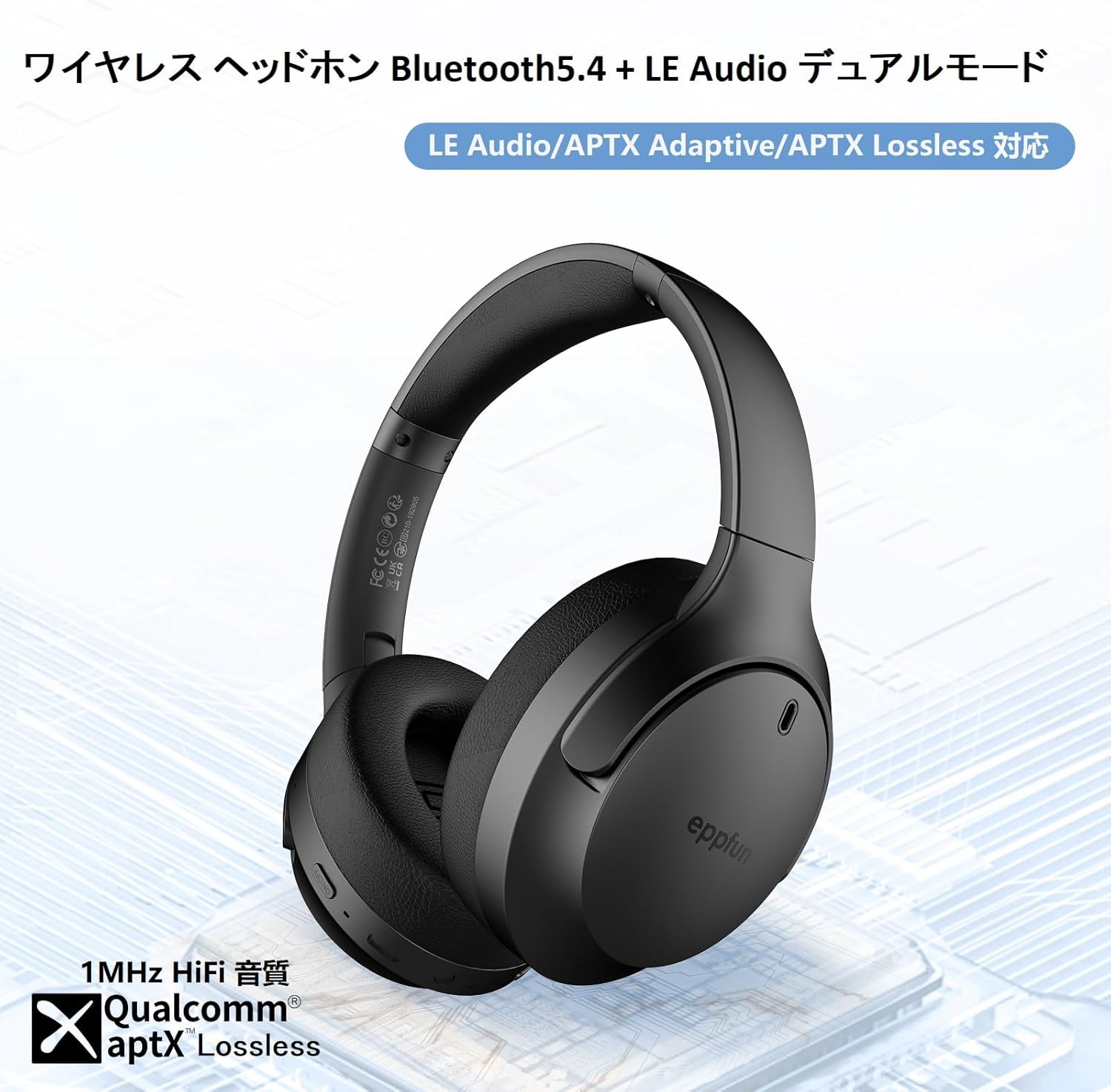
Figure 2: Headphone Features and Controls
This image highlights the eppfun Cutemeet 818 headphones, emphasizing their support for Bluetooth 5.4, LE Audio, APTX Adaptive, and APTX Lossless technologies, indicating high-fidelity audio capabilities.
Controles y Puertos:
- Botón de encendido: Mantenga pulsado para encender o apagar. Pulse brevemente para reproducir o pausar.
- Botón para subir volumen/siguiente pista: Pulsación corta para subir el volumen. Pulsación larga para pasar a la siguiente pista.
- Botón para bajar el volumen/pista anterior: Pulsación corta para bajar el volumen. Pulsación larga para ir a la pista anterior.
- Botón multifunción (MFB): Used for answering/ending calls, activating voice assistant.
- Puerto de carga USB-C: Para cargar los auriculares.
- Conector de audio de 3.5 mm: For wired connection using the AUX cable.
- Indicador LED: Muestra el estado de energía, el estado de emparejamiento y el estado de carga.
- Micrófono: Built-in CVC 8.0 noise-cancelling microphone for clear calls.
Configuración
1. Carga de los auriculares
Before first use, fully charge the headphones. Connect the USB-C charging cable to the headphone's USB-C port and the other end to a USB power adapter (not included) or a computer's USB port. The LED indicator will show charging status and turn off or change color when fully charged.
2. Emparejamiento Bluetooth
- Asegúrese de que los auriculares estén apagados.
- Mantenga presionado el botón de encendido durante aproximadamente 5 segundos hasta que el indicador LED parpadee en azul y rojo alternativamente, lo que indica el modo de emparejamiento.
- En su dispositivo (teléfono inteligente, tableta, computadora), habilite Bluetooth y busque nuevos dispositivos.
- Select "eppfun Cutemeet 818" from the list of available devices.
- Una vez conectado, el indicador LED se volverá azul fijo o parpadeará en azul lentamente.

Figure 3: Bluetooth Connectivity Example
This image illustrates the eppfun Cutemeet 818 headphones wirelessly connected to both a smartphone and a tablet, demonstrating their versatile Bluetooth 5.4 capabilities for seamless audio and communication.
3. Conexión por cable (modo AUX)
To use the headphones in wired mode, connect one end of the included 3.5mm AUX audio cable to the headphone's 3.5mm audio jack and the other end to your audio source's 3.5mm output. The headphones will automatically switch to wired mode, and the Bluetooth function will be disabled.
Instrucciones de funcionamiento
Encendido/apagado
- Encendido: Mantenga presionado el botón de encendido durante 2-3 segundos hasta que el indicador LED parpadee en azul.
- Apagado: Mantenga presionado el botón de encendido durante 3 a 4 segundos hasta que el indicador LED parpadee en rojo y luego se apague.
Reproducción de música
- Reproducir/Pausa: Presione brevemente el botón de encendido.
- Sube el volumen: Presione brevemente el botón para subir el volumen.
- Bajar volumen: Presione brevemente el botón para bajar el volumen.
- Pista siguiente: Mantenga presionado el botón para subir el volumen.
- Pista anterior: Mantenga presionado el botón para bajar el volumen.
Gestión de llamadas
- Responder/Finalizar llamada: Presione brevemente el MFB.
- Rechazar llamada: Mantén pulsado el botón multifunción (MFB).
- Activar asistente de voz: Presione dos veces el MFB.
LE Audio and Auracast Functionality
The eppfun Cutemeet 818 headphones support LE Audio for superior sound quality with low power consumption and Auracast for ultra-low latency audio transmission. To utilize the Auracast feature for ultra-low latency, an eppfun LE Audio transmitter (sold separately, e.g., ASIN B0CCRTMQ3W) is required. Connect the headphones to the transmitter for an optimized gaming or video experience.

Figure 4: LE Audio and Auracast Support
This image displays a comparison chart of Bluetooth codecs, highlighting the advantages of LC3 (LE Audio) over SBC in terms of audio quality at various bitrates. It also features the Auracast logo, indicating support for this advanced audio sharing technology.
Mantenimiento
- Limpieza: Use a soft, lint-free cloth to wipe the headphones. For earcups, gently wipe with a slightly damp cloth and then dry thoroughly. Do not use alcohol, solvents, or abrasive cleaners.
- Almacenamiento: When not in use, store the headphones in a cool, dry place, away from direct sunlight and extreme temperatures. The foldable design (Figure 5) allows for compact storage and easy portability.
- Cuidado de la batería: To prolong battery life, avoid fully discharging the headphones frequently. Charge them regularly, especially if not used for extended periods.

Figura 5: Diseño plegable para portabilidad
This image demonstrates the foldable design of the eppfun Cutemeet 818 headphones, highlighting their compact nature for convenient storage and travel.
Solución de problemas
| Problema | Posible causa | Solución |
|---|---|---|
| Los auriculares no se encienden. | Batería baja. | Cargue completamente los auriculares. |
| No se puede emparejar con el dispositivo. | Los auriculares no están en modo de emparejamiento; el Bluetooth del dispositivo está desactivado; demasiado lejos del dispositivo. | Ensure headphones are in pairing mode (flashing blue/red). Turn on device Bluetooth. Move headphones closer to device (within 10m). |
| No hay sonido o la calidad del sonido es mala. | Volume too low; incorrect audio source; interference; low battery. | Increase volume on headphones and device. Check if AUX cable is properly connected. Move away from sources of interference. Charge headphones. |
| La calidad de la llamada es mala. | Ruido ambiental; obstrucción del micrófono. | Vaya a un entorno más tranquilo. Asegúrese de que el micrófono no esté tapado. |
| Conexión intermitente/caídas de audio. | Demasiado lejos del dispositivo; interferencia; batería baja. | Move closer to the device. Avoid obstacles between headphones and device. Charge headphones. |
Presupuesto
| Característica | Detalle |
|---|---|
| Nombre del modelo | LS003 (Cutemeet 818) |
| Tecnología de conectividad | Bluetooth 5.4, con cable (entrada auxiliar de 3.5 mm) |
| Tecnología de comunicación inalámbrica | Bluetooth |
| Control de ruido | Sound Isolation (CVC 8.0 for calls) |
| Toma de auriculares | Conector de 3.5 mm |
| Componentes incluidos | Cable, Headphones |
| Edad objetivo | Adulto |
| Material | Acrylonitrile Butadiene Styrene (ABS), Leather, Metal |
| Dispositivos compatibles | iPhone & Android Smartphones, Gaming Consoles, TVs, Laptops, Mobile Phones |
| Nivel de resistencia al agua | Resistente al agua |
| Batería requerida | Sí |
| Fabricante | diversión epp |
| Peso del artículo | 430 gramos |
| Impedancia | 32 ohmios |
| Estilo de auriculares | Sobre la oreja |
| Códecs de audio compatibles | LE Audio (LC3), aptX Lossless, aptX Adaptive |
Garantía y soporte
eppfun products come with a standard warranty. For detailed warranty information, product support, or technical assistance, please refer to the warranty card included in your package or visit the official eppfun website. You can also contact eppfun customer service through the retailer where you purchased the product.
Nota importante: The maximum communication distance for Bluetooth is 10 meters. This distance may vary depending on the usage environment and interference from other electronic devices. If the battery level is too low, latency may occur. Please charge the headphones regularly.