
1. Introducción
Thank you for choosing the Gofunly Kids Instant Camera. This camera is designed to provide children aged 3-12 with a fun and creative way to capture memories. Featuring instant black and white printing, 1080P video recording, and a variety of creative functions, it's an ideal tool for young photographers to explore their world.

Image: The Gofunly Kids Instant Camera in blue, demonstrating its instant print capability with a photo of a mother and child.
2. Contenido del paquete
Por favor revise el paquete para asegurarse de que todos los artículos estén presentes:
- 1 x Gofunly Kids Instant Camera
- Tarjeta de memoria 1 x 32GB
- 3 rollos de papel de impresión
- 5 x Bolígrafos de colores
- 1 x Cordón
- 1 x cable USB
- 1 x pegatinas de dibujos animados
- 1 x Manual de usuario (este documento)

Image: All components included in the Gofunly Kids Instant Camera package.
3. Guía de configuración
3.1 Carga de la cámara
Before first use, fully charge the camera. Connect the included USB cable to the camera's charging port and a USB power adapter (not included). The charging indicator will show the charging status. A full charge provides hours of usage thanks to the 1000mAh lithium-ion battery.
3.2 Inserción de la tarjeta de memoria
The camera comes with a 32GB memory card. Locate the memory card slot, usually on the side of the camera. Insert the 32GB card into the slot until it clicks into place. This card allows you to store thousands of photos and videos.
3.3 Carga del papel de impresión
The camera uses zero-ink thermal printing paper. Follow these steps to load a new roll:
- Gently pull open the paper compartment cover as shown in the image.
- Insert a new roll of printing paper, ensuring about 1-2 inches of paper extends out of the slot.
- Cierre la tapa del compartimento del papel firmemente hasta que haga clic.
- The camera is now ready to print.

Image: Step-by-step instructions for loading the thermal printing paper.

Image: Visual representation of the 8x zoom, USB charging, and 32GB card slot.
4. Instrucciones de funcionamiento
4.1 Funciones básicas de la cámara
- Encendido/apagado: Mantenga presionado el botón de encendido para encender o apagar la cámara.
- Tomando fotos: En el modo de fotografía, presione el botón del obturador para capturar una imagen.
- Grabación de videos: Switch to video mode and press the record button to start/stop recording 1080P videos.
- Navegación: Use the directional buttons to navigate menus and select options on the 2.0-inch screen.
4.2 Impresión instantánea
After taking a photo, you can instantly print it in black and white without ink. The camera will automatically print the captured image if the instant print function is enabled. You can also select photos from the album to print.
4.3 Funciones avanzadas
- Zoom digital: The camera supports 8x digital zoom. Use the zoom buttons to adjust the magnification before taking a photo.
- Timed Photos (Time Lapse): Set a timer (e.g., 3, 5, or 10 seconds) for delayed photo capture, allowing you to get into the frame.
- Continuous Shooting (Burst Mode): Capture a series of photos rapidly, ideal for action shots.
- Funny Frames & Filters: Enhance your photos with a variety of built-in frames and artistic filters.
- Juegos de rompecabezas: The camera includes three built-in puzzle games for entertainment.
- Reproducción de MP3: The camera supports MP3 playback. Refer to the on-screen menu for details on loading and playing music files.

Image: Key features of the Gofunly Kids Instant Camera.
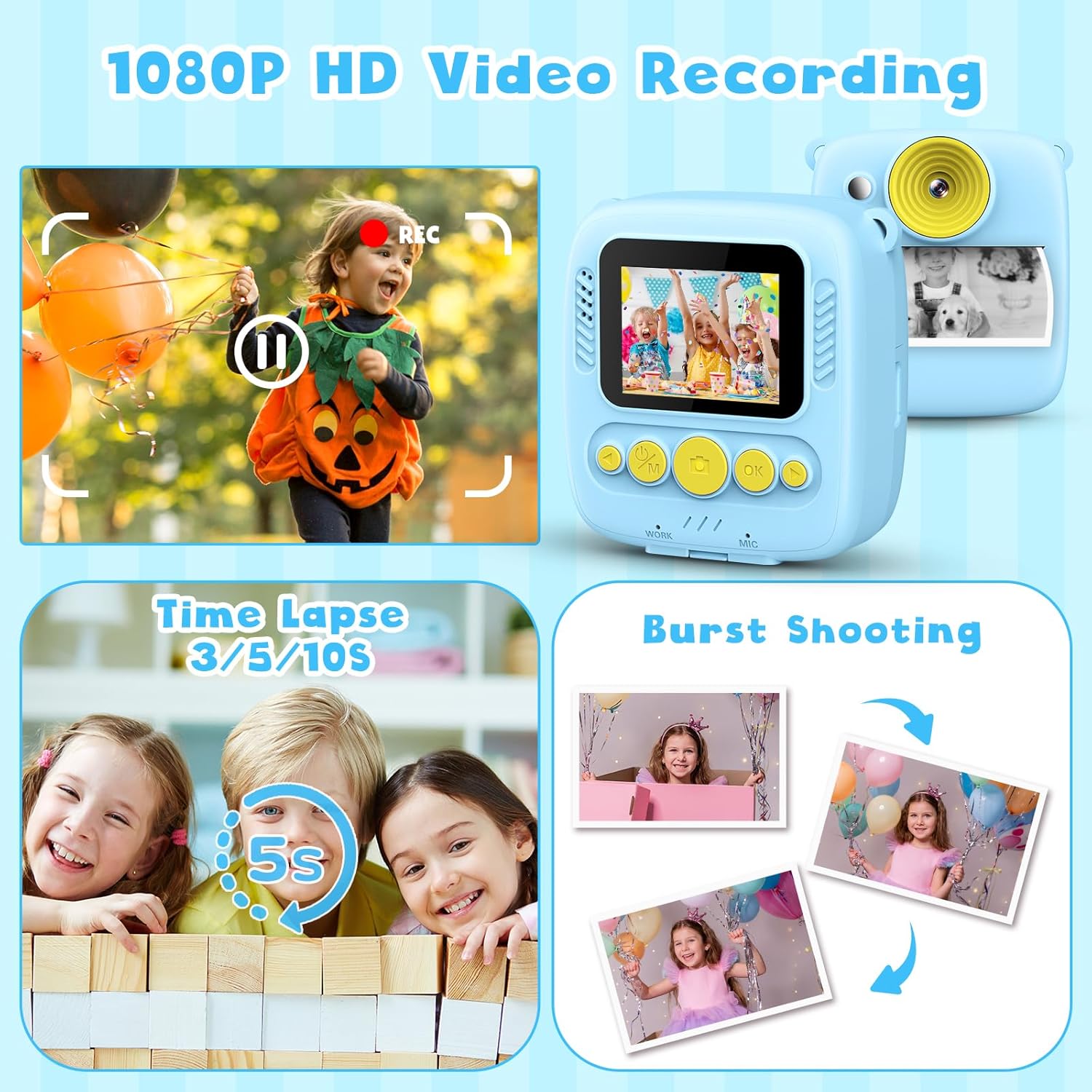
Imagen: Examples of 1080P video recording, time lapse, and burst shooting.

Image: The camera's music and puzzle game features.

Image: A selection of fun frames and filters available on the camera.
4.4 Personalización DIY
After printing black and white photos, children can use the included color pens and cartoon stickers to decorate and personalize their prints, fostering creativity.

Image: Children can color their instant black and white photos using the provided pens.
4.5 Transferencia Files
To transfer photos and videos to a computer, connect the camera using the USB cable. The camera will appear as a removable disk, allowing you to copy files. Alternatively, you can remove the 32GB memory card and use a card reader (not included) to access the files.
5. Mantenimiento
- Limpieza: Utilice un paño suave y seco para limpiar el cuerpo de la cámara. Para la lente, utilice un paño especial para limpiar lentes. No utilice limpiadores líquidos.
- Cuidado de la batería: Para prolongar la vida útil de la batería, evite descargarla por completo con frecuencia. Cargue la cámara regularmente, incluso si no la usa durante períodos prolongados.
- Almacenamiento de papel: Store printing paper in a cool, dry place away from direct sunlight to prevent degradation.
- Cuidado general: Keep the camera away from water, extreme temperatures, and direct impact.
6. Solución de problemas
- La cámara no enciende: Ensure the battery is charged. Connect the USB cable to charge for at least 30 minutes before attempting to power on again.
- Cannot print photos: Check if printing paper is loaded correctly and if there is enough paper. Ensure the instant print function is enabled in the settings.
- Mala calidad de impresión: Ensure the paper is loaded correctly and is not damaged. The camera uses thermal printing, so print quality is black and white and may vary slightly.
- Error de tarjeta de memoria: Reinsert the memory card. If the issue persists, try formatting the card (this will erase all data) or try a different compatible memory card.
- La cámara se congela: Press and hold the power button for 10-15 seconds to force a restart. If the issue continues, ensure the battery is charged and try again.
7. Especificaciones
| Característica | Detalle |
|---|---|
| Nombre del modelo | Q1 |
| Marca | gofunly |
| Tamaño de pantalla | 2.0 pulgadas |
| Resolución de imágenes fijas efectiva | 12 MP |
| Resolución de vídeo | 1080P |
| Zoom óptico | 8x |
| Batería | Polímero de litio de 1000 mAh (incluido) |
| Tarjeta de memoria | 32 GB (incluido) |
| Tecnología de impresión | Zero Ink Thermal Printing |
| Apoyado File Formato | JPEG |
| Peso del artículo | 350 gramos |
| Dimensiones del paquete | 15.5 x 10.3 x 5.4 cm |
| Resistencia al agua | No es impermeable |
8. Garantía y soporte
This Gofunly product comes with a Garantía de 12 meses A partir de la fecha de compra. Esta garantía cubre defectos de fabricación y problemas derivados del uso normal.
For any questions, technical support, or warranty claims, please contact Gofunly customer service through the platform where you purchased the product. Please have your purchase details and product model number (Q1) ready when contacting support.


