
1. Introducción
This manual provides essential information for the safe and efficient operation of your DazzlingStage Mini Rechargeable Par Lights. Please read these instructions thoroughly before use and retain them for future reference.
2. Producto terminadoview
The DazzlingStage Mini Rechargeable Par Lights are versatile stage lighting units designed for various events. They feature RGBWA UV 6-in-1 LED lamp beads, offering a wide spectrum of colors and lighting effects. With a built-in high-capacity battery, these lights provide cordless operation, enhancing portability and placement flexibility. Multiple control modes, including APP, Wireless DMX, remote, sound-activated, and auto modes, allow for comprehensive lighting management.

Figura 2.1: Sobreview of control modes and light effects.

Figure 2.2: The lights offer over 16 million mixable colors for diverse lighting effects.
Características principales:
- Batería de alta capacidad: Built-in 4400mA rechargeable battery provides approximately 4 hours of full brightness, 8-10 hours for single color, and 8 hours in auto mode.
- Rich Lighting Effects: RGBWA UV 6-in-1 LED lamp beads offer color selection, color shade, color pulse, color transition, strobe, and fade effects.
- Múltiples modos de control: Auto control, Sound-Activated control, Master-Slave, DMX512, and APP control.
- Conectividad inalámbrica: Supports 2.4G wireless signal control (up to 1000m) and WIFI (APP) control (up to 40m in open areas).
- Compacto y portátil: Dimensions of 6*5.8*2.2 inches and weight of 0.9kg for easy transport and placement.
3. Contenido del paquete
Verifique que todos los artículos enumerados a continuación estén incluidos en su paquete:
- Par Light (quantity as per pack)
- Control remoto por infrarrojos
- Manual de instrucciones
- Cargador

Figura 3.1: Contenido incluido en el paquete del producto.
4. Configuración
Carga inicial:
Before first use, fully charge the par light. The charging time is approximately 4 hours. A red indicator light on the charger signifies charging, which turns green upon full charge.
Video 4.1: Demonstration of the charging process for the rechargeable par light.
Montaje y Colocación:
The light includes a bracket for versatile placement. It can be placed on the ground or mounted on a truss or stage light stand. Ensure the light is securely positioned to prevent accidental falls.
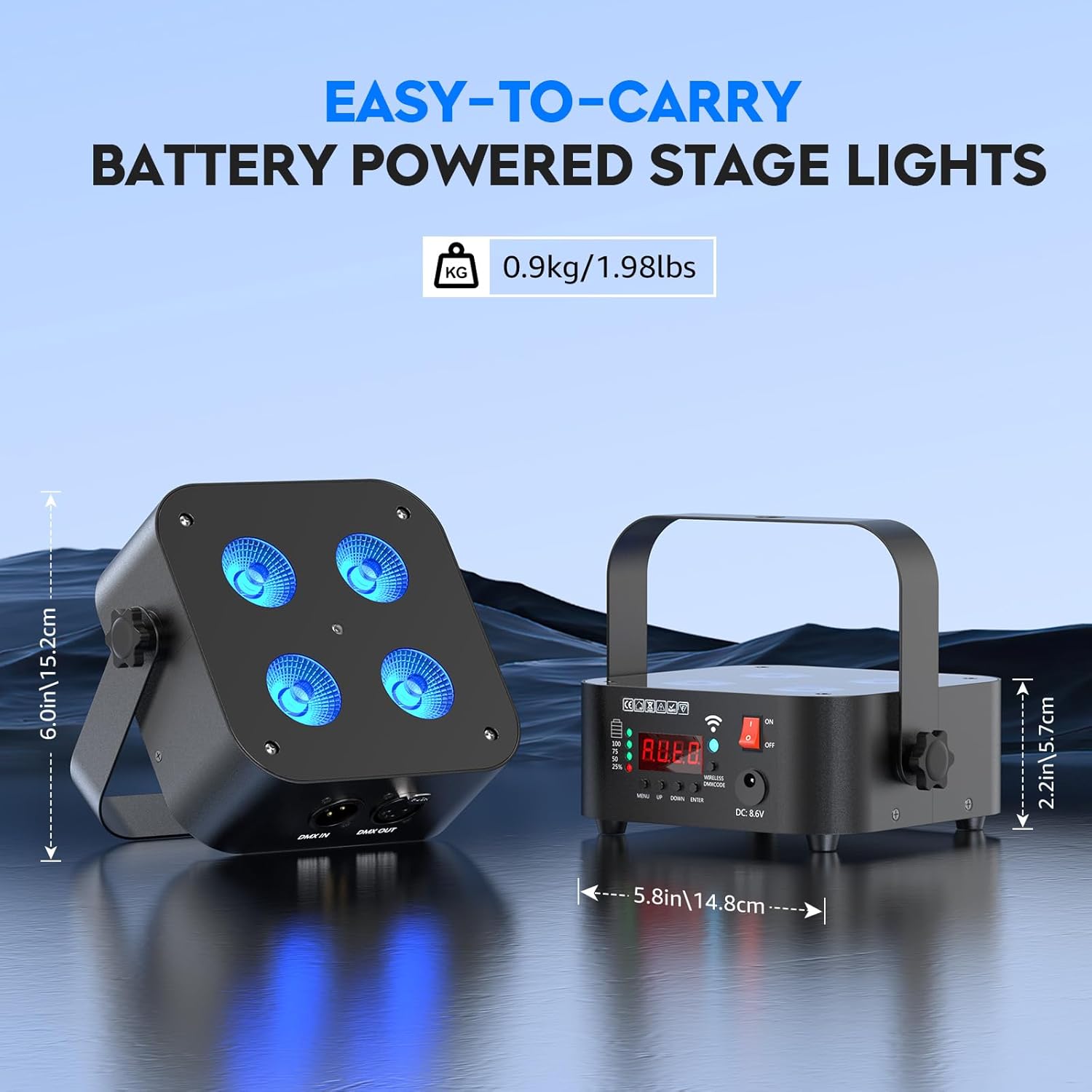
Figure 4.1: The compact size and included bracket allow for easy placement and portability.
5. Modos de funcionamiento
The DazzlingStage Mini Rechargeable Par Lights offer several operating modes to suit different lighting needs.
5.1. Manual Control (On-Device):
The unit features a 4-digit display and control buttons (MENU, UP, DOWN, ENTER) on the back for direct mode selection and parameter adjustment. The display shows the current mode and settings.

Figure 5.1: Rear panel controls and indicators.
5.2. Control remoto:
Use the included IR remote control to easily switch between colors, adjust brightness, and select various effects like strobe and fade. The remote has a range of 8-10 meters.
Video 5.1: Demonstration of remote control functionality for color and effect changes.
5.3. Control de aplicaciones:
Download the dedicated "LED LAMP" app from your app store. Connect your device via WIFI (effective range up to 40 meters in open areas) to control the lights with a simple interface. The app allows for precise color selection and effect management.

Figure 5.2: Steps to connect the light to the mobile application.
Video 5.2: Guide on connecting DazzlingStage Rechargeable Uplights to the APP.
5.4. Sound-Activated Control:
The lights can react to music and sounds, changing colors and effects in rhythm. This mode is ideal for parties and dynamic environments.
5.5. Master-Slave Mode:
Connect multiple lights to synchronize their effects. Designate one unit as the master, and others will follow its programming.
5.6. DMX512 Control:
For professional lighting setups, the lights support DMX512 control. Use DMX IN/OUT ports to integrate with a DMX controller. Wireless DMX signal control is also supported with an effective distance of up to 1000 meters.
6. Carga
The built-in 4400mA battery provides extended operation. A full charge takes approximately 4 hours. The battery indicator on the unit displays the current charge level. Ensure to use only the provided charger to prevent damage.

Figura 6.1: Especificaciones de la batería e información de carga.
7. Mantenimiento
To ensure the longevity and optimal performance of your DazzlingStage Mini Rechargeable Par Lights, follow these maintenance guidelines:
- Limpieza: Regularly wipe the exterior with a soft, dry cloth. Avoid using harsh chemicals or abrasive materials.
- Almacenamiento: Guarde las luces en un lugar fresco y seco, alejado de la luz solar directa y de temperaturas extremas.
- Cuidado de la batería: For prolonged storage, charge the battery to about 50% every 3 months to maintain battery health.
- Inspección: Revise periódicamente los cables y las conexiones para detectar cualquier signo de desgaste o daños.
8. Solución de problemas
If you encounter issues with your DazzlingStage Mini Rechargeable Par Lights, refer to the following common troubleshooting steps:
- La luz no se enciende: Ensure the battery is charged or the unit is plugged into a power source. Check the power switch.
- El control remoto no funciona: Verify that the remote's batteries are functional and that there are no obstructions between the remote and the light's IR receiver.
- Problemas de conexión de la aplicación: Ensure Bluetooth and WIFI are enabled on your device and that the light is within the effective range. Restart the app or toggle WIFI on/off if necessary.
- Inconsistent light effects: Check DMX connections if applicable. Ensure all units in a Master-Slave setup are correctly configured.
Para obtener más ayuda, comuníquese con atención al cliente.
9. Especificaciones
| Característica | Especificación |
|---|---|
| Número de modelo | ZQ01240 |
| Tipo de fuente de luz | RGBWA UV 6-in-1 LED |
| Fuente de luz Wattage | 18 vatios (por LED) |
| Capacidad de la batería | 4400 mA |
| Tiempo de carga | Aproximadamente 4 horas |
| Full Brightness Runtime | Aproximadamente 4 horas |
| Single Color Runtime | 8-10 horas |
| Auto Mode Runtime | 8 horas |
| Modos de control | Auto, Sound-Activated, Master-Slave, DMX512, APP, Remote |
| Wireless DMX Range | Up to 1000m (2.4G) |
| Rango de control de la aplicación | Up to 40m (WIFI, open area) |
| IR Remote Range | 8-10 m |
| Dimensiones del producto | 5"L x 3"W x 5"H (approx. 6*5.8*2.2 inches) |
| Peso del artículo | 0.9 kg (1.98 libras) |
| Material | Acrylic, Iron |
10. Garantía y soporte
DazzlingStage offers a 30-day free return and exchange policy, along with a 180-day warranty service. For any issues or inquiries, please contact our professional after-sales service team. We aim to reply within 24 hours.
11. Escenarios de uso
The DazzlingStage Mini Rechargeable Par Lights are suitable for a variety of applications due to their versatile features and portability.
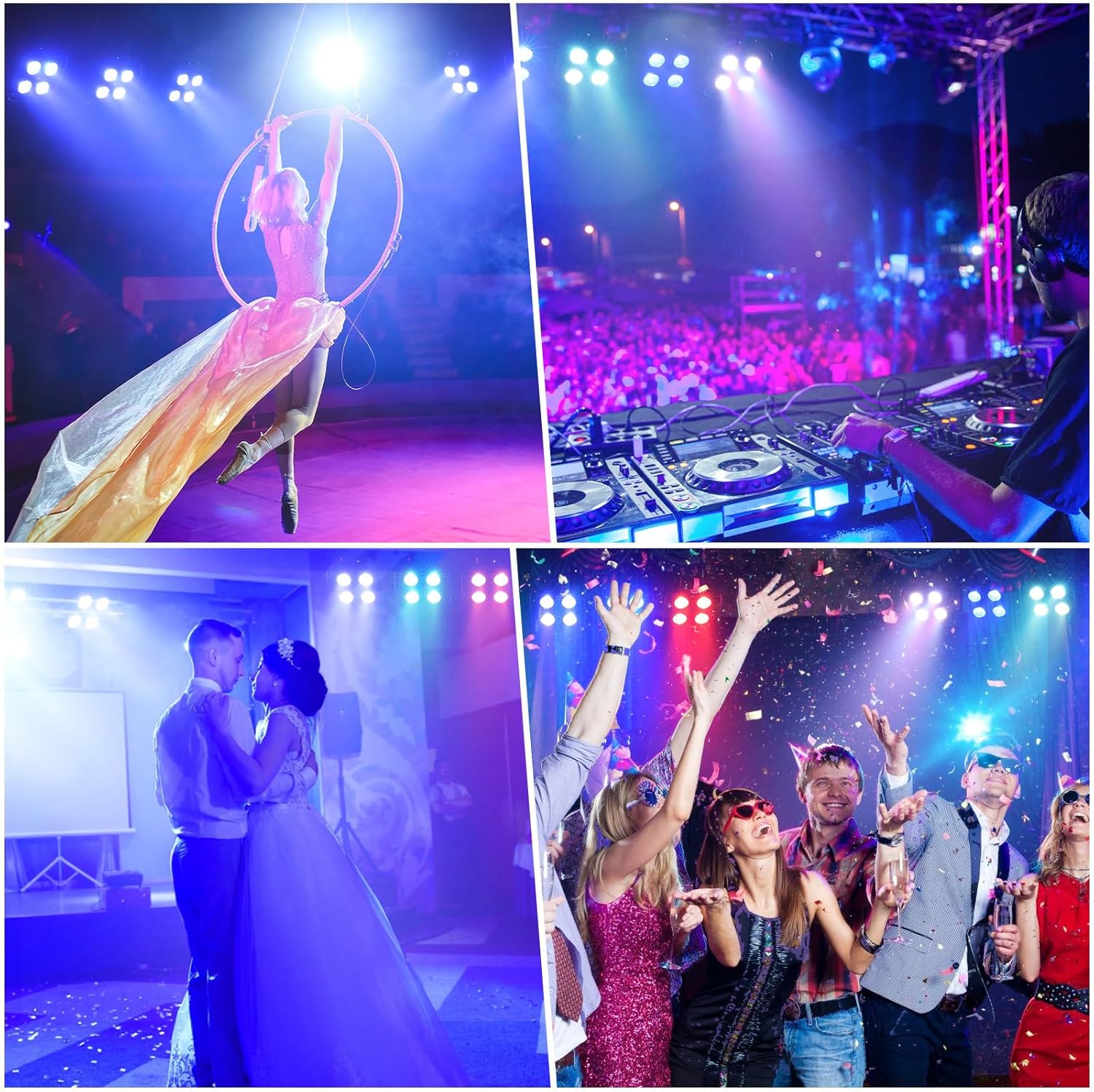
Figura 11.1: Examples of the lights in use at different events.
Video 11.1: Demonstration of rechargeable par lights in various settings.
Video 11.2: Visual showcase of DazzlingStage Rechargeable Uplighting.