
Introducción
The Retevis NR30S is a professional-grade Analog GMRS two-way radio designed for reliable long-range communication in various environments. It features IP67 waterproofing and dustproofing, noise-canceling technology for clear audio, NOAA weather radio capabilities, and a robust 2800mAh battery. This manual provides essential information for setting up, operating, and maintaining your NR30S radio.
Contenido del paquete
Upon unboxing your Retevis NR30S, please ensure all items listed below are present:
- NR30S Walkie Talkie (x2)
- Batería (x2)
- Cable de carga tipo C (x2)
- Base de carga (x2)
- Adaptador (x2)
- Clip para cinturón (x2)
- Correa de mano (x2)
- Manual de usuario (x2)

Configuración
1. Instalación y carga de la batería
The NR30S radio is powered by a 2800mAh Li-ion battery. Before first use, fully charge the battery.
- Alinee la batería con la parte posterior de la radio y deslícela en su lugar hasta que encaje firmemente.
- To charge, place the radio in the charging base or connect the Type-C charging cable directly to the radio.
- The charging indicator on the radio or base will show charging status. A full charge typically takes 6.5 hours.

2. Fijación de la antena
Carefully screw the antenna clockwise onto the connector at the top of the radio until it is finger-tight. Do not overtighten.
3. Clip para cinturón y correa de mano
Fije el clip para cinturón a la parte trasera de la radio con los tornillos incluidos. La correa de mano se puede pasar por el lazo en la parte superior de la radio para un transporte seguro.
Instrucciones de funcionamiento
1. Radio terminadaview y controles básicos
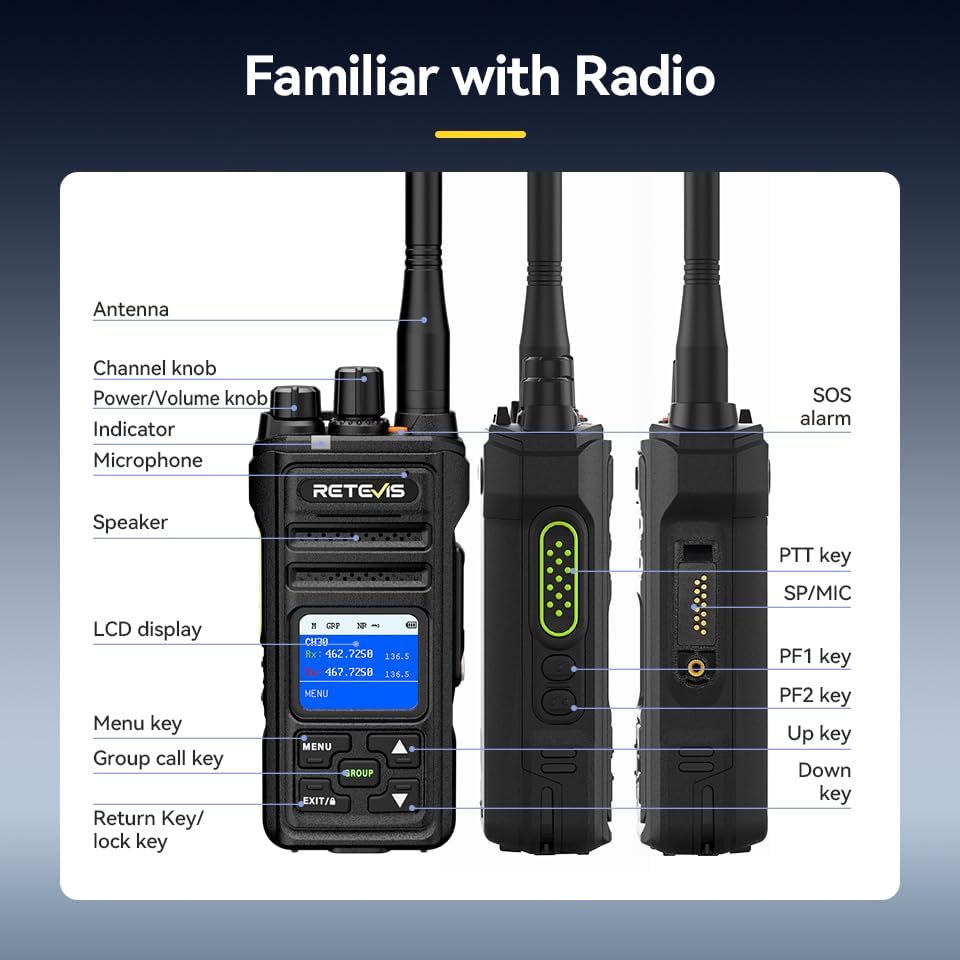
- Encendido/apagado: Rotate the Power/Volume knob clockwise to turn on the radio. Rotate counter-clockwise until a click is heard to turn off.
- Ajuste de volumen: Gire la perilla de encendido/volumen para ajustar el volumen de escucha.
- Selección de canal: Use the Channel knob to select desired communication channels. The LCD screen will display the current channel.
- Tecla Pulsar para hablar (PTT): Press and hold the PTT key on the side of the radio to transmit your voice. Release to listen.
2. Función de llamada de grupo
The Group Call function allows you to communicate with multiple team members simultaneously, even if they are on different channels.
- Presione el GRUPO button to initiate a group call.
- All radios configured for the same group will receive the transmission.

3. Función de reducción de ruido
The built-in two-way noise reduction chip helps filter out background noise for clearer communication.
- Access the menu via the MENÚ botón.
- Navigate to the Noise Reduction (NR) setting.
- Seleccionar ON to activate noise reduction.

4. Canales meteorológicos de la NOAA
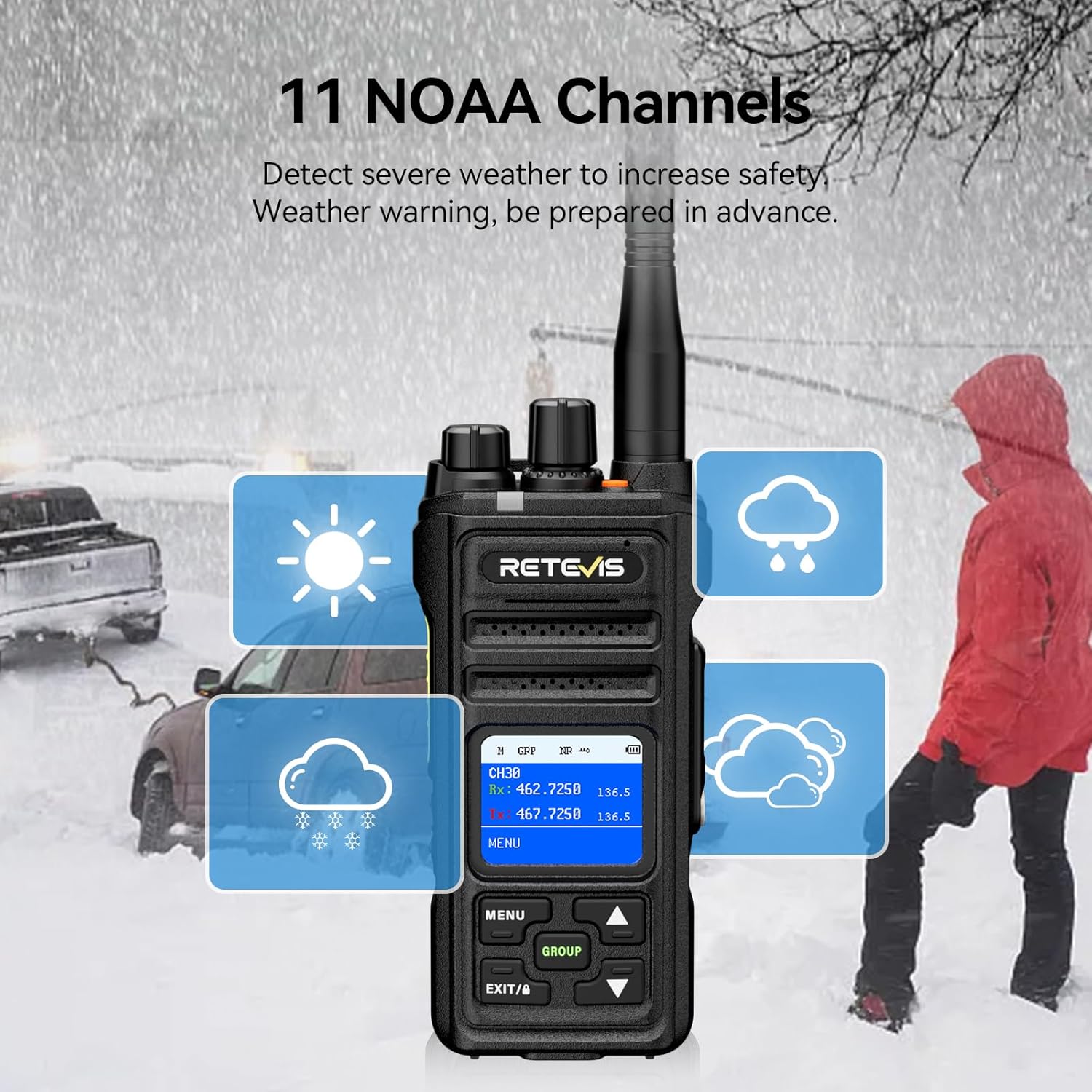
The NR30S can receive 11 NOAA weather channels, providing timely weather warnings to enhance safety.
- Access the menu and navigate to the NOAA Weather Channel option.
- Select the desired NOAA channel to monitor weather broadcasts.
5. alarma de emergencia
In emergency situations, activate the SOS alarm to alert others.
- Presione el botón dedicado Alarma SOS button (typically an orange button on top) to activate the alarm.
6. Bloqueo de teclado
To prevent accidental key presses, you can lock the keyboard.
- Mantenga pulsado el EXIT/A key to activate the keyboard lock function. Repeat to unlock.
7. Función de monitoreo
The monitoring function allows you to listen to weak signals on the current channel.
- Short press side button 1 to activate the monitoring function.
8. Función de escaneo
The scanning function allows the radio to automatically search for active channels.
- Briefly press side button 2 to activate the scanning function.
9. Tonos CTCSS/DCS
CTCSS (Continuous Tone-Coded Squelch System) and DCS (Digitally Coded Squelch) tones help filter out unwanted transmissions and allow for private group communication.
- Refer to the radio's menu settings to configure CTCSS/DCS tones for specific channels.
Mantenimiento
- Limpieza: Utilice un paño suave y seco.amp Paño para limpiar el exterior de la radio. No utilice productos químicos agresivos ni limpiadores abrasivos.
- Cuidado de la batería: To prolong battery life, avoid overcharging and fully discharging the battery. Store the radio and battery in a cool, dry place when not in use.
- Waterproof/Dustproof Care: Although IP67 rated, ensure all ports and covers are securely closed before exposing the radio to water or dust. Rinse with fresh water after exposure to saltwater.

Solución de problemas
| Problema | Posible causa | Solución |
|---|---|---|
| Sin poder | Batería agotada o instalada incorrectamente. | Cargue la batería o vuelva a instalarla correctamente. |
| No se puede transmitir/recibir | Canal incorrecto, batería baja o fuera de rango. | Verify channel, charge battery, or move closer to other radios. |
| Mala calidad de audio | Weak signal, high background noise, or antenna issue. | Move to a clearer area, activate noise reduction, or check antenna connection. |
| Teclado bloqueado | La función de bloqueo del teclado está activa. | Press and hold the EXIT/A key to unlock. |
Presupuesto
| Característica | Detalle |
|---|---|
| Marca | Retevis |
| Número de modelo | NR30S |
| Color | Negro |
| Número de canales | 30 |
| Rango de frecuencia | GMRS |
| Alcance máximo de conversación | 5 millas |
| Nivel de resistencia al agua | IP67 resistente al agua |
| Capacidad de la batería | Batería de iones de litio de 2800 mAh |
| Duración media de la batería | 17 Hours (Work), 120 Hours (Standby) |
| Tiempo de carga | 6.5 horas |
| Dimensiones del producto | 1.51" de profundidad x 2.63" de ancho x 5.7" de alto |
| Peso del artículo | 570 gramos |
| Características especiales | IP67 Waterproof and dustproof, Intelligent two-way noise reduction, LCD screen with menu, Keyboard lock, One-key group call, NOAA, Alarm, Strong penetration long-range 2-way radio. |
Garantía y soporte
Retevis provides a 3-year warranty for the radio body and a 1-year warranty for accessories. Additionally, a 30-day no-reason return policy is offered. For any inquiries or support, please contact Retevis customer service on Amazon. They aim to reply within 12 hours.
Visita la página oficial Tienda Retevis Para más productos e información.