
1. Información importante de seguridad
Please read this manual carefully before assembly and use to ensure safe and correct operation of your MAIDeSITe EL2 Pro Art adjustable height desk frame.
- Advertencia de sobrecarga: No exceda la capacidad máxima de carga de 180 kg (396 libras). Overloading can cause damage to the frame and potential injury.
- Ajuste de altura: Avoid adjusting the height while objects are unstable on the desktop or if there is a risk of collision with surrounding furniture or walls.
- Niños y mascotas: Keep children and pets away from the desk during operation. The anti-collision system helps prevent accidents, but supervision is recommended.
- Fuente de alimentación: Ensure the power cable is properly connected and not damaged. Do not operate the desk with a damaged cable or plug.
- Mantenimiento: No intente desmontar ni reparar el motor ni el sistema de control usted mismo. Contacte con atención al cliente para obtener ayuda.
2. Producto terminadoview
The MAIDeSITe EL2 Pro Art is an electric adjustable height desk frame designed for ergonomic workspaces. It features a robust dual-motor system, a wide height adjustment range, and an elegant oval leg design.

The unique oval-shaped legs provide both stability and a distinctive aesthetic, setting it apart from conventional desk frames.

3. Contenido del paquete
Before assembly, ensure all components are present and undamaged. Refer to the included assembly instructions for a detailed parts list.
- Desk Frame Components (legs, crossbars, feet)
- Panel de control con pantalla LCD
- Adaptador de corriente y cable
- Mounting Hardware (screws, Allen keys)
- Cable Management Tray (metal)
- 4 Lockable Universal Casters (optional installation)
- Manual de usuario (este documento)
4. Configuración y montaje
The MAIDeSITe EL2 Pro Art frame is designed for straightforward assembly, typically taking around 20 minutes. Detailed instructions are provided in a separate guide in 5 languages.

4.1 Pasos de montaje (Instrucciones generales)view)
- Desempaquetar componentes: Retire con cuidado todas las piezas del embalaje y colóquelas sobre una superficie limpia y suave para evitar rayones.
- Ensamblar patas y travesaños: Follow the specific instructions to connect the lifting columns to the crossbars.
- Fijar los pies: Secure the feet to the bottom of the lifting columns. You may choose to install the optional lockable casters at this stage for mobility.
- Instalar el panel de control: Mount the control panel to the underside of the desktop frame.
- Adjuntar escritorio: Place your chosen desktop onto the assembled frame. The frame is extensible and supports tabletops from 100-220 cm (39.4-86.6 inches) in length and 60-100 cm (23.6-39.4 inches) in width. Secure the desktop using appropriate screws (not always included, depending on desktop purchase).
- Conectar cables: Connect the motor cables to the control box and then connect the control box to the power adapter.
- Sistema de organización de cables: Utilize the included metal cable management tray (39 x 12 x 10 cm) to organize cables neatly.
4.2 Compatibilidad con el escritorio
The EL2 Pro Art frame features an extensible width from 100 cm to 180 cm (39.4 to 70.9 inches), accommodating a wide range of desktop sizes. Ensure your desktop meets the following dimensions:
- Desktop Length: 100 cm a 220 cm (39.4 a 86.6 pulgadas)
- Ancho del escritorio: 60 cm a 100 cm (23.6 a 39.4 pulgadas)

5. Instrucciones de funcionamiento
The EL2 Pro Art features an intelligent control panel for easy height adjustment and personalized settings.

5.1 Funciones del panel de control
- Pantalla LCD: Muestra la altura actual del escritorio en centímetros.
- Botones arriba/abajo (▲ / ▼): Mantenga pulsado para ajustar la altura del escritorio continuamente. Suéltelo para detenerlo.
- Ajustes preestablecidos de memoria (1, 2, 3, 4): Almacene y recupere sus alturas preferidas para sentarse y pararse.
- Botón de ajuste: Se utiliza para guardar ajustes preestablecidos de memoria.
- Sit-Stand Reminder (0.5h, 1h, 2h): Set a timer to remind you to change your working posture.
- Bloqueo de seguridad para niños: Prevents unintentional adjustments.
- Puerto de carga USB: Conveniently charge your devices.
5.2 Configuración de ajustes preestablecidos de memoria
- Ajuste el escritorio a la altura deseada utilizando los botones Arriba/Abajo.
- Presione el COLOCAR botón. La pantalla parpadeará.
- Dentro de 3 segundos, presione uno de los botones de memoria (1, 2, 3 o 4) to save the current height to that position. The display will show 'S-' followed by the number to confirm.
5.3 Uso de ajustes preestablecidos de memoria
Simplemente presione el botón de memoria deseado (1, 2, 3 o 4). El escritorio se moverá automáticamente a la altura guardada.
5.4 Sit-Stand Reminder
To activate the reminder, press the timer button (often labeled with a clock icon or 'M' for memory/mode, then cycle through 0.5h, 1h, 2h). The desk will beep or display a reminder after the set time to encourage posture changes.
5.5 Bloqueo de seguridad para niños
To engage or disengage the child safety lock, refer to the specific instructions in your detailed assembly guide. This feature prevents accidental height adjustments.
5.6 Sistema anticolisión
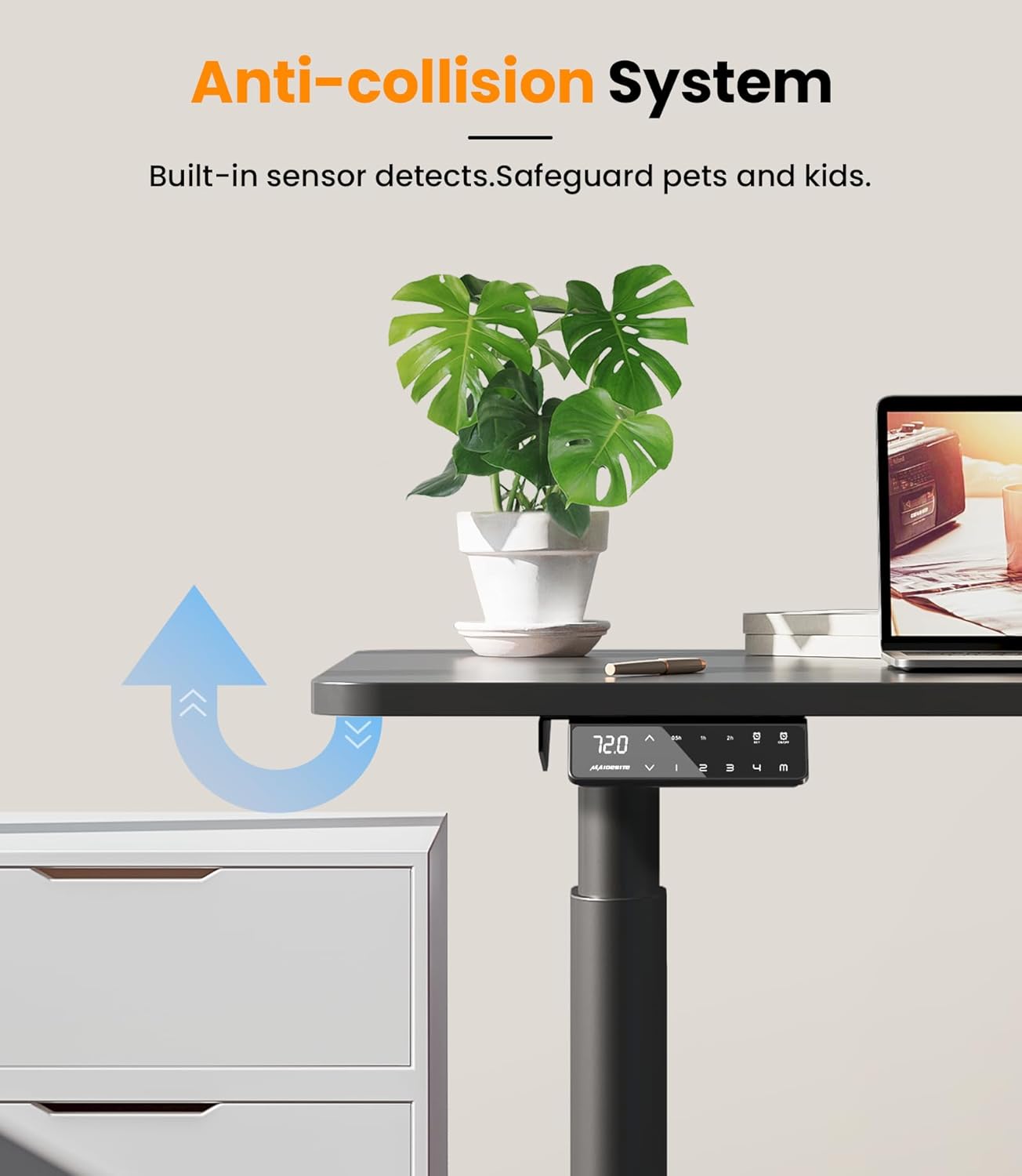
The EL2 Pro Art is equipped with a built-in anti-collision system. If the desk encounters an obstacle during height adjustment, it will automatically stop and reverse slightly to prevent damage or injury.
6. Mantenimiento
El mantenimiento regular garantiza la longevidad y el rendimiento óptimo del marco de su escritorio.
- Limpieza: Limpie el marco del escritorio con un paño suave.amp Paño. Evite utilizar productos químicos agresivos o limpiadores abrasivos, que pueden dañar el acabado.
- Sistema de organización de cables: Revise y reorganice periódicamente los cables para evitar enredos y asegurarse de que no interfieran con el movimiento del escritorio.
- Sujetadores: Revise ocasionalmente todos los tornillos y pernos para asegurarse de que estén bien apretados. Vuelva a apretarlos si es necesario.
- Superación de obstáculos: Ensure the area around the desk is clear of obstacles before adjusting height to allow the anti-collision system to function effectively.
7. Solución de problemas
If you encounter issues with your desk frame, refer to the following common problems and solutions:
| Problema | Posible causa | Solución |
|---|---|---|
| El escritorio no se mueve ni responde a los controles. | Power disconnected, cable loose, child lock engaged. | Check power cable connection. Ensure all motor cables are securely plugged into the control box. Disengage child safety lock if active. |
| El escritorio se mueve de manera desigual o hace un ruido inusual. | Overload, loose connections, uneven weight distribution. | Reduce load on the desk (ensure it's below 180 kg). Check all assembly screws for tightness. Redistribute weight evenly on the desktop. |
| Código de error que se muestra en el panel de control. | Fallo específico del sistema. | Refer to the detailed assembly manual for specific error code meanings and troubleshooting steps. Often, a power cycle (unplug for 30 seconds, then replug) can resolve minor errors. |
| El sistema anticolisión se activa con demasiada facilidad o no se activa en absoluto. | Sensitivity setting, sensor obstruction. | Ensure no objects are near the sensors. Some models allow sensitivity adjustment; refer to your detailed manual. |
If the problem persists after attempting these solutions, please contact MAIDeSITe customer support.
8. Especificaciones
Key technical specifications for the MAIDeSITe EL2 Pro Art adjustable height desk frame:
| Característica | Especificación |
|---|---|
| Marca | ASIENTO DE SERVICIO |
| Número de modelo | EL2 Pro Art |
| Color | Negro |
| Tipo de motor | Motor dual |
| Capacidad de carga (máx.) | 180 kg (396 libras) |
| Rango de ajuste de altura | 72 cm - 120 cm (28.3 pulgadas - 47.2 pulgadas) |
| Rango de ajuste del ancho del marco | 100 cm - 180 cm (39.4 pulgadas - 70.9 pulgadas) |
| Compatible Desktop Length | 100 cm - 220 cm (39.4 pulgadas - 86.6 pulgadas) |
| Ancho de escritorio compatible | 60 cm - 100 cm (23.6 pulgadas - 39.4 pulgadas) |
| Velocidad de elevación | 35 mm/s |
| Nivel de ruido | < 45 dB |
| Panel de control | Smart panel with LCD, 4 memory presets, sit-stand reminder, child safety lock, USB charging. |
| Dimensiones del producto (L x An x Al) | 60 x 180 x 120 cm (approximate maximum extended dimensions) |
| Peso del artículo | 24 kilogramos |


9. Garantía y soporte
MAIDeSITe is committed to providing high-quality products and excellent customer service.
9.1 Garantía del producto
Your MAIDeSITe EL2 Pro Art desk frame comes with a 5 año de garantíaPara garantizar su tranquilidad respecto a su calidad y durabilidad, conserve su comprobante de compra para reclamaciones de garantía.
9.2 Atención al cliente
For any questions, technical assistance, or warranty claims, please contact MAIDeSITe customer support. Our team is available to provide support and ensure your satisfaction.
You can find contact information on the official MAIDeSITe websitio o a través de su plataforma de compra.