
1. Introducción
Thank you for choosing the TREBLAB HD-360 Pro Ultra High-Tech Bluetooth Speaker. This manual provides essential information for setting up, operating, and maintaining your speaker to ensure optimal performance and longevity. The HD-360 Pro delivers immersive 360° surround sound with a 90W high-powered 5-driver system, subwoofer, and 8 bass radiators, designed for home, party, and outdoor use.
2. ¿Qué hay en la caja?
- TREBLAB HD-360 Pro Speaker
- Cable de carga USB-C
- Cable AUX de 3.5 mm
- Guía de inicio rápido
- Tarjeta de garantía
3. Producto terminadoview
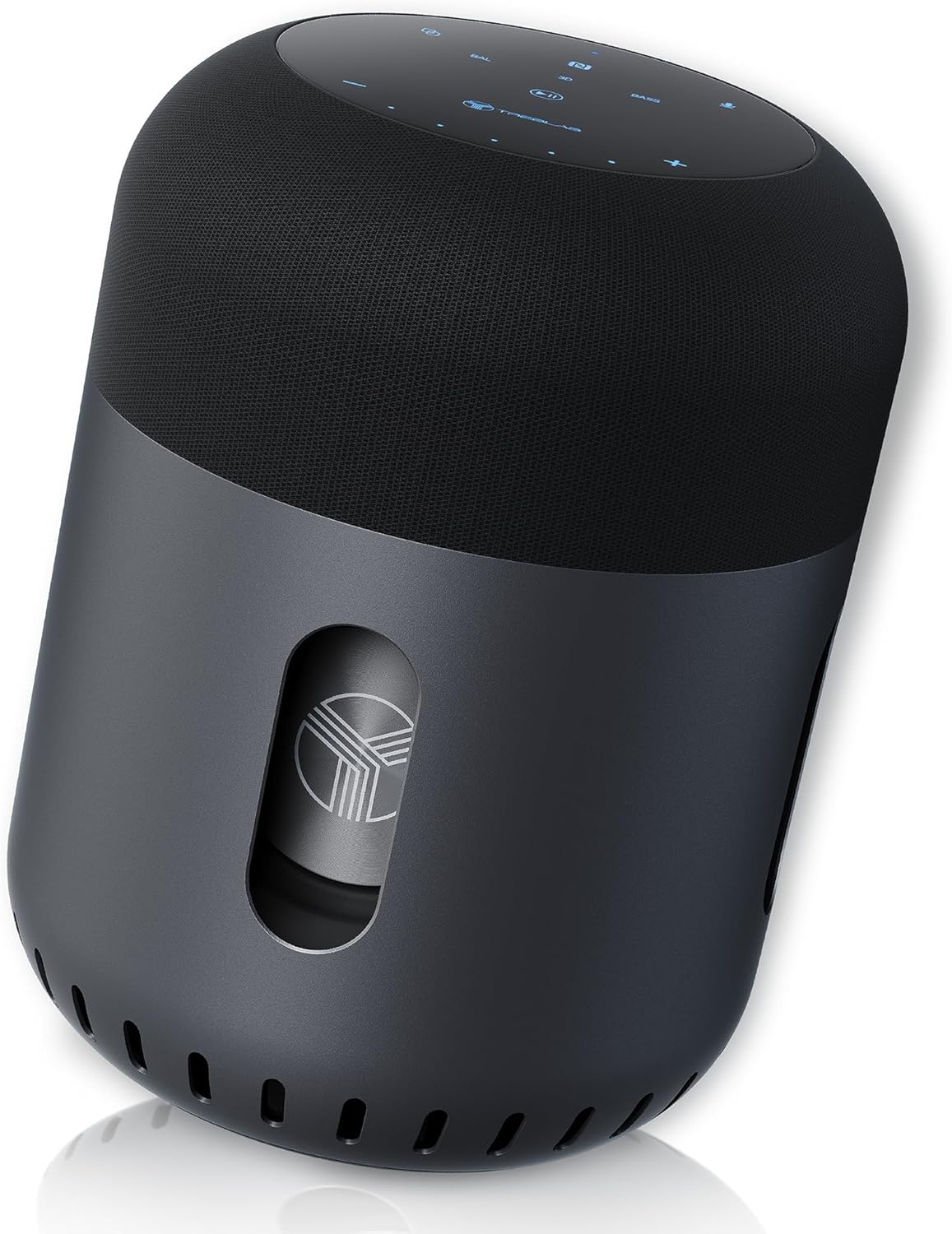
Frente view of the TREBLAB HD-360 Pro speaker, showcasing su elegante diseño y construcción robusta.
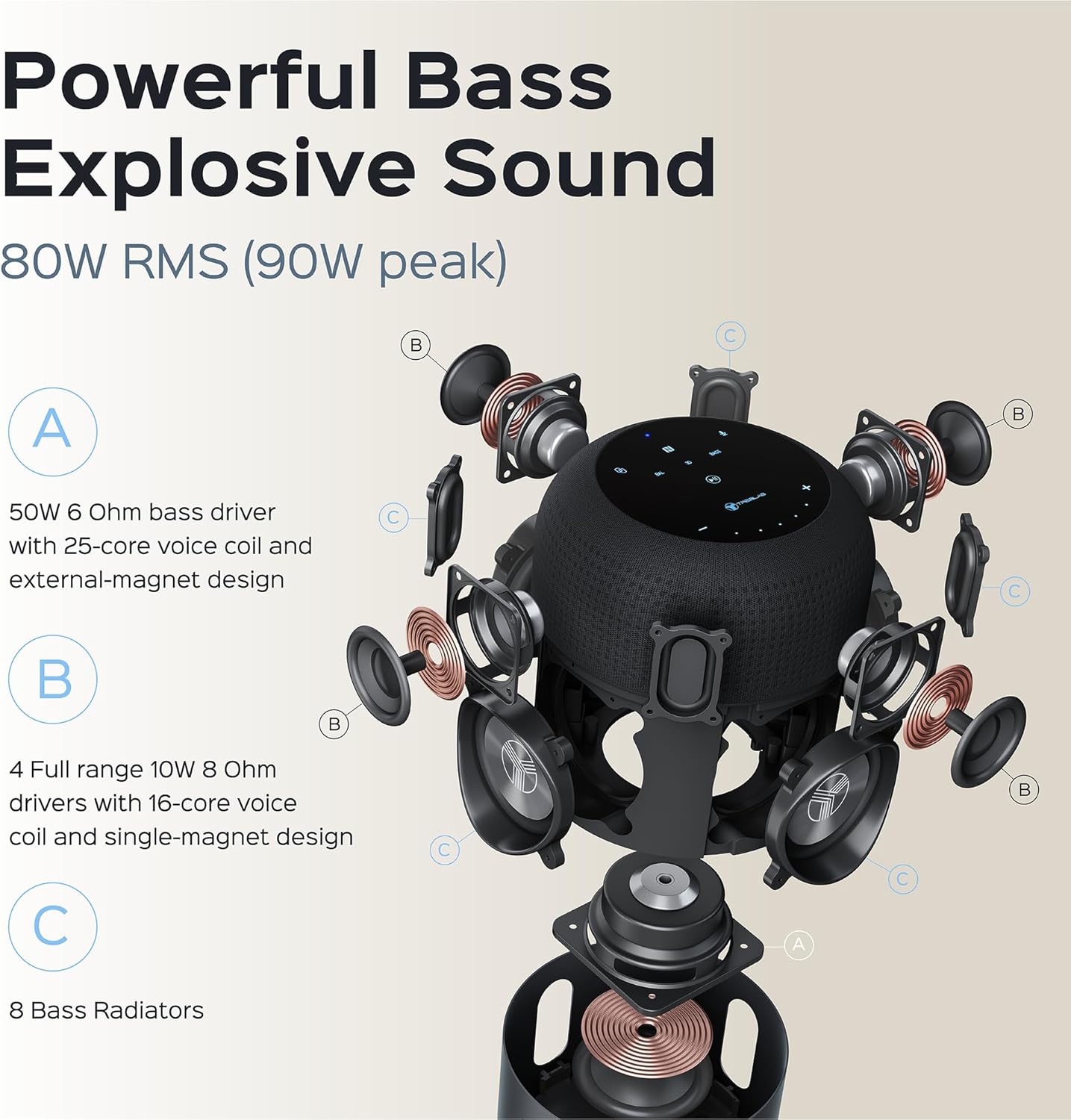
Explosión detallada view illustrating the 5-driver system, subwoofer, and 8 bass radiators for powerful, explosive sound.
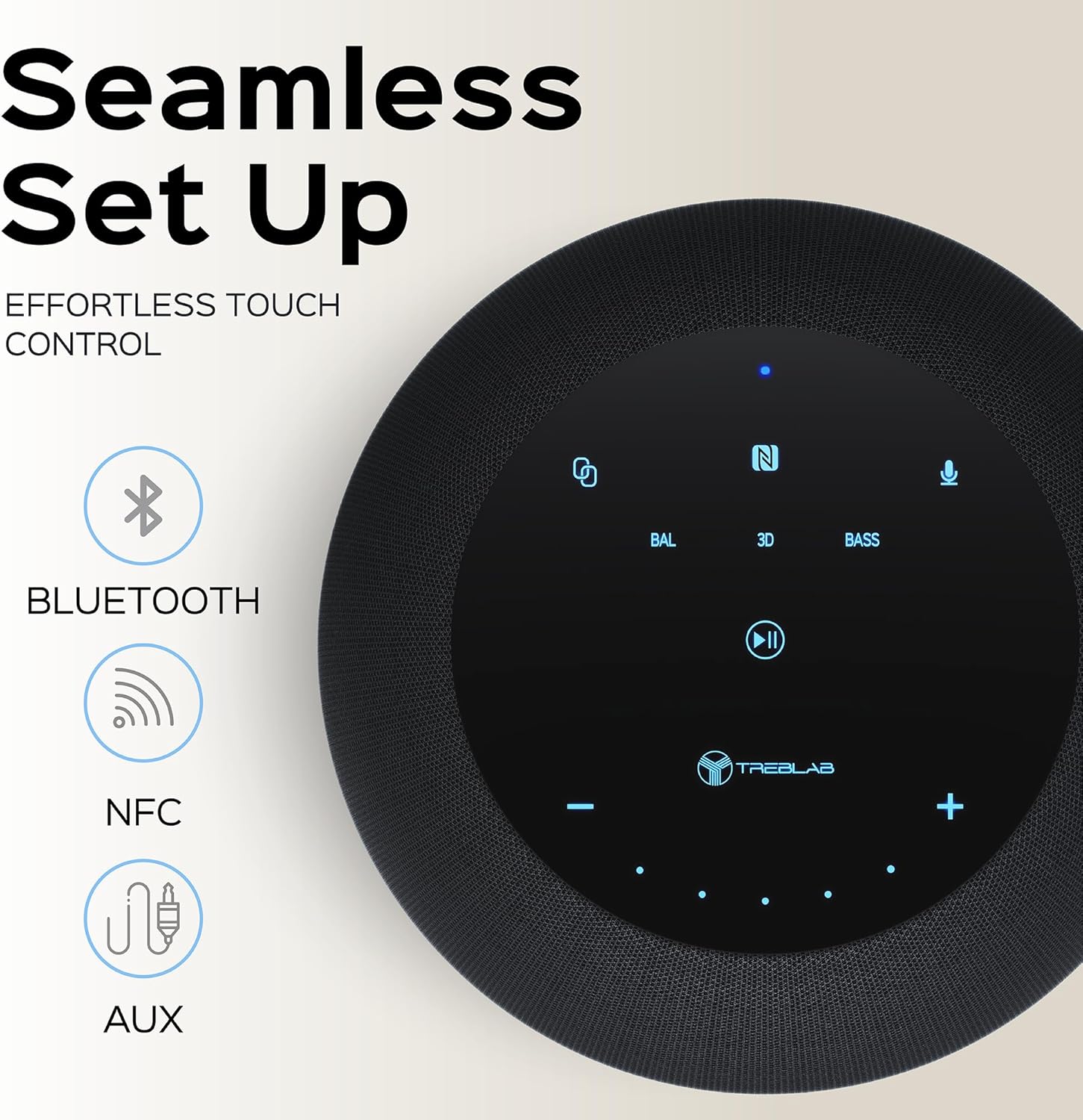
Top panel showing the intuitive touch controls for seamless operation, including Bluetooth, NFC, and AUX input options.

The speaker features an IPX4 waterproof rating, making it resistant to splashes and light rain, suitable for various environments.
4. Configuración
4.1 Carga inicial
Before first use, fully charge your TREBLAB HD-360 Pro speaker. Connect the provided USB-C charging cable to the speaker's charging port and a compatible USB power adapter (not included). The charging indicator light will show the charging status. A full charge takes approximately 2 hours.
4.2 Encendido / Apagado
To power on the speaker, press and hold the Power button on the top panel until you hear an audible prompt and the indicator lights illuminate. To power off, press and hold the Power button again until the lights turn off.
5. Instrucciones de funcionamiento
5.1 Emparejamiento Bluetooth
- Ensure the speaker is powered on and in pairing mode (indicated by a blinking blue light).
- En su dispositivo (teléfono inteligente, tableta, computadora portátil), habilite Bluetooth.
- Buscar available Bluetooth devices and select "TREBLAB HD-360 Pro" from the list.
- Una vez conectado, la luz indicadora se volverá azul fija y escuchará un sonido de confirmación.
The speaker supports Bluetooth 5.0 for fast and stable connections up to 34 feet (10 meters).
5.2 Emparejamiento estéreo inalámbrico verdadero (TWS)
For an enhanced stereo experience, you can pair two TREBLAB HD-360 Pro speakers together:
- Asegúrese de que ambos altavoces estén encendidos y no conectados a ningún otro dispositivo Bluetooth.
- En un altavoz (este será el altavoz principal), mantenga presionado el botón TWS hasta que escuche una indicación.
- The speakers will automatically search for and connect to each other. Once paired, you will hear a confirmation sound, and the indicator lights will synchronize.
- Conecte su dispositivo al altavoz principal a través de Bluetooth como se describe en la sección 5.1.

Illustration of two HD-360 Pro speakers connected via TWS for a doubled audio experience.
5.3 Controles táctiles
The HD-360 Pro features intuitive touch controls on its top panel:
- Subir/Bajar volumen: Toque los íconos '+' o '-'.
- Reproducir/Pausa: Tap the Play/Pause icon.
- Pista siguiente / anterior: Swipe left or right on the touch surface.
- Responder/Finalizar llamada: Toque el ícono del teléfono.
- Activar asistente de voz: Tap the Microphone icon.
- Modos de sonido: Tap 'BAL' for Balanced, '3D' for 3D Surround, or 'BASS' for Bass Boost mode.
5.4 Realizar llamadas
When connected via Bluetooth, the speaker's built-in microphone allows you to make and receive calls hands-free. Use the Phone icon on the touch panel to manage calls.
6. Carga
The TREBLAB HD-360 Pro is equipped with a 15600 mAh battery, providing up to 22 hours of playtime on a single charge. To charge, use the included USB-C cable. The speaker can be used while charging.

De cerca view of the USB-C charging port and AUX input, protected by a rubber flap.
7. Mantenimiento y cuidado
- Limpieza: Limpie el altavoz con un paño suave y seco. No utilice limpiadores abrasivos ni disolventes.
- Resistencia al agua: The speaker has an IPX4 rating, meaning it is splash-proof. Do not submerge the speaker in water. Ensure the charging port cover is securely closed when near water.
- Almacenamiento: Guarde el altavoz en un lugar fresco y seco, alejado de temperaturas extremas y de la luz solar directa.
8. Solución de problemas
| Problema | Posible causa | Solución |
|---|---|---|
| El altavoz no se enciende | Batería baja; el botón de encendido no se mantiene presionado el tiempo suficiente | Charge the speaker; Press and hold Power button for 3-5 seconds |
| No se puede emparejar a través de Bluetooth | El altavoz no está en modo de emparejamiento; el Bluetooth del dispositivo está desactivado; el altavoz ya está conectado a otro dispositivo | Ensure speaker is blinking blue; Turn on device Bluetooth; Disconnect from other devices |
| Sin sonido | Volumen demasiado bajo; Fuente de entrada incorrecta; Dispositivo no conectado | Increase volume on speaker and device; Check Bluetooth connection; Ensure AUX cable is fully inserted |
| El emparejamiento de TWS falla | Los altavoces están demasiado separados; un altavoz ya está emparejado con un dispositivo | Coloque los altavoces más cerca; asegúrese de que ambos altavoces estén desconectados de otros dispositivos antes de emparejar TWS |
9. Especificaciones
| Característica | Detalle |
|---|---|
| Nombre del modelo | HD-360-Pro |
| Tipo de altavoz | Subwoofer, Portable Bluetooth Speaker |
| Potencia de salida | 90 vatios (pico) / 80 W RMS |
| Tecnología de conectividad | Bluetooth 5.0, auxiliar, NFC |
| alcance inalámbrico | Hasta 33 pies (10 metros) |
| Duración de la batería | Hasta 22 horas |
| Capacidad de la batería | 15600 miliamp Horas |
| Tiempo de carga | 2 Hours (USB-C Fast Charging) |
| Resistencia al agua | IPX4 (a prueba de salpicaduras) |
| Material | Metal (Aluminum), ABS, Fabric |
| Dimensiones (D x W x H) | 5.79" de profundidad x 7.68" de ancho x 5.79" de alto |
| Peso del artículo | 5.2 libras (2.36 kg) |
| Micrófonos | 4 (para llamadas) |
| Canal de sonido envolvente | 3.0 |
10. Información de seguridad
- No exponga el altavoz a temperaturas extremas, luz solar directa o humedad alta.
- Evite dejar caer o someter el altavoz a impactos fuertes.
- Mantener fuera del alcance de los niños.
- No intente desmontar ni modificar el altavoz. Esto anulará la garantía y podría causar daños.
- Utilice únicamente el cable de carga proporcionado.
- Deseche la batería de forma responsable según las regulaciones locales.
11. Garantía y soporte
The TREBLAB HD-360 Pro comes with a limited warranty. Please refer to the included Warranty Card for details regarding coverage and terms. For technical support, troubleshooting assistance, or warranty claims, please visit the official TREBLAB websitio o póngase en contacto con su servicio de atención al cliente.
También puedes encontrar el Manual de Usuario completo en formato PDF aquí.
Visit the TREBLAB Store for more products and information: TREBLAB Official Store