
1. Introducción
Thank you for choosing the ZKH Pinless Moisture Meter HIT-MM916. This device is designed for non-destructive measurement of moisture content in various materials such as wood, drywall, concrete, and other building materials. Its advanced spherical probe allows for deep detection without causing damage to surfaces. This manual provides essential information for the safe and effective operation of your moisture meter.
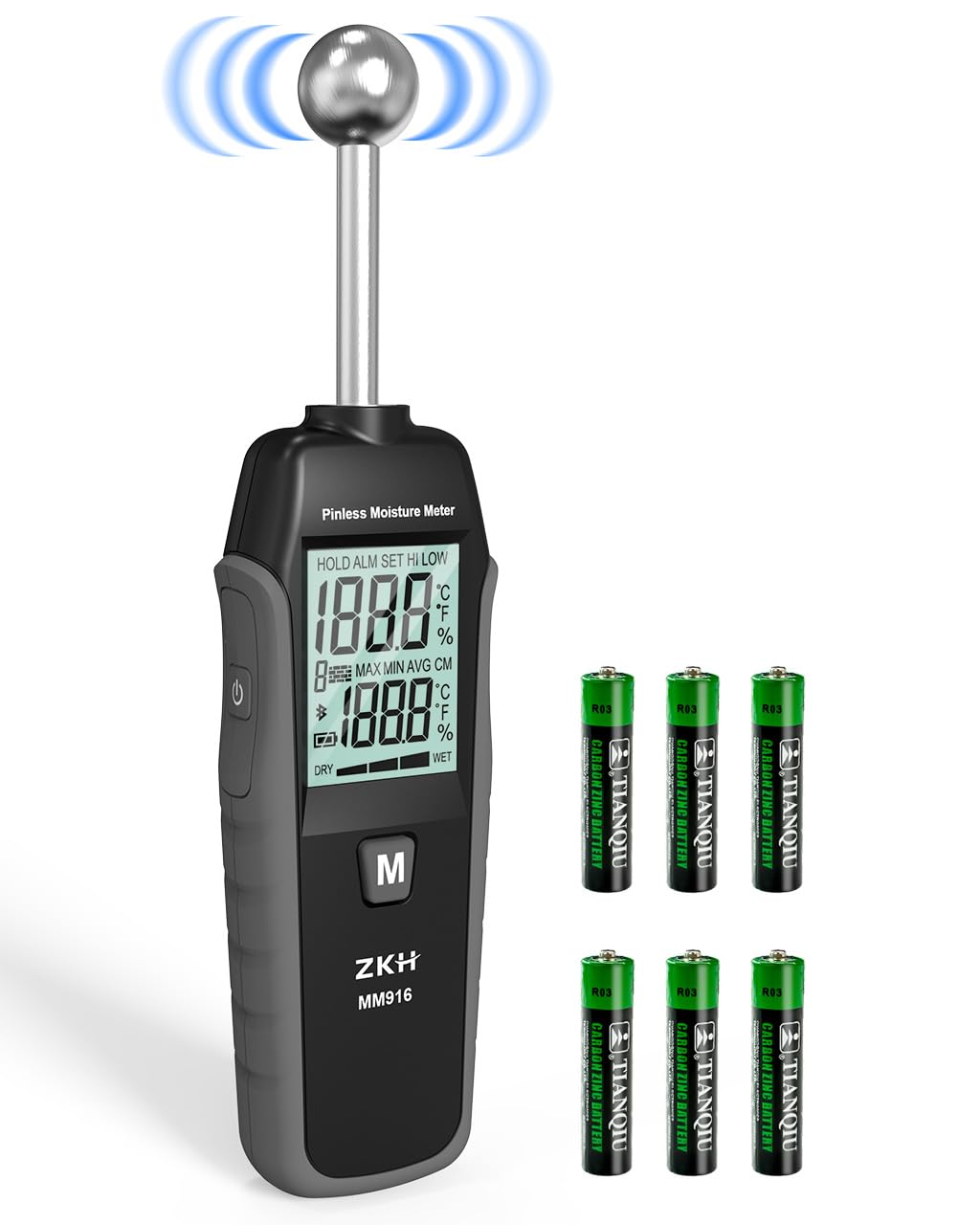
Image 1.1: ZKH Pinless Moisture Meter HIT-MM916. The meter features a digital display and a spherical probe for non-destructive measurements, shown alongside six AAA batteries.
Características principales:
- Medición no destructiva: Spherical probe detects moisture without surface damage.
- Detección profunda: Penetrates surfaces up to 20-40mm.
- Amplio rango de medición: 0.0-199.9 with 0.1 resolution.
- Operación con un solo toque: Simple calibration and measurement.
- Pantalla versátil: Shows current, maximum, minimum, and average values.
- Moisture Alert System: Notifies when set humidity levels are exceeded.
- Apagado automático: Conserva la vida útil de la batería.
- Pantalla retroiluminada: Garantiza la legibilidad en diversas condiciones de iluminación.
2. Información de seguridad
Lea y comprenda todas las instrucciones de seguridad antes de usar el dispositivo. Si no las sigue, podría sufrir una descarga eléctrica, un incendio o lesiones graves.
- No intente abrir ni modificar el dispositivo. No contiene piezas que puedan ser reparadas por el usuario.
- Mantenga el dispositivo alejado del agua y otros líquidos para evitar descargas eléctricas o daños.
- Avoid using the device in environments with extreme temperatures or high humidity.
- Do not use the device near strong electromagnetic fields, which may affect measurement accuracy.
- Asegúrese de que el compartimiento de la batería esté bien cerrado después de instalar la batería.
- Deseche las baterías según la normativa local. No las incinere.
- Este dispositivo no es un juguete. Mantener fuera del alcance de los niños.
3. Producto terminadoview y componentes
Contenido del paquete:
- 1 x ZKH Pinless Moisture Meter HIT-MM916
- 1 x Manual de usuario
- AAA Batteries (quantity may vary, typically 3-6)
Disposición del dispositivo:

Imagen 3.1: Detallada view of the ZKH Pinless Moisture Meter, highlighting its components and controls. The image shows the ball probe, LCD screen, and various buttons with their functions.
- Sonda de bola: The sensing part of the meter for non-destructive measurement.
- Pantalla LCD: Displays measurement readings, settings, and indicators.
- CLR/▲ Button: Increases setting values or selects options.
- ◀/SET Button: Enters settings, selects modes, or toggles backlight.
- MODE/▼ Button: Decreases setting values or selects options.
- Botón M: Used for measurement and calibration.
- Botón de encendido: Enciende o apaga el medidor.
4. Configuración
4.1 Instalación de la batería:
The ZKH Pinless Moisture Meter requires AAA batteries for operation. To install or replace batteries:
- Localice el compartimento de la batería en la parte posterior del dispositivo.
- Utilice un destornillador pequeño para abrir la tapa del compartimento de la batería.
- Inserte las pilas AAA, asegurándose de la polaridad correcta (+/-).
- Cierre la tapa del compartimento de la batería y asegúrela con el tornillo.
4.2 Initial Calibration:
For accurate measurements, it is recommended to calibrate the device before first use and periodically thereafter.

Image 4.1: Illustration of the calibration process for the ZKH Pinless Moisture Meter. A hand holds the meter, demonstrating the correct position for calibration and measurement.
- Presione el botón de encendido para encender el medidor.
- Hold the "M" button for approximately 3 seconds to initiate calibration.
- The display will indicate calibration is complete, and measurement will begin automatically after 3 seconds.
5. Instrucciones de funcionamiento
5.1 Tomando una Medición:
The ZKH Pinless Moisture Meter uses a spherical probe for non-destructive measurements. To take a reading:
- Asegúrese de que el medidor esté encendido y calibrado.
- Place the spherical probe flat against the surface of the material you wish to measure. Ensure the probe is perpendicular to the surface.
- The meter will display the moisture content reading on the LCD screen.
- For consistent results, avoid moving the meter during measurement.

Image 5.1: Diagram illustrating the 20-40mm depth detection capability of the ZKH Pinless Moisture Meter. The spherical probe emits signals that penetrate the material to assess moisture levels.
5.2 Comprensión de la pantalla:
The LCD screen provides various indicators and readings:

Image 5.2: A close-up of the meter's high-definition LCD display, showing various indicators such as current measurement, max/min/avg readings, moisture alarm, and battery status.
- Current Measurement Reading: The primary moisture value.
- HOLD ALM SET HI LOW: Indicators for data hold, alarm settings, and high/low moisture alerts.
- MAX MIN AVG CM: Displays maximum, minimum, and average readings.
- Dry/Wet Indicator: A graphical bar indicating relative dryness or wetness.
- Indicación de batería baja: Icon appears when batteries need replacement.
5.3 Moisture Alert System:
The meter can be set to alert you when moisture levels exceed a predefined threshold. Refer to the device's on-screen menu (accessed via the SET button) to configure alarm levels. When the moisture level surpasses the set limit, an audible alarm and/or visual indicator will activate.
5.4 Data Hold Function:
Press the "M" button briefly during measurement to hold the current reading on the display. Press it again to release the hold and resume live measurement.
5.5 Automatic Power-Off:
To conserve battery life, the meter will automatically power off after approximately 3 minutes of inactivity.
5.6 Important Measurement Considerations:
For reliable moisture detection, ensure the measurement area is free from obstructions.

Image 5.3: Visual guide indicating areas to avoid when taking moisture measurements. Do not measure near electrical wires, metal pipes, or other metallic obstructions, as these can interfere with readings.
- Avoid measuring directly over electrical wires, metal pipes, or other metallic objects embedded within the material, as these can interfere with the meter's electromagnetic field and lead to inaccurate readings.
- Ensure the probe makes full contact with the surface for optimal results.
5.7 aplicaciones:
The ZKH Pinless Moisture Meter is suitable for a wide range of materials and applications:
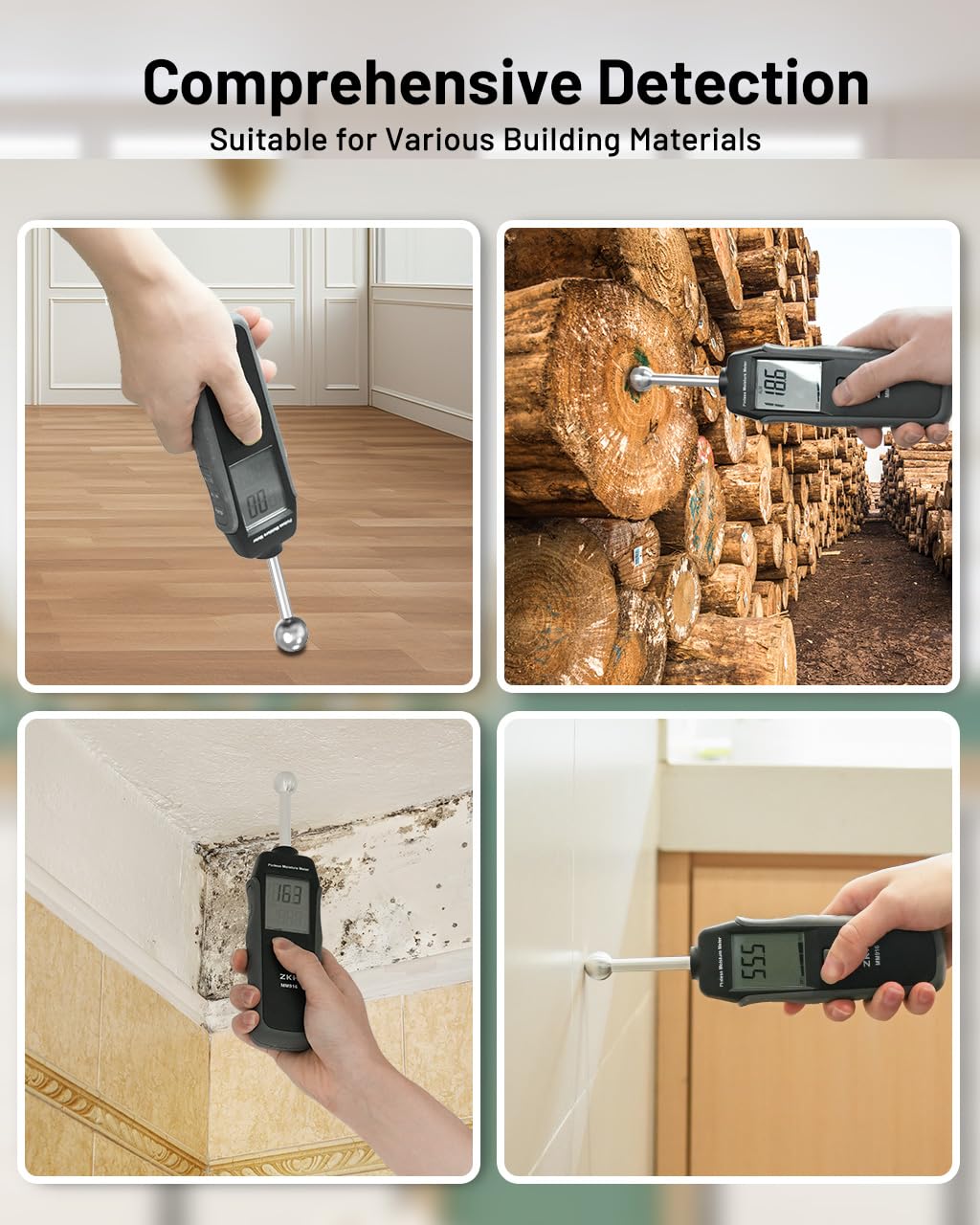
Imagen 5.4: Examples of the ZKH Pinless Moisture Meter in use across different materials and scenarios, including wood, wooden floors, concrete walls, ceramic tiles, ceiling tiles, and caravan interiors.
- Wood and Lumber
- Drywall and Plaster
- Concrete and Mortar
- Cardboard and Flooring
- Ceilings and Subfloors
6. Mantenimiento
6.1 Limpieza:
Limpie el dispositivo con un paño suave y seco. No utilice limpiadores abrasivos ni disolventes, ya que pueden dañar el dispositivo.asing o pantalla.
6.2 Almacenamiento:
When not in use for extended periods, remove the batteries to prevent leakage and store the meter in a cool, dry place, away from direct sunlight and extreme temperatures.
6.3 Reemplazo de la batería:
Reemplace las baterías cuando aparezca el indicador de batería baja en la pantalla. Consulte la sección 4.1 para obtener instrucciones sobre la instalación de las baterías.
7. Solución de problemas
| Problema | Posible causa | Solución |
|---|---|---|
| No hay pantalla/El dispositivo no se enciende | Baterías muertas o instaladas incorrectamente. | Verifique la polaridad de la batería o reemplácela con baterías nuevas. |
| Lecturas inexactas o inconsistentes | Not calibrated; measuring near metal objects; poor contact with surface; material density variations. | Perform calibration (Section 4.2). Ensure no metal obstructions. Apply firm, flat contact. Understand that readings can vary slightly based on material composition. |
| Moisture alarm not working | Alarm settings incorrect; alarm feature disabled. | Check and adjust alarm threshold settings via the SET button. |
| La pantalla está tenue o parpadea | Batería baja. | Reemplace las baterías. |
8. Especificaciones
| Característica | Especificación |
|---|---|
| Número de modelo | HIT-MM916 |
| Tipo de medida | Sin pines, no destructivo |
| Profundidad de detección | 20-40 mm |
| Rango de medición | 0.0-199.9 |
| Resolución | 0.1 |
| Fuente de poder | AAA Batteries (not included, or included depending on package) |
| Apagado automático | Aproximadamente 3 minutos |
| Dimensiones del producto | 9.65 x 2.36 x 1.18 pulgadas (24.5 x 6 x 3 cm) |
| Peso del artículo | 6.38 onzas (181 gramos) |
| Color | Negro |
9. Garantía y soporte
ZKH products are manufactured to high-quality standards. This product is covered by a limited warranty against defects in materials and workmanship. Please refer to the warranty card included with your purchase or contact ZKH customer support for specific warranty terms and conditions.
Atención al cliente:
For technical assistance, troubleshooting, or warranty claims, please contact ZKH customer support through the retailer where the product was purchased or visit the official ZKH websitio para información de contacto.