
1. Introducción
This manual provides detailed instructions for the installation, operation, and maintenance of your Inefala Android 15 Car Stereo. Please read this manual thoroughly before using the product to ensure proper functionality and safety.
2. Producto terminadoview
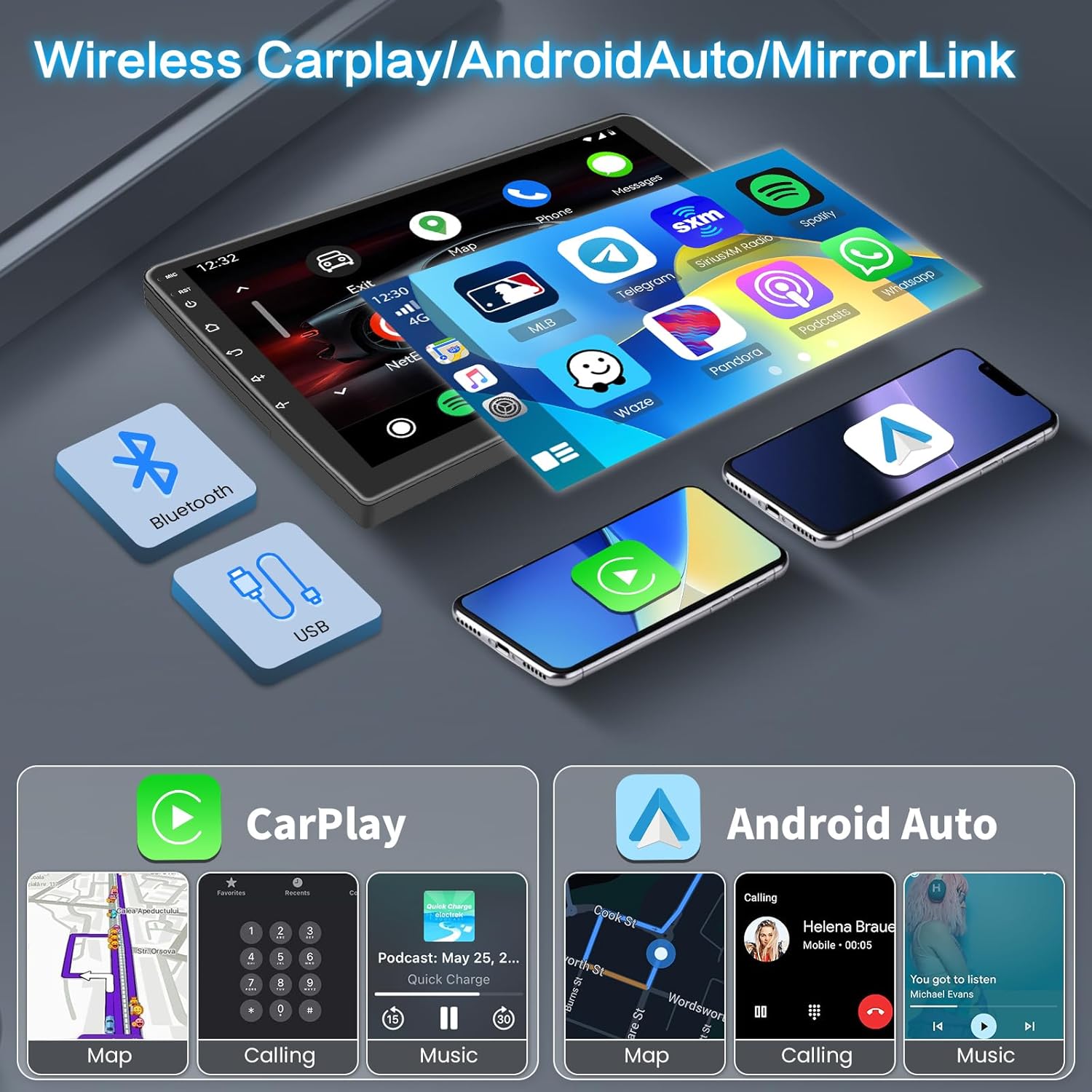
The Inefala Android 15 Car Stereo is designed for Kia Optima K5 models from 2011 to 2013. It features a 9-inch HD capacitive touchscreen, Android 15 operating system, 2GB RAM, and an Octa 4-core CPU with 64GB ROM. Key features include Wireless/Wired CarPlay, Android Auto, Mirror Link, GPS navigation, WiFi connectivity, Bluetooth, FM/RDS radio, Steering Wheel Control (SWC) support, and a backup camera input.

3. ¿Qué hay en la caja?
El paquete incluye los siguientes componentes:
- 1 x estéreo para coche Android
- 2 x cable de alimentación
- 1 x Antena GPS
- 1 x cable de entrada de cámara de respaldo
- Cable 1 x RCA
- 2 x cable USB
- 1 cable adaptador USB
- 1 x Antena de radio
- 2 x Soporte de montaje
- 1 x herramienta de instalación
- 1 x Manual de instrucciones (este documento)
- 1 x micrófono externo
- 1 cámara de respaldo.
- 1 x bus CAN

4. Guía de instalación
Se recomienda la instalación profesional. Asegúrese de que el vehículo esté desconectado de la alimentación antes de comenzar la instalación.
4.1 conexiones de cableado
Refer to the following video for a general wiring reference. For specific installation steps, consult this manual or contact customer support.
Cable adaptador de radio: Connect the radio adapter cable to the corresponding port on the car stereo unit. This cable ensures proper reception for FM/RDS radio functions.
Antena GPS: Connect the GPS antenna to the designated GPS port. Position the antenna in a location with a clear view del cielo para una recepción óptima de la señal.
Entrada de cámara: Connect the camera input cable to the rear camera port. This cable is used for the backup camera functionality.
Cable USB: Connect the USB cables to the USB ports on the car stereo. These ports can be used for media playback, phone charging, or connecting external devices.
Entrada/salida RCA: Connect the RCA cables for audio and video input/output as needed. These are typically used for external amplifiers, subwoofers, or additional video screens.
Cable de energía: Connect the main power cable harness to the car stereo. Ensure all connections are secure and match the vehicle's wiring diagram.
Reversing Light Wire: Connect the red wire from the reversing video input cable to the vehicle's reversing light wire. This enables automatic display of the backup camera when the vehicle is in reverse.
4.2 Configuración del control del volante (SWC)
Al conectar el bus CAN, es fundamental configurarlo correctamente para que los controles del volante funcionen correctamente. Siga estos pasos:
- Ir a Ajustes.
- Navegar a Configuración de fábrica e ingrese la contraseña 1234.
- Seleccionar Ajustes del coche, luego elige Hiworld + el año y modelo de tu coche.
- Proceder a "Dirigir el aprendizaje" en Configuración de fábrica para finalizar el proceso de aprendizaje de los botones del volante.

5. Instrucciones de funcionamiento
5.1 CarPlay y Android Auto inalámbricos
This car stereo supports both wireless and wired CarPlay/Android Auto. To connect:
- Asegúrese de que el Bluetooth de su teléfono esté habilitado.
- On the car stereo, open the CarPlay/Android Auto application (e.g., Tlink5).
- Follow the on-screen prompts to pair your phone via Bluetooth or connect via USB.
- Once connected, you can access navigation, make calls, send messages, and listen to music directly from the car stereo display.
5.2 Navegación GPS
The unit comes with built-in GPS and supports various mapping applications like Google Maps and Waze. Connect to WiFi to download maps and receive real-time traffic updates.
5.3 Conectividad WiFi
Connect the car stereo to a WiFi hotspot (e.g., from your mobile phone) to access online content, download apps, and update software.
5.4 funciones bluetooth
Pair your smartphone via Bluetooth for hands-free calling, phonebook synchronization, and audio streaming.
Radio FM/RDS 5.5
Access FM radio stations with RDS (Radio Data System) for station information and traffic updates. The unit supports 30 preset stations.
5.6 Cámara de respaldo
La cámara de respaldo incluida muestra automáticamente la parte trasera view when the vehicle is shifted into reverse, enhancing safety during parking and maneuvering.
6. Especificaciones
| Característica | Especificación |
|---|---|
| Sistema operativo | Androide 15 |
| RAM | 2 GB |
| memoria de sólo lectura | 64 GB |
| UPC | Octa de 4 núcleos |
| Tamaño de pantalla | 9 pulgadas |
| Tipo de pantalla | Pantalla táctil capacitiva HD |
| Resolución | 1024 x 600 |
| Conectividad | Bluetooth, USB, Wi-Fi |
| Características especiales | Wireless/Wired CarPlay, Android Auto, Mirror Link, GPS Navigation, FM/RDS Radio, SWC, Backup Camera Input |
| Tipo de servicio del vehículo | For Kia Optima K5 2011-2013 |
| Peso del artículo | 2.66 libras |
| Dimensiones del producto | 14.37 x 7.09 x 1.57 pulgadas |
7. Solución de problemas
If you encounter any issues with your Inefala Android 15 Car Stereo, please refer to the following common solutions:
- Sin energía: Revise todas las conexiones de los cables de alimentación. Asegúrese de que el encendido del vehículo esté activado. Verifique que el fusible esté intacto.
- Sin sonido: Revise las conexiones de los altavoces. Asegúrese de que el volumen no esté silenciado ni demasiado bajo. Verifique la configuración de la salida de audio.
- Pérdida de señal GPS: Ensure the GPS antenna is properly connected and placed in an unobstructed location. Check GPS settings in the system.
- Problemas de conexión Bluetooth: Ensure Bluetooth is enabled on both the stereo and your phone. Forget previous pairings and try reconnecting.
- CarPlay/Android Auto no se conecta: Verify the phone is compatible. Ensure the app is updated. Try both wired and wireless connections. Check phone permissions for the app.
- La cámara de respaldo no se muestra: Check the camera input cable connection. Ensure the reversing light wire is correctly connected to trigger the camera.
- Los controles del volante no funcionan: Re-perform the SWC learning process as described in Section 4.2. Ensure the Canbus is correctly installed.
For persistent issues, please contact Inefala customer support.
8. Garantía y soporte
Inefala provides a 24-month quality assurance for this product from the date of purchase. We are responsible for handling all quality issues within this period.
For any questions or assistance, please contact Inefala-US customer support directly at inefalatech@163.com. Please provide photos or videos if possible for quicker resolution.
Este producto es elegible para una política de reembolso/reemplazo de 30 días a través de Amazon.