
ANNTLENT AN-L70V-01
ANNTLENT Cell Phone Signal Booster
Model: AN-L70V-01 User Manual
1. Introducción
The ANNTLENT AN-L70V-01 Cell Phone Signal Booster is designed to amplify weak cellular signals, providing stronger and more reliable 5G and LTE reception within your home or office. This FCC-approved device specifically supports Band 13, making it ideal for Verizon users. It features automatic gain control (AGC) technology to ensure stable performance and prevent interference with cell towers. The system includes an outdoor antenna, an indoor antenna, the booster unit, and all necessary cables and accessories for a straightforward installation.

The ANNTLENT AN-L70V-01 booster is designed to enhance cellular signals for all compatible devices and users on Band 13.
2. Contenido del paquete
Antes de comenzar la instalación, verifique que todos los componentes estén presentes:
- ANNTLENT AN-L70V-01 Signal Booster Unit
- Outdoor Yagi Antenna
- Antena de látigo interior
- Coaxial Cable (for outdoor antenna)
- Adaptador de corriente
- Cable de entrada de ventana
- Waterproof Insulating Tape
- Herrajes de montaje

The complete ANNTLENT signal booster kit, ready for installation.
3. Configuración e instalación
Una instalación correcta es crucial para un rendimiento óptimo. Siga estos pasos cuidadosamente:
3.1 Lista de verificación previa a la instalación
- Check Existing Signal: Use your phone's field test mode (e.g., dial *3001#12345#* on iOS or use 'Network Cell Info Lite' on Android) to determine the current signal strength in dBm and identify the cellular band (Band 13 for Verizon). A minimum of 1-2 bars of outdoor signal is recommended for the booster to function effectively.
- Locate Cell Tower: Utilize the ANNTLENT Signal Advisor app to find the nearest cell tower and its direction. This will help in aiming the outdoor antenna.
- Separación de antena: Ensure a minimum vertical separation of 25 feet or a horizontal separation of 50 feet between the outdoor and indoor antennas to prevent oscillation.

Instructions for checking cellular band information on iOS devices.

Instructions for checking cellular band information on Android devices.
3.2 pasos de instalación
- Outdoor Antenna Placement: Mount the outdoor Yagi antenna on the roof or an exterior wall of your building, ensuring it is as high as possible and clear of obstructions. Aim the antenna towards the nearest cell tower using the ANNTLENT Signal Advisor app for precise direction.
- Enrutamiento de cables: Connect the coaxial cable to the outdoor antenna and route it into your home. The included window entry cable allows for drill-free installation by passing through a window frame. For outdoor connections, use the provided waterproof insulating tape to protect connectors from moisture and ensure long-term performance.
- Colocación de la antena interior: Connect the indoor whip antenna to the booster unit. Place the indoor antenna in the central area where you need improved signal coverage. It can be placed on a table or mounted on a wall. Remember to maintain the required separation distance from the outdoor antenna.
- Booster Unit Connection: Connect the coaxial cable from the outdoor antenna to the port labeled "OUTDOOR" on the booster unit. Connect the indoor antenna to the port labeled "INDOOR".
- Encendido: Plug the power adapter into the booster unit and then into a power outlet. The booster will power on, and indicator lights will illuminate.
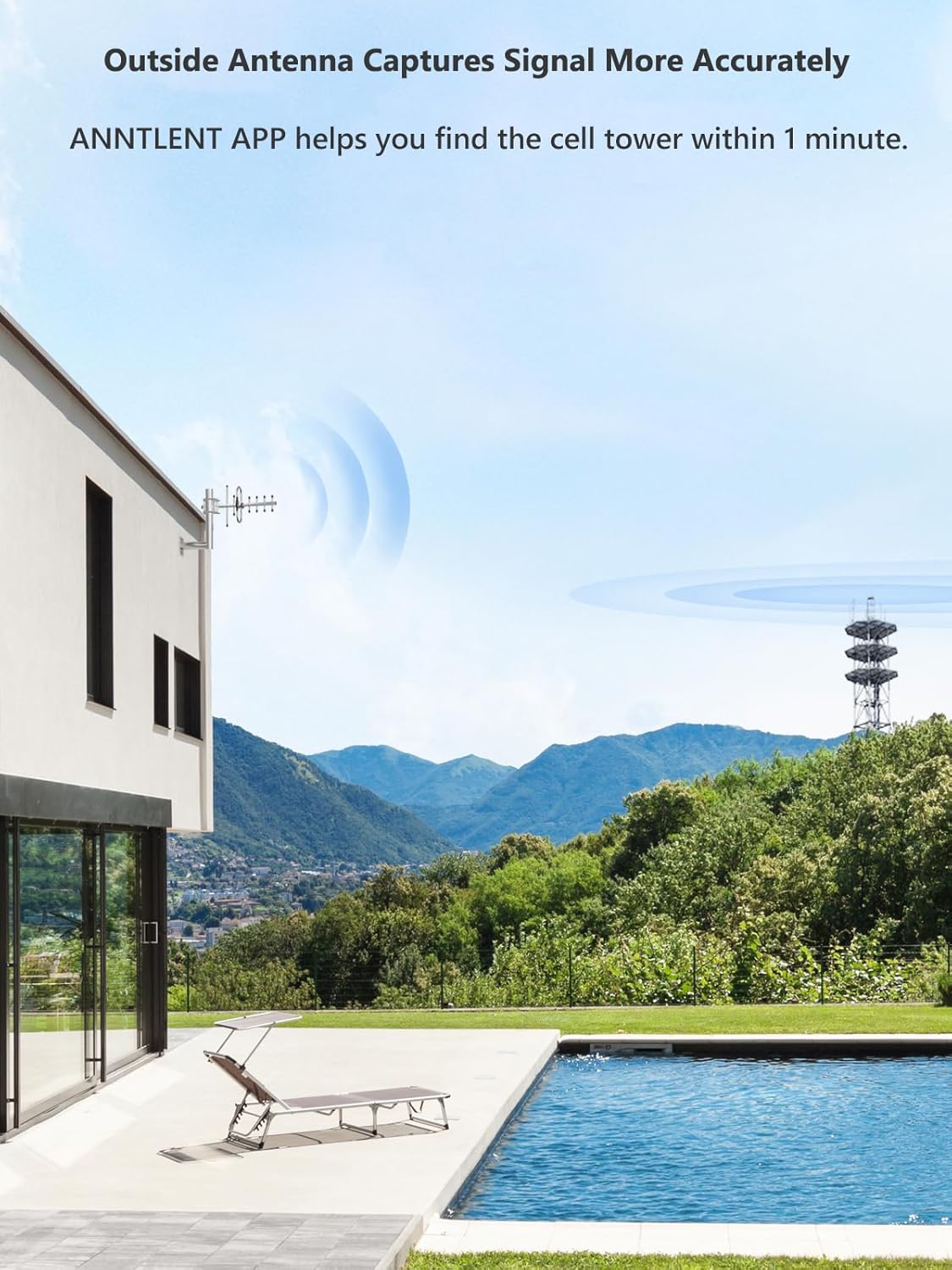
The outdoor antenna should be positioned to capture the strongest possible signal.
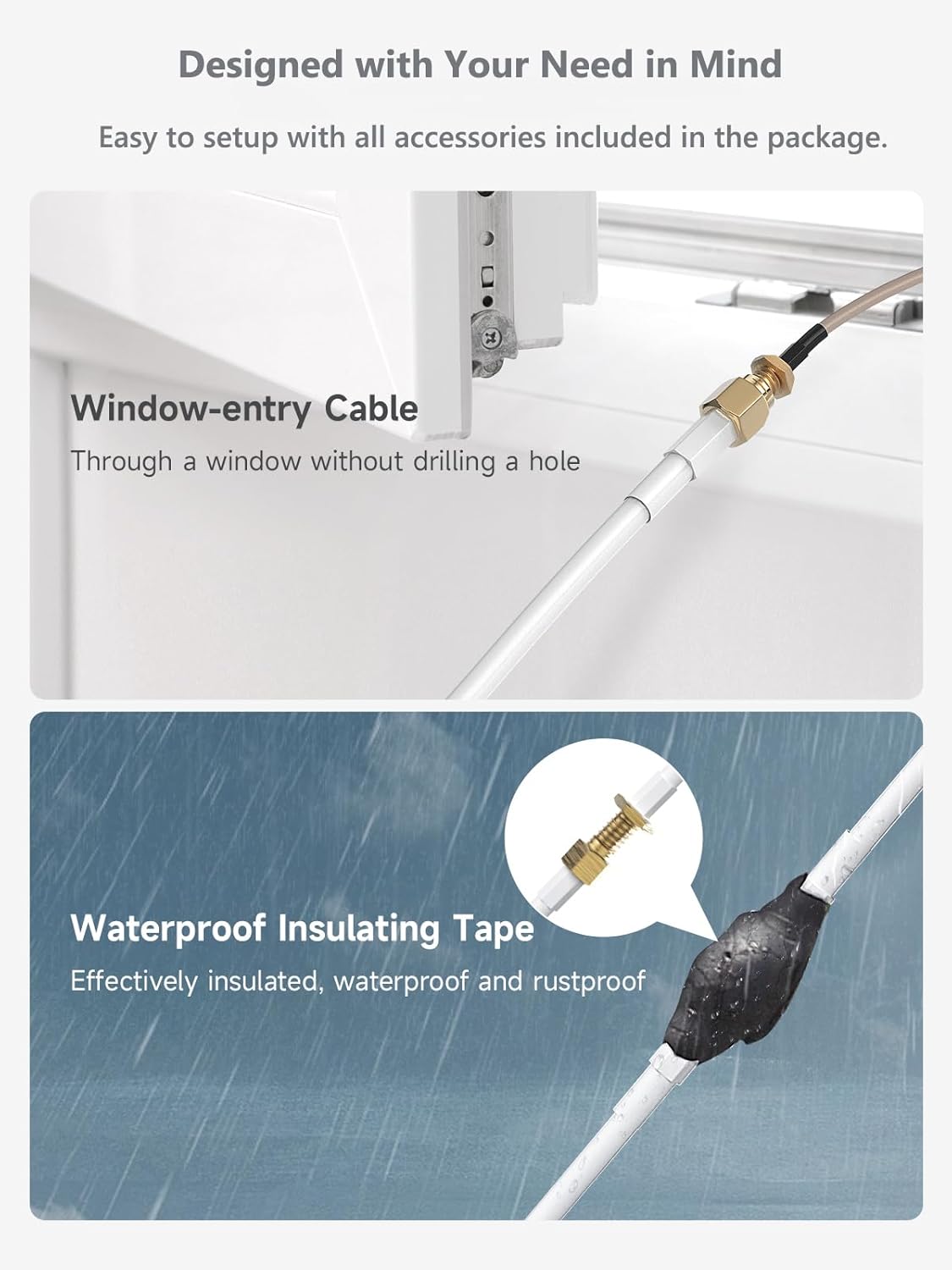
Utilize the window entry cable for easy installation and waterproof tape for secure outdoor connections.

The indoor antenna can be placed on a flat surface or mounted on a wall for optimal coverage.
3.3 Using the ANNTLENT Signal Advisor App
The ANNTLENT Signal Advisor app simplifies setup and troubleshooting:
- Ver videos de instalación: Access step-by-step video guides.
- Encuentra torre celular: Accurately locate and aim your outdoor antenna.
- Show Signal Strength: Monitor real-time signal strength (dBm) for optimal placement.
- Get Online Support: Connect with customer support directly through the app.

The ANNTLENT Signal Advisor app provides essential tools for setup and monitoring.
4. Instrucciones de funcionamiento
Once installed, the ANNTLENT AN-L70V-01 operates automatically. The booster continuously monitors signal levels and adjusts its gain to provide maximum stability and prevent over-amplification. It features N10 Multi-Protect Technology for device protection and low energy consumption.
- Control automático de ganancia (AGC): The booster automatically optimizes gain for hassle-free and optimal performance, adapting to varying signal conditions.
- Luces indicadoras de señal: Smart signal lights on the booster unit indicate the signal strength received and confirm proper functioning.
- Modo de espera: When no one is using the phone, the booster automatically switches to standby mode, saving energy and ensuring safety.

The booster incorporates advanced technology for maximum gain, automatic control, and energy efficiency.

Smart signal lights provide visual feedback on the booster's status.
5. Mantenimiento
The ANNTLENT AN-L70V-01 requires minimal maintenance to ensure long-term performance:
- Conexiones seguras: Revise periódicamente todas las conexiones de cables para asegurarse de que estén seguras y libres de corrosión.
- Outdoor Antenna Inspection: Inspect the outdoor antenna and its cables for any signs of weather damage, such as cracks, fraying, or loose mounts.
- Booster Unit Environment: Keep the booster unit in a dry, climate-controlled area, away from direct sunlight, extreme temperatures, and moisture.
- Limpieza: Use a soft, dry cloth to clean the booster unit and antennas. Do not use liquid cleaners or solvents.
6. Solución de problemas
If you experience issues with your signal booster, try the following troubleshooting steps:
- No Signal Boost:
- Ensure the power adapter is securely plugged into the booster and a working outlet.
- Verify that the outdoor and indoor antennas are connected to the correct ports on the booster.
- Confirm sufficient separation (at least 25ft vertical or 50ft horizontal) between the outdoor and indoor antennas.
- Re-aim the outdoor antenna using the ANNTLENT Signal Advisor app to ensure it is pointing towards the strongest signal source.
- Check all coaxial cable connections for tightness and damage.
- Flickering Lights or Intermittent Signal:
- This may indicate oscillation due to insufficient antenna separation. Increase the distance between the outdoor and indoor antennas.
- Compruebe si hay conexiones de cables sueltas.
- Mala calidad de la señal:
- Fine-tune the direction of the outdoor antenna. Even small adjustments can significantly improve performance.
- Ensure the indoor antenna is not obstructed by furniture or walls.
- Verify that your cellular carrier operates on Band 13 in your area.
For further assistance, refer to the ANNTLENT Signal Advisor app for detailed troubleshooting guides and online support.
7. Especificaciones
| Número de modelo | AN-L70V-01 |
| Marca | ANTONLENTE |
| Identificación de la FCC | 2ALZE-L70V-01 |
| Bandas de frecuencia admitidas | Banda 13 |
| Ganancia máxima | 70 dB |
| Área de cobertura | Hasta 4000 pies cuadrados |
| Dispositivos compatibles | Smartphones, tablets, and other mobile devices on Verizon, MetroPCS, Straight Talk, T-Mobile, and U.S. Cellular networks (Band 13) |
| Tipo de conector | SMA-type |
| Peso del artículo | 3.41 libras |
| Dimensiones del paquete | 14.68 x 10.79 x 3.94 pulgadas |
| Fabricante | UUNITONA Ltd. |
| Fecha de primera disponibilidad | 6 de marzo de 2024 |

Product label displaying model and FCC information.
8. Información de garantía
The ANNTLENT AN-L70V-01 Cell Phone Signal Booster comes with a Garantía del fabricante por 3 año. This warranty covers defects in materials and workmanship under normal use. Please retain your proof of purchase for warranty claims. For detailed warranty terms and conditions, refer to the official ANNTLENT websitio o póngase en contacto con el servicio de atención al cliente.
9. Atención al cliente
For any questions, technical assistance, or support regarding your ANNTLENT Cell Phone Signal Booster, please utilize the following resources:
- ANNTLENT Signal Advisor App: Access in-app support, FAQs, and troubleshooting guides.
- Soporte en línea: Visit the official ANNTLENT website for comprehensive support resources and contact information.