
Introducción
This manual provides comprehensive instructions for the Hello Kitty Smart Watch (Model: HK4208). Please read this manual carefully before using your device to ensure proper operation and to maximize its features. This smartwatch is designed for interactive use, offering various functions including timekeeping, fitness tracking, entertainment, and communication features.
¿Qué hay en la caja?
- Hello Kitty Smart Watch (Model: HK4208)
- Cable de carga USB
- Manual de usuario (este documento)
Configuración
1. Carga del reloj inteligente
Before first use, fully charge the smartwatch. Connect the provided USB charging cable to the charging port on the back of the watch and to a standard USB power adapter (not included) or a computer's USB port.

Imagen: Trasera view of the Hello Kitty Smart Watch, highlighting the charging contacts and sensor area. The watch features a pink and white strap with Hello Kitty patterns.
- A battery icon will appear on the screen indicating charging status.
- La carga suele tardar entre 1 y 2 horas para una carga completa.
- Ensure the charging contacts are clean and dry before connecting.
2. Encendido / apagado
- Para encender: Press and hold the side button until the Hello Kitty logo appears on the screen.
- Para apagar: Press and hold the side button until a power-off option appears, then confirm on the touchscreen.
Operación del reloj inteligente
Navegación con pantalla táctil
The Hello Kitty Smart Watch features an interactive touchscreen display. Swipe left, right, up, or down to navigate through different menus and functions. Tap an icon to select an application or option.
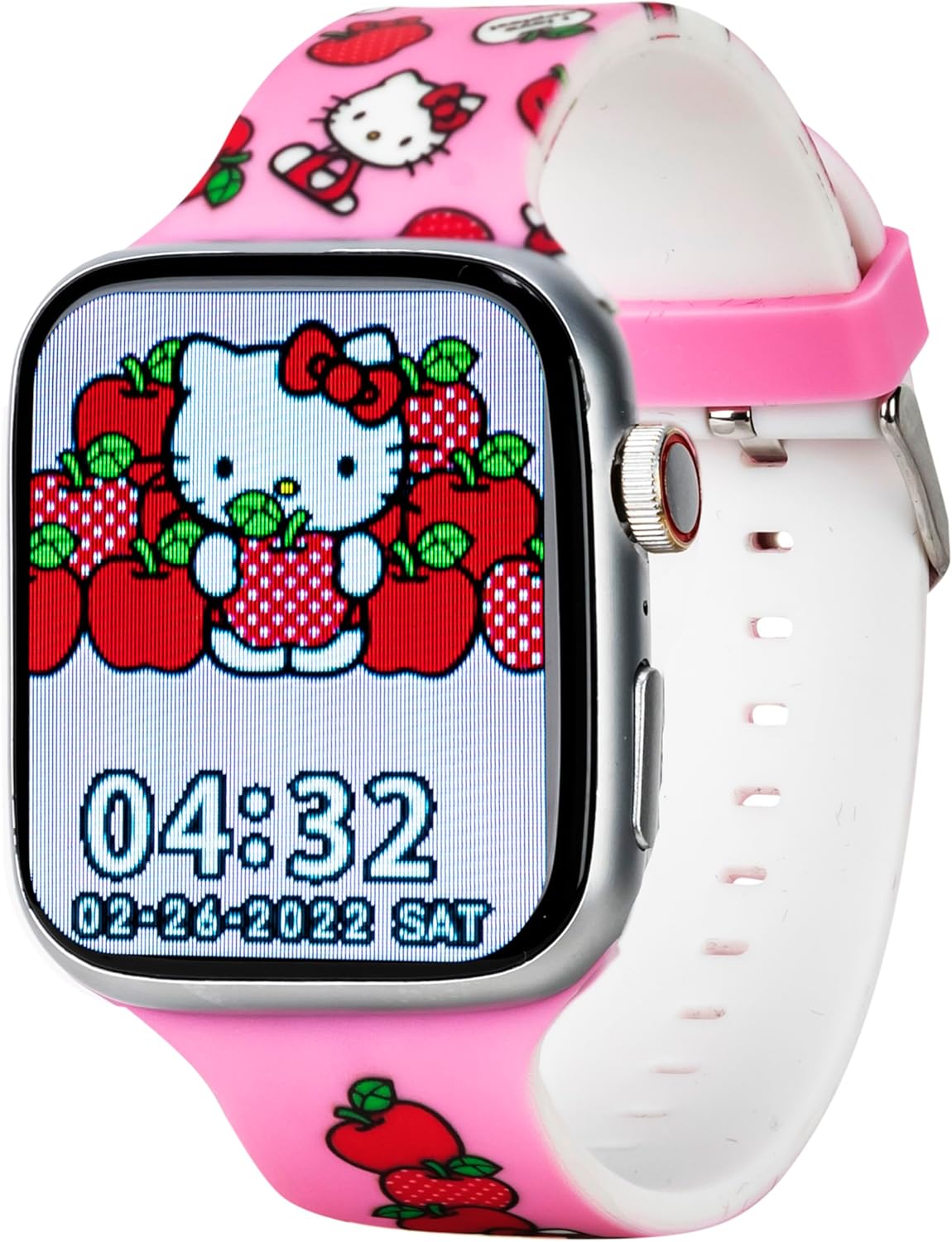
Imagen: Frente view of the Hello Kitty Smart Watch, showcasing a vibrant watch face featuring Hello Kitty surrounded by apples. The time 04:32 and date 02-28-2022 SAT are visible.
Características y funciones principales
- Caras de reloj: The watch offers six unique Hello Kitty-themed watch faces. To change, tap and hold the current watch face, then swipe to select your preferred design.

Image: Close-up of the Hello Kitty Smart Watch screen, showing an alternative watch face with Hello Kitty and strawberries. The time 04:31 and date 02-28-2022 SAT are displayed.
- Cámara: Access the built-in camera to capture photos. Tap the camera icon, then tap the screen to take a picture. Photos are stored on the watch.
- Reproductor de música: Play pre-loaded music or transfer compatible audio files to the watch. Use the touchscreen controls to play, pause, skip tracks, and adjust volume.
- Fitness & Activity Tracking:
- Podómetro: Realiza un seguimiento de tus pasos a lo largo del día.
- Modos deportivos: Select specific modes for various activities to track duration and estimated calories burned.
- Recordatorio de sedentarismo: Alerts you when you've been inactive for too long, encouraging movement.
- Flash: Activate the flashlight function for illumination in dark environments.
- Rastreador de sueño: Monitors sleep patterns to help understand rest quality.
- Notificaciones de llamadas y mensajes: While the watch does not have internet access, it can receive notifications for calls and messages from a paired device (e.g., a smartphone via Bluetooth). Ensure Bluetooth is enabled on both devices and they are within range.
- Aplicación del tiempo: Provides current weather information. (Note: This feature may require a Bluetooth connection to a device with internet access to update weather data).
- Alarma y cronómetro: Set alarms for reminders or use the stopwatch for timing activities.
- Juegos educativos: Engage with pre-installed educational games for fun and learning.
- QR Reader: Scan QR codes for interactive content or information.
- Opciones de idioma: Select your preferred language from the watch settings.
Mantenimiento
- Limpieza: Wipe the watch screen and strap with a soft, dry, lint-free cloth. For stubborn marks, slightly dampEnjuague el paño con agua. Evite productos químicos agresivos o materiales abrasivos.
- Resistencia al agua: The watch is designed to be splash-proof. Avoid submerging it in water, showering, or swimming with the watch on.
- Cuidado de la batería: To prolong battery life, avoid extreme temperatures. Charge the watch regularly and do not let the battery completely drain for extended periods.
- Almacenamiento: Cuando no vaya a utilizarlo durante un tiempo prolongado, guarde el reloj en un lugar fresco y seco.
Solución de problemas
| Problema | Posible solución |
|---|---|
| El reloj no se enciende. | Ensure the watch is fully charged. Connect to the charger for at least 30 minutes. If still unresponsive, try a soft reset by holding the side button for 10-15 seconds. |
| La pantalla no responde. | Reinicia el reloj. Si el problema persiste, asegúrate de que la pantalla esté limpia y seca. |
| La batería se agota rápidamente. | Reduce screen brightness. Close unused applications. Limit continuous use of power-intensive features like the camera or music player. |
| No se pueden recibir notificaciones. | Ensure Bluetooth is enabled on both the watch and the paired device. Make sure the devices are within Bluetooth range. Check notification settings on the paired device. |
Presupuesto
| Característica | Detalle |
|---|---|
| Número de modelo | HK4208AZ |
| Mostrar | Pantalla táctil interactiva |
| Conectividad | Bluetooth (for notifications) |
| Batería | 1 batería de iones de litio (incluida) |
| Dimensiones | 6.46 x 4.25 x 2.52 pulgadas (paquete) |
| Peso | 0.1 onzas (Artículo) |
| Fabricante | Accutime Watch Corp. |
| Resistencia al agua | Splash-proof (not for submersion) |
Garantía y soporte
The Hello Kitty Smart Watch (Model: HK4208) comes with a 5 año de garantía from Accutime. This warranty covers manufacturing defects under normal use. Please retain your proof of purchase for warranty claims.
For technical support, troubleshooting assistance beyond this manual, or warranty inquiries, please contact Accutime customer service. Refer to the packaging or Accutime's official webSitio para obtener la información de contacto más actualizada.
Nota: Las reparaciones o modificaciones no autorizadas pueden anular la garantía.