
VTech VG131-11
VTech VG131-11 DECT 6.0 Cordless Phone User Manual
Model: VG131-11
1. Introducción
The VTech VG131-11 DECT 6.0 Cordless Phone offers reliable and clear communication with advanced features. Enjoy hands-free conversations with Bluetooth connectivity, superior range with DECT 6.0 technology, and enhanced visibility with its backlit display and large buttons. This manual provides comprehensive instructions for setting up, operating, and maintaining your new cordless phone.

Image: The VTech VG131-11 DECT 6.0 Cordless Phone handset resting in its black base unit. The handset features a blue-white display and large, green-backlit buttons.
2. ¿Qué hay en la caja?
Asegúrese de que todos los artículos estén presentes en su paquete:
- Unidad base
- Auricular inalámbrico
- Adaptador de CA
- Paquete de batería
- Cable de línea telefónica
3. Configuración
3.1. Instalación inicial
- Conecte el adaptador de CA a la unidad base y enchúfelo a una toma de corriente.
- Connect the telephone line cord to the base unit and plug the other end into a telephone wall jack.
3.2. Instalación de la batería
- Abra la tapa del compartimiento de la batería en la parte posterior del teléfono.
- Conecte el enchufe del paquete de batería de forma segura en el conector dentro del compartimiento.
- Coloque el paquete de baterías con la etiqueta hacia ARRIBA y meta los cables cuidadosamente dentro del compartimiento.
- Cierre la tapa del compartimento de la batería.
3.3. Cargar el auricular
Place the handset face forward in the base unit. The CHARGE light on the base unit will illuminate, indicating proper charging. Allow the handset to charge for at least 16 hours before initial use for optimal battery performance.
4. Instrucciones de funcionamiento
4.1. Realización y recepción de llamadas
- Para realizar una llamada: Presione HABLAR, luego marque el número de teléfono.
- To receive a call: Press HABLAR or any dialing key (0-9, #, *).
- Para finalizar una llamada: Presione APAGADO.
4.2. Uso del altavoz
The phone features a full-duplex speakerphone, allowing both parties to speak and be heard simultaneously for more natural conversations.
- Durante una llamada, presione el VOCERO Botón para activar el altavoz.
- Presione el VOCERO Presione nuevamente el botón para volver al modo teléfono.
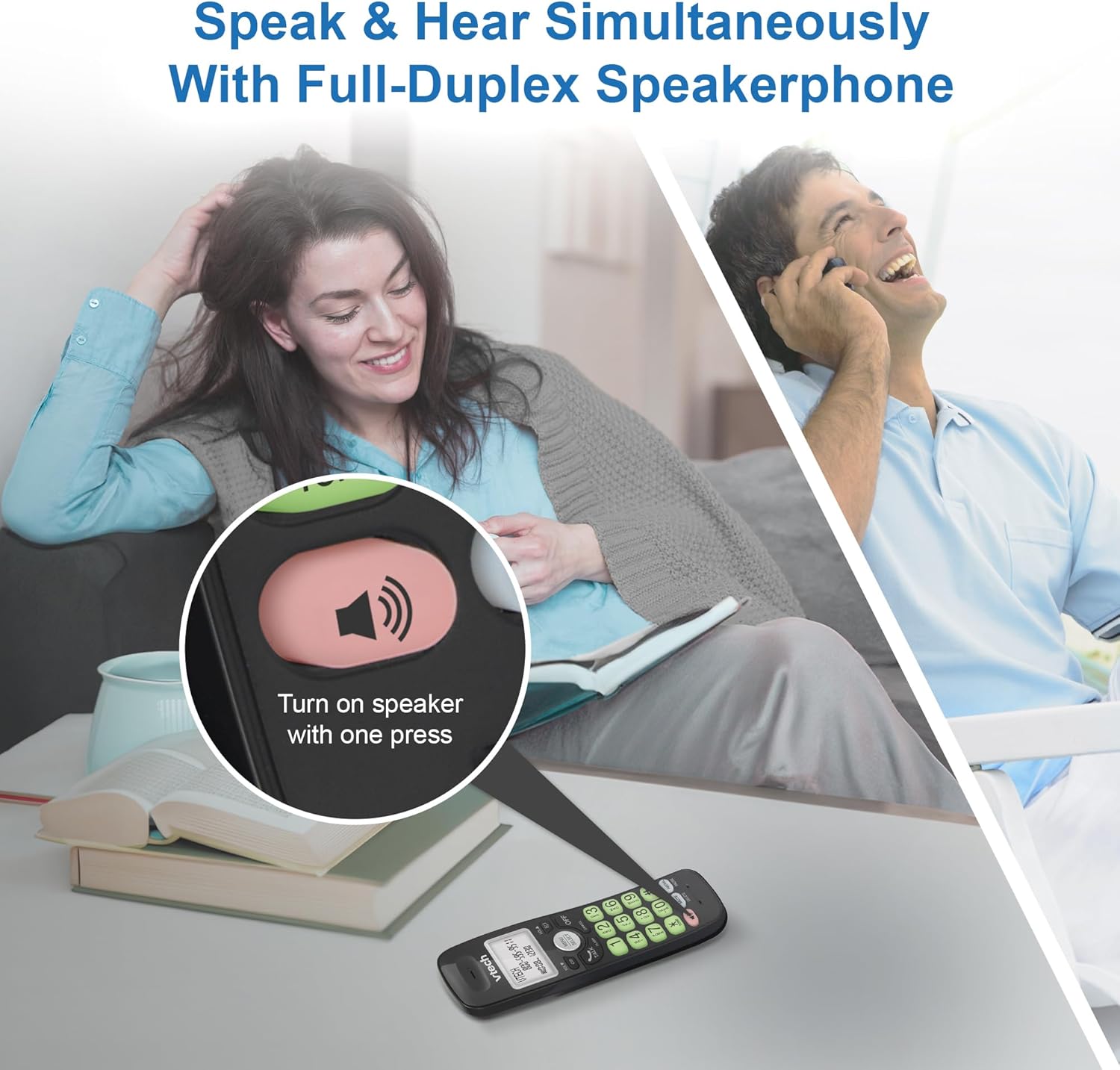
Image: A close-up of the VTech cordless phone handset showing the speakerphone button highlighted, with a person talking on the phone in the background, demonstrating the full-duplex speakerphone feature.
4.3. Control de volumen y silencio
- To adjust earpiece or speakerphone volume during a call, press VOL ▼ or VOLUMEN ▲.
- To mute the microphone during a call, press MUTE. The other party cannot hear you, but you can still hear them. Press MUTE de nuevo para activar el sonido.

Imagen: Un detalle view of the VTech cordless phone handset, highlighting the 'MUTE' button, indicating its function for silencing the microphone during a call.
4.4. Caller ID and Phonebook
The handset displays the name, number, time, and date of incoming calls. The phone also includes a 30-name and number phonebook directory.
- Para volverview Caller ID history, press CID.
- To access the phonebook, press MENÚ/SELECCIONAR, then navigate to the Phonebook option.

Image: A person smiling while holding the VTech cordless phone, with an overlay showing a digital phonebook display with contact names and icons, illustrating the Caller ID and phonebook features.
5. Características
5.1. Conexión Bluetooth
By pairing a Bluetooth headset, earbuds, or conference speakerphone to the system, you can enjoy a wireless calling experience. This feature is perfect for multitasking around your home or office.

Image: A woman in a kitchen pouring a drink while wearing wireless earbuds, with the VTech cordless phone and its base unit visible on the counter, demonstrating hands-free calling via Bluetooth connection.
Emparejamiento de un dispositivo Bluetooth:
- Ensure your Bluetooth headset/earbuds are in pairing mode (refer to your device's manual).
- On the VTech phone, navigate to the Bluetooth menu (usually via MENÚ/SELECCIONAR).
- Select 'Pair Device' or similar option.
- The phone will search for available Bluetooth devices. Select your device from the list.
- Siga las instrucciones en pantalla para completar el proceso de emparejamiento.
5.2. Tecnología DECT 6.0
Trusted by families worldwide for decades, VTech's cordless telephone transmits secure signals via the DECT 6.0 channel. This ensures crystal clear sounds, interference-free communication, and a stable operation range of up to 1000 ft outdoors, allowing you to move freely while on a call.

Image: A woman working on a laptop at a table, with the VTech cordless phone and its base unit nearby, and a graphic indicating DECT 6.0 digital technology, highlighting its superior range and clarity.
5.3. Backlit Display and Big Buttons
The phone features a blue-white backlit display and green backlit keypad for easier viewing and dialing in dim light conditions. The large buttons enhance usability, especially for those with visual impairments.

Imagen: Un primer plano view of the VTech cordless phone handset, emphasizing its backlit LCD screen and large, clearly visible buttons, designed for better visibility and ease of use.
5.4. Easy Wall Mount
The base unit is designed for easy wall mounting, fitting all standard wall mount plates without the need for additional brackets. Simply slide the base unit into the mounting plate using the built-in mounting holes for convenient placement.

Image: The VTech cordless phone base unit shown mounted on a wall, highlighting its built-in mounting holes on the back of the base for easy installation.
5.5. Hearing Aid Compatible
This phone is designed to be compatible with hearing aids, providing a clearer audio experience for users with hearing devices.

Image: A woman with a hearing aid talking on the VTech cordless phone, illustrating the phone's hearing aid compatibility feature.
5.6. Producto terminadoview Video
Vídeo: Un breve resumen del productoview of the VTech VG131-11 DECT 6.0 Cordless Phone, showcasing its key features and ease of use.
6. Mantenimiento
To ensure the longevity and optimal performance of your VTech cordless phone, follow these maintenance guidelines:
- Limpieza: Limpie el teléfono y la unidad base con un paño suave.amp Paño. No utilice aerosoles de limpieza ni productos químicos agresivos.
- Cuidado de la batería: Avoid exposing the battery to extreme temperatures. If the phone will not be used for an extended period, remove the battery from the handset.
- Colocación: Mantenga el teléfono alejado de fuentes de calor, luz solar directa y humedad.
7. Solución de problemas
If you experience any issues with your VTech cordless phone, please refer to the following common problems and solutions:
| Problema | Solución |
|---|---|
| No hay tono de marcado. | Ensure the telephone line cord is securely plugged into both the base unit and the wall jack. Check if the AC adapter is properly connected to the base unit and a working power outlet. |
| El teléfono no carga. | Make sure the handset is correctly placed in the base unit. Clean the charging contacts on both the handset and the base unit with a dry cloth. Verify the AC adapter is plugged in. |
| Mala calidad de sonido o estática. | Move closer to the base unit. Other electronic devices (Wi-Fi routers, microwaves) may cause interference; try relocating the base unit. Ensure the handset battery is fully charged. |
| Cannot connect to Bluetooth headset. | Ensure both the phone and the Bluetooth headset are in pairing mode. Make sure the headset is within range of the phone's base unit. Try restarting both devices and attempting the pairing process again. Confirm the headset is compatible with the phone's Bluetooth version. |
| La pantalla está en blanco o ilegible. | Ensure the handset battery is charged. If the display is dim, check if the backlight setting is enabled or adjust the contrast if available. |
8. Especificaciones
| Característica | Detalle |
|---|---|
| Número de modelo | VG131-11 |
| Dimensiones del producto | 3.8 x 4.09 x 7.17 pulgadas |
| Peso del artículo | 14.9 onzas (0.42 kilogramos) |
| Baterías | 1 batería específica del producto (incluida) |
| Tipo de teléfono | Sin cable |
| Material | Plástico |
| Fuente de poder | Eléctrico con cable |
| Tecnología DECT | DECT 6.0 |
| Bluetooth | Sí |
| Identificador de llamadas / Llamada en espera | Sí |
| Altavoz dúplex completo | Sí |
| Backlit Display & Keypad | Yes (Blue-white display, green keypad) |
| Montaje en pared | Sí |
| Capacidad de la agenda telefónica | 30 nombres y números |
| Rango | Up to 1000 ft outdoor |
9. Garantía y soporte
For warranty information, technical support, or to purchase accessories, please visit the official VTech webSitio web o contacte con el departamento de atención al cliente. Conserve su recibo de compra como comprobante para reclamaciones de garantía.
VTech Customer Service: www.vtechphones.com/soporte