
1. Introducción
Thank you for choosing the Zeblaze Crystal 3 Smartwatch. This manual provides essential information for setting up, operating, maintaining, and troubleshooting your device. Please read it carefully to ensure proper use and optimal performance.
2. Producto terminadoview
The Zeblaze Crystal 3 is a versatile smartwatch designed for fitness tracking and daily use. It features a vibrant HD color display and high-precision sensors to monitor various health metrics.
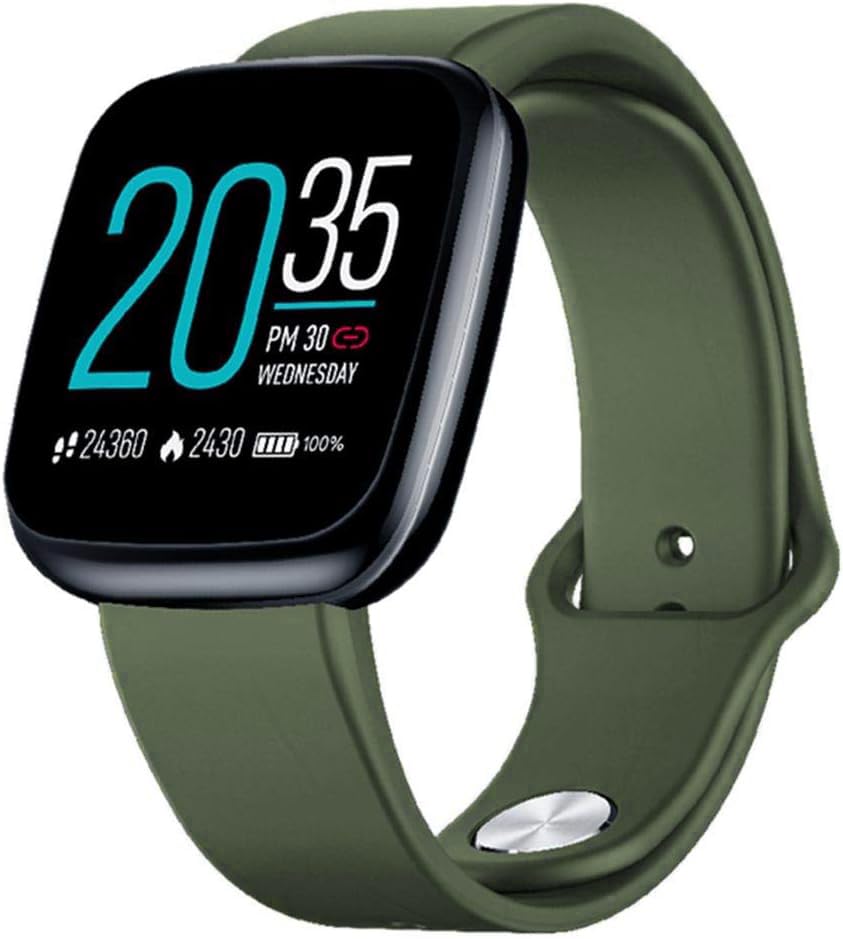
Image: Zeblaze Crystal 3 Smartwatch, showing the main display and green strap.
Características principales:
- Pantalla a color HD de 1.3 pulgadas: A vibrant IPS display with 240x240 pixel resolution for clear visuals.
- Sensores de alta precisión: Equipped with a heart rate sensor, proximity sensor, and accelerometer for accurate data collection.
- Resistencia al agua IP67: Designed to withstand daily water exposure, such as splashes and rain.
- Batería de larga duración: Up to 7 days of use on a single 2-hour charge, thanks to its 200 mAh battery.
- Seguimiento de actividad: Monitors steps, distance, calories burned, and supports various sports modes.
- Vigilancia de la salud: Incluye seguimiento de frecuencia cardíaca y sueño.
- Compatibilidad con teléfonos inteligentes: Works with Android 4.4 or newer and iOS 8.0 or newer devices.
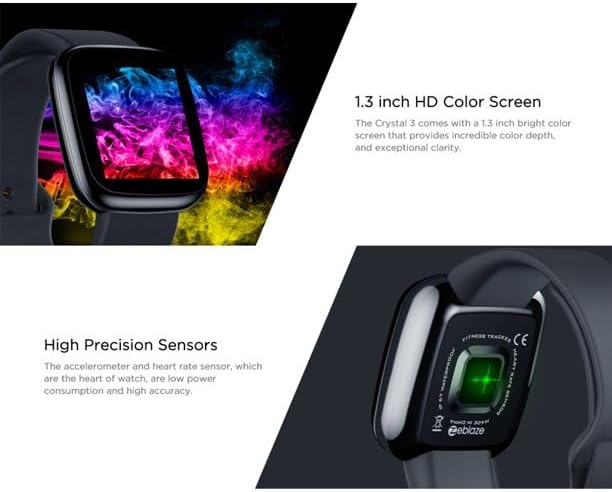
Image: Close-up of the 1.3-inch HD color screen and the high-precision heart rate sensor on the back of the watch.
3. Configuración
3.1 Carga del reloj inteligente
Before first use, fully charge your Zeblaze Crystal 3. Connect the charging cable to the watch's charging port and a USB power source (e.g., computer USB port or a 5V/1A USB adapter). A full charge typically takes about 2 hours.
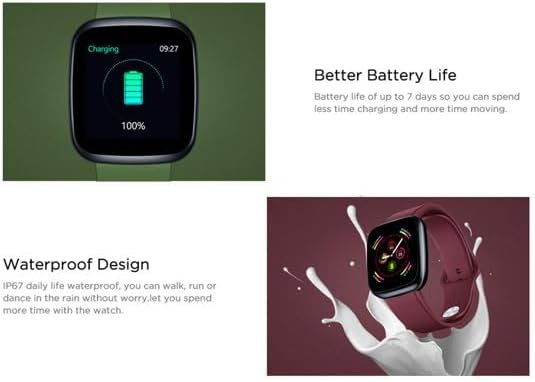
Image: Illustration showing how to connect the smartwatch to a USB port for charging.
3.2 Instalación y emparejamiento de la aplicación
- Descargar la aplicación: Buscar the official Zeblaze companion app on your smartphone's app store (Google Play Store for Android or Apple App Store for iOS).
- Crear una cuenta: Abra la aplicación y siga las instrucciones en pantalla para crear una cuenta o iniciar sesión.
- Emparejar dispositivo: Ensure Bluetooth is enabled on your smartphone. In the app, navigate to the device pairing section and select "Zeblaze Crystal 3" from the list of available devices. Confirm the pairing request on both your phone and the smartwatch.
- Profile Configuración: Completa tu perfil profesional personalfile within the app to ensure accurate tracking of health and fitness data.
4. Instrucciones de funcionamiento
4.1 Navegación básica
- Pantalla de activación: Levante la muñeca o presione el botón lateral para activar la pantalla.
- Deslizar hacia arriba/abajo: Accede a notificaciones o configuraciones rápidas.
- Deslizar hacia la izquierda/derecha: Navigate through different functions and widgets (e.g., heart rate, activity data, weather).
- Grifo: Seleccione un elemento o confirme una acción.
- Pulsación larga: On the main watch face, long press to change watch faces.
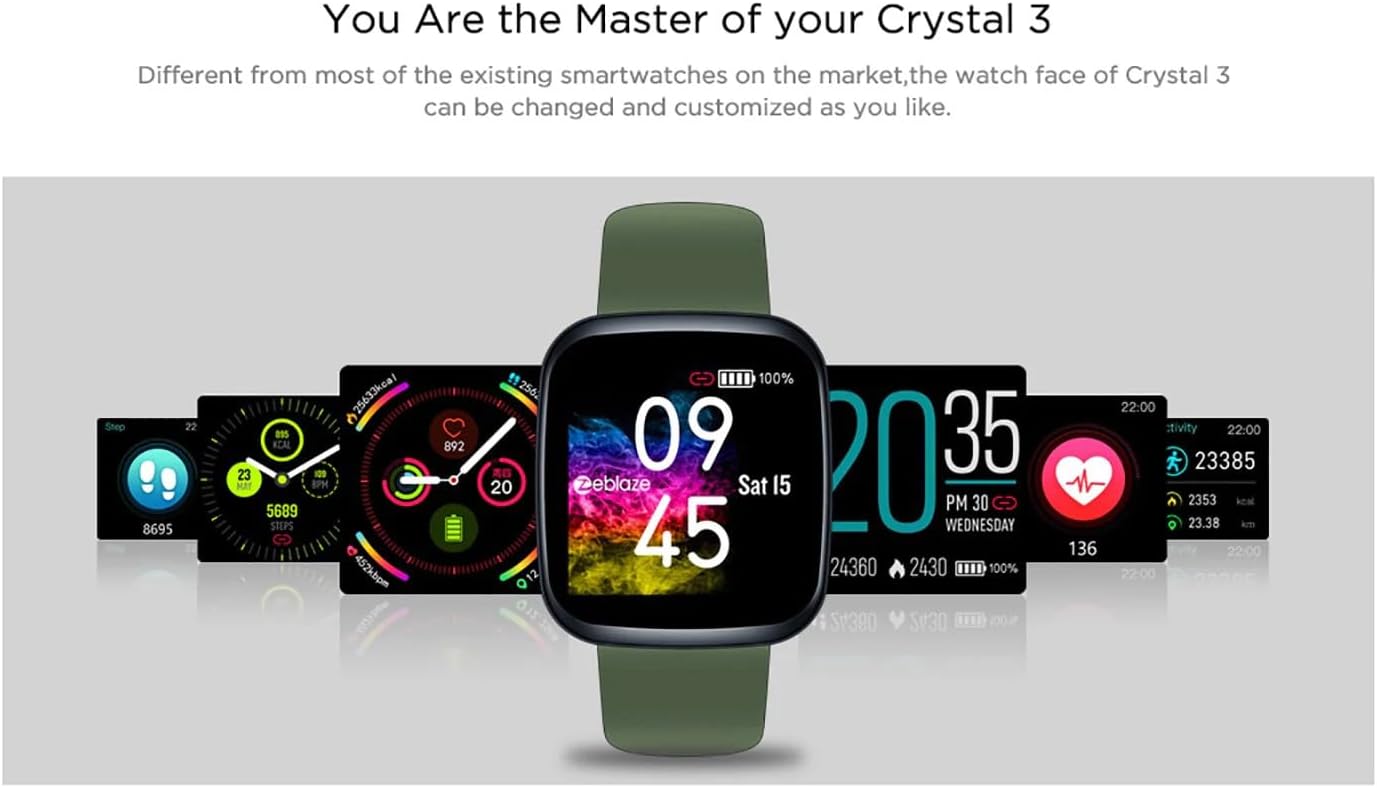
Image: The Zeblaze Crystal 3 displaying different customizable watch faces and data screens.
4.2 Seguimiento de actividad
El reloj inteligente registra automáticamente tus pasos diarios, la distancia recorrida y las calorías quemadas. Puedes... view this data directly on the watch or in more detail within the companion app.
4.3 Monitoreo de la frecuencia cardíaca
The built-in heart rate sensor continuously monitors your heart rate. Ensure the watch is worn snugly on your wrist for accurate readings. View your current and historical heart rate data in the app.
4.4 Monitoreo del sueño
Wear the smartwatch to bed to track your sleep patterns. The device records sleep duration and quality, which can be reviewed in the app to help you understand and improve your sleep habits.
5. Mantenimiento
5.1 Limpieza del dispositivo
Limpie regularmente su reloj inteligente y su correa para evitar la irritación de la piel y mantener su funcionalidad. Use un paño suave.amp Paño para limpiar la pantalla y la correa. Evite usar productos químicos agresivos o materiales abrasivos.
5.2 Resistencia al agua (IP67)
The Zeblaze Crystal 3 is IP67 water-resistant, meaning it is protected against dust and can withstand immersion in water up to 1 meter for up to 30 minutes. It is suitable for daily use, such as washing hands, rain, or light splashes. No se recomienda nadar, ducharse con agua caliente ni bucear.

Image: Illustration highlighting the waterproof design of the Zeblaze Crystal 3 Smartwatch.
5.3 Cuidado de la batería
- Evite las temperaturas extremas, que pueden degradar la vida útil de la batería.
- No deje el dispositivo completamente descargado durante períodos prolongados.
- Utilice únicamente el cable de carga proporcionado o un equivalente certificado.
6. Solución de problemas
6.1 El dispositivo no se enciende
- Asegúrese de que el dispositivo esté completamente cargado. Conéctelo al cargador durante al menos 30 minutos.
- Intente mantener presionado el botón lateral durante 10 a 15 segundos para forzar el reinicio.
6.2 No se puede emparejar con el teléfono inteligente
- Make sure Bluetooth is enabled on your phone and the smartwatch is within range.
- Reinicie tanto su teléfono inteligente como el reloj inteligente.
- Comprueba si la aplicación está actualizada a la última versión.
- Olvida el dispositivo desde la configuración de Bluetooth de tu teléfono e intenta emparejarlo nuevamente a través de la aplicación.
6.3 Inaccurate Heart Rate/Activity Data
- Asegúrese de que el reloj esté ajustado cómodamente en su muñeca, ni demasiado apretado ni demasiado suelto.
- Limpie el sensor en la parte posterior del reloj.
- Update the smartwatch firmware via the companion app if an update is available.
7. Especificaciones
| Característica | Detalle |
|---|---|
| Marca | Llamarada de cebra |
| Nombre del modelo | Crystal 3 |
| Mostrar | Pantalla a color IPS de 1.3 pulgadas |
| Resolución | 240*240 píxeles |
| Sensores | Heart Rate Sensor, Proximity Sensor, Accelerometer |
| Resistencia al agua | IP67 |
| Capacidad de la batería | 200 mAh |
| Tiempo de carga | Aproximadamente 2 horas |
| Duración de la batería | Hasta 7 días |
| Compatibilidad | Android 4.4+ / iOS 8.0+ |
| Dimensiones | 4.05 x 3.55 x 1.2 cm (1.59 x 1.39 x 0.47 pulgadas) |
| Peso | 27 gramos (0.95 onzas) |
| Conectividad | Bluetooth (for app pairing), USB (for charging) |
| Características especiales | Activity Tracker, Heart Rate Monitor, Sleep Monitor |
8. Garantía y soporte
For warranty information and customer support, please refer to the documentation included with your purchase or visit the official Zeblaze website. If you encounter any issues not covered in this manual, please contact Zeblaze customer service for assistance.