
1. Introducción
This manual provides essential information for the safe and efficient operation of your podoru 5000mAh Magnetic Wireless Power Bank. Please read these instructions thoroughly before use and retain them for future reference.
2. ¿Qué hay en la caja?
- Magnetic Wireless Power Bank x1
- Cable de carga USB-C x1
- Manual de instrucciones x1
3. Producto terminadoview
The podoru Magnetic Wireless Power Bank features a compact design with multiple charging options. It includes a magnetic surface for wireless charging, a power button, and LED indicators for battery status. Connectivity ports include a USB-C port for both input and output, and a Lightning port for input.
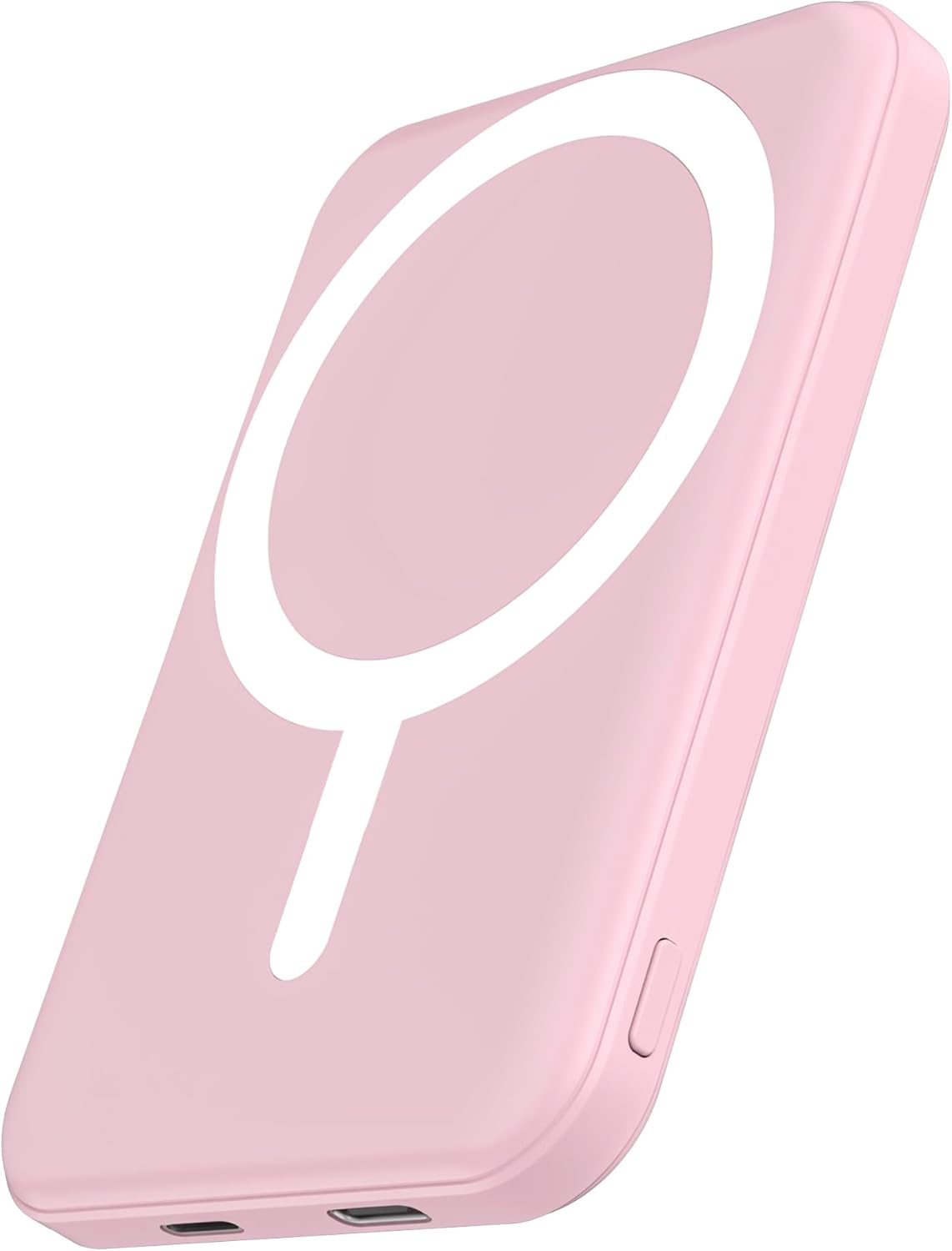
Imagen: Frente view of the podoru Magnetic Wireless Power Bank, highlighting its sleek design and magnetic charging area.

Imagen: Detallada view of the power bank's bottom edge, showing the Lightning input, battery indicator LEDs, USB-C input/output, and power button.
4. Especificaciones
| Dimensiones del producto | 5.6 x 3.4 x 0.6 pulgadas |
| Peso del artículo | 4.2 onzas |
| Número de modelo del artículo | KT-D003MINI |
| Tipo de batería | 1 batería de polímero de litio (incluida) |
| Capacidad de la batería | 5000 miliamp Horas |
| Salida de carga inalámbrica | 5 W, 7.5 W, 10 W, 15 W máx. |
| Salida USB-C | 20W Max |
| Entrada de relámpago | 12W Max |
| Entrada USB-C | 18W Max |
| Características especiales | Built-in Cable, Fast Charging, Flashlight, Pocket Size & Slim, Wireless Charging |
5. Configuración
5.1 Carga inicial del banco de energía
Before first use, fully charge your power bank. Connect the provided USB-C charging cable to the power bank's USB-C port and to a compatible power adapter (not included). Alternatively, use a Lightning cable to charge via the Lightning input port. The LED indicators will show the charging progress.
5.2 Encendido y apagado
Press the power button located on the side of the power bank to turn it on. The LED indicators will light up to show the current battery level. Press and hold the power button to turn it off.
6. Instrucciones de funcionamiento
6.1 Carga inalámbrica magnética
- Ensure your power bank is sufficiently charged.
- Align the magnetic surface of the power bank with the back of your compatible iPhone (iPhone 12 series and newer). The power bank will magnetically attach and wireless charging will begin automatically.
- For optimal magnetic attachment and charging efficiency, use a MagSafe-compatible phone case or no case. Non-magnetic cases may prevent proper adsorption.

Image: An iPhone wirelessly charging by magnetic attachment to the power bank.

Image: Illustration showing proper magnetic attachment with a MagSafe-compatible case versus improper attachment with a non-magnetic case.
6.2 Carga por cable (salida USB-C)
Connect your device to the power bank's USB-C port using a compatible USB-C cable. The power bank supports up to 20W PD fast charging for devices that support this standard.
6.3 Simultaneous Charging of Two Devices
The power bank can charge two devices concurrently: one wirelessly via the magnetic surface and another via the USB-C output port. This allows for shared charging without waiting.

Image: An iPhone wirelessly charging while an iPad is connected via the USB-C port for simultaneous charging.
6.4 Recarga del banco de energía
To recharge the power bank, use either the USB-C input (up to 18W) or the Lightning input (up to 12W) with a compatible cable and power adapter.
6.5 Carga de paso
The power bank supports pass-through charging, allowing it to be recharged while simultaneously wirelessly charging a device. This feature supports 5W, 7.5W, 10W, and 15W Max wireless charging.

Image: A power bank being recharged via a wall adapter while simultaneously wirelessly charging an iPhone.
7. Compatibilidad
This power bank is designed for compatibility with iPhone 12, iPhone 12 mini, iPhone 12 Pro, iPhone 12 Pro Max, iPhone 13, iPhone 13 mini, iPhone 13 Pro, iPhone 13 Pro Max, iPhone 14, iPhone 14 Plus, iPhone 14 Pro, iPhone 14 Pro Max, iPhone 15, iPhone 15 Plus, iPhone 15 Pro, iPhone 15 Pro Max, iPhone 16, iPhone 16 Plus, iPhone 16 Pro, iPhone 16 Pro Max, iPhone 17, iPhone 17 Pro, iPhone 17 Pro Max, and iPhone Air models.

Image: The power bank shown attached to different iPhone models, demonstrating its compatibility and compact size that does not obstruct the camera.
8. Mantenimiento
- Keep the power bank clean and dry. Avoid exposure to dust, dirt, and moisture.
- Conservar en un lugar fresco y seco cuando no esté en uso.
- No intente desarmar o modificar el dispositivo.
- Utilice únicamente los cables de carga compatibles proporcionados o certificados.
9. Instrucciones de seguridad
- Always follow the manufacturer's instructions before using the product.
- Do not expose the power bank to excessive heat or fire. Avoid direct sunlight or storing it in a vehicle.
- Evite el uso de agua de alta potencia.tage adapters to charge the power bank unless explicitly stated as compatible.
- The power bank includes a multi-protect safety system with temperature control, overcharge protection, and short circuit protection.
- During wireless charging, it is normal for the power bank to become slightly warm due to energy transfer. If your iPhone overheats, remove any magnetic case thicker than 2mm or pause charging until it cools down.

Image: Icons representing various safety features: Over Charge Protection, Over Voltage Protection, High Temperature Protection, and Over Discharge Protection.
10. Solución de problemas
- El dispositivo no se carga de forma inalámbrica: Ensure your phone is MagSafe compatible (iPhone 12 series or newer) and properly aligned. Remove any non-magnetic or excessively thick cases.
- Carga lenta: Verify that your device and cables support fast charging. Ensure the power bank itself is fully charged.
- El banco de energía no se recarga: Check the charging cable and adapter for damage. Ensure connections are secure. Try a different cable or adapter.
- Calentamiento excesivo: Discontinue use immediately if the power bank or your device becomes excessively hot. Refer to safety instructions regarding magnetic cases.
11. Vídeo oficial del producto
Video: A demonstration of the podoru Slim MagSafe Battery Pack in Pink, highlighting its magnetic attachment and compatibility with iPhone 12-16 series. This video is provided by a seller.
12. Garantía y soporte
Para obtener información sobre la garantía o asistencia técnica, consulte los datos de contacto proporcionados con su compra o visite el sitio web oficial de podoru. webSitio. Conserve su recibo de compra como comprobante de compra.