
Septekon B30
Manual del usuario de la cámara de seguridad solar inalámbrica para exteriores Septekon 2K (modelo B30)
Modelo: B30
1. Introducción
This manual provides comprehensive instructions for the installation, operation, and maintenance of your Septekon 2K Wireless Outdoor Solar Security Camera, Model B30. Please read this manual thoroughly before using the product to ensure correct usage and optimal performance.
1.1 Contenido del paquete
- Septekon 2K Wireless Outdoor Security Camera (Model B30)
- Panel solar
- Soporte de montaje y tornillos
- Cable de carga USB
- Manual de usuario
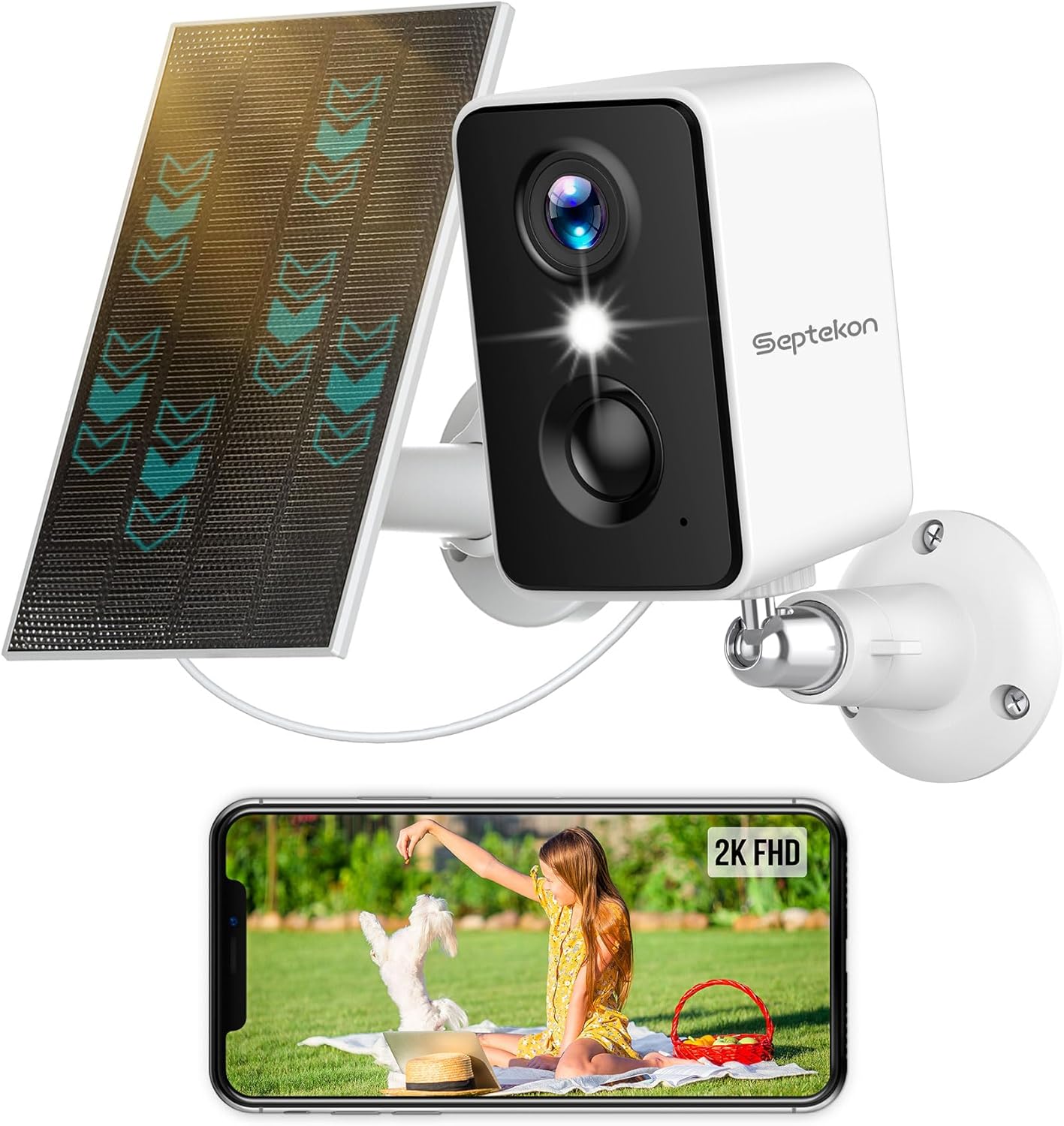
Image 1.1: Septekon 2K Wireless Outdoor Solar Security Camera with its accompanying solar panel and a smartphone showing the live video feed.
2. Producto terminadoview
The Septekon Model B30 is a 2K (3MP) wireless outdoor security camera designed for home surveillance. It features a built-in 5200 mAh battery, solar panel charging capability, two spotlights, six IR lights for color night vision, PIR motion detection with siren, and two-way audio communication. The camera is IP66 rated for outdoor use.
2.1 Características principales
- Resolución de video 2K (3MP): Proporciona información de video clara y detallada.tage.
- Funcionamiento 100% inalámbrico: Battery-powered with solar charging for flexible placement.
- Visión nocturna en color: Achieved through two integrated floodlights and IR lights.
- AI-Powered PIR Motion Detection: Distinguishes between people, pets, packages, and vehicles, reducing false alarms.
- Integrated Siren and Spotlights: Deters intruders upon detection.
- Audio bidireccional: Allows for real-time communication via the camera.
- Clasificación de resistencia a la intemperie IP66: Ensures durability in various outdoor conditions.
- Opciones de almacenamiento seguro: Supports encrypted cloud storage and local Micro SD card storage (up to 128GB, not included).
- Uso compartido entre múltiples usuarios: Allows multiple authorized users to access the camera feed.

Imagen 2.1: Másview of the Septekon 2K Wireless Camera's primary features.
3. Configuración
3.1 Carga inicial
Before first use, fully charge the camera's built-in 5200 mAh battery using the provided USB cable and a 5V/2A power adapter (not included). A full charge ensures optimal performance and allows the solar panel to maintain the charge effectively.
3.2 Instalación de la aplicación y creación de una cuenta
- Download the companion app from the App Store (iOS) or Google Play Store (Android). Buscar 'Septekon' or refer to the QR code in the quick start guide.
- Abra la aplicación y siga las instrucciones en pantalla para crear una nueva cuenta.

Image 3.1: App download options and compatibility with various platforms.
3.3 Emparejamiento/conexión de la cámara
- Encienda la cámara.
- In the app, select 'Add Device' and follow the prompts to connect the camera to your 2.4GHz Wi-Fi network.
- Ensure the camera is within range of your Wi-Fi router during the pairing process.
3.4 Instrucciones de montaje
Elija una ubicación de montaje que proporcione un espacio libre view of the area you wish to monitor and ensures the solar panel receives adequate direct sunlight throughout the day.
- Colocación de la cámara: Mount the camera at a height of 7-10 feet (2-3 meters) for optimal motion detection range.
- Colocación de paneles solares: Position the solar panel in an area that receives maximum direct sunlight. The panel can be mounted separately from the camera using its own bracket and connected via the provided cable.
- Use the included mounting bracket and screws to securely attach the camera and solar panel to a wall or other stable surface.

Image 3.2: Proper mounting of the camera and solar panel for continuous power.
4. Instrucciones de funcionamiento
4.1 en vivo View
Abre la aplicación y selecciona tu cámara en la lista de dispositivos para acceder a la transmisión de video en vivo. Puedes view el área en tiempo real.
4.2 Audio bidireccional
mientras esta en vivo view, tap the microphone icon in the app to speak through the camera's speaker. Tap the speaker icon to listen to audio from the camera's microphone. This feature allows for communication with visitors or deterrence of unwanted guests.

Imagen 4.1: Demostración de comunicación de audio bidireccional con un repartidor.
4.3 Detección de movimiento y alertas
The camera utilizes PIR (Passive Infrared) motion detection combined with AI recognition to identify specific objects. When motion is detected, the camera can:
- Envía notificaciones instantáneas a tu teléfono inteligente.
- Activate the built-in spotlights.
- Activar una sirena audible.
Adjust motion sensitivity and detection zones within the app settings to minimize false alarms.

Image 4.2: Multiple alarm responses to detected motion.
4.3.1 Reconocimiento de IA
The camera's AI capabilities allow it to differentiate between people, pets, packages, and cars, providing more specific alerts.

Imagen 4.3: Examples of AI-powered object recognition.
4.4 Visión nocturna
The camera offers both infrared (black and white) and color night vision modes. The two integrated spotlights enable full-color video recording even in low-light conditions.

Image 4.4: Comparison of infrared and color night vision modes.
4.5 Grabación y reproducción
Recorded events are stored and can be accessed via the app. You can review, download, and share video clips from the timeline.

Image 4.5: App interface for reviewing recorded video footage.
4.6 Opciones de almacenamiento
La cámara admite dos métodos de almacenamiento:
- Almacenamiento en la nube cifrado: Securely store recordings in the cloud.
- Almacenamiento de tarjeta Micro SD: Admite tarjeta Micro SD de hasta 128 GB (no incluida) para almacenamiento local.

Image 4.6: Cloud and Micro SD card storage options.
4.7 Compartir entre múltiples usuarios
You can share access to your camera's live feed and recordings with family members or trusted individuals through the app. Each user will need their own account.

Image 4.7: Multiple camera views accessible via the app.
5. Mantenimiento
5.1 Battery Care and Solar Charging
The solar panel is designed to provide continuous power to the camera's battery. Ensure the solar panel is kept clean and free from obstructions (e.g., leaves, dirt) to maximize sunlight absorption. Periodically check the battery level in the app.

Image 5.1: Solar panel ensuring continuous power and protection.
5.2 Limpieza
Limpie la lente de la cámara y el panel solar con un paño suave.amp cloth as needed to remove dust and debris. Do not use harsh chemicals or abrasive materials.
5.3 actualizaciones de firmware
Regularly check the app for available firmware updates. Updates often include performance improvements, new features, and security enhancements. Follow the in-app instructions to perform updates.
6. Solución de problemas
- La cámara no se conecta al Wi-Fi: Ensure the camera is within range of a 2.4GHz Wi-Fi network. Verify the Wi-Fi password. Restart the camera and your router.
- Mala calidad de video: Comprueba la intensidad de la señal wifi. Asegúrate de que la lente de la cámara esté limpia.
- La detección de movimiento no funciona o hay demasiadas falsas alarmas: Adjust the motion sensitivity and detection zones in the app. Ensure the PIR sensor is not obstructed.
- La batería no se carga: Ensure the solar panel is clean and receiving direct sunlight. Check the connection cable between the camera and the solar panel. If necessary, charge the camera directly via USB.
- Problemas de audio bidireccional: Check your device's microphone and speaker permissions for the app. Ensure network connectivity is stable.
7. Especificaciones
| Característica | Especificación |
|---|---|
| Número de modelo | B30 |
| Resolución de vídeo | 2K (3 MP) |
| Fuente de poder | Con energía solar, con pilas |
| Capacidad de la batería | Polímero de litio de 5200 mAh |
| Conectividad | Wi-Fi (2.4 GHz) |
| Clasificación a prueba de intemperie | IP66 |
| Rango de visión nocturna | Hasta 33 pies (10 metros) |
| Viewángulo de ing | 270 grados |
| Opciones de almacenamiento | Almacenamiento en la nube, tarjeta Micro SD (hasta 128 GB) |
| Dimensiones (Cámara) | 5 x 5 x 5 pulgadas |
| Peso del artículo | 1.28 libras (0.58 kilogramos) |
| Dispositivos compatibles | MAC, Amazon Alexa |
8. Garantía y soporte
Septekon products typically come with a manufacturer's warranty. Please refer to your purchase documentation or contact Septekon customer support for specific warranty details and duration.
8.1 Atención al cliente
For technical assistance, troubleshooting, or warranty inquiries, please contact Septekon customer support through the official websitio o la información de contacto proporcionada con el embalaje de su producto.
Ask a question about this manual
Ask about setup, troubleshooting, compatibility, parts, safety, or missing instructions. Manuals+ will review the question and use this page’s manual context to help answer it.