
1. Introducción
Thank you for choosing the Chuboor PJ01 Air Purifier. This device is designed to improve indoor air quality by filtering out various airborne particles and odors. It features a 3-in-1 filtration system, real-time PM2.5 display, multiple operating modes, and smart control options. Please read this manual thoroughly before use to ensure proper operation and maintenance.
2. Instrucciones de seguridad
Para reducir el riesgo de incendio, descarga eléctrica o lesiones, tenga en cuenta las siguientes precauciones de seguridad:
- Desenchufe siempre el purificador de aire antes de moverlo, limpiarlo o realizar cualquier mantenimiento.
- No utilice el aparato con un cable o enchufe dañado.
- Mantenga el cable de alimentación alejado de superficies calientes.
- No utilice el purificador de aire en lugares húmedos o húmedos.amp entornos, como los baños.
- No introduzca los dedos ni objetos extraños en las entradas o salidas de aire.
- Asegúrese de que las entradas y salidas de aire no estén bloqueadas.
- Este aparato no está diseñado para ser utilizado por personas (incluidos niños) con capacidades físicas, sensoriales o mentales reducidas, o con falta de experiencia y conocimientos, a menos que hayan recibido supervisión o instrucciones sobre el uso del aparato por parte de una persona responsable de su seguridad.
- Se debe supervisar a los niños para garantizar que no jueguen con el aparato.
- Use only original Chuboor replacement filters.
3. Contenido del paquete
Por favor, marque la casilla correspondiente a los siguientes artículos:
- Chuboor PJ01 Air Purifier (with 3-in-1 filter pre-installed)
- Adaptador de corriente
- Manual de usuario
4. Producto terminadoview y componentes
Familiarize yourself with the main parts of your Chuboor PJ01 Air Purifier.

Figura 1: Frente view of the Chuboor PJ01 Air Purifier, showing the main unit, air intake vents, and top control panel with air outlet. Green leaves illustrate air purification.

Figura 2: Close-up of the intuitive touch control panel on the Chuboor PJ01 Air Purifier, displaying icons for wind speed adjustment, mode adjustment, power on/off, timer shutdown, filter replacement reminder, and child lock setting.
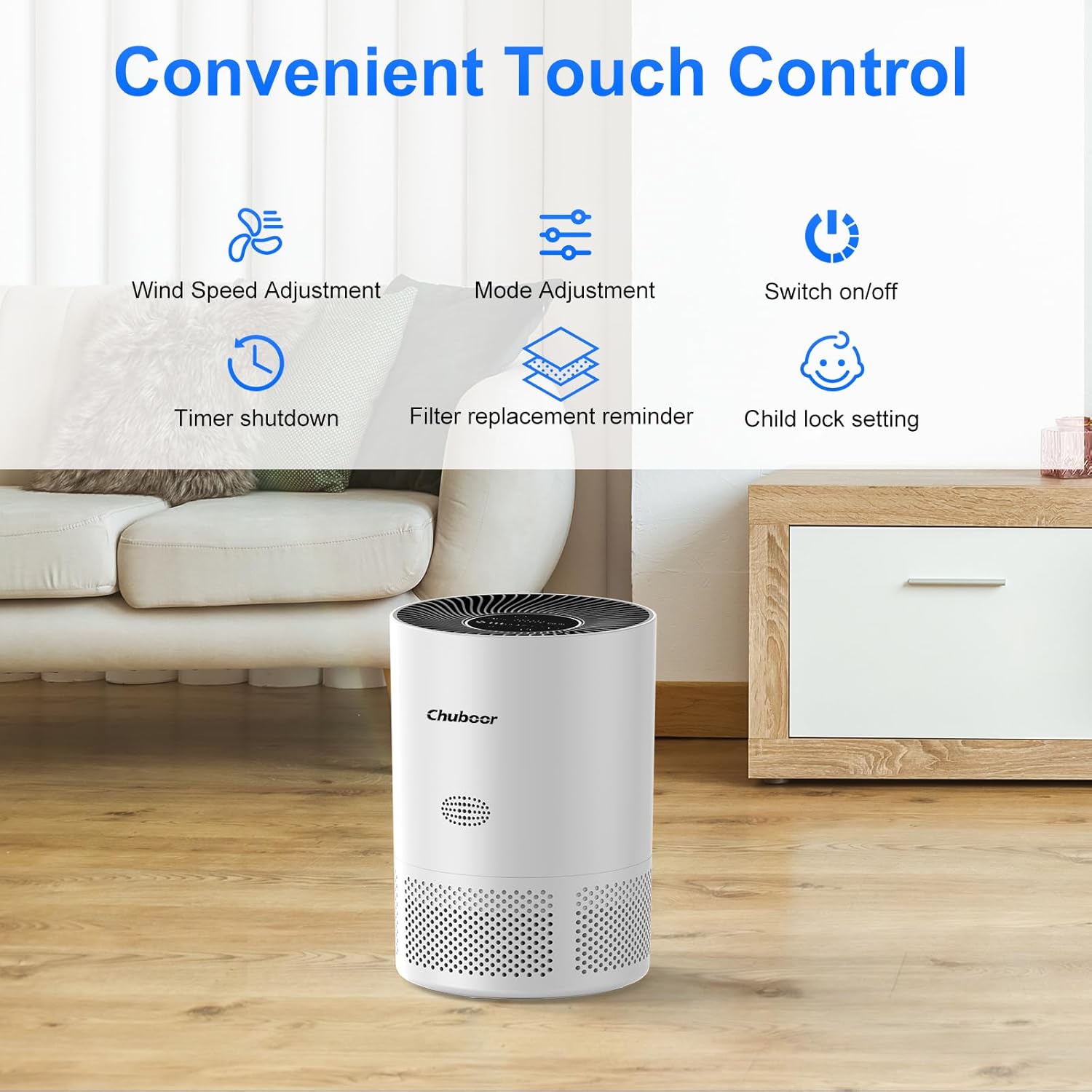
Figura 3: Detallado view of the real-time PM2.5 air quality indicator on the control panel. It shows numerical PM2.5 values and a color-coded ring (green for good, yellow for general, red for poor air quality).
5. Configuración
- Desembalaje del purificador de aire: Retire con cuidado el purificador de aire de su embalaje.
- Retire el embalaje del filtro: Before first use, the 3-in-1 filter inside the unit is typically sealed in plastic.
- Ponga el purificador de aire boca abajo.
- Gire la cubierta de la base en sentido antihorario para desbloquearla y quitarla.
- Take out the filter and remove all plastic packaging.
- Coloque nuevamente el filtro en la unidad, asegurándose de que esté colocado correctamente.
- Vuelva a colocar la cubierta de la base y gírela en el sentido de las agujas del reloj para bloquearla de forma segura.

Figura 4: Diagram illustrating the three layers of the Chuboor PJ01 filter: Pre-Filter (for dust, fibers, lint, pet fur), High Efficiency Activated Carbon Filters (for smoke, fumes, VOCs, odors), and True H13 HEPA Filter (for smoke particles, pollen, pet dander, and particles >0.3 microns).
- Coloque el purificador de aire: Place the air purifier on a flat, stable surface, ensuring there is at least 15 cm (6 inches) of space around all sides for optimal air circulation.
- Conecte la electricidad: Conecte el adaptador de corriente al purificador de aire y luego a una toma de corriente eléctrica estándar.
6. Instrucciones de funcionamiento
6.1 Funcionamiento básico
- Encendido/apagado: Toca el Fuerza Botón en el panel de control para encender o apagar la unidad.
- Ajuste de velocidad del ventilador: Toca el Velocidad del ventilador button to cycle through fan speeds (Level 1, Level 2, Level 3).
- Modo de sueño: Toca el Modo button to activate Sleep Mode. In this mode, the fan operates at its lowest speed (24 dB) and display lights dim for a quiet environment.

Figura 5: The Chuboor PJ01 Air Purifier operating in a bedroom, illustrating its quiet Sleep Mode (24dB) for undisturbed rest. The image highlights the 360° air intake.
- Función de temporizador: Toca el Minutero button to set the operating time for 2, 4, or 8 hours. The unit will automatically turn off after the set time.
- Bloqueo para niños: Toque y mantenga presionado el Bloqueo para niños button for a few seconds to activate or deactivate the child lock. When active, the control panel buttons will not respond to touches.
6.2 Automatic Mode and Air Quality Display
The air purifier features an intelligent automatic mode that adjusts fan speed based on real-time air quality.
- Pantalla PM2.5: The display shows the current PM2.5 concentration in µg/m³.
- Indicador de color: A color ring around the display indicates air quality:
- Verde: buena calidad del aire
- Amarillo: General air quality
- Rojo: Mala calidad del aire
- Modo automático: When in Auto Mode, the fan speed will automatically adjust to maintain optimal air quality.

Figura 6: Diagram illustrating the Auto Mode functionality. The air purifier automatically adjusts fan speed (low, medium, high) based on detected air quality (good, moderate, poor).
6.3 Smart Control (WiFi & Voice Control)
The Chuboor PJ01 can be controlled remotely via the "pjrobot" app and integrated with voice assistants.
- Conexión wifi: Download the "pjrobot" app from your smartphone's app store. Follow the in-app instructions to connect your air purifier to your home WiFi network.
- Control de la aplicación: Once connected, you can control all functions of the air purifier (power, fan speed, mode, timer, child lock) from anywhere using the app.
- Control de voz: The device is compatible with Google Assistant and Amazon Alexa. Link your "pjrobot" account within the respective voice assistant app to enable voice commands for your air purifier.
7. Mantenimiento
7.1 Reemplazo del filtro
The air purifier features a filter replacement reminder. When the filter needs to be replaced, an indicator light will illuminate on the control panel.
- Apagar y desenchufar: Siempre apague y desenchufe el purificador de aire antes de reemplazar el filtro.
- Eliminar filtro antiguo: Turn the unit upside down, twist the base cover counter-clockwise, and remove the used filter.
- Instalar nuevo filtro: Remove all packaging from the new Chuboor 3-in-1 replacement filter. Insert the new filter into the unit, ensuring proper orientation.
- Reemplace la cubierta: Secure the base cover by twisting it clockwise until locked.
- Restablecer la vida útil del filtro: After replacing the filter, plug in the unit and turn it on. Press and hold the Recordatorio de reemplazo de filtro button for 3-5 seconds until the indicator light turns off, resetting the filter life counter.
Nota: The filter life depends on air quality and usage frequency. It is generally recommended to replace the filter every 6-8 months.
7.2 Limpieza del purificador de aire
- Exterior: Wipe the exterior surface of the air purifier with a soft, dry cloth. Do not use abrasive cleaners or solvents.
- Entradas/Salidas de aire: Utilice un cepillo suave o una aspiradora con accesorio de cepillo para limpiar suavemente el polvo de las entradas y salidas de aire.
- No lave el filtro. The filter is not washable and should be replaced when indicated.
8. Solución de problemas
| Problema | Posible causa | Solución |
|---|---|---|
| El purificador de aire no se enciende. |
|
|
| Flujo de aire débil o purificación deficiente. |
|
|
| Ruido inusual. |
|
|
| Problemas de conexión WiFi. |
|
|
9. Especificaciones
| Marca | Chuboor |
| Número de modelo | PJ01 |
| Dimensiones (L x An x Al) | 24 x 30 x 24 cm (9.45 x 11.81 x 9.45 pulgadas) |
| Peso del artículo | 2.36 kilogramos (5.2 libras) |
| CADR (tasa de suministro de aire limpio) | 185 m³/h |
| Área de cobertura | Hasta 40 m² (430 pies cuadrados) |
| Tipo de filtro | 3-in-1 (Pre-filter, Activated Carbon, H13 HEPA) |
| Nivel de ruido | 24-48 dB (24 dB in Sleep Mode) |
| Método de control | Touch Control, App Control (pjrobot), Voice Control (Google Assistant, Amazon Alexa) |
| Fuente de poder | Eléctrico con cable |
| Consumo máximo de energía | 24 W |
10. Garantía y soporte
For warranty information and customer support, please refer to the documentation provided with your purchase or contact Chuboor customer service.
You can typically find support contact details on the official Chuboor websitio o a través de su minorista.